


 Try for Free
 Try for Free
Last updated on 2026-04-09, by
Step-by-Step Guide: How to Download Videos from CW
Summary:
In this article, we will show you simple methods to download or save CW TV shows for offline viewing, even though the CW app does not offer an official download feature. There are tools like CleverGet CW Downloader, PlayOn, and CleverGet Recorder to help you watch CW videos anytime without an internet connection.
The CW provides viewers with an excellent way to watch popular shows, special episodes, and fun shows that are available for streaming. However, there is no ‘Download’ button to download CW videos, so you can watch content when you have no internet access. Downloading videos becomes essential because that way you can watch content during lengthy trips, and it helps users who face internet issues and want to store episodes for future viewing.
However, as we mentioned, there is no built-in feature that enables users to download videos for offline viewing. That’s why many of us want straightforward solutions that allow us to download our preferred episodes and clips onto our personal devices. In this article, we will show you a complete process to download CW videos for offline watching.
OutlineCLOSE
Part 1: Can You Download CW TV Shows in the CW APP?
Quick answer-no. There is no official way to download its shows for offline viewing in the CW app. While it is possible to watch hundreds of CW TV shows online for free in the CW app or website, there is no official method to download its shows in the app itself. This means you need an internet connection every time you want to watch a show.
Because of this limitation, it’s not possible to watch CW TV videos offline using only the official app. If you want to save episodes and watch them later without internet access, you will usually need to use third-party tools or alternative methods to download or record the videos.
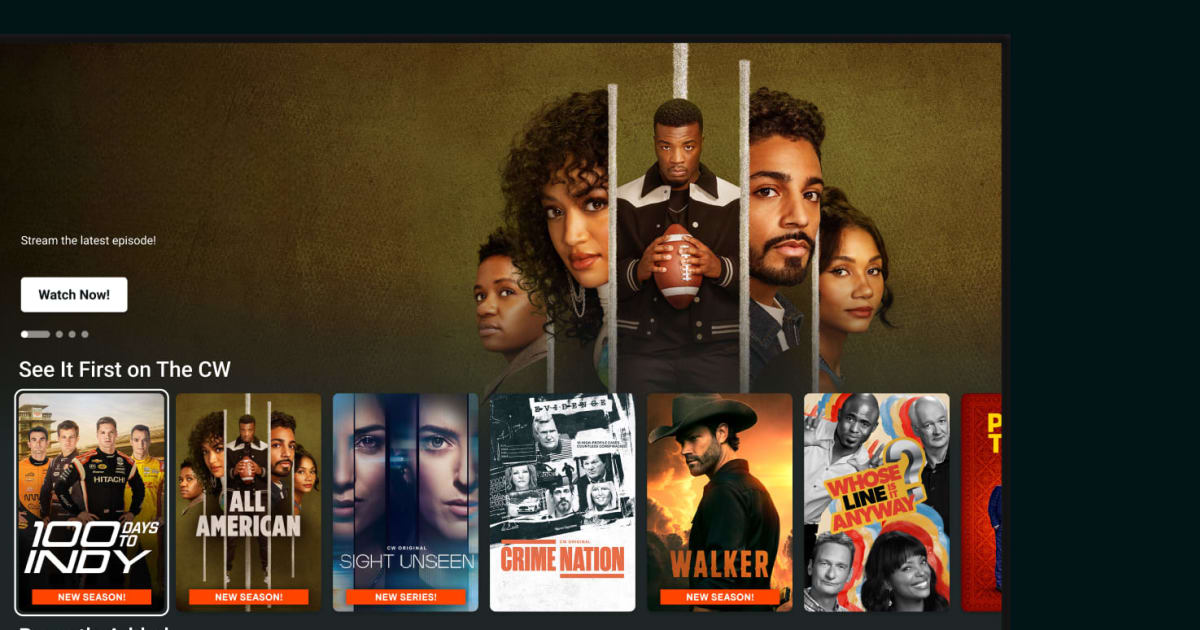
Part 2: How to Download CW Shows to Watch Offline?
Below, we will show you 3 methods to download CW shows to watch offline.
Method 1: CleverGet CW Downloader
One of the simplest methods for downloading CW video content is the use of CleverGet CW downloader. With this tool, you can download CW movies and CW TV programs with quality up to 1080P and enjoy watching online without an internet connection. With CleverGet CW downloader, you can save CW video files to your hard drive in MP4/MKV format so that you can view them using any media player, or transfer them to other devices, even when you are not connected to the internet.
Another great feature of the application is that it allows you to download CW video files ad-free, thus offering an uninterrupted viewing experience offline. Also, with its batch downloading feature, you can download multiple CW videos at once.
Steps to Download CW Shows with CleverGet CW Downloader
Step 1: First, go to the official CleverGet website and download the installation package.
Step 2: Launch CleverGet, then you can use the software’s built-in browser to go to the CWTV site, locate the desired television show or movie, and start playing the video. Also, you can directly copy and paste URL in the CleverGet.
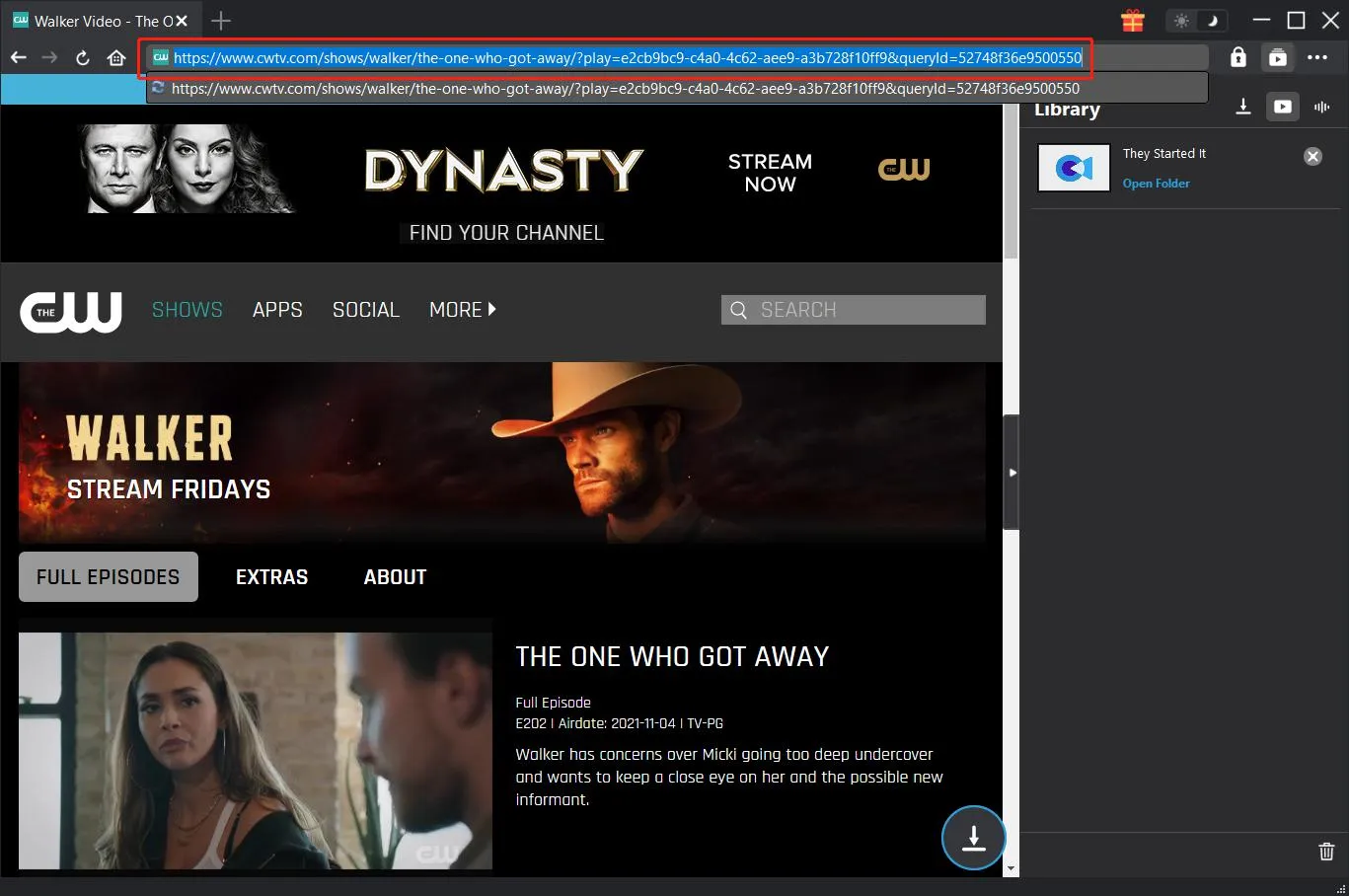
Step 3: Once streaming has commenced, CleverGet will automatically pull down all the playback media available on the page, displaying options for each format. Select one that works best for your needs.
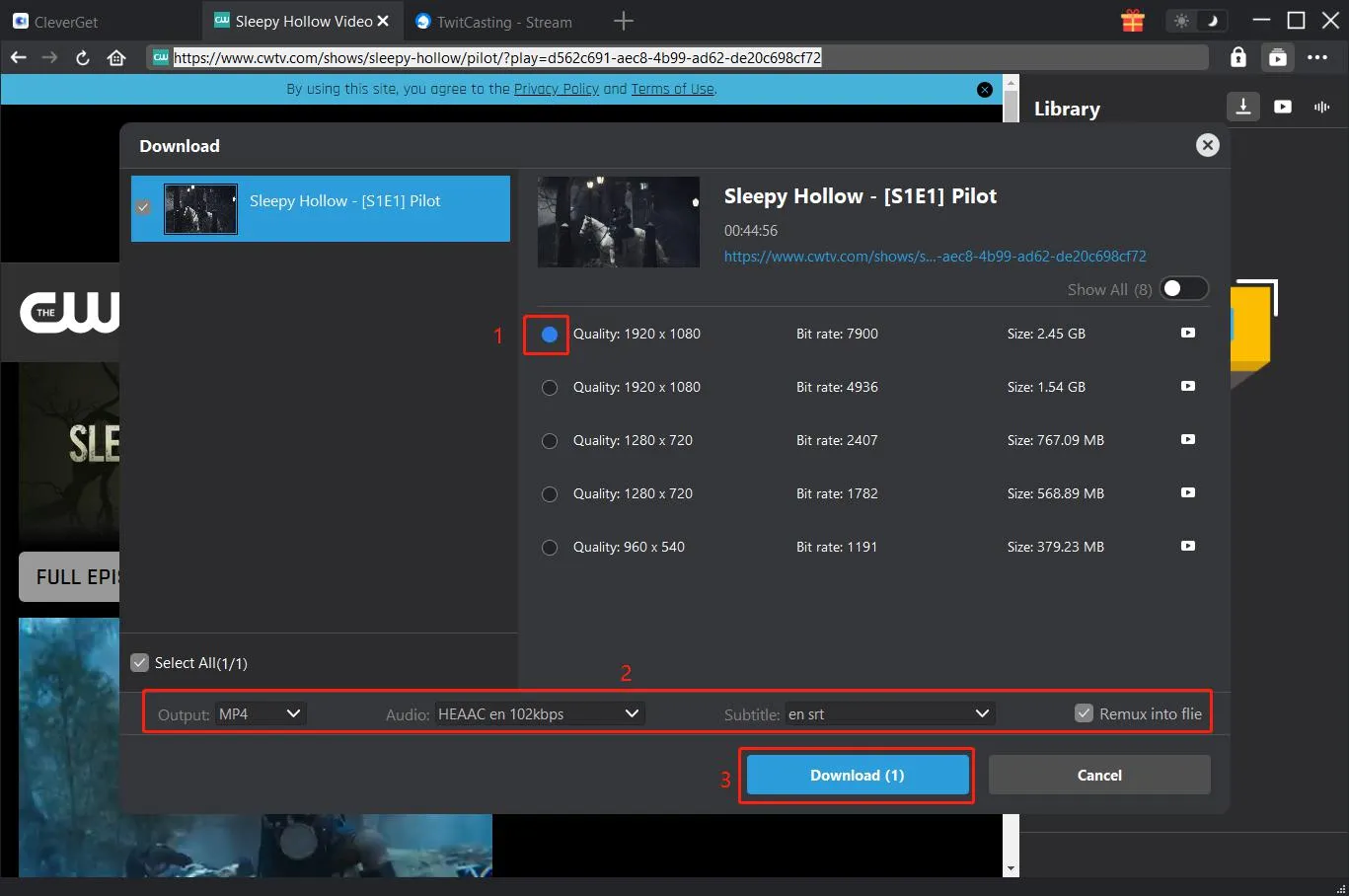
Step 4: Click the download button once you have selected the quality. Once done, CleverGet automatically saves the video to the location you have chosen before.
Method 2: Record CW Videos with PlayOn
Another way to save CW series offline is to use PlayOn Cloud. This app is a bit different from normal downloaders because instead of downloading the video file directly, it records the show as you watch it being streamed and then saves that recording so you can watch it later. Available on both iOS and Android devices, PlayOn Cloud lets you record from various streaming services, including CW. New users can take advantage of a free trial that consists of a few free recordings.
Steps to Use PlayOn to Download CW Videos
Step 1: First, download and install the PlayOn Cloud app from the App Store or Google Play on your mobile device. The user needs to create a free account after the app installation, which provides access to the free trial period. The service provides new users with 5 complimentary recordings, which they can use to test the system.
Step 2: The app needs to be opened before you can access the Channels tab. The CW channel needs to be found and tapped before you can browse through its available shows and select the episode that you want to save.
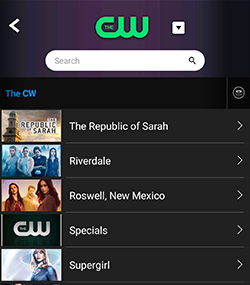
Step 3: The Record button needs to be tapped after you locate the episode because this action will begin the recording process. The option to record all episodes of a season exists for users who want to save multiple episodes from a show.
Step 4: PlayOn records the video in real time, which means the recording duration matches the complete length of the episode. The finished recording becomes accessible through the Recordings tab.
The recorded episode can be downloaded to your device, which enables you to watch it offline at any time. The video can be cast to your TV through devices such as Roku, Chromecast, Fire TV, and Smart TV, while some playback options provide users with the ability to skip ads automatically
Method 3: Record with CleverGet Recorder
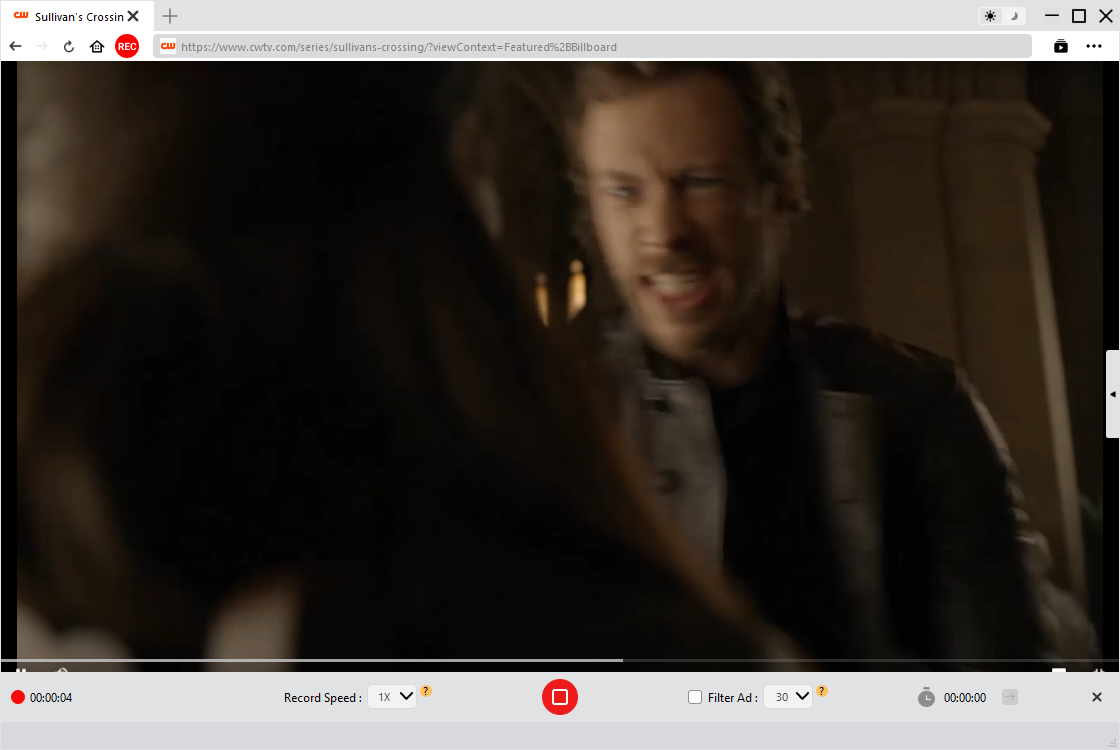
If downloading directly from CW doesn’t work, another simple option is to record the video while it plays on your screen. You can use CleverGet Recorder for this method because it is a free tool that enables you to record streaming videos from various websites. CleverGet Recorder allows you to record online videos in high quality, up to 4K at 60 FPS, and save them as MP4 or MKV files.
The system provides an effective method to save CW shows because users cannot directly download content from the platform. The recorder works smoothly with most streaming services and can capture both on?demand videos and live streams. Once the recording is finished, the file is saved to your computer so you can watch it offline anytime.
Steps To Record Cw Videos Using Cleverget Recorder
- Step 1: You need to download and run the CleverGet Recorder application at this time. After you start the application, you should navigate to its settings area. The settings area allows you to define specific recording attributes which will determine (filename format, resolution, frame rate, storage location, etc.)
- Step 2: Next, open your browser and play the video you want to record from CW. Make sure it’s fully loaded in the quality you want to download in.
- Step 3: Next, you need to click the Record button of the CleverGet Recording Toolbar; CleverGet will then start to record the video you are watching. When the video is complete, you can click Stop, and your file will automatically be saved. Also, you can find it on the right side of the interface under the library.
Part 3: FAQs
Q. What Is CW?
The CW television network broadcasts American TV shows which include various entertainment programs through their network. The network broadcasts many popular shows which viewers can later stream through the CW website and app.
Q. Is CW Free?
The CW network provides its content to viewers without any charge. The CW website and app permit users to watch numerous episodes without requiring a subscription, which differentiates it from most streaming services. The videos require an internet connection for viewing, and they display advertisements during playback.
Q. Can You Watch CW TV Outside the US?
The CW network restricts its content distribution to viewers located in the United States. You will face regional limitations if you attempt to access the service from any country outside the United States. Some users use VPN services to watch the platform while they travel, but access depends on users current location and the policies of the service provider.
Q. Is the CW Network on YouTube TV?
Yes, the CW Network is available on YouTube TV in many areas. However, availability can depend on your location because CW channels are provided through local affiliate stations. If your local CW station is supported by YouTube TV, you should be able to watch CW programs through the platform.
-

Most Popular Facebook Story Viewers Rank & BeyondPatrick Murray/2026-06-03
-

Is YouTube Smart Downloads Good or You Should Try Something Smarter?Patrick Murray/2026-06-03
-

How to Save Money on Discovery Plus SubscriptionSunny Wen/2026-05-28
-

ScreenRec Review: Is It Truly Free and Watermark-Free?Sunny Wen/2026-05-28
-

Can You Still Get a Free Trial on Discovery+?Sunny Wen/2026-05-20
-

Easy Guide: How to Burn Amazon Prime Videos to DVDs?Patrick Murray/2026-05-09
-

Where Are Amazon Prime Video Downloads Stored on PC/MobilePatrick Murray/2026-05-08
-

Sling TV or FuboTV: Which One Should You Pick?Sunny Wen/2026-05-11
-

Can You Share a Disney Plus Account with Different Households?Sunny Wen/2026-04-16
-

How to Use Loom Video Recorder for Quick Screen RecordingSunny Wen/2026-04-16
-

How to Download OnlyFans Videos from Messages?Patrick Murray/2024-05-09
-

[2026] What is OnlyFans Media not Loading Issue & How to Fix?Patrick Murray/2024-02-21
-

How to Download OnlyFans Videos on Android/iPhone/PC?Patrick Murray/2024-06-28
-

How to Download Private YouTube Videos Without AccessPatrick Murray/2025-02-12
-

How to Download YouTube Members-Only Videos?Cassie J./2024-05-08
-

Latest List of the Best Free Movie Websites[2026]Patrick Murray/2024-05-07
-

[2026 Update] How to Download All Media from OnlyFans?Patrick Murray/2024-02-26
-

TK2DL: Features and Uses of this TikTok & Twitter DownloaderLeia Liu/2024-09-05
-

10 Best HDHub4u Alternative Sites for Movie DownloadPatrick Murray/2024-03-06
-

How to Turn Off Age Restriction on YouTube?Patrick Murray/2024-03-04
 English
 Deutsch
 日本語
日本語 French
 한국인
한국인 Italiano