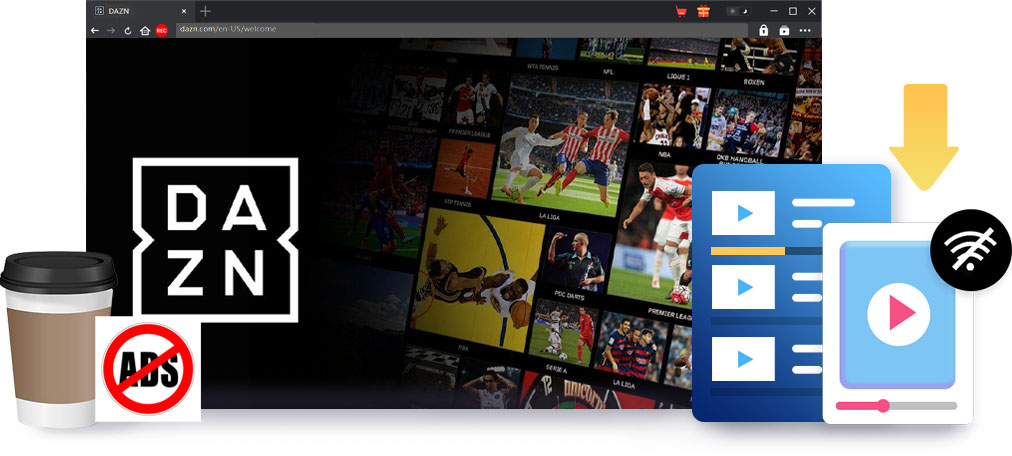
As a global sports streaming service, DAZN offers a wide range of live and on-demand sports contents like boxing, MMA, football, NFL, etc. If you get DAZN app installed on your mobile devices, you might be able to download DAZN videos for offline viewing. However, there multiple limitations upon the official DAZN video downloads like subscription plan requirement, device limit, playback limit, etc. CleverGet DAZN Downloader is developed to avoid all these limitations and help you watch DAZN sports videos offline without limit. As professional DAZN video downloader, CleverGet DAZN Downloader could batch download DAZN videos at up to 1080P resolution with AAC 2.0 stereo sound to MP4/MKV files for ad-free offline watching. It helps you keep your favorite sports matches and highlights forever.
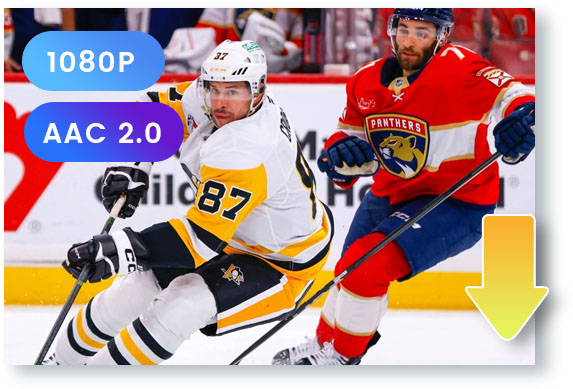
While DAZN provides HD or FHD sports video streaming, CleverGet DAZN Downloader could download DAZN videos without quality loss. It could download sports videos from DAZN at up to 1080P resolution with AAC 2.0 stereo sound. You are able to watch DAZN videos offline at up to 1080P quality.
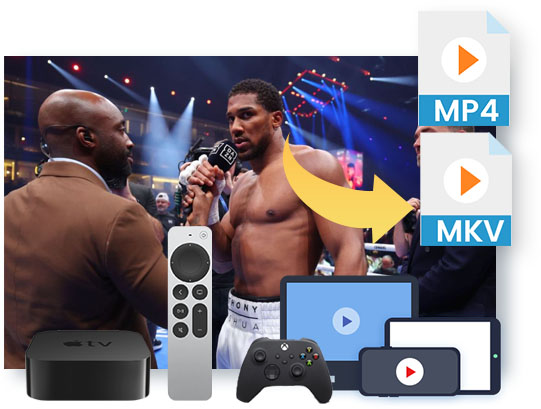
While the official DAZN video download feature lets you watch DAZN video downloads within the DAZN app on supported devices only, CleverGet DAZN Downloader enables you to watch DAZN videos offline with various players on different devices, since it could download DAZN videos and save DAZN to MP4 or MKV files.
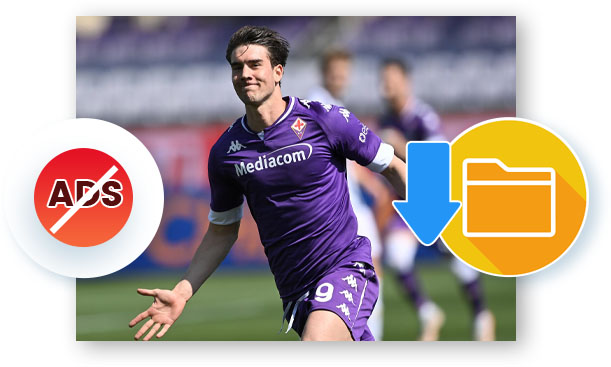
While some DAZN videos might deliver ads, CleverGet DAZN Downloader supports ad-free offline watching. It could automatically detect and remove all detected ads during DAZN video downloading, so as to let you watch DAZN videos offline without ads.

The built-in browser enables you to log into DAZN, browse/search/play DAZN video, and download DAZN video in simple clicks.

Detect all available TV episodes by parsing one single episode page, and then let you add multiple episodes for batch downloading.

With support of GPU graphics card accelerations like NVIDIA CUDA, AMD APP, Intel Quick Sync, etc., the DAZN video download speed is greatly increased.

Automatically detect and preserve DANZ video metadata info like title, length, format, size, etc. for convenient offline management.
CleverGet DAZN Downloader offers far more than DAZN video download solution, but media management solutions upon DAZN video downloads. After DAZN video downloads complete, it enables you to directly play downloaded DAZN video via default media player or Leawo Free Blu-ray Player, convert/edit/burn downloaded videos via Leawo Prof. Media, directly open the file folder of DAZN video downloads, delete all download history, restart all failed or interrupted download tasks in one click, etc. What's more, you could command CleverGet DAZN Downloader to automatically shut down computer after all download tasks complete right before or during downloading. With CleverGet DAZN Downloader, you get far more than a simple DAZN video downloader.
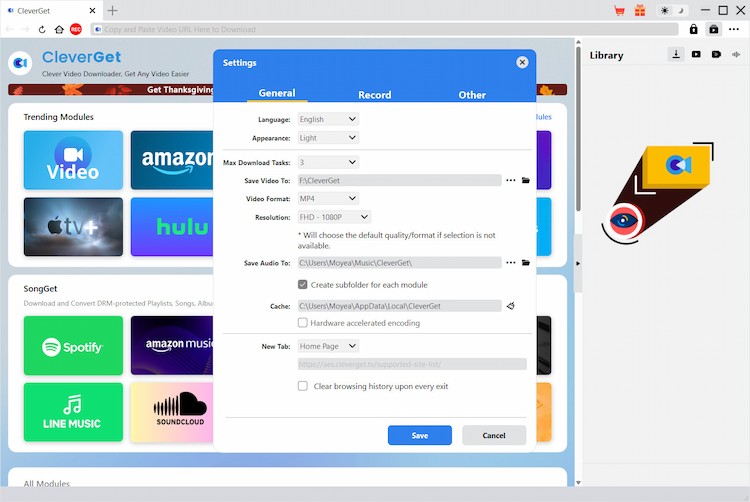
STEP 1
Specify DAZN video download settings
STEP 2
Open DAZN website and play target video
STEP 3
Parse taget video to choose download options
STEP 4
Start downloading DAZN videos
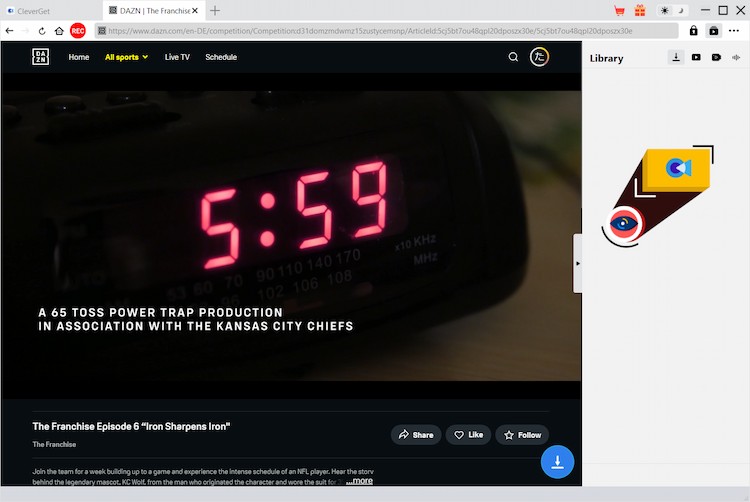
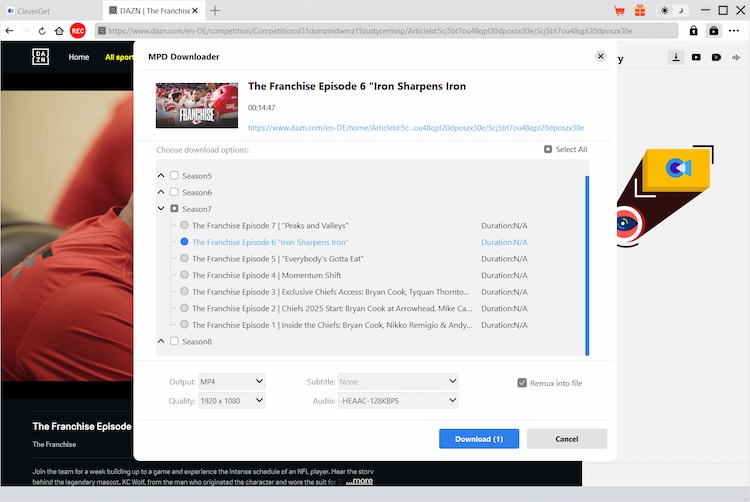
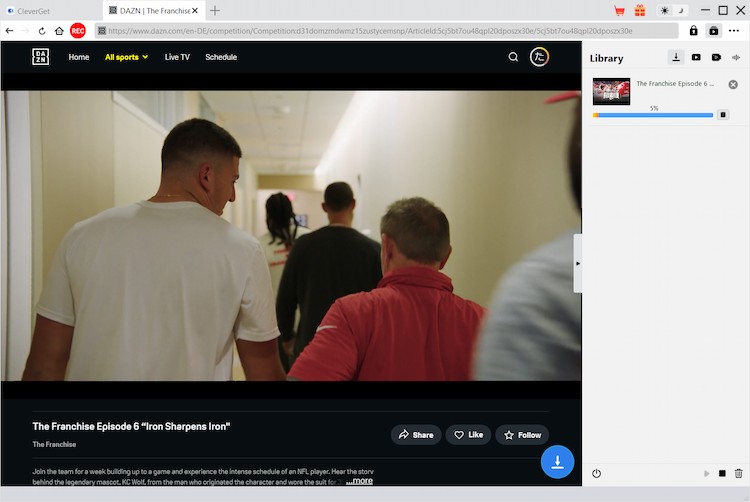
Note: Make sure you have accessed to the playback page of target video within CleverGet for downloading.
 WIN
WIN
 MAC
MAC
ONE YEAR
$59.95
$41.96
Billed Annually
1 License for 1 PC
All Features for 1 Year
Manual Renewal. Safe and Flexible
5 Days Money Back Guarantee
Unlimited Free Upgrades
LIFETIME
$99.95
$69.96
One-time Payment
1 License for 1 PC
All Features for Lifetime
One-time Payment
14 Days Money Back Guarantee
Unlimited Free Upgrades
RECOMMENDED
Purchase 2 or more modules, Get higher discount.
Save up to
75%
TECH SPECS
System requirements
Supported OS: Microsoft® Windows 7/8/8.1/10/11 (64bit)
Processor: 1 GHz or above Intel/AMD Processor
RAM: 512MB RAM (1024MB or above recommended)
Free Hard Disk Space Required: 5GB+
References
Supported Video Sharing Websites: https://www.DAZN.com/
Supported Output Video formats: MP4/MKV (video), SRT/SUP (subtitle)
Fair Use Policy: CleverGet is intended solely for personal, educational, and non-commercial archival purposes. It allows users to save a local copy of digital media, live streams, or online courses that they have legally subscribed or purchased. Any unauthorized video downloading, or sharing video downloaded by CleverGet with third-party or for commercial purposes, is strictly prohibited.

CleverGet DAZN Downloader works exactly as I expected. It downloads DAZN sports videos quickly and keeps the original quality intact. Perfect for offline viewing when traveling.

I like how easy CleverGet DAZN Downloader is to use. The interface is clean, and DAZN videos download fast without errors.

CleverGet DAZN Downloader is very reliable for saving DAZN content. It delivers smooth downloads and HD offline playback.

CleverGet DAZN Downloader is beginner-friendly and efficient. I was able to save DAZN matches with just a few clicks. It bypasses all the official DAZN video download limits and enables me to freely watch DAZN games offline without limit.

CleverGet DAZN Downloader is reliable and fast. It's my go-to solution for downloading DAZN sports videos for offline viewing. It even removes the ads automatically. That's perfect.

CleverGet DAZN Downloader makes downloading DAZN videos stress-free. The DAZN video download quality and speed are both excellent. It helps me watch my favorite football games offline on the go without network connection and create my own library of my favorite highlights.


100%
100% Safe & Clean
14
14-Day Money Back Guarantee
24h
1 Business Day Response
10+ million
10,000,000+ Users
Can't complete the purchase successfully?
If you can't complete the purchase successfully, please click the "Return to store" button below to refresh and get new purchase link.
If the problem still exists, please contact CleverGet Customer Service via [email protected] for further support.
Return to store >

Home | Legal Disclaimer | DMCA | Privacy Policy | Purchase Policy | Refund Policy | License Policy | Cookies Policy | Terms of Use | About Us | Contact Us | Uninstall | Get Code Free
Copyright © 2022 Cleverget All Rights Reserved.





 English
 Deutsch
 日本語
日本語 French
 한국인
한국인 Italiano