


 Try for Free
 Try for Free
Share article:


How to Save Money on Discovery Plus Subscription

2026-07-02 ・ Related to: CleverGet Discovery Plus Downloader
31 Views
Summary:
This article presents 3 tips for saving money on a Discovery Plus subscription. If you want to join the membership of Discovery Plus, read on to know more.
For those who enjoy Frozen Planet and want some reality TV programs to keep you glued, then a Discovery Plus subscription is definitely something that will be helpful. The best thing about Discovery Plus is that it features many interesting shows that provide viewers with plenty of entertainment at a casual time. But as we all know, streaming costs can be high. Fortunately, there are several simple tricks for saving money on your Discovery Plus subscription without having to skip the shows.
What Features Are Included in Discovery+ Plans?
The Discovery Plus subscriptions have remained quite basic over the years. For starters, they give potential customers a 7-day trial before picking from the two subscriptions, which you can check below. While both of these plans provide access to the same content, they differ greatly in price and features.
|
|
Free Trial |
Ad-Supported Plan |
Ad-Free Plan |
|
Monthly Cost |
$0 |
$5.99/mo |
$9.99/mo |
|
Content Library |
√ |
√ |
√ |
|
Exclusive Discovery+ Originals |
√ |
√ |
√ |
|
Up to 4 Concurrent Streams |
√ |
√ |
√ |
|
HD/4K Video Quality |
√ |
√ |
√ |
|
No Commercial Interruptions |
× |
× |
√ |
|
Offline Downloads (Mobile) |
× |
× |
√ |
How to Save Money on Discovery Plus in 2026?
Nobody likes to waste money each month on expensive streaming services. Fortunately, there are some tips you might apply to save money. Here are the best strategies for saving money on Discovery Plus streaming service.
1. Start with the Free Trial
The most cost-effective way would be to pay zero money. If you are a new user, you should try your luck with a 7-day free trial, which is available for both advertising and no-ad versions of this service. This is an ideal option for determining whether or not the offer is worth your money. Here is how you can get the subscription for free:
Step 1: Visit the official website of Discovery Plus or install the app on your smartphone, tablet, or smart TV.
Step 2: Click the ‘Start Free Trial’ button and choose whether you want to test out the cheaper ad tier or the ad-free version. Create your profile using your email.
Step 3: Provide your billing information. You won’t be charged for now. But remember to add a reminder in your calendar about canceling the Discovery Plus trial within 7 days, if you are not going to purchase the product.
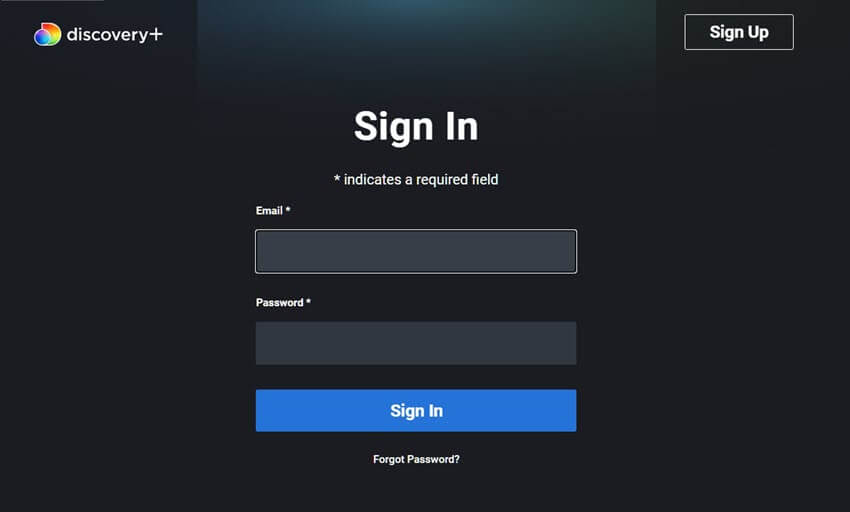
Having an Amazon Prime account allows you to access another 7-day trial by simply signing up for Discovery Plus via Prime Video Channels. It is possible to enjoy a second free trial period despite having used the first one offered by Discovery+’s official website.
2. Check Discovery+ Deals
Before considering the subscription at the usual price rate, make sure that there are other perks. Various companies usually give away their customers free of charge Discovery Plus. The following are the best available right now:
The Max Student Discount: Discovery Plus discontinued its separate subscription plan for students some time ago. However, here comes the loophole: as a student, you can get The Max Student Discount (verify via UNiDAYS or SheerID) for just $5.49/month. Considering that Max’s plan now features the whole Discovery Plus catalog, you end up paying less than with Discovery+ but still enjoying its benefits along with HBO blockbusters.
Verizon “On Us” Bonuses: Make sure to verify whether your mobile plan qualifies. Some Verizon Unlimited subscriptions (as well as some Fios Internet plans) continue to give away Discovery Plus as an introductory “On Us” bonus offer. This way, you can get up to 6 to 12 months of the service for free by signing in to your My Verizon application.
Disney+, Hulu, & Max Mega Bundle: For those who aim to have the complete streaming experience, there is the ultimate Mega Bundle of Disney+, Hulu, and Max, which includes everything found in Discovery+. The package costs as low as $19.99/month, providing a savings of almost 42%. If you were already paying for Disney or Hulu anyway, it’s the cheapest way to sneak Discovery content onto your screen.
3. Choose Annual Plan Instead of Monthly Plan When Possible
If you are certain that you would like to subscribe to Discovery Plus for a long time, paying for it monthly is not an effective way. The most frustrating aspect of this deal is that the company does not provide a traditional annual subscription option button on the page.
You can access the official gift card site and purchase yourself a gift card for 12 months of streaming. In general, buying a one-year membership through such a gift card allows saving 15% to 20% off compared to 12-month payments straight. This means that you pay the same amount but get a couple of extra months in return.
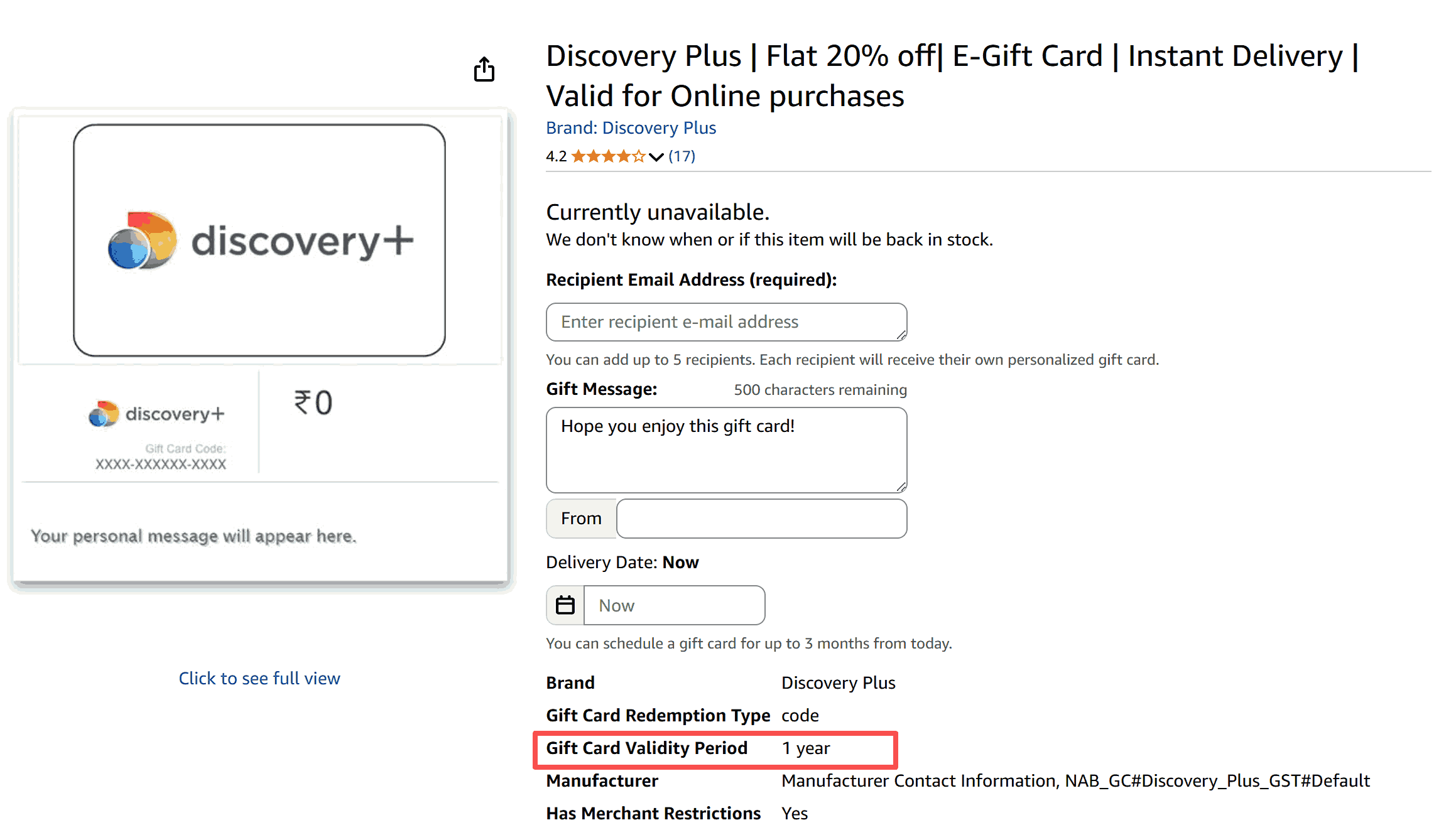
Please remember that if you choose this approach, it is better to activate the subscription only from the official Discover Plus site/ Amazon and not from any unknown third-party platform.
How does Discovery+ compare to Other Streaming Services?
The only way to determine whether a Discovery+ subscription would be worthy of the money you pay for it is through its performance against other major competitors. A comparison with Netflix, Hulu, and Disney+ makes the most sense.
While there’s no doubt that Discovery Plus takes the crown when it comes to inexpensive true crime and reality shows, it does differ from other movie streaming services in aspects such as live channels and blockbusters. Here is a comparison between all of them to help you make the right choice:
|
Service |
Price (Ad-Supported) |
Price (Ad-Free) |
Best For & Top Shows |
Offline Downloads |
|
Discovery+ |
$5.99/mo |
$9.99/mo |
Reality, Food, Home & True Crime |
√ (Ad-Free tier only) |
|
Netflix |
$8.99/mo |
$19.99/mo (Standard) |
Original Series & Blockbusters |
√ (Limited to 15 downloads/mo on Ad plan) |
|
Hulu |
$11.99/mo |
$18.99/mo |
Next-Day Network TV & FX Hits |
√ (Ad-Free tier only) |
|
Disney+ |
$11.99/mo |
$13.99/mo |
Family, Nostalgia & Mega Franchises |
√ (Ad-Free tier only) |
Final Words
Well, if you have finally decided to sign up for Discovery Plus, brace yourself for an overwhelming amount of comfort TV content to indulge in. Before making that payment, do not simply click without second thoughts. Make sure that all your bases are covered and you do not waste money on something you may regret. Sign up for the free trial or maybe even use your Prime membership for the second week, consider using Verizon and your college credentials for the discount, or maybe choose to pay annually and save money upfront. Play it smart, and you’ll get your entire reality and true crime fix without your bank account even feeling it.
FAQs
Can you watch Discovery+ without ads?
Yes, you can subscribe to their premium plan to avoid ads. You can also use CleverGet Discovery Plus Downloader to download Discovery Plus shows easily. This efficient tool removes all those irritating ads while downloading, and you can enjoy ad-free video content on your PC without distractions.
Does Discovery+ include live TV?
No. It is not like the traditional real-time TV channels. It is more of an on-demand service where you find the movie/show from the library and watch it.
Is Discovery+ included with Max?
Yes. Max includes everything on Discovery Plus. If you have subscribed to Max, you don’t need to subscribe to Discovery Plus separately.
Does Discovery+ offer a free trial?
Yes. New users get a free trial of 7 days and a separate 7-day free trial from Amazon Prime+Discovery Plus.
Is Discovery+ available internationally?
Yes. It is available in the US, Canada, Brazil, and parts of Europe. However, the available content may be different due to copyright.
Does Discovery+ work well on smart TVs?
Yes. The app can be installed on most smart devices, like Roku, Amazon Fire TV, and Apple TV. Just go to the TV app store to download and install.
Can multiple people use one Discovery+ account?
Yes. You can create up to 5 profiles in one account, and a single account can be watched on 4 different screens at the same time.
CleverGet Discovery Plus Downloader

 Try for Free
 Try for Free
 Download Discovery+ videos in up to 1080P resolution.
Save Discovery+ content as MP4 or MKV files.
Download subtitles and audio tracks.
Batch download full seasons and multiple episodes.
Remove ads during Discovery video downloads.
 English
 Deutsch
 日本語
日本語 French
 한국인
한국인 Italiano