


 Try for Free
 Try for Free
Share article:


Can You Share a Disney Plus Account with Different Households?

2026-04-16 ・ Related to: CleverGet Disney+ Downloader
88 Views
Summary:
Can you share a Disney Plus account with a different household? You can. However, there are limitations and extra fees. For a better choice, use Disney Plus Downloader to bypass all the watching restrictions.
MenuCLOSE
Disney Plus is a famous platform to watch amazing movies and attract thousands of followers. However, due to the high cost of the subscription, many people wish to use a single account and share it to save money, which is convenient for users under the same roof. But, how about the college student in another city, or the family working in another place? Can you share Disney Plus with different households? This article offers you detailed information on Disney Pus share account policies.
Can You Share Disney Plus?
Yes. But, since 2024, Disney Plus moved to the “Same Roof” policy, which means users can only share an account under the same roof (which means all devices linked under the same WIFI or at your primary account residence). If you and your family don’t live together, you cannot share your account unless you subscribe to the Extra Member add-on feature. This allows you to add one more person so that this person can share all the perks of your account. However, this comes with limitations, and you need to pay an additional fee.
One Person Only: You can add only one extra member.
Single Stream: The extra member can only watch the movies on one device at a time, which means he/she cannot share the account.
Age and Region: The person must be over 18 years old and live in the same country as you.
Disney+ US Plans & Sharing Costs (2026)
|
|
Monthly Price |
Extra Member Add-on |
Total (Main + 1 Friend) |
|
Disney+ Basic (with Ads) |
$11.99 |
$6.99 |
$18.98 |
|
Disney+ Premium (No Ads) |
$18.99 |
$9.99 |
$28.98 |
|
Duo Premium (D+ & Hulu) |
$19.99 |
$10.99 |
$30.98 |
|
Trio Premium (D+, Hulu, ESPN+) |
$29.99 |
$14.99 |
$44.98 |
|
Trio Premium + NFL+ |
$54.99 |
Not Available |
Not Available |
How to Add Someone to Your Disney Plus Account?
Right now, this extra member add-on feature is only available for subscribers billed directly by Disney Plus. If you are qualified, follow the steps below to add your family from a different household.
Step 1: Visit DisneyPlus.com and log in to your account.
Step 2: Choose your profile picture and click on the Account option.
Step 3: Find the Your Plans and Billing section and choose Invite an Extra Member.
Step 4: Click on Continue.
Step 5: After you check the monthly fee, choose Agree & Purchase.
Step 6: Enter the email address of the person that you are inviting. Click Send Invite.
Step 7: You can create a new profile for the persona, or you can choose the existing profile for him/her.
Step 8: Choose Next to formally send the invitation email.
Step 9: Click Got it! on the confirmation page to complete the setup process.
Step 10: Tell the person and ask him/her to confirm the invitation via email.
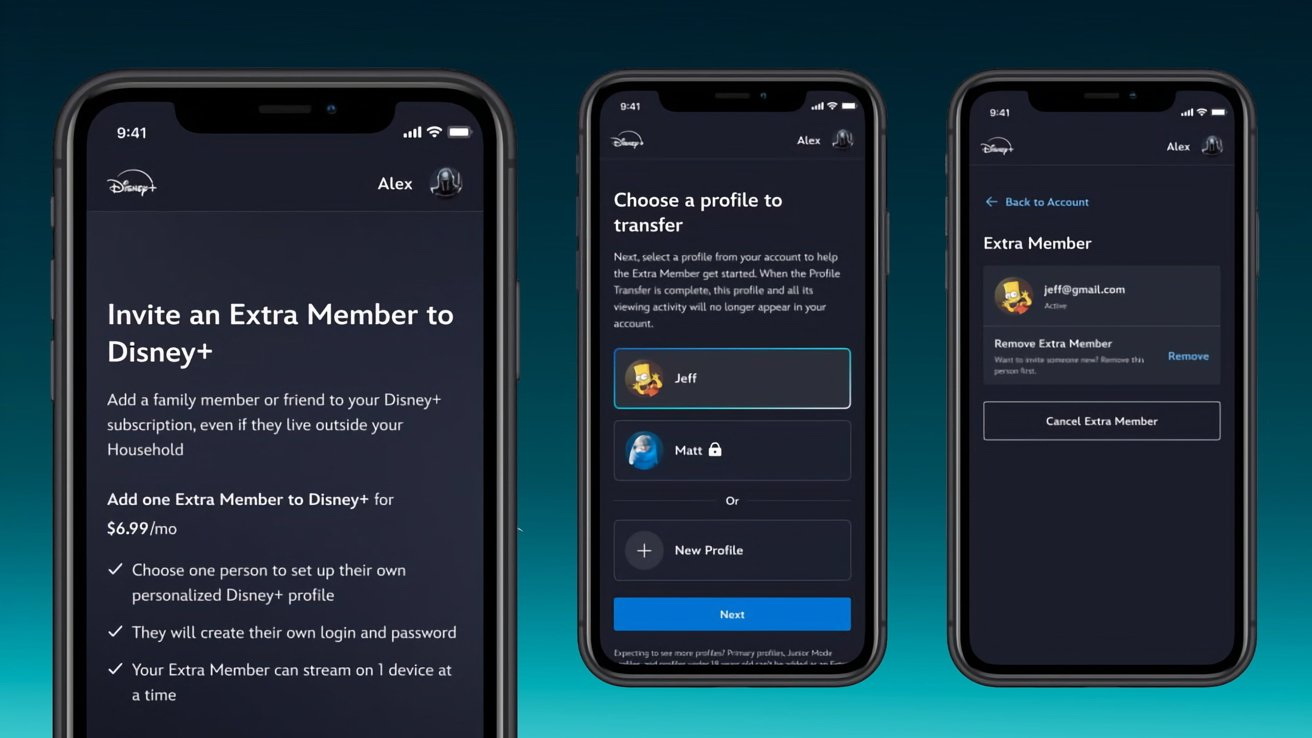
Tips: How to Kick People Off
- You have to cancel the “Extra Member” add-on if you want to stop the monthly charges. If you only remove the member, this won’t stop the billing.
- If you want to replace the person, remove him/her, then you can free up the seat immediately.
- If you want all the users off your account, visit Access & Security, select Log out of all devices, and change your password right away.
How to Share Disney Plus with CleverGet Disney Plus Downloader?
As we discussed in the previous part, the price of Disney Plus is high, and the limits cannot be ignored. You can only add one more member, and single steam restrictions? I mean, what about you have many family members outside? If you bypass these headaches and save money for Disney Plus bundles, I have a better idea: use a professional CleverGet Disney Plus Downloader to get the movies for offline watching.
-
CleverGet Disney Plus Downloader
CleverGet Disney Plus Downloader offers the best Disney Plus video download solution to download on-demand movies, shows and others from Disney Plus of all servers to MP4/MKV file. It could download Disney+ videos at up to 720P resolution, with selected subtitles and audio tracks, and remove ads during Disney Plus video download process.
As one of the best Disney Plus downlaoder, CleverGet allows you to download Disney Plus movies unrestricted. You can freely watch any of your favorite pieces like Marvel, Pixar, and Star Wars without worrying about any Same Roof policies or additional fees. Here are the main features of CleverGet.
No Household Restrictions: Once you download Disney Plus movies offline, you can transfer them to any device, like a USB or portable drive, and send them to your friends and family to share.
Permanent Save: The official downloads from Disney Plus app will expire, but the movies you download using CleverGet will be saved forever unless you delete them.
High-Quality Offline Viewing: You can download up to 4K quality and enjoy Atmos 5.1 audio with CleverGet.
Batch Processing: You can download multiple episodes or movies at once.
Format and Subtitles: You can download videos from Disney Plus in MP4/MKV formats with selections of multi-language subtitles and audio tracks.
How to Use CleverGet Disney Plus Downloader
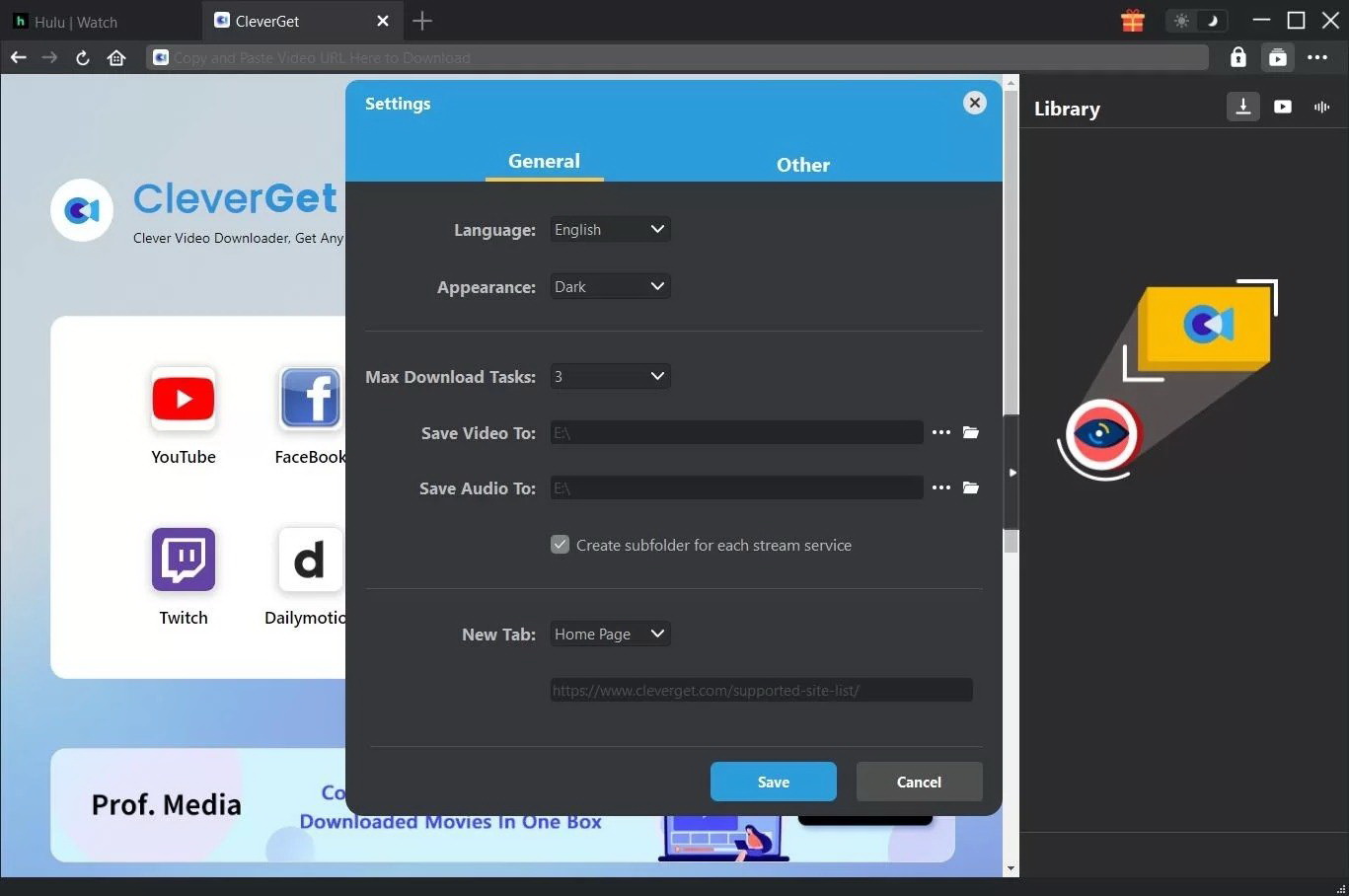
Step 1: Open CleverGet, click on the three dots at the upper right corner. Here, you can change the directory for the downloads.
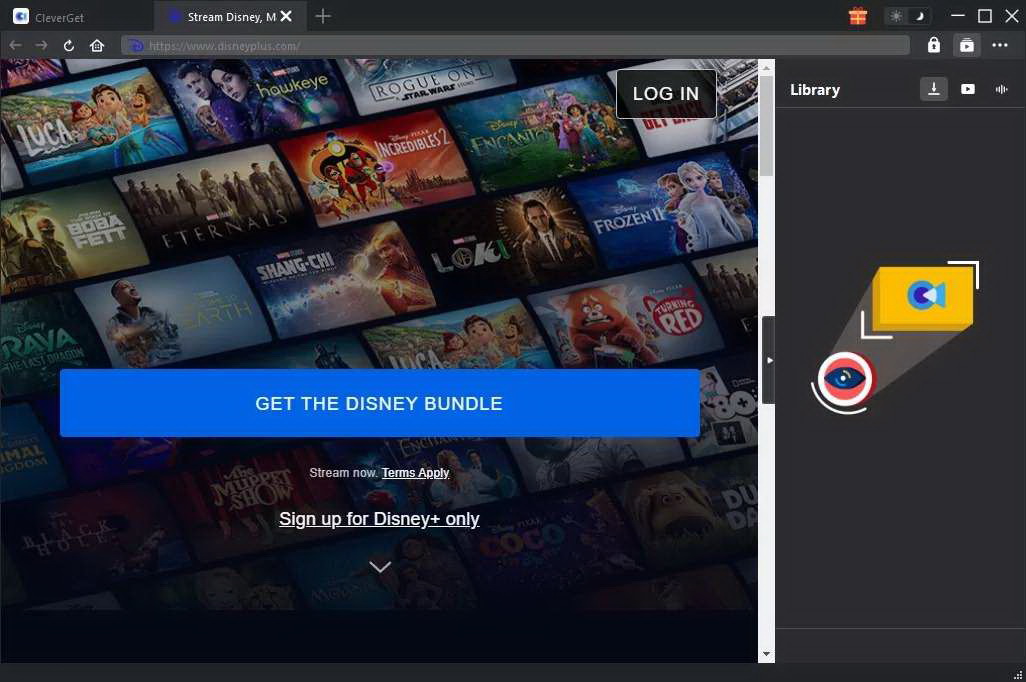
Step 2: Choose Disney Plus from the CleverGet built-in browser and log in to your account.
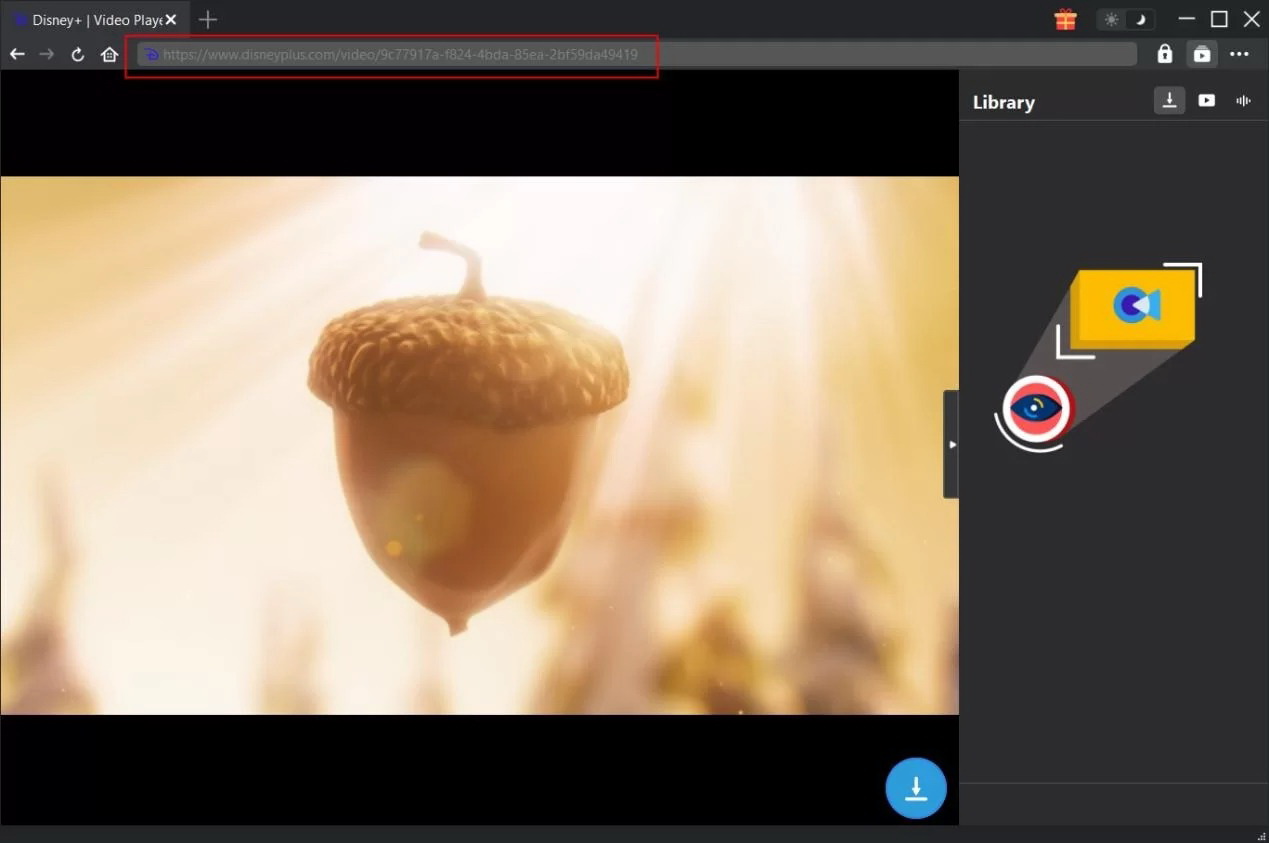
Step 3: Copy and paste your desired Disney Plus movie URL and play the video. CleverGet will parse it.
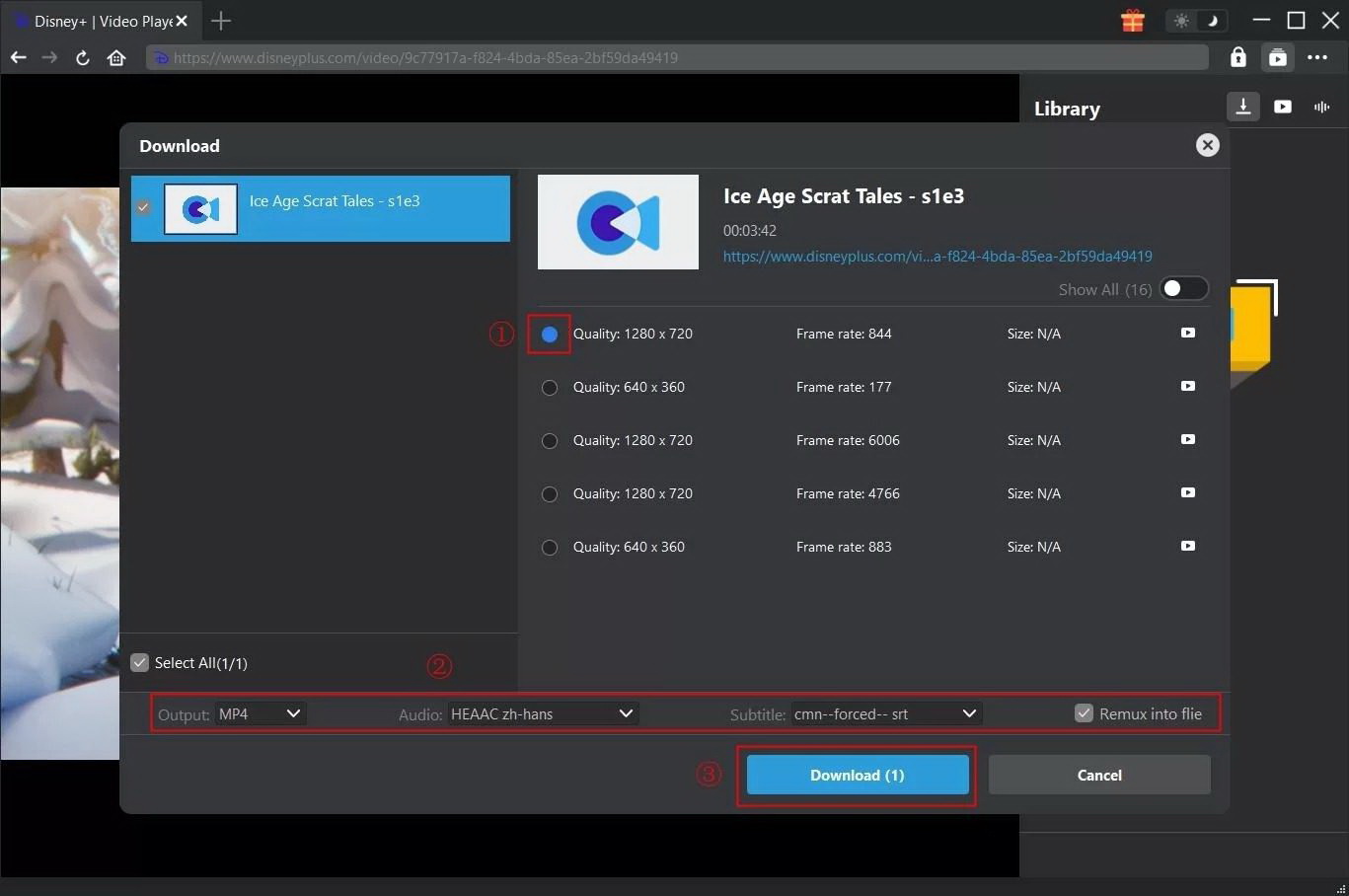
Step 4: After parsing, you can see a list of downloable resources with different quality. Choose one to download.
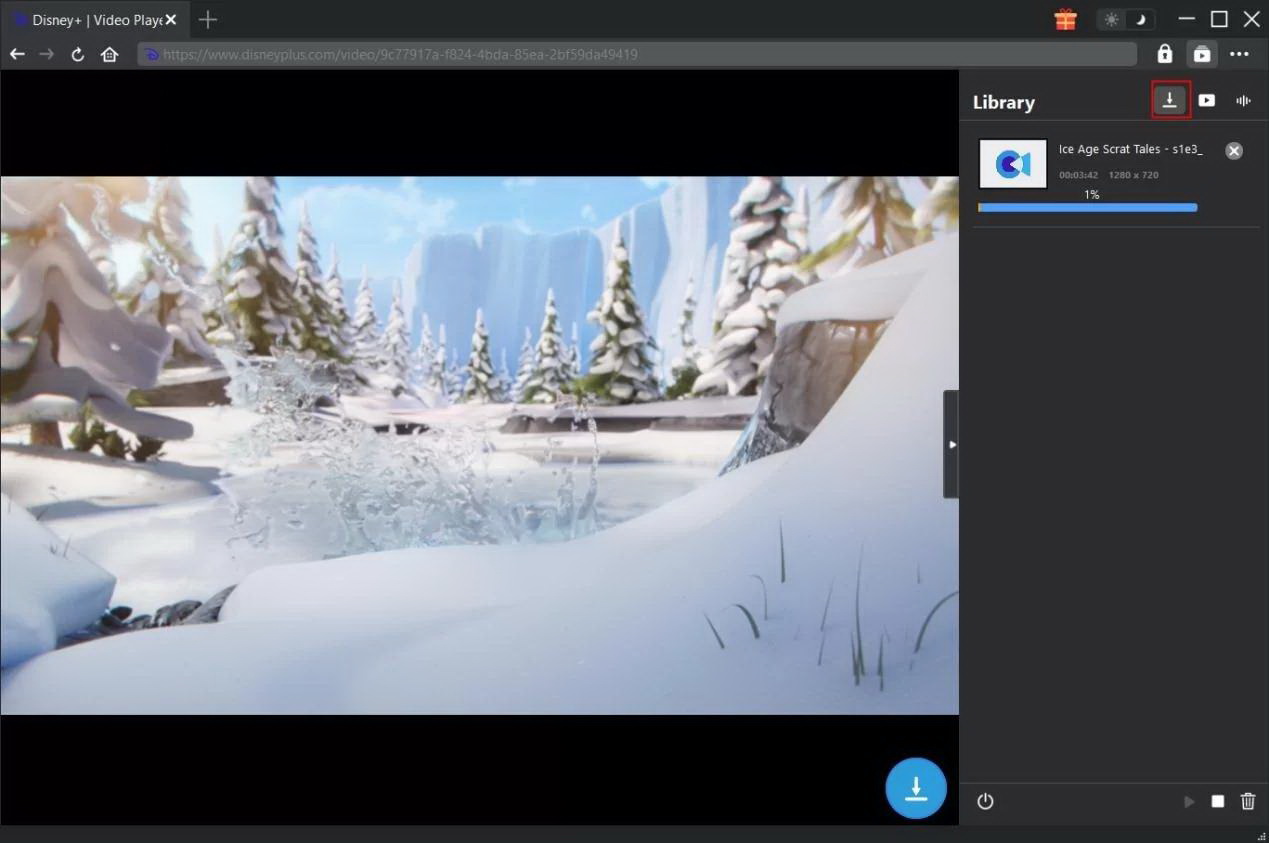
Step 5: After downloading, you can freely watch the video offline or send it to your family and friends to watch.
FAQs
1. Can I share Disney Plus with someone in another house?
Yes. But you can only share an account for free in the same household. If you need to share an account with people from another household, you need to pay extra money for subscribing to the extreme member add-on feature.
2. How many devices can stream at once?
The simultaneous streaming devices are different based on the subscriptions:
Disney+ Standard: Up to 2 devices.
Disney+ Premium: Up to 4 devices.
3. Will Disney Plus block account sharing?
Yes. Disney Plus is blocking password sharing outside the household. If you are found password sharing with other people not in your family (IP detection, device check, etc), the account may be blocked, show an error message, and more.
CleverGet Disney+ Downloader

 Try for Free
 Try for Free
 Download Disney+ videos in up to 720P resolution
Save Disney+ content as MP4 or MKV files
Download Disney+ movies, shows, and exclusive originals
Batch download full seasons and multiple episodes at once
 English
 Deutsch
 日本語
日本語 French
 한국인
한국인 Italiano