


 Try for Free
 Try for Free
Share article:


Can You Still Get a Free Trial on Discovery+?

2026-07-02 ・ Related to: CleverGet Discovery Plus Downloader
53 Views
Summary:
Currently, Discovery still offers a free trial. This blog will tell you several ways to get its free trial and what the free trial includes.
As of 2026, Discovery+ has over 70,000 episodes in its library, covering various types such as reality shows, documentaries, nature exploration, and crime documentaries. Whether you want to catch the latest reality shows or relive the classic documentaries of “Animal Planet”, Discovery+ can almost satisfy you. You might ask: Is Discovery+ free? Unfortunately, the answer is no. But don’t worry, new users can still enjoy a free trial. Now, I will detail the latest free trial policy and acquisition method of Discovery+ in 2026 for you.
Does Discovery+ Still Offer a Free Trial?
As of May 2026, Discovery+ still offers a 7-day free trial for new subscribers. You can register and activate the trial on any supported device through the official website or the Discovery+ App. Currently, Discovery+ provides two subscription plans:
1. Discovery+ (with ads) $5.99 per month. Full content library with limited ads.
2. Discovery+ (ad-free) $9.99 per month. Ad-free and with offline download functionality.
For new users, you can choose one of the subscription plans to start your 7-day free trial. After the trial period ends, if you don’t cancel it, the official will continue to subscribe according to the plan you chose. Personally, I think Discovery Plus Trial is sufficient for you to determine whether this platform is worth subscribing to for a long term.
How to Get a Discovery Plus Free Trial?
So how to get Discovery Plus for free? Apart from directly registering on the official website, there are actually other ways that you can obtain the free trial, and it can even help you extend the free usage period. Here are the four feasible methods I have summarized.
Method 1: Officially, new users can enjoy a free trial.
The most simplest way is to register through the Discovery+ official website. Here are the detailed steps:
1. Open the official website.
2. On the homepage, click “Start Free-Trial”, and you will be directed to the plan selection page.
3. Choose your preferred plan “Discovery+ (with ads) $5.99 per month” or “Discovery+ (without ads) $9.99 per month”.
4. Enter your email address to complete the account creation process.
5. Fill in the payment information and choose a payment method such as credit card or PayPal.
After submitting the information, the account will be activated immediately and the 7-day free trial will officially commence.
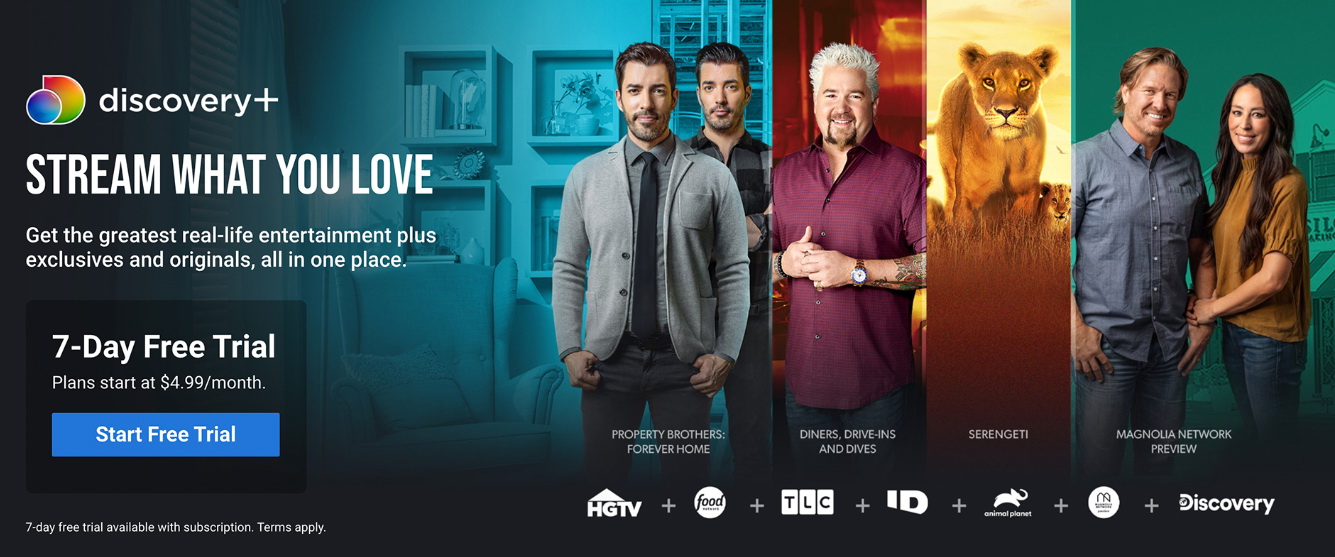
All trademarks, logos, and brand names mentioned or displayed in this blog are the property of their respective owners.
Method 2: Obtain a free trial of Discovery+ through Amazon Prime.
If you are already an Amazon Prime member, you can subscribe to Discovery+ through Prime Video Channels and enjoy a 7-day free trial as well. The duration is not conflicting with the official independent subscription, which is equivalent to an additional week of free time. The steps are as follows:
1. Log in to your Amazon account.
2. Select the “Discovery+” plan (with ad version or ad-free version) on the page.
3. Click on “Star Free Trial” and follow the prompts to complete the subscription.4. After the probation period ends, the fees will be charged monthly through the Amazon account.
If you do not wish to continue, you can do so on Amazon’s website. Unsubscribe on the “Manage Your Prime Video Channels” page.

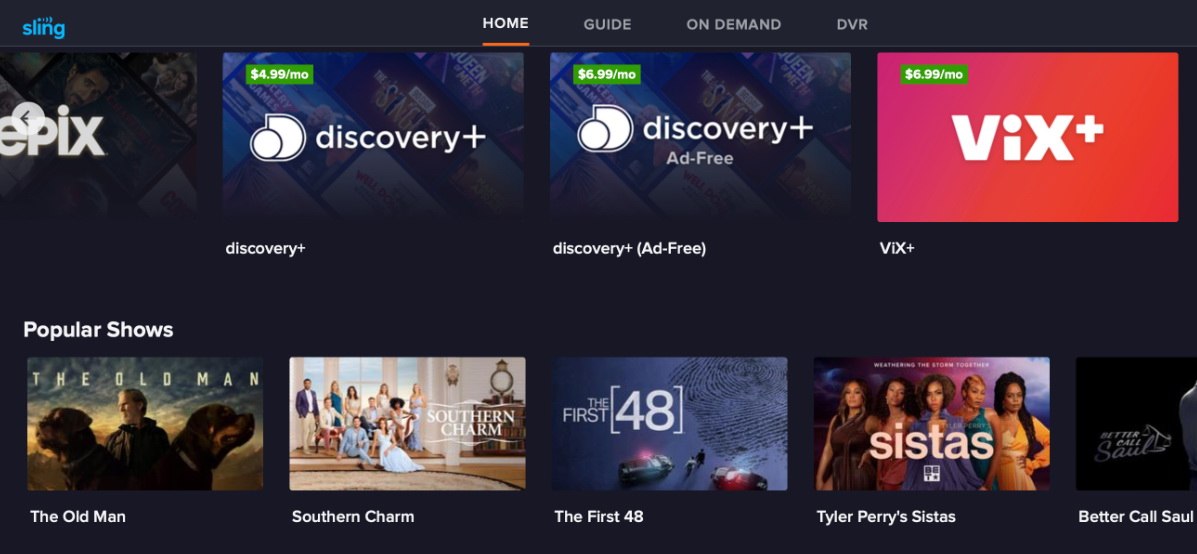
Method 3: Obtain a free trial of Discovery+ via Sling TV.
Sling TV subscribers can also subscribe to Discovery+ as an add-on service. New users will also enjoy a 7-day free trial. The steps to do this are as follows:
1. Go to sling.com or log in to your Sling account.
2. Find “My Account” and click “Manage Add ons”, then find “Discovery+” under the “Premium” section and select “Add”.
3. After the change is confirmed, Discovery+ will be added to your Sling TV package.
Method 4: Pay attention to the promotional activities offered by mobile operators.
In the past, some mobile operators had launched the Discovery+ free promotion. For instance, Vodafone UK offered its users a 6-month free access to Discovery+. Verizon also provided 6 to 12 months of free access to specific unlimited data packages. Although these promotional activities may have ended, it is recommended that you regularly check the App or official website of your mobile operator to see if any new bundled offers have been launched.
What Was Included in the Free Trial?
During the Discovery Plus free trial period, you can fully access the entire content library of Discovery+, with no program restrictions:
- Over 70,000 episodes of genuine entertainment programs, including documentaries, reality shows and exclusive original series.
- All the content from channels such as HGTV, Food-Network, TLC, ID, Animal-Planet, Travel-Channel and Discovery-Channel.
- Discovery+ Exclusive Original Programs.
- At most 4 devices can watch simultaneously.
- Full HD video quality.
- Offline download function.
Tips
Offline download function is only available to subscribers of the ad-free plan, and the download operation is only supported on iPhone, iPad, Android phones/tablets, and Amazon Fire tablets. Moreover, not all programs support downloading. A single account can download a maximum of 100 works, and the downloaded content has a viewing period. So if you want to download Discovery+ shows on your computer or want to permanently save your favorite high-definition content, you can consider using CleverGet Discovery Plus Downloader, which can download programs on Discovery+ in 1080P and MP4/MKV format to the local computer, retaining multi-language subtitles and audio tracks.
Conclusion
In 2026, Discovery+ still offer a 7-day free trial for new users. And you can obtain extra free trial duration through third-party channels such as Amazon Prime and Sling TV. Although the free trial period is only one week, it is already sufficient for you to fully experience this platform that features 70,000 episodes of documentary and entertainment programs. Moreover, to make the most of the Discovery+ Free Trial, you can use tools like CleverGet Discovery+ Downloader to download the content you want to watch as much as possible. This way, even after the free trial period ends, you can continue watching the downloaded content. Once again, please don’t forget to cancel Discovery Plus in time to avoid unnecessary charges, and also keep an eye on the promotional activities of mobile operators, perhaps you will be lucky enough to get a longer free trial period.
FAQs
1. Is Discovery Plus free?
No, Discovery+ is a paid subscription streaming service. But it offers a 7-day free trial for new users to experience the service.
2.Do I need a credit card to start the Discovery+ free trial?
Yes, you need to provide a valid payment method, such as a credit card, debit card or PayPal. If you don’t cancel before the trial period ends, the system will automatically deduct the monthly subscription fee from your payment method.
3.Can l cancel Discovery+ before the free trial ends?
Yes. You can cancel your subscription at any time during the trial period. After cancellation, you can still continue to watch within the remaining trial days without incurring any charges.
4.Can I watch all shows during the Discovery+ free trial?
Yes. During the free trial period, you can access all the content libraries of Discovery+ without any restrictions, including all channel programs and exclusive original series.
5.ls the Discovery+ free trial available worldwide?
Discovery+ offer a free trial in most parts of the world. The specific duration of the trial period may vary by country and may also change due to promotional activities.
6.Does the Discovery+ free trial include offline downloads?
Yes. However, it should be noted that only the free trial with the ad-free plan can use the function. Therefore, if you need to download Discovery Plus shows on a computer, you can use the CleverGet Discovery+ Downloader to achieve this.
CleverGet Discovery Plus Downloader

 Try for Free
 Try for Free
 Download Discovery+ videos in up to 1080P resolution.
Save Discovery+ content as MP4 or MKV files.
Download subtitles and audio tracks.
Batch download full seasons and multiple episodes.
Remove ads during Discovery video downloads.
 English
 Deutsch
 日本語
日本語 French
 한국인
한국인 Italiano