


 Try for Free
 Try for Free
Share article:


Can You Screenshot Instagram DM Photos? Here’s How

2026-02-27 ・ Related to: CleverGet Recorder Free Screen Recorder
74 Views
Summary:
This article introduces different types of photos and notification mechanisms in Instagram’s Direct Message. It helps users understand the platform’s privacy rules and provides efficient screenshot solutions.
MenuCLOSE
Instagram provides a platform for users to demonstrate their creativity through pictures and short videos. Users can note only post content but also send messages to each other. Regular Posts are the public content posted on the user’s personal homepage. In contrast, Instagram Direct Messages offer a way to have private conversations. It allows users to send text, share posts, and make voice/video calls. Only you and the receiver can see its content. Now, you may wonder: can you screenshot Instagram DMs? You may find the answer in this article.
Part 1: Can You Screenshot Instagram DM Photos?
Yes, you can. Instagram allows users to take screenshots of photos in DM. In regular mode, taking screenshots of regular photos will not notify the sender, but when you take screenshots in Vanish Mode, the sender will receive a system notification. Users can send different types of photos in DM, and the notification mechanisms for each vary:
1. Regular Photos
If the sender shares with you regular photos, these photos can be saved in your conversation for a long time and you can check them over and over again. If you screenshot the photo, the sender will not receive a system notification.
2. View Once Photos
If the sender chooses to send view once photos, you can only view it once. The photo will not be able to see after viewing. If you screenshot these photos, the system will notify the sender.
3. Allow Replay Photos
The recipient can view the allow replay photos for limited times. Taking screenshot will still trigger the system detector and send the notification.
4. Vanish Mode
Photos and messages sent in Vanish Mode feature will disappear immediately after the recipient views them. Screenshots will be notified to the sender.
Part 2: How to Screenshot Regular Instagram DM Photos?
Although you can screenshot the regular photos in Instagram DM, it has certain limits if you want to screenshot other types of photos. You can choose to solve this problem by using screen recording tools such as CleverGet Recorder. It’s a professional and free streaming media recording tool and can bypass the restrictions, automatically locate and record the target screen.
Here are steps on how to screen shot through this tool:
1) Start CleverGet Recorder, and set the recording preferences according to your preference.
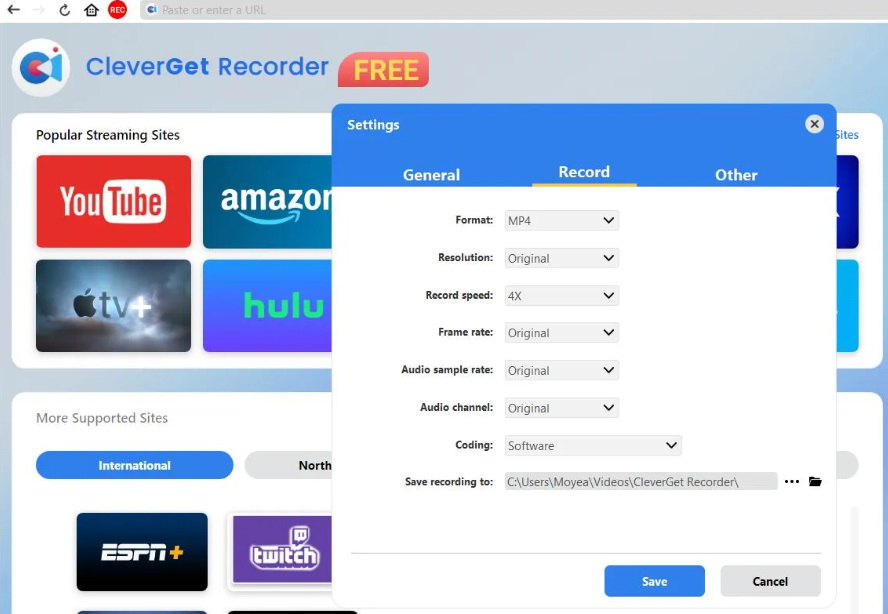
2) Open the Instagram DM within the built-in browser of CleverGet Recorder, and locate the photo that needs to be captured.
3) Click the “REC” button to start the recording. The software will automatically locate and capture the target image.
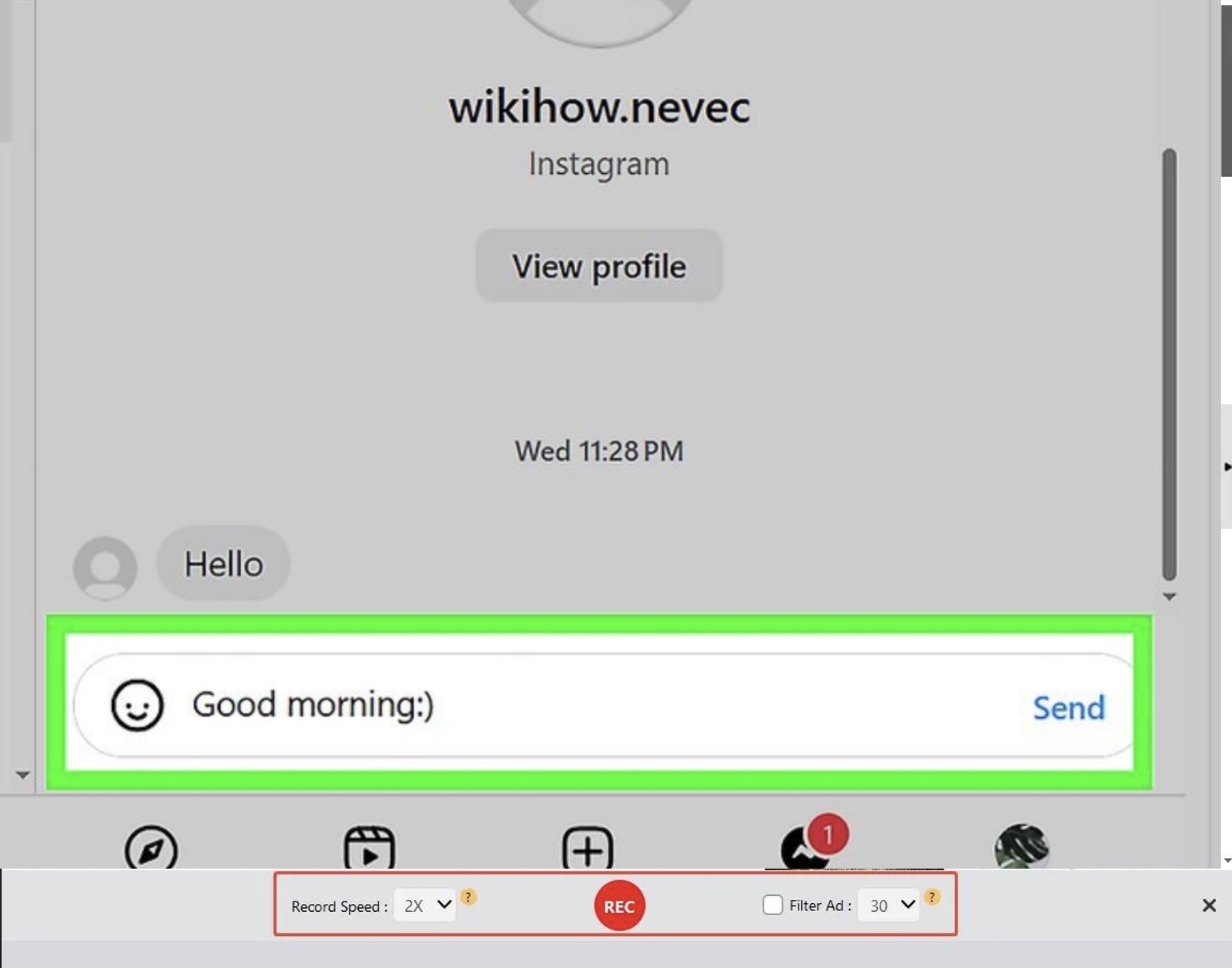
4) After the recording is completed, the video will be saved on the device. You can then open the video and take the pictures you need.
Part 3: How to Screenshot Instagram DM Photos in Vanish Mode?
Vanish Mode is designed to protect privacy. Therefore, any operation of screenshot and recording will trigger the system, and it will send a notification to the other party. If you have to screenshot the content in Vanish Mode, here are several ways on how to screenshot Instagram DM photo.
1. Airplane Mode
Flight mode is a classic method of bypassing Instagram screenshot detection mechanisms by cutting off the network connection.
1) Enter the DM in Instagram, locate the photos that need to be captured in the Vanish Mode, and make sure the content has loaded.
2) Before taking the screenshot, turn on the device’s flight mode to disconnect from Wi-Fi and mobile data connections.
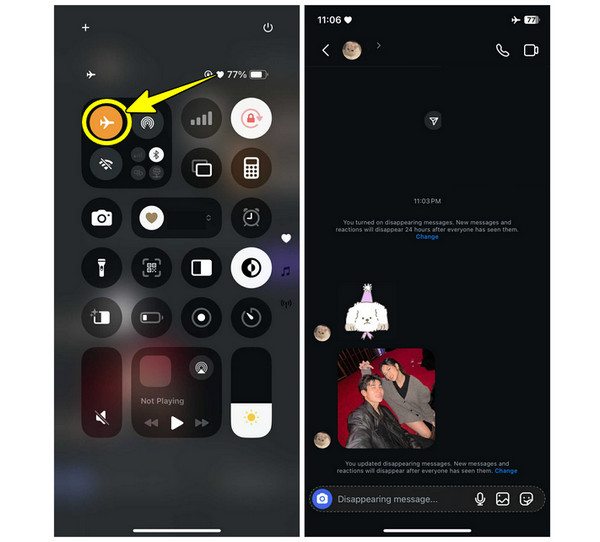
3) Take screenshots of the photos through the built-in feature of your devices. Then close Instagram, turn off the flight mode, and reconnect to the internet.
2. Use Another Device
You can also use the second device to take photos or record the content of Instagram DM. This method can ensure that your operation won’t be detected. It’s better to check the screenshot whether it is clear and edit the screenshot to improve the quality.
3. Screen Recording
If you want to avoid the system and improve the screenshotting efficiency, screen recording tools like Leawo Free Screen Recorder may be an ideal alternative. Leawo Free Screen Recorder is one of the best free screen recorders. It’s a lightweight yet powerful screen recording solution designed for users seeking professional capture capabilities without barriers. With this tool, you can screenshot Instagram DM photos even in Vanish mode without any notification sent to the other party.
1) Start the program and set the recording parameters on the main interface.
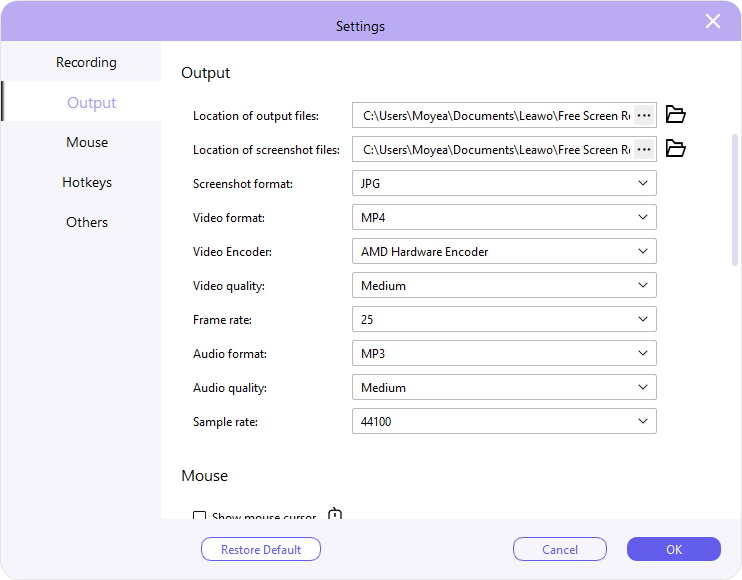
2) Visit Instagram and locate the video you want to record. Then click the REC button to start the recording.
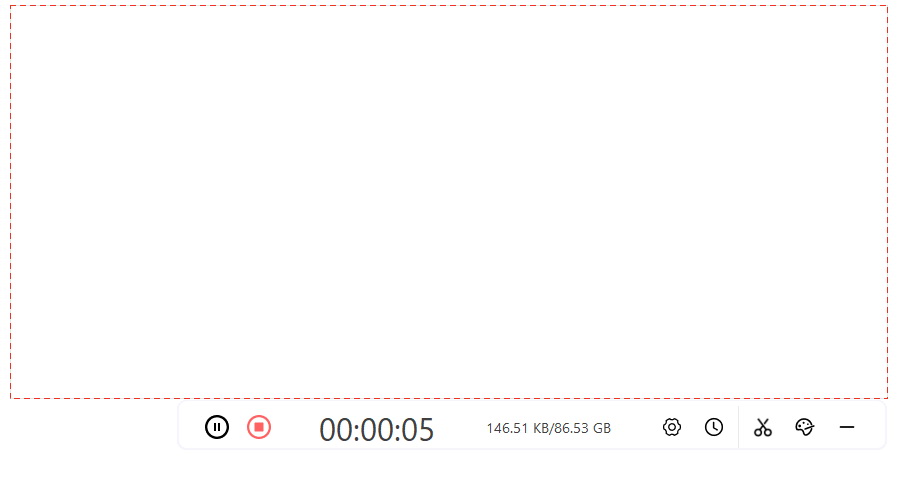
3) After the recording is completed, click it again to stop, and the recorded content will be saved to your local file. You can view the video and screenshot photos you want to keep.
Part 4: Conclusion
This article introduces different methods for taking screenshots in Instagram DM. For regular photos, users can use the built-in features of their devices or CleverGet Recorder to capture them to avoid notification issues. However, to capture the dm content in the Vanish mode, these three methods mentioned above are needed. Among them, using Leawo Free Screen Recorder for taking screenshots is the most efficient and convenient solution. However, despite all these techniques for bypassing the system, users should bear in mind that privacy rights are of most importance. Taking screenshots and spreading unauthorized content may harm others’ privacy.
CleverGet Recorder

 Try for Free
 Try for Free
 Record on-demand videos for free;
Record live streams for free;
Record DRM-protected streaming content;
Support up to 4K resolution;
Record videos as MP4/MKV files;
Allow scheduled recording;
Skip ads during recording.
 English
 Deutsch
 日本語
日本語 French
 한국인
한국인 Italiano