


 Try for Free
 Try for Free
Last updated on 2026-03-23, by
How to Disable YouTube Shorts: Simple Methods That Work
Summary:
This article introduces several methods to avoid YouTube Shorts, aiming to help users who wish to escape the disturbance of short videos and return to in-depth long-form video content.
MenuCLOSE
YouTube Shorts is an integrated feature in YouTube, focusing on presenting fragmented content. Users can switch between videos by scrolling the screen. However, this model has also brought many negative impacts to users. Some studies have shown that Shorts is causing “digital addiction”, under which user spend a lot of time watching videos unconsciously. Secondly, spending a long time immersed in fragmented and fast-paced content will shorten the attention span of users and weaken their ability to focus when reading long articles or watching long videos. So, do you also have such confusion, and want to know how to disable YouTube Shorts? Don’t worry, we will answer your questions here.
1. YouTube Shorts vs Long-Form Videos: What’s the Difference?
With the growth of short video content, YouTube has created a content ecosystem featuring both short videos and long videos. Understanding the core differences between YouTube Shorts and Long-Form Videos is of great significance for users to improve their viewing experience and for content creators to formulate higher-quality videos.
|
|
YouTube Shorts |
YouTube Long-Form Videos |
|
Video Length |
Maximum 60 seconds |
Usually it lasts for more than 1 minute. Common durations are 8 to 30 minutes or even longer. |
|
Format |
Vertical (9:16) |
Horizontal (16:9) |
|
Viewing Style |
Swipe up and down to switch between videos |
Users need to click to watch |
|
Content |
Fast-paced and fragmented |
Extensive and complete |
2. Can You Disable YouTube Shorts Completely?
No. Many users are hoping to find a feature to completely remove the Shorts. However, according to YouTube’s current policy, it does not provide an official option for users to disable YouTube Shorts. As a core component of YouTube, the Shorts video feature is integrated into the application. Therefore, no matter users are interested or not, the entry for Shorts is fixed in the bottom navigation bar of the application, the algorithm will intermittently recommend Shorts content based on user behavior.
3. 4 Methods to Disable YouTube Shorts
Method 1: Hide YouTube Shorts from the Home Feed
This is the most straightforward method, both desktop and mobile users can use this feature. Using this method, you can hide the Shorts section from the homepage for a short time.
Here are steps on how to disable YouTube shorts on PC:
1) Open YouTube in your browser, and find the “Shorts” section.
2) Click “×” located in the upper right corner.
3) After that, the Shorts section will be hidden from the homepage for 30 days.
How to disable YouTube shorts on mobile devices:
1) Open YouTube and find the Shorts section on the home page.
2) Click on the icon in the upper right corner of the Shorts section.
3) Select “Show fewer Shorts”, and then refresh the homepage and Shorts recommendations will decrease.
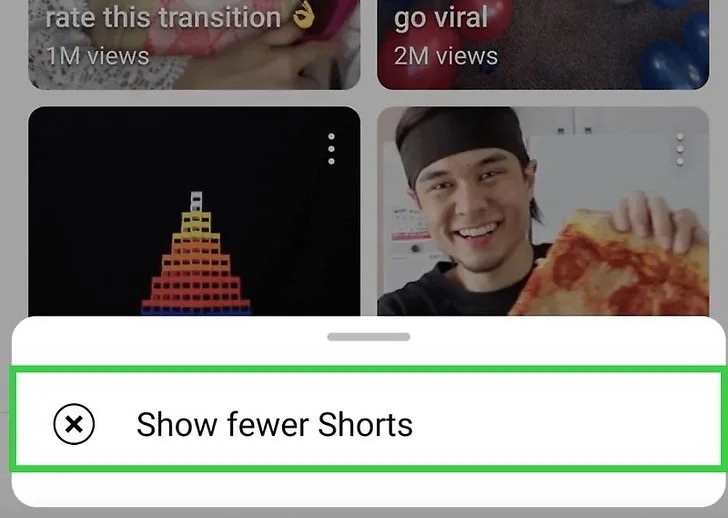
Method 2: Use Browser Extensions
For users who frequently use YouTube on their computers, installing browser extensions is the most effective solution. These extensions can block Shorts content. Here are some recommendations on browser extensions to disable YouTube shorts:
Chrome/ Edge: Remove YouTube Shorts、YouTube-Shorts Block、ShortsBlocker
Firefox: Remove YouTube Shorts、Hide YouTube Shorts
Safari: BlockYT by Nikita Kukushkin
Steps:1) Open Chrome Web Store or Firefox Add-ons Store, and search for “YouTube Shorts” related blocking extensions
2) Click the “Add to Chrome” or “Add to Firefox” to install.
3) After the installation is completed, refresh YouTube. The “Shorts” section will be removed from the interface.
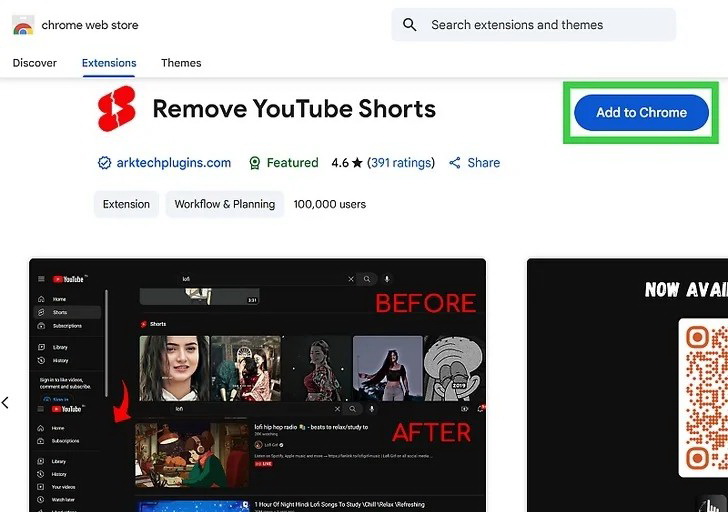
Method 3: Mark Shorts as “Not Interested”
This is the algorithm mechanism provided by YouTube. By marking short videos as “not interested”, the algorithm will be trained to reduce the recommendations of Shorts.
1) Find the Shorts video on YouTube, and click the icon (⋮) on the top right corner of the video.
2) Choose “Not Interested”
3) Repeat this operation and mark each Short accordingly.
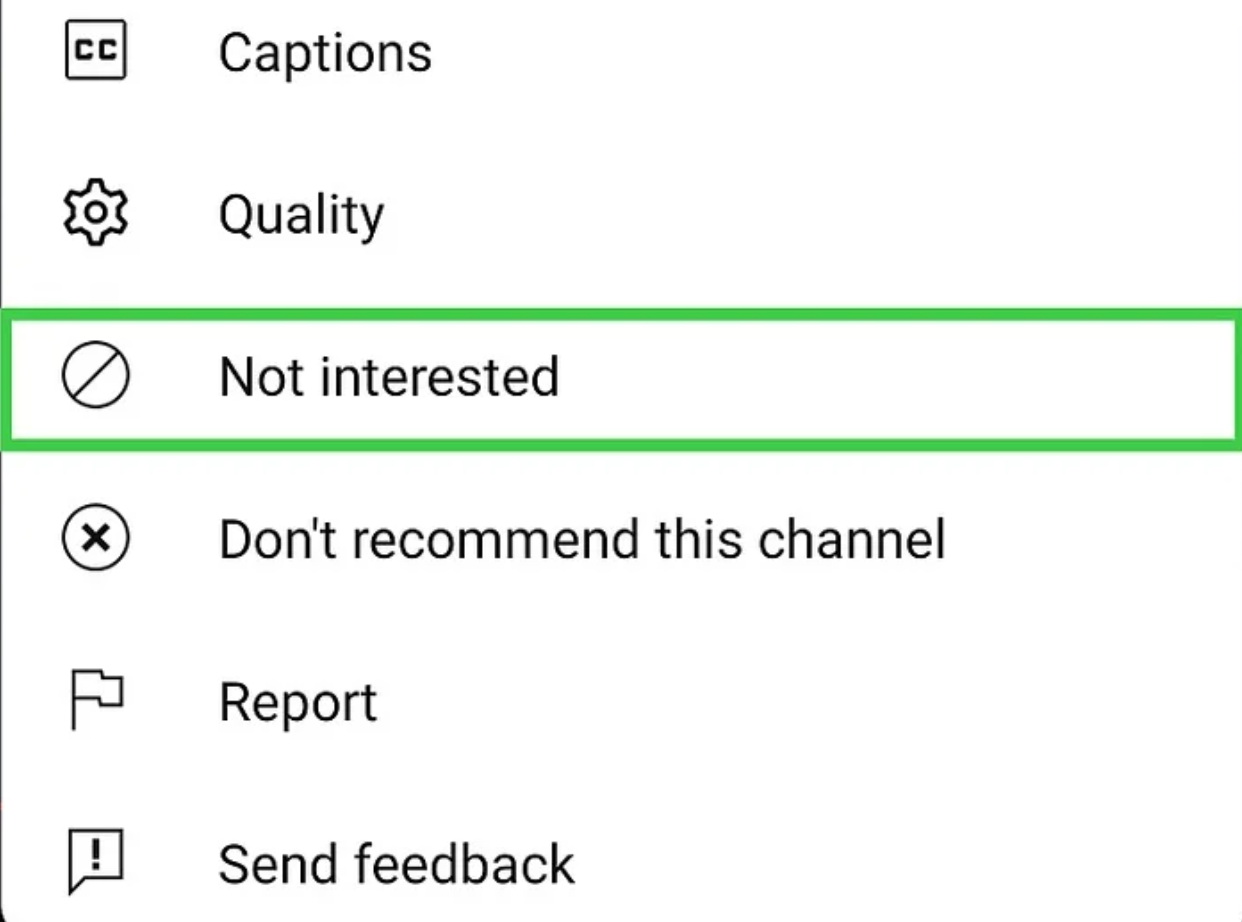
Method 4: Use YouTube Kids
YouTube Kids is the official children’s version of YouTube. This version does not include the Shorts feature and is suitable for users who wish to avoid short video content. The interface of YouTube Kids is simple, focusing on long video content that is friendly to children. It filters out content that is not suitable for children, creating a safe viewing environment.
4. Tips to Reduce YouTube Shorts in Recommendations
Apart from using technical methods to block Shorts, changing your viewing behavior and account settings can also reduce the recommending frequency of Shorts. Here are three practical tips:
1) Use “Not Interested” Frequently
YouTube’s recommendation algorithm relies on user feedback. When you come across Shorts, you can use the “Not Interested” feature. It’s an effective way to send a clear signal to the algorithm.
2) Watch More Long-Form Videos Instead
The YouTube recommendation algorithm send content based on your viewing history and interaction behaviors. Increasing the viewing duration and interaction frequency of long videos can increase the proportion of Long-Form Videos in the recommendation stream.
3) Clear or Pause Watch History
Watching history is one of the core data sources for YouTube’s recommendation algorithm. If your viewing history contains a large number of Shorts, the algorithm will continue to send similar content. Clearing or pausing your viewing history can reset the recommendation logic.
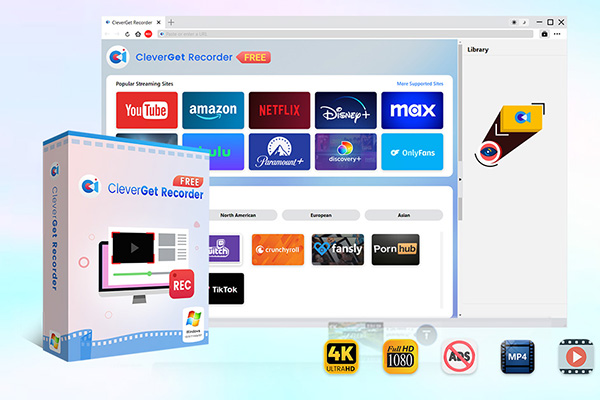
Tips: When you are striving to mark Shorts, you may also watch many high-quality long video contents that are worth saving. If you want to save these videos for offline viewing at any time, CleverGet Recorder and CleverGet offer professional video recording and downloading solutions. CleverGet Recorder, as a free streaming media recording tool, can record YouTube videos without any limits. This software supports a maximum resolution of 4K.
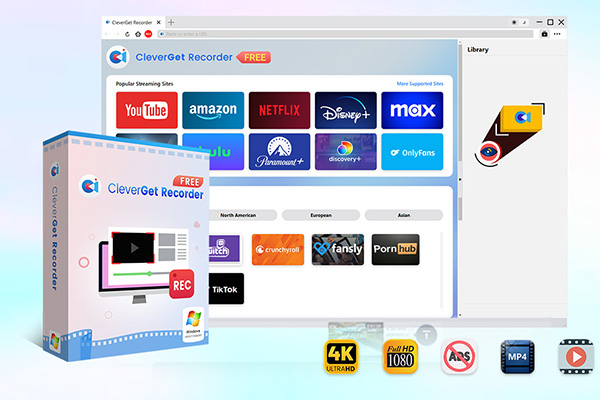
-
Professional and free streaming video recorder to record online on-demand video and live streaming video without quality loss and cost. Schedule recording upon preset length and skip ads upon preset ad filter. Save recordings to MP4/MKV file for unlimited offline viewing.
FAQs
1. Can I disable YouTube Shorts on mobile?
Currently, YouTube does not allow users to remove Shorts. Users can only choose “Show fewer Shorts” through the or mark “Not Interested” to reduce related recommendations. If you wish to remove the Shorts from the mobile app, you need to use a third-party app or switch to the YouTube Kids version.
2. Are there apps that block YouTube Shorts?
Yes, there are applications and tools available in the market that can block Shorts. These applications usually allow users to customize the interface layout, including remove the Shorts tab.
3. Does YouTube Premium remove Shorts?
YouTube Premium is a paid membership service that offers more benefits, but it does not include the removal of Shorts content. However, Premium members can enjoy a Shorts viewing experience without being disturbed by ads.
-

Most Popular Facebook Story Viewers Rank & BeyondPatrick Murray/2026-06-03
-

Is YouTube Smart Downloads Good or You Should Try Something Smarter?Patrick Murray/2026-06-03
-

How to Save Money on Discovery Plus SubscriptionSunny Wen/2026-05-28
-

ScreenRec Review: Is It Truly Free and Watermark-Free?Sunny Wen/2026-05-28
-

Can You Still Get a Free Trial on Discovery+?Sunny Wen/2026-05-20
-

Easy Guide: How to Burn Amazon Prime Videos to DVDs?Patrick Murray/2026-05-09
-

Where Are Amazon Prime Video Downloads Stored on PC/MobilePatrick Murray/2026-05-08
-

Sling TV or FuboTV: Which One Should You Pick?Sunny Wen/2026-05-11
-

Can You Share a Disney Plus Account with Different Households?Sunny Wen/2026-04-16
-

How to Use Loom Video Recorder for Quick Screen RecordingSunny Wen/2026-04-16
-

How to Download OnlyFans Videos from Messages?Patrick Murray/2024-05-09
-

[2026] What is OnlyFans Media not Loading Issue & How to Fix?Patrick Murray/2024-02-21
-

How to Download OnlyFans Videos on Android/iPhone/PC?Patrick Murray/2024-06-28
-

How to Download Private YouTube Videos Without AccessPatrick Murray/2025-02-12
-

How to Download YouTube Members-Only Videos?Cassie J./2024-05-08
-

Latest List of the Best Free Movie Websites[2026]Patrick Murray/2024-05-07
-

[2026 Update] How to Download All Media from OnlyFans?Patrick Murray/2024-02-26
-
TK2DL: Features and Uses of this TikTok & Twitter DownloaderLeia Liu/2024-09-05
-

10 Best HDHub4u Alternative Sites for Movie DownloadPatrick Murray/2024-03-06
-
How to Turn Off Age Restriction on YouTube?Patrick Murray/2024-03-04
 English
 Deutsch
 日本語
日本語 French
 한국인
한국인 Italiano