


 Try for Free
 Try for Free
Last updated on 2026-01-21, by
Paramount Plus Error 6000: Causes, Fixes
Summary:
Paramount Plus error code 6000 is a common problem with streaming that people may have on different devices. This guide shows you what this error usually means and how to fix it on various devices.
Outline
Introduction
Sometimes getting the Paramount Plus error code 6000 can make it impossible to stream or download your favorite shows. This error usually shows up when your device and the Paramount Plus servers can’t connect, which stops the app from working at all.
When streaming on-demand content on Fire TV and Android TV, error code 6000 most often shows up. To fix it, clear the app’s cache and data or install the most recent version. Most of the time, playback problems are caused by corrupted temporary files or old versions of apps.
There are a few easy things you can do to quickly get back to watching shows. Most people can fix this error by following simple troubleshooting steps before calling support.
What Does Error Code 6000 Mean?
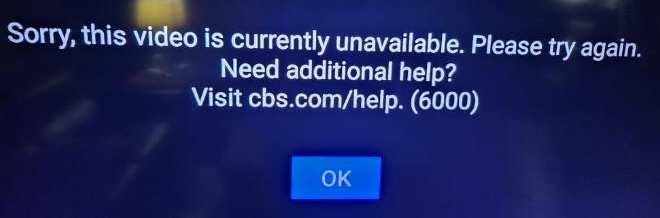
The Paramount Plus Error Code 6000 usually means that there is a problem with playback that is stopping content from loading. This error can happen for a number of reasons, including problems connecting to the network, using an old version of the app, too much cache and data, problems with the device, or issues with the server. Now that we know what might be wrong, let’s look at some easy ways to fix it so you can start streaming again right away.
Causes of Error Code 6000
1. Damage to the App Cache: Cached data can become corrupted over time, which can cause streaming to stop and error code 6000 to appear.
2. Outdated Version of the App: Running an old version of the Paramount Plus app can lead to errors and problems with other apps.
3. Having Trouble Connecting to the Network: If your internet link is slow or unstable, you might lose your stream or get error 6000. Video downloads on Paramount Plus can also be difficult.
4. Problems with the Device or Bugs: Some devices have shown this message because of issues with the app or the system.
5. The Server Is Down: Problems with the Paramount Plus systems can also lead to this error, though they don’t happen as often.
How to Fix Error Code 6000
1. Check the Internet Connection
To fix the Paramount Plus error number 6000, you should first make sure you are online. That’s most likely because the link isn’t strong or stable.
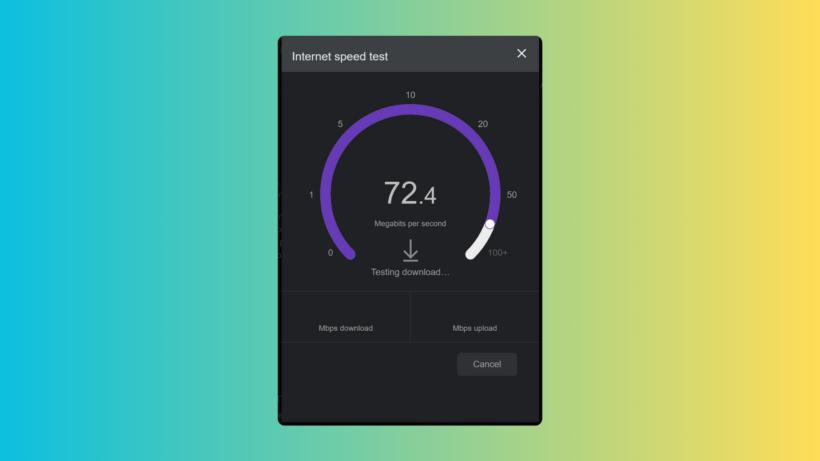
Take a speed test with a site to see how fast your internet is. Remove your modem and router from the network for 30 seconds and then plug them back in. This should reset them if your speed is less than 5 Mbps.
Instead of Wi-Fi, you might want to use a wired Ethernet connection for a more stable streaming experience. If you’re using Wi-Fi, get closer to your router or get rid of anything that could block the signal.
2. Restart Your Streaming Device
If the problem still happens, try turning your streaming device off and on again. This easy step can often fix any short-term problems that are causing the problem.
Before you can restart your TV, phone, tablet, or streaming device, you need to turn it off. Then, turn off the power and wait for a while.
Plug the thing back in and turn it on after waiting. Try streaming again after it’s fully charged to see if the problem is fixed.
3. Update the Paramount Plus App
Running an older version of the Paramount app can cause bugs that make streaming impossible. Make sure you have the most recent version of the app to fix this.
If you have a Smart TV, find Paramount Plus in the app store and tap "Update." To update your phone, go to the Google Play Store (Android) or the Apple App Store (iOS), search for Paramount Plus, and tap "Update".

4. Clear Cache and App Data
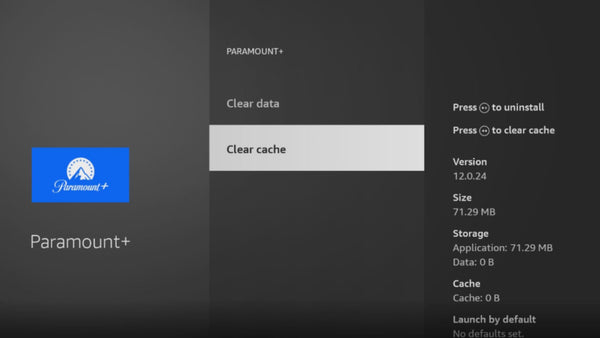
Over time, temporary files can get messed up, which can make it hard to play. To clear the cache and data on an Android phone or tablet, go to Settings > Apps > Paramount Plus, then tap Storage & Cache and choose Clear Cache and Clear Data.
iOS doesn’t let you clear the cache manually on an iPhone or iPad, so you’ll have to remove and reinstall the app to get rid of any data it has stored. Go to Apps > Paramount Plus on your Smart TV (Samsung, LG, Android TV, etc.) and select Clear Cache and Clear Data from the list of options.
5. Contact Support
If you’ve tried all of those things and still see error 6000 on Paramount Plus, call their customer service line. First, go to the page about known problems. This page has a list of problems that the support team is aware of and is working on. You’ll be able to choose between Fire TV and Android TV as the type of device that is affected.
Step 1. Put a check mark in the box next to the description of the problem with your device.
Step 2. Type in your email address where it says to do so.
Step 3. Press the "Submit" button to send your ask.
When the Paramount Plus support team finds a solution for error 6000 on your device type, they will let you know right away. There’s no need to call.
6. Try Paramount Plus Video Downloader
If you are upset because Paramount Plus keeps failing, and you would like to have a tool that can support your downloads and streaming without limits, I recommend CleverGet Paramount Plus Downloader.
CleverGet Paramount Plus Downloader is the best Paramount downloader that can help you save Paramount Plus movies, TV shows, and other on-demand videos as 1080P MP4 or MKV files that you can play on any media player or device. With the tool, the Paramount+ videos you download stay on your computer forever, and you can watch them on any device for as long as you want.
-
CleverGet Paramount Plus Downloader
CleverGet Paramount Plus Downloader could download Paramount Plus movies and shows to 1080P MP4/MKV files with selected subtitles and audio tracks in batch.
- Reserve Multi-Language Audio Track & Subtitles.
- Remux Subtitles to Video.
Device-Specific Fixes
Fire TV devices: Error 6000 is often caused by a corrupt app cache. Most of the time, clearing the cache and data fixes the problem.
For iOS and Android phones: Make sure the app is up-to-date, and the internet connection is stable are two important steps.
Smart TVs and streaming devices: To fix bugs that cause error 6000, restart the device and reinstall the app.
FAQs
1. What should I do if error code 6000 shows up on my Samsung TV while I’m using Paramount Plus?
Step 1: People with a Samsung TV should get rid of the Paramount Plus app completely. Go to the Smart Hub and delete the app from the list of installed apps.
Step 2: Take the TV out of the wall for 30 seconds to restart it. This gets rid of temporary data that could be disrupting streaming.
Step 3: Get Paramount Plus again from the Samsung App Store. Make sure you get the most up-to-date version.
Step 4: Check how fast the TV can connect to the internet. For streaming to work well on a Samsung TV, you need at least 5 Mbps.
Step 5: In Settings, go to Support, then Device Care, and finally Manage Storage to clear the TV’s cache. This gets rid of damaged files that stop videos from playing.
2. Why am I always getting error codes such as 6000 when I try to log in Paramount Plus?
Error 6000 keeps occurring when your connection is not stable enough. Sometimes the internet speed changes, and it affects your streaming. Meanwhile, older versions of the app are more likely to cause playback issues. You can avoid this problem by enabling automatic updates.
Conclusion
If you complete the methods above, the Paramount Plus 6000 error code should be repaired, and you should be able to stream again without any difficulties. Don’t be afraid to get in touch with Paramount Plus support for extra help if the problem keeps happening!
-

Most Popular Facebook Story Viewers Rank & BeyondPatrick Murray/2026-06-03
-

Is YouTube Smart Downloads Good or You Should Try Something Smarter?Patrick Murray/2026-06-03
-

How to Save Money on Discovery Plus SubscriptionSunny Wen/2026-05-28
-

ScreenRec Review: Is It Truly Free and Watermark-Free?Sunny Wen/2026-05-28
-

Can You Still Get a Free Trial on Discovery+?Sunny Wen/2026-05-20
-

Easy Guide: How to Burn Amazon Prime Videos to DVDs?Patrick Murray/2026-05-09
-

Where Are Amazon Prime Video Downloads Stored on PC/MobilePatrick Murray/2026-05-08
-

Sling TV or FuboTV: Which One Should You Pick?Sunny Wen/2026-05-11
-

Can You Share a Disney Plus Account with Different Households?Sunny Wen/2026-04-16
-

How to Use Loom Video Recorder for Quick Screen RecordingSunny Wen/2026-04-16
-

How to Download OnlyFans Videos from Messages?Patrick Murray/2024-05-09
-

[2026] What is OnlyFans Media not Loading Issue & How to Fix?Patrick Murray/2024-02-21
-

How to Download OnlyFans Videos on Android/iPhone/PC?Patrick Murray/2024-06-28
-

How to Download Private YouTube Videos Without AccessPatrick Murray/2025-02-12
-

How to Download YouTube Members-Only Videos?Cassie J./2024-05-08
-

Latest List of the Best Free Movie Websites[2026]Patrick Murray/2024-05-07
-

[2026 Update] How to Download All Media from OnlyFans?Patrick Murray/2024-02-26
-
TK2DL: Features and Uses of this TikTok & Twitter DownloaderLeia Liu/2024-09-05
-

10 Best HDHub4u Alternative Sites for Movie DownloadPatrick Murray/2024-03-06
-
How to Turn Off Age Restriction on YouTube?Patrick Murray/2024-03-04
 English
 Deutsch
 日本語
日本語 French
 한국인
한국인 Italiano