


 Try for Free
 Try for Free
Last updated on 2026-01-09, by
Why Amazon Prime Video Downloads Expire – and How to Fix It
Summary:
Open your Prime Video app, only to find that your downloads have turned inactive? Learn the usage rules for the Amazon Prime download limit and discover three ways to resolve this issue in this article.
Why do your Prime Video downloads expire, even the purchased ones? How long do downloads last on Prime exactly? This article explains the Amazon Prime download limit rules and provides three ways to avoid this annoying problem and keep your downloads accessible.
OutlineCLOSE
1. How Long Are Amazon Prime Video Downloads Available?
Amazon Prime offers subscribers the option to save titles through its App for offline viewing. But how long do Amazon Prime downloads last on your device? According to its usage rules, downloaded titles remain available on your device for 30 days. Once playback begins, the viewing window is shortened to 48 hours. After this period, the downloads will expire and can’t be played. This rule goes with purchased videos. You only purchased the license to access the content, instead of owning it. Your downloaded content is tied to your active Prime membership. If your subscription ends, access to all saved videos will be revoked.
2. Ways to Extend the Availability of Prime Video Downloads
While the rules of the Amazon Prime download limit can be strict and frustrating, there are a few effective strategies to extend the offline viewing time of your saved videos.
Method 1: Refresh Your Downloads
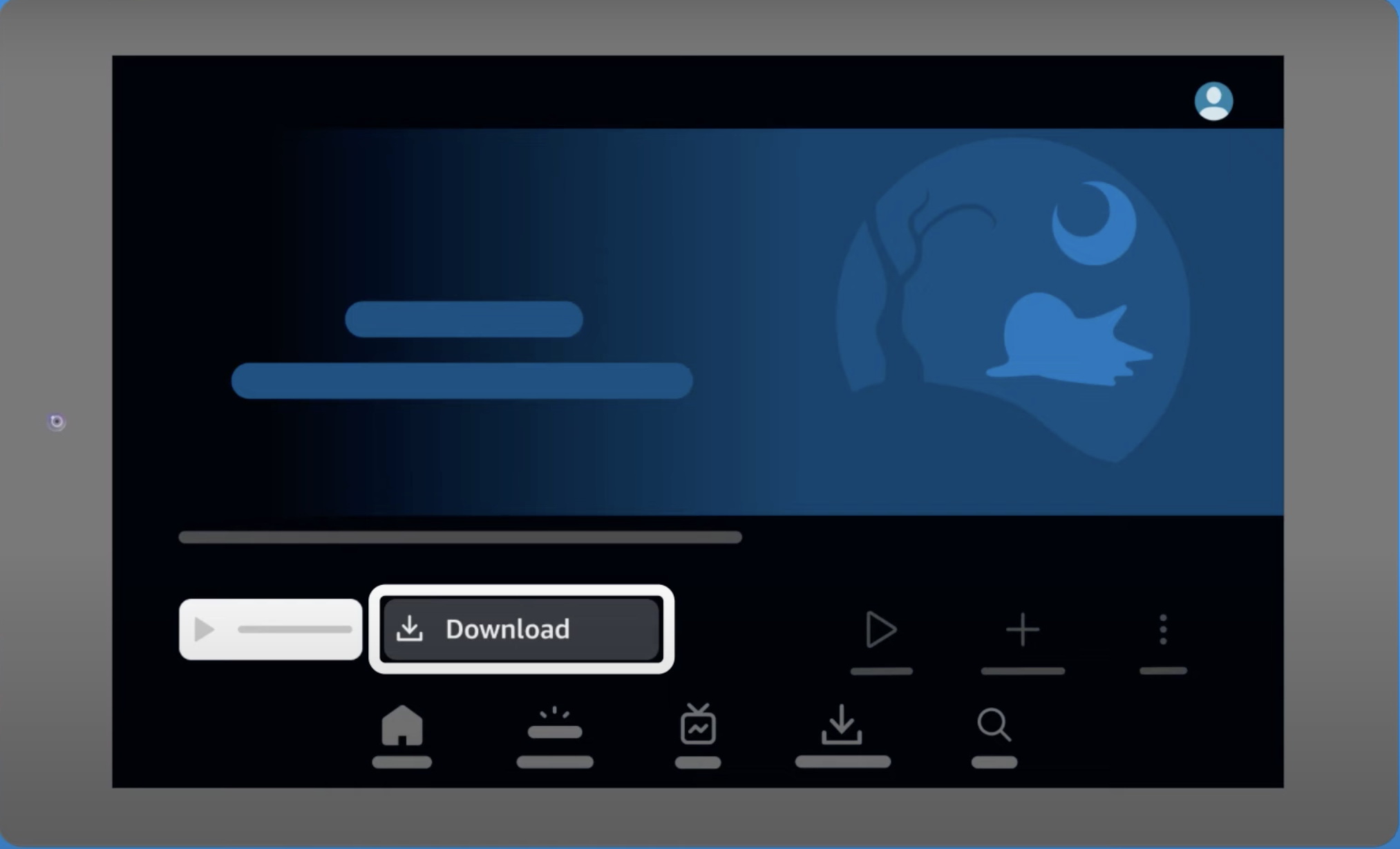
This option is only available before a download expires. On your Prime Video app, go to the Downloads section, and tap on the title of the video. If it is near expiration, you will see a Renew button; tap it to refresh for 30 days. However, this method does not remove Amazon’s standard 30-day or 48-hour limits.
Method 2: Download the Content Again
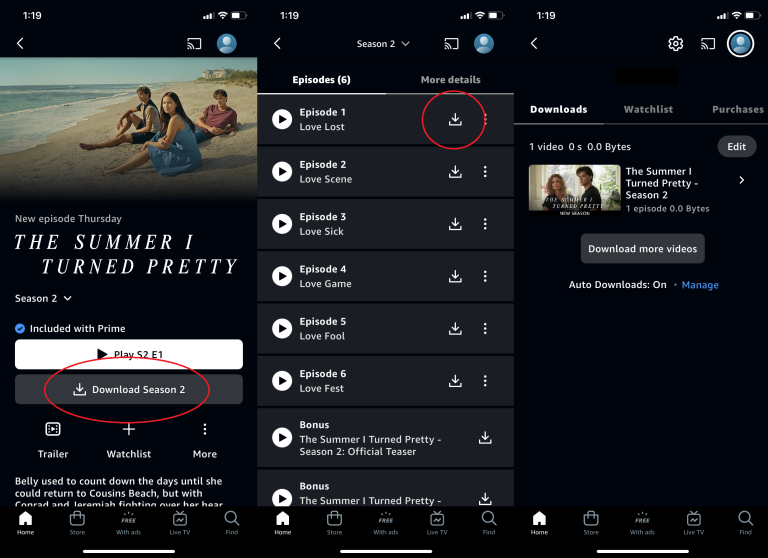
If a title has already expired, the only official solution is to re-download it from Prime Video. To do so, you need to connect your device to the Internet. In the Downloads section, delete the expired files. Then go to the title’s main page and tap Download again. If the licensing of the title has changed, you may not be able to save it.
Method 3: Save Prime Video Content Using Third-Party Software
In cases where Prime’s license for the content has expired, or you’ve reached the download limits, you may consider using an external downloader like CleverGet Amazon Downloader. This is the most reliable way to watch Prime Video content offline without unexpected situations. It allows you to save videos without expiration limits and watch them offline at any time. You won’t have to set a timer or run a pre-trip check anymore. The downloaded videos can be saved in MP4 on your portable devices, so you can watch them anywhere. Here is a step-by-step guide on how to save Prime Video content for offline viewing using this downloader.
Step 1: Install CleverGet Amazon Downloader
Download and install CleverGet Amazon Downloader on your Mac or Windows.
-
- Download Amazon Prime video to MP4/MKV.
- Batch download Amazon Prime Video TV episodes across seasons.
Step 2: Access the target video
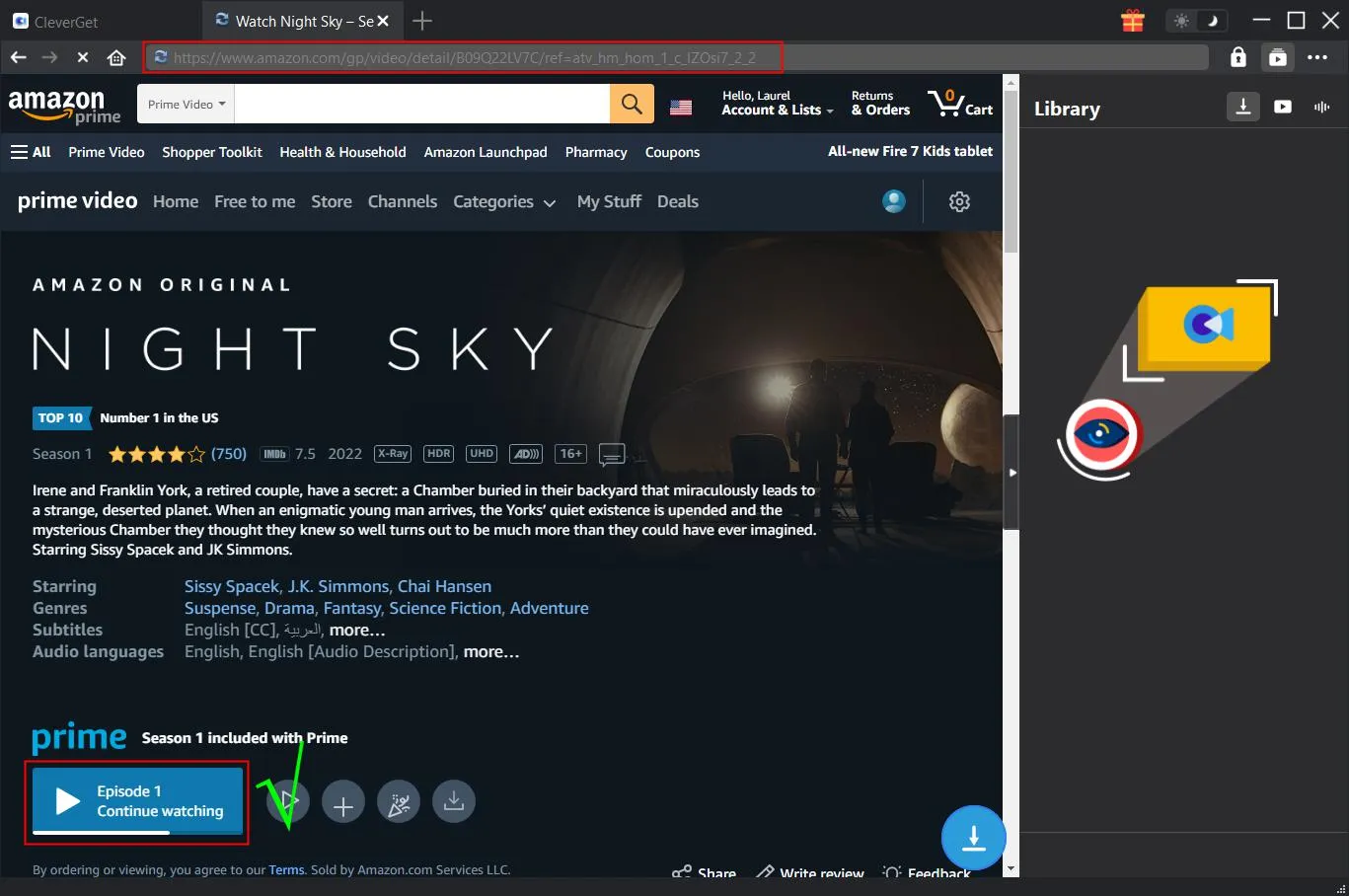
Launch the program, and log in to your Amazon account. Go to the playback page of the title you’d like to save, and click the Play button.
Step 3: Download the video
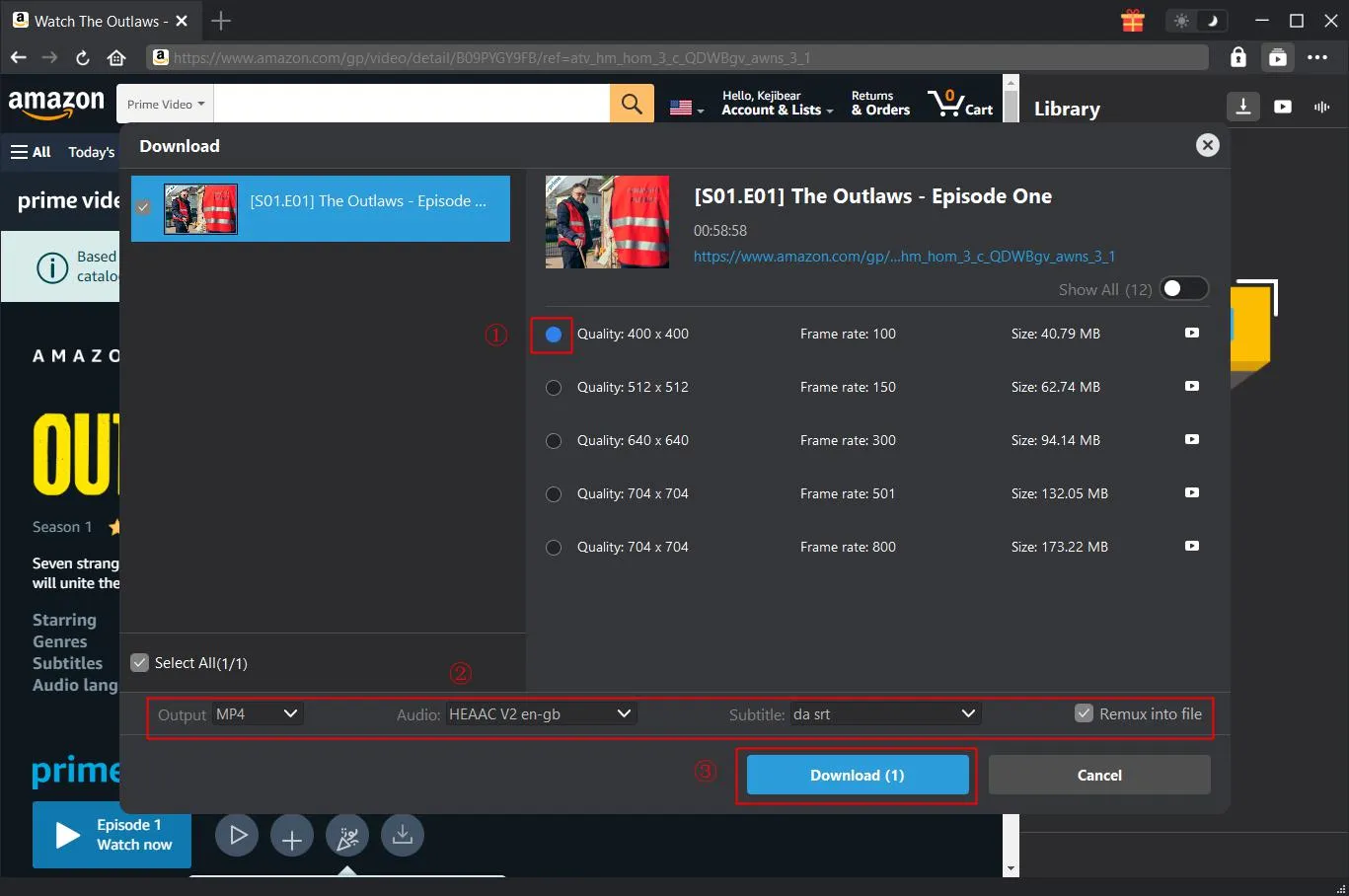
The downloader will automatically detect the video. Click the blue Download icon, and you will be prompted to choose download options. Once done, click the Download button, and the process starts.
Step 4: Watch the downloaded video offline
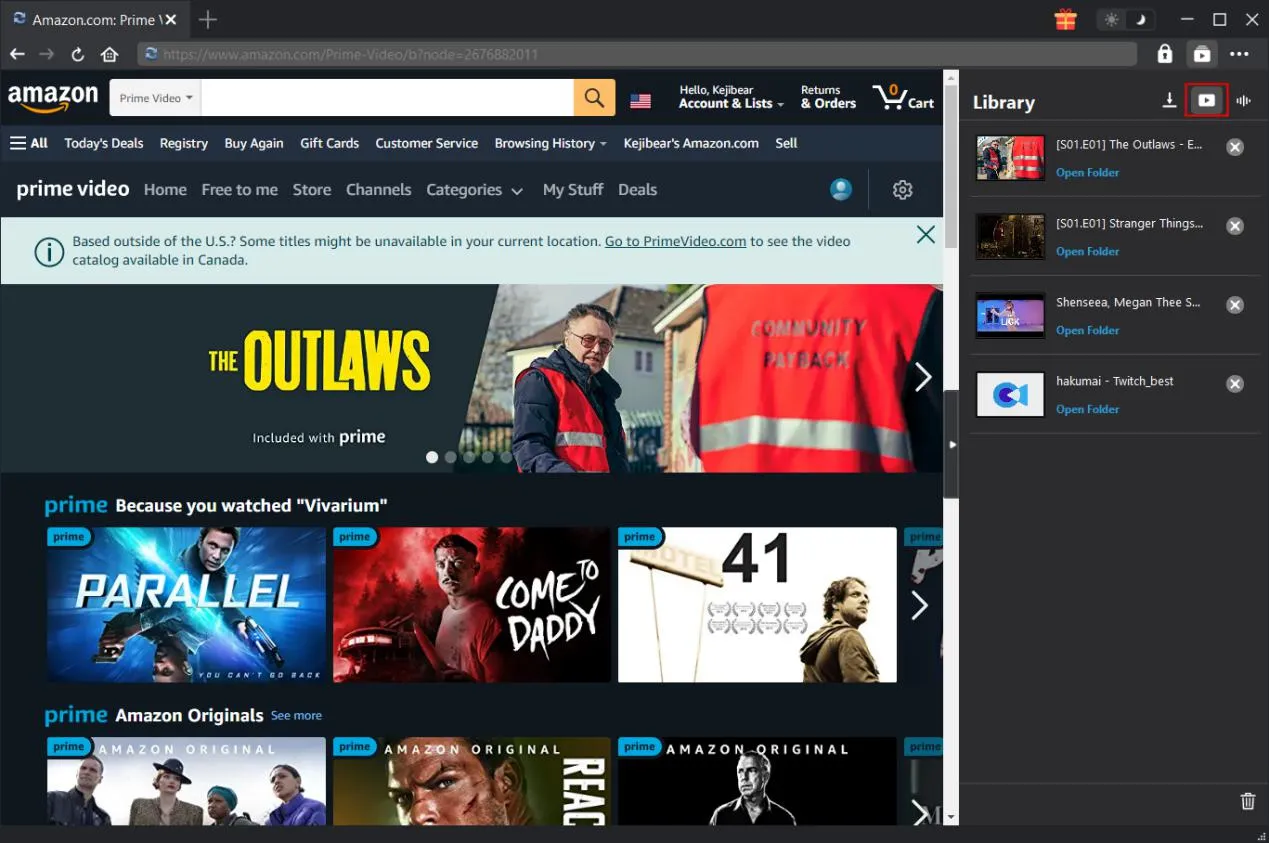
The downloaded video is listed in the library. You can play them offline on your computer or transfer them to your other devices for more flexible playback.
Part 3: Frequently Asked Questions
How many times can I re-download a Prime Video title?
There is no limit to the times you can re-download a Prime Video title. As long as it is available, and your subscription is active, you can download it as many times as you want. However, there is a device limit, meaning you can download a title to two devices at one time.
Why does Prime Video say “download expired” even if I didn’t watch it?
There are three main reasons why Prime Video downloads expire. There is a 30-day window for viewing after you save a title on your device, whether you watch it or not. Another situation is that Amazon lost the license to the title, so it became inaccessible. Sometimes, bugs or glitches in your App may cause this issue, or you have accidentally played the video and triggered the 48-hour window.
Can expired Prime Video downloads be played without an internet connection?
No. You can’t play expired Prime downloads without an active internet connection. To watch them, connect your device to the internet and renew the downloads.
Why can’t I renew some Prime Video downloads?
It happens for several reasons. If your subscription membership has ended or you’ve reached the 25 download limit across your devices, you will be blocked from renewing it further. If Amazon lost the license to stream the content, it can’t be renewed either. Sometimes it is just a glitch on the App, and you just have to delete and redownload the titles.
Does Prime Video limit how many titles I can download at once?
Yes. You can download up to 25 titles across all devices under your Prime account.
Conclusion
Under the Amazon Prime download limit rule, your Prime Video downloads expire after 30 days if left unwatched or unrefreshed. While you can re-download them, a more hassle-free way is to save Prime videos using third-party software like CleverGet Amazon Downloader. This tool has no limit on the quantity, device, or viewing time, offering you true offline access to your content.
-

Most Popular Facebook Story Viewers Rank & BeyondPatrick Murray/2026-06-03
-

Is YouTube Smart Downloads Good or You Should Try Something Smarter?Patrick Murray/2026-06-03
-

How to Save Money on Discovery Plus SubscriptionSunny Wen/2026-05-28
-
ScreenRec Review: Is It Truly Free and Watermark-Free?Sunny Wen/2026-05-28
-

Can You Still Get a Free Trial on Discovery+?Sunny Wen/2026-05-20
-

Easy Guide: How to Burn Amazon Prime Videos to DVDs?Patrick Murray/2026-05-09
-

Where Are Amazon Prime Video Downloads Stored on PC/MobilePatrick Murray/2026-05-08
-

Sling TV or FuboTV: Which One Should You Pick?Sunny Wen/2026-05-11
-

Can You Share a Disney Plus Account with Different Households?Sunny Wen/2026-04-16
-

How to Use Loom Video Recorder for Quick Screen RecordingSunny Wen/2026-04-16
-

How to Download OnlyFans Videos from Messages?Patrick Murray/2024-05-09
-

[2026] What is OnlyFans Media not Loading Issue & How to Fix?Patrick Murray/2024-02-21
-

How to Download OnlyFans Videos on Android/iPhone/PC?Patrick Murray/2024-06-28
-

How to Download Private YouTube Videos Without AccessPatrick Murray/2025-02-12
-

How to Download YouTube Members-Only Videos?Cassie J./2024-05-08
-

Latest List of the Best Free Movie Websites[2026]Patrick Murray/2024-05-07
-

[2026 Update] How to Download All Media from OnlyFans?Patrick Murray/2024-02-26
-

TK2DL: Features and Uses of this TikTok & Twitter DownloaderLeia Liu/2024-09-05
-

10 Best HDHub4u Alternative Sites for Movie DownloadPatrick Murray/2024-03-06
-

How to Turn Off Age Restriction on YouTube?Patrick Murray/2024-03-04
 English
 Deutsch
 日本語
日本語 French
 한국인
한국인 Italiano