


 Try for Free
 Try for Free
Last updated on 2026-03-19, by
From Flight to Hotel: How to Watch Netflix While Traveling
Summary:
- Traveling doesn’t mean you have to miss your favorite Netflix shows. By using offline downloads or smart streaming strategies, you can enjoy entertainment anywhere, anytime.
Travel can be even more enjoyable when you can simply watch your favorite Netflix show. For fun purposes, many travelers want to take Netflix with them while on the go. But Netflix has some rules and limitations that you should be aware of before binge-watching. But this is not the only problem. Unfortunately, travelling also means you can experience low internet speeds, and in many places can have limited access to the internet. All these problems mean you’re unable to watch your favorite movies. Don’t worry. In this article, we will explore some easy ways to watch Netflix while you are traveling without constant buffering and streaming issues. Keep reading.
Quick AccessCLOSE
How Netflix Works When You Travel
Netflix will work the same as it does anywhere in your home. You only need to confirm a few things at first, and then you are all ready to go. The only thing you need to be concerned about is a proper internet connection to access movies and shows. When you first connect to a new WiFi network, Netflix may ask for some verification. Once you have verified then only on a stable internet connection you need to watch everything. Yes, there is a Netflix offline mode as well that you can use. To watch offline while travelling, you just need to download your favorite shows and episodes beforehand. When you connect to hotel Wi-Fi, airport Wi-Fi, or mobile data, you can simply open the app and start watching your saved shows or browse new content. And if you are travelling to another country, the content library may look slightly different depending on licensing rules. We will discuss all this in detail next.
How to Watch Netflix While Traveling
To watch Netflix while traveling, you have to follow one of the 2 ways. The first is using Netflix’s travel features, and the second is simply downloading your shows before you leave. Here is how to use both ways perfectly.
1. Use Netflix “I’m Traveling” Feature
Netflix offers an “I am travelling” feature. If Netflix detects login activity from a new device or new places, then it will ask for some verification. The main aim of this verification is just to protect your account and make sure you can keep watching without interruptions. Here is how this method works.
Step 1: If you are planning to watch Netflix in your hotel room, then with your hotel TV remote, find “Internet TV” or “Apps”. After that, open the Netflix app.
Step 2: Next, click “Sign In” and manually enter your Netflix email and password.
Step 3: Next, you will see the “not part of the household” message and also a button saying “I am travelling”, click on that.
Step 4: Now, Netflix will send you a code to your registered phone or email just put that code in the interface.
Step 5: Then, you can access Netflix to watch any movies, TV shows, or originals you want.
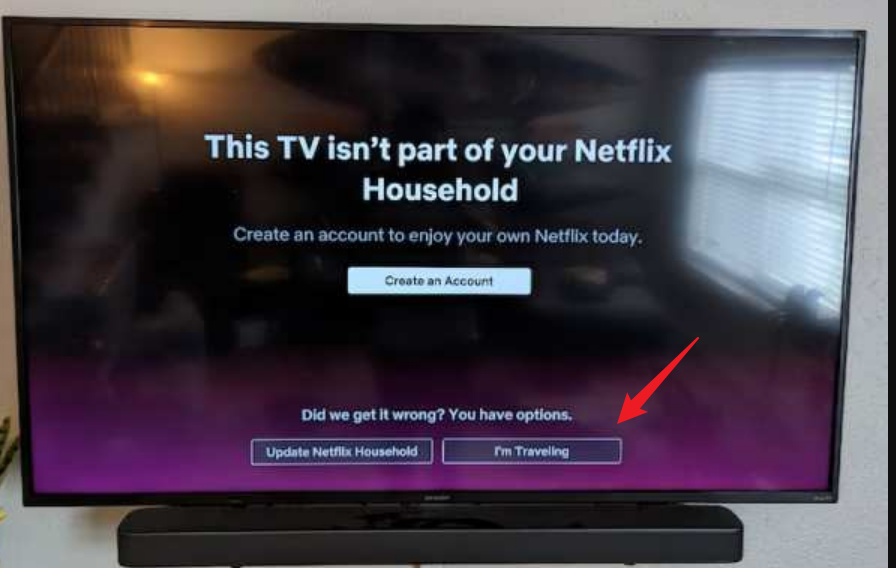
Once you have finished watching, simply click the Home screen button, and then go to settings and sign out.
Limitations: This method is simple, but there are some limitations that you should be aware of. First thing is you will have to verify yourself. And for this, you need to have access to your registered email and phone. Secondly, you will notice, as per your location, many shows will be missing due to regional licensing restrictions. Last, but not least, this method requires a stable internet connection to work.
2. Download Content Before You Go (Official Mobile App)
The second method is simply downloading your favorite shows before you travel. Netflix’s offline features are perfect for such occasions. You can save movies and episodes directly to your phone or tablet. Here is how to download content before you go.
Step 1: Open the Netflix mobile app on your device.
Step 2: Next, make sure you are connected to Wi-Fi.
Step 3: Now, search for the show or movie you want to download.
Step 4: Tap the Download icon next to the title.
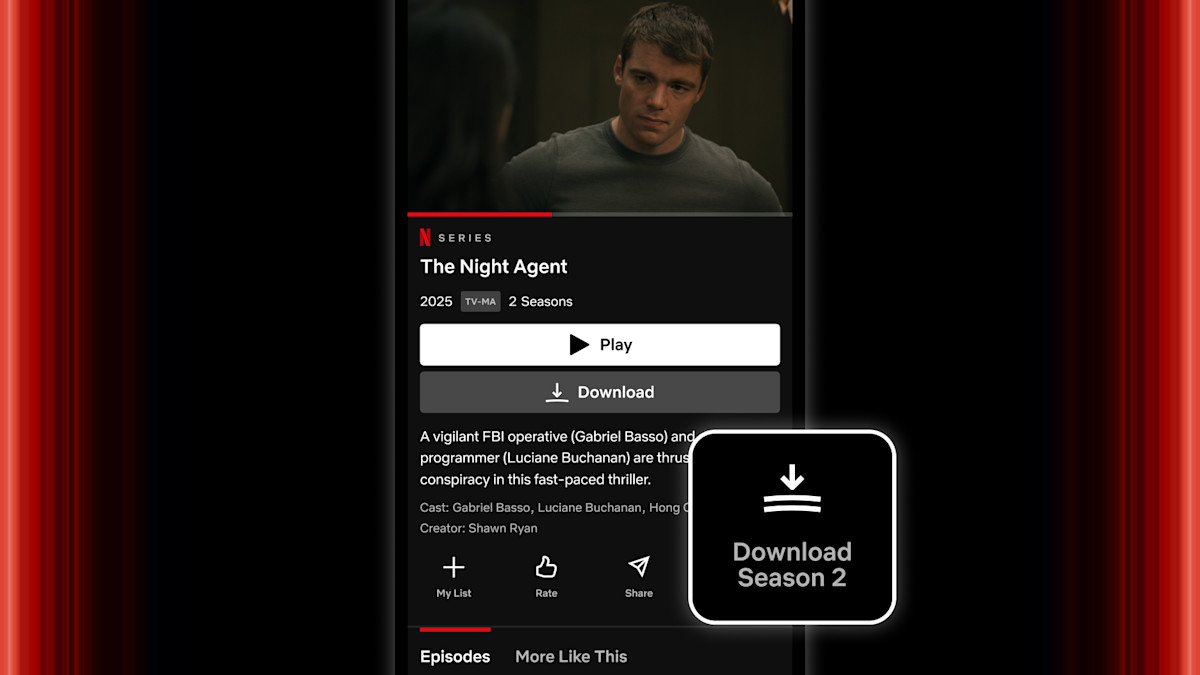
Step 5: Wait for the download to complete. You can find downloaded content in the Downloads section.
Limitations: Like the above method, there are download limitations on Netflix. First, your downloads will expire after some time. For example, if you have started watching a show, you only have a 48-hour window until the show disappears. Also, you need an active subscription to access your downloads. Also, remember that not all titles are available for download. Last but not least, you also need to have storage space on your phone to download Netflix titles for offline watching.
A Better Option for Streaming Netflix While Traveling
The above 2 methods are the only official ways to watch Netflix while traveling. Unfortunately, both methods have limitations. If anything is missing, you cannot watch Netflix offline on the go. To avoid such scenarios, you can use another method that is usually preferred by travelers. Simply use a third-party downloader to download your favorite show for offline watching.
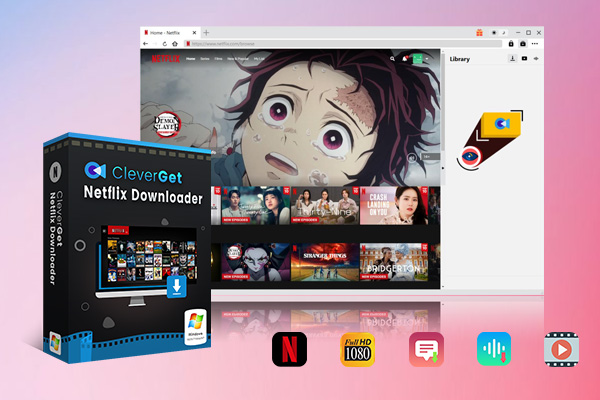
For instance, with a tool like CleverGet Netflix Downloader, you can download everything on your device permanently. You can download your favorite season in MP4 or MKV format on your device and watch anywhere without the need for an internet connection, and even without the need for Netflix. Unlike the official app, which has restrictions, this downloader lets you keep content even after your subscription ends.
-
- Download Netflix movies and shows at up to 1080P without ads.
- Convert Netflix video to MP4/MKV file with original quality.
- Download Netflix episodes across seasons in batch.
- Reserve multiple subtitles and audio tracks.
With CleverGet Netflix Downloader, you can download Netflix videos in 1080P or 720P HD quality. Also, CleverGet Netflix Downloader supports batch downloading, so you can download full seasons of TV shows at once instead of downloading episodes one by one.
Best Travel Strategy for Netflix Users
The best strategy depends on what you want. Overall, we can say that the best way to enjoy Netflix while traveling is to combine both official and practical offline solutions. Before your trip, we recommend that you keep a “travel playlist” for ready. Downloaded content means you will be able to save mobile data and avoid buffering during travel. Also, it’s a good idea to download more than one show in case some downloads expire or become unavailable during your trip.
But if you are someone who travels frequently and wants long-term offline access, you can use a reliable video downloader like CleverGet Netflix Downloader to download content on your laptop before leaving. Also, please remember to check your destination’s internet availability. For flights or remote areas, offline downloads are usually the safest option.
FAQs
Q1: Can I watch Netflix on a plane?
Yes, you can watch Netflix on a plane only if you download content before boarding. Most of the airlines do not provide stable streaming Wi-Fi.
Q2: Do Netflix downloads expire?
Yes, downloads expire and need to be refreshed when connected to the internet. You can check this tutorial for more details: How long do Netflix downloads last?
Q3: Why are some Netflix titles not downloadable?
When travelling, this problem could happen more often. This reason is copyright licensing restrictions.
Q4: Can I watch downloaded Netflix videos after changing countries?
Usually yes, but some titles may disappear due to regional licensing.
Q5: Do I need the internet to watch downloaded Netflix content?
No, but periodic verification may be required.
Conclusion
It’s easier to watch Netflix while traveling once you know all the methods and their restrictions. You can use Netflix’s official download feature or advanced tools like CleverGet Netflix Downloader to keep your favorite shows available offline. The best approach is to prepare before you travel by downloading content, checking internet availability, and planning your entertainment list. With a little preparation, you can enjoy your favorite shows anytime, anywhere, whether you are on a flight or relaxing in a hotel room.
-

Hulu Screen Limits: How Many People Can Watch Hulu at Once?Cassie J./2026-03-19
-

From Flight to Hotel: How to Watch Netflix While TravelingCassie J./2026-03-19
-

How to Record on Canva: Step-by-Step Guide for BeginnersSunny Wen/2026-03-16
-

Paramount Plus Error Code 111: Causes, FixesLeia Liu/2026-03-13
-

4K Video Downloader Review: Is It Worth Using?Leia Liu/2026-03-13
-

ScreenPal Review: Is It the Right Screen Recorder for You?Sunny Wen/2026-03-12
-

How to Download Vudu Movies for Offline Viewing?Patrick Murray/2026-03-06
-

How to Convert iTunes M4V to MP4: 3+1 Easy MethodsPatrick Murray/2026-03-06
-

How to Get Paramount Plus for Free in 2026Leia Liu/2026-03-04
-

4 Best Methods to Convert TikTok to MP3 FilesCassie J./2026-02-27
-

How to Download OnlyFans Videos from Messages?Patrick Murray/2024-05-09
-

[2026] What is OnlyFans Media not Loading Issue & How to Fix?Patrick Murray/2024-02-21
-

How to Download OnlyFans Videos on Android/iPhone/PC?Patrick Murray/2024-06-28
-

How to Download Private YouTube Videos Without AccessPatrick Murray/2025-02-12
-

How to Download YouTube Members-Only Videos?Cassie J./2024-05-08
-

Latest List of the Best Free Movie Websites[2026]Patrick Murray/2024-05-07
-

[2026 Update] How to Download All Media from OnlyFans?Patrick Murray/2024-02-26
-

TK2DL: Features and Uses of this TikTok & Twitter DownloaderLeia Liu/2024-09-05
-

10 Best HDHub4u Alternative Sites for Movie DownloadPatrick Murray/2024-03-06
-

How to Turn Off Age Restriction on YouTube?Patrick Murray/2024-03-04
 English
 Deutsch
 日本語
日本語 French
 한국인
한국인 Italiano