


 Try for Free
 Try for Free
Last updated on 2026-03-04, by
AnyStream: Full Review, Pros & Cons, and Alternative
Summary:
This AnyStream review analyzes the streaming media download tool AnyStream from its product overview and key features to real user feedback, objectively examining its advantages, disadvantages, and security and legality. Incorporating the latest industry trends in 2026, this article recommends high-quality alternative to AnyStream, providing practical solutions for offline streaming viewing.
Outline
As a long-time enthusiast of streaming tools, I was initially drawn to AnyStream for its DRM removal feature and witnessed its rise from a popular tool to its complete shutdown in June 2024. This software, which enabled countless users to watch streaming videos offline, may be gone now, but its user experience and alternative solutions remain important questions for many streaming enthusiasts. In the following, I will combine my own experience and extensive research to provide a comprehensive Redfox AnyStream review and share its reliable alternatives for 2026.
Overview of AnyStream
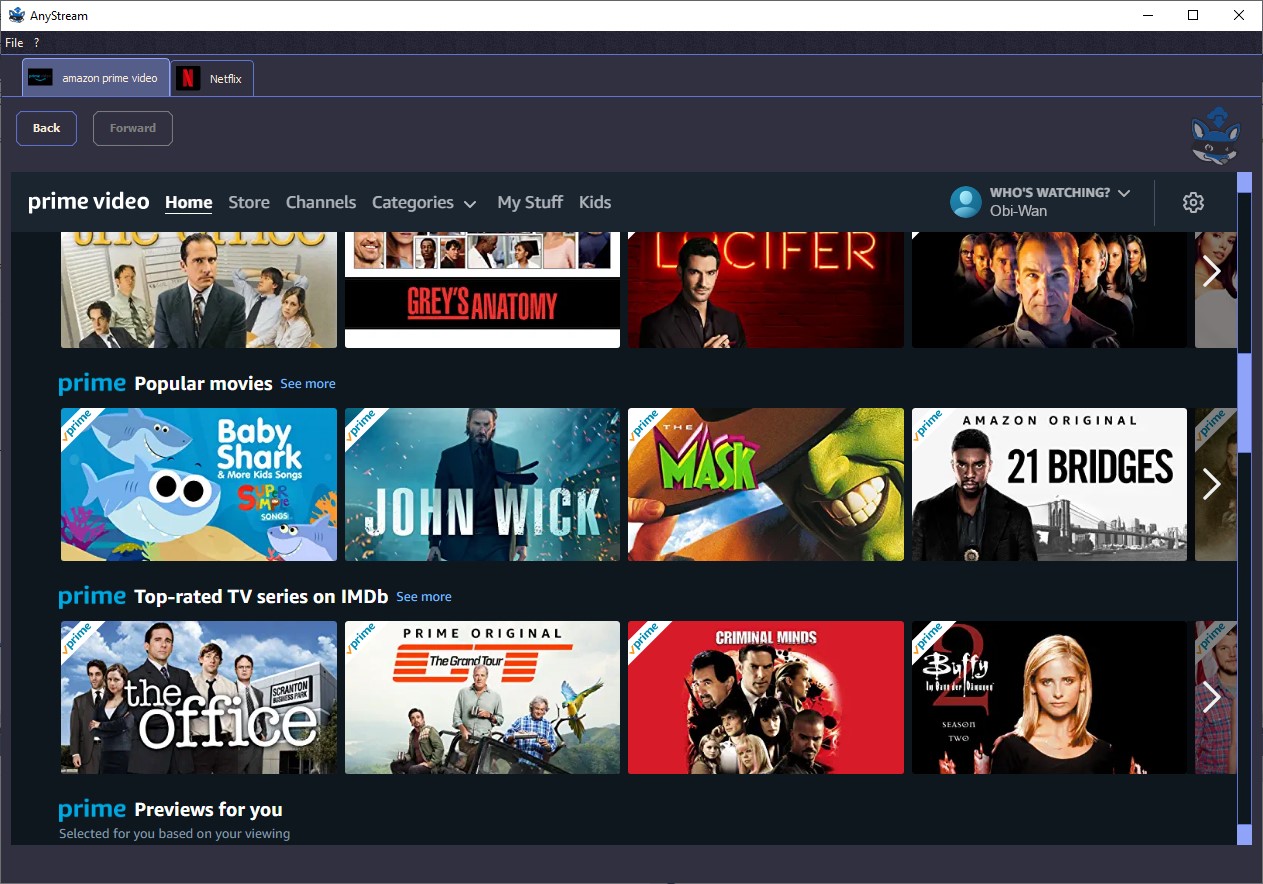
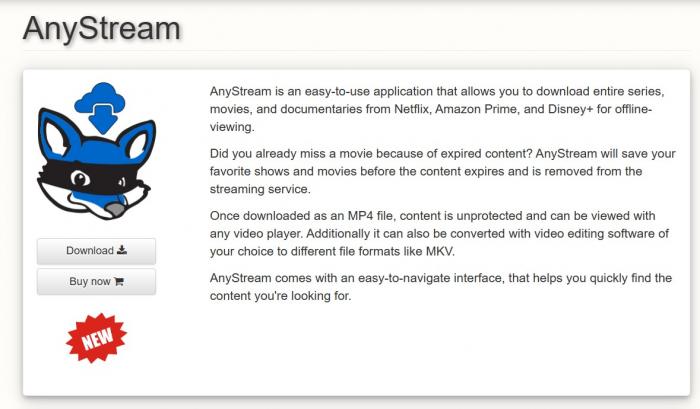
AnyStream, developed by Redfox, was a streaming video downloader. Its core function was to help users remove DRM protection from mainstream streaming platforms like Netflix, Amazon Prime Video, and Disney Plus, enabling them to download Disney Plus videos and Netflix videos. AnyStream could convert encrypted videos to locally salvageable formats for unlimited offline viewing. During its operation, AnyStream became a popular tool among streaming enthusiasts due to its multi-platform support and high-definition download capabilities.
However, its lifespan was short-lived. In February 2024, AnyStream’s Netflix download function became unusable, and the developers never provided a fix. In June of the same year, Redfox officially shut down AnyStream, and its servers ceased service, rendering the tool completely unusable. In terms of system compatibility, AnyStream only supported Windows 7/8/10/11 systems and required at least a 2GHz processor and 1GB of RAM. It did not support Mac or Linux systems.
Key Features & Capabilities
Based on my actual user experience, AnyStream’s key features and functions were indeed quite outstanding compared to similar tools at the time, which is a key reason why it gained a large user base.
1. DRM Removal and Multi-Platform Support
This is AnyStream’s core function. AnyStream can bypass the DRM encryption of 14 major streaming platforms, including Netflix, Paramount Plus, Disney Plus, and HBO Max. At the time, AnyStream was considered one of the best Paramount Plus downloaders. AnyStream can download videos from various online platforms as MP4 format videos. These downloaded videos can be played on any device, without platform limitations.
2. Batch Download
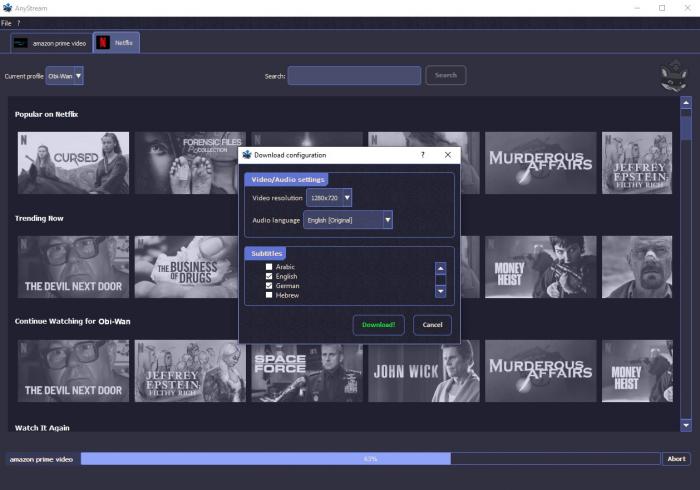
AnyStream supports batch downloading entire seasons of TV shows and allows users to customize the download speed. Users can adjust the download speed of AnyStream videos according to their network conditions to avoid AnyStream consuming all bandwidth, which is very useful when handling large amounts of video downloads.
3. Personalized Subtitle and Audio Settings
AnyStream supports preset audio tracks and subtitle languages. 4. High-definition picture quality and high-quality audio preservation. AnyStream supports downloading videos at up to 1080p HD resolution and fully preserves Dolby Digital 5.1 surround sound. Therefore, the downloaded video’s audio-visual quality is virtually identical to the original, meeting the needs of high-definition viewing.
4. User-friendly interface
AnyStream uses a browser-style built-in interface, directly integrating access to various streaming media platforms. Users can directly search, play, and download videos within the AnyStream application. The operation is relatively smooth, and even beginners can quickly get started.
Real User Reviews & Feedback
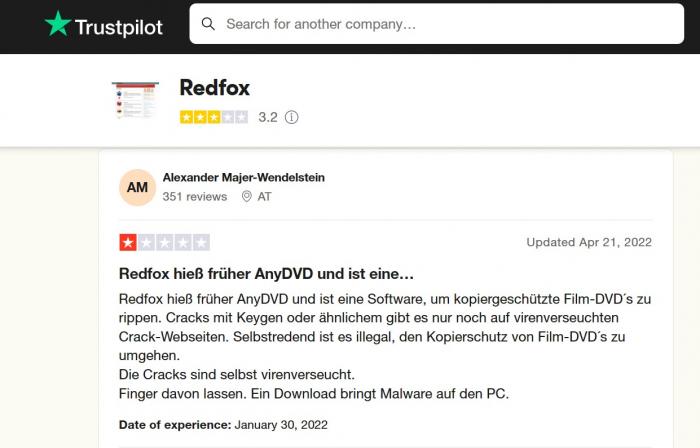
During AnyStream’s operation, I participated in various streaming tool communities and read numerous user reviews on platforms like Reddit and Trustpilot. I found that feedback was highly polarized, with both positive and negative opinions concentrated on the platform.
Positive reviews primarily highlighted AnyStream download speed and completion rate. Many users stated that "after selecting content to download, AnyStream’s pop-up response is quick, and the download and saving time is relatively short, allowing for rapid local storage of videos." Furthermore, the fact that the interface supports 25 languages was a major plus for many overseas users.
Negative feedback mainly focused on download limitations and stability, which were also the biggest problems I encountered myself. Many paid users complained that "even the AnyStream Plus version only offers about 280 downloads per week, and the platform itself limits it to 100 per week, which is simply insufficient." Other users reported that "AnyStream easily crashes when adding new content to the download queue, requiring manual pausing of the queue, adding the content, and then restarting, which is very cumbersome."
Pros and Cons of AnyStream
Based on my own user experience and extensive user feedback, I have comprehensively analyzed the advantages and disadvantages of AnyStream. Objectively speaking, this tool has both very prominent strengths and weaknesses:
Pros:
High download efficiency: AnyStream performs excellently in download speed, quickly completing video downloads and local saving;
High video and audio quality: AnyStream preserves complete audio and video quality, offering 1080P high-definition resolution and Dolby Digital 5.1 surround sound, restoring the original audio-visual experience and meeting the needs of high-definition viewing;
User-friendly subtitle and audio functions: AnyStream supports preset languages and multiple subtitle modes, adapting to different user habits and catering to multilingual needs;
Relatively user-friendly interface: AnyStream’s built-in browser design allows direct access to streaming media platforms without additional redirection. Furthermore, AnyStream supports 25 languages, adapting to global users;
Cons:
The product is completely discontinued: Since June 2024, AnyStream has been completely unusable, becoming its most fatal flaw;
Extremely poor system compatibility: AnyStream only supports Windows systems and is incompatible with Mac and Linux, excluding a large number of non-Windows users.
Strict download limits: Both the free trial and paid versions of AnyStream have clear download limits. AnyStream cannot meet the video download needs of many users, making it less cost-effective.
Poor functionality stability: AnyStream’s download queue is prone to crashing. Furthermore, AnyStream’s search results are occasionally inaccurate. Since 2024, AnyStream’s Netflix download function has been disabled, and there is no solution.
Lack of after-sales service: Many users have reported that AnyStream’s customer service cannot provide timely and effective solutions when encountering problems. Even users who purchased the lifetime version have had their service abruptly terminated without any compensation.
Safety and Legality Considerations
When using streaming media download tools like AnyStream, security and legality are unavoidable issues, which is why I always remind my friends to pay close attention.
Regarding security, the genuine AnyStream itself does not contain malware or viruses. During my own installation and use of AnyStream, I have never experienced computer infections or information leaks. However, it’s important to be wary of cracked versions of AnyStream circulating online. These cracked programs achieve free use by modifying the trial period, posing serious security risks, potentially carrying viruses, and causing problems such as missing functions, download failures, and in severe cases, even computer system malfunctions. Therefore, I do not recommend using them.
Regarding legality, AnyStream’s core function is to remove DRM protection, which makes its legality always ambiguous. Although AnyStream requires users to log in to a paid account on the corresponding streaming media platform and can only download content that the account is authorized to view, DRM protection is a technical barrier set up by streaming media platforms to protect copyright. Removing DRM may constitute copyright infringement in some countries and regions. Furthermore, distributing or selling downloaded videos for commercial purposes is definitely illegal and subject to copyright law penalties. Even for personal use, it’s essential to comply with local copyright laws and regulations and use the software with caution.
The sudden shutdown of AnyStream also reflects legal pressure from copyright holders faced by DRM-free tools, making their future development highly uncertain.
Best Alternative to AnyStream in 2026
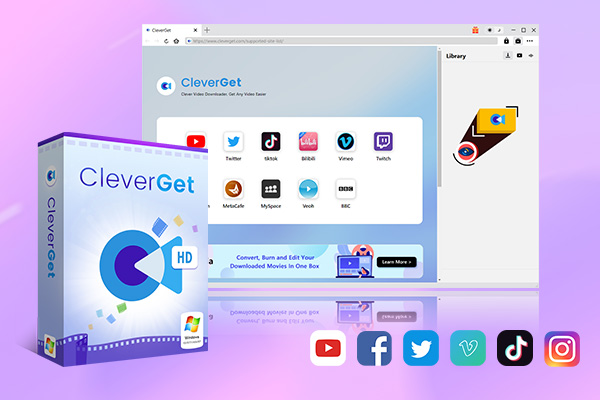
Since AnyStream ceased operations, I have tested several streaming download tools. Considering the maturity, stability, and feature comprehensiveness of tools in 2026, CleverGet All-in-One has become my most recommended alternative.
As an all-in-one tool integrating download and recording functions, CleverGet’s key competitiveness lies in its lack of weaknesses. CleverGet not only solves all the problems of AnyStream, but also achieves comprehensive upgrades in multi-platform support, video and audio quality, and ease of use.
-
An all-in-one video downloader toolkit that can save online videos including live streams and premium OTT content from over 1,000 sites at up to 8K resolution with an ad filter.
- Batch download movies, TV episodes of certain or all seasons, playlists, etc.
- Support multiple subtitle and audio tracks download selection.
- Record videos in the background at up to 5× speed and 4K resolution.
- Convert videos to MP4, MKV, MP3 or other formats.
AnyStream only supports 14 streaming platforms, while CleverGet can directly download videos from over 1000 websites, including all major streaming platforms such as Netflix, Disney Plus, Amazon Prime Video, Paramount+, Hulu, and Max, and also supports social media platforms such as YouTube, Facebook, TikTok, and Instagram. Therefore, CleverGet can be a professional Disney Plus downloader or a professional Paramount Plus downloader.
AnyStream supports downloading videos up to 1080p, while CleverGet provides differentiated video quality support for different platforms. For ordinary video websites, CleverGet can download up to 8K ultra-high-definition videos. For streaming platforms, CleverGet supports lossless download of 1080p HD videos.
AnyStream’s paid version only offers 280 downloads per week, while CleverGet’s paid version has no download limit whatsoever. Whether it’s bulk downloading entire seasons of TV shows or massive movie archives, CleverGet can meet people’s download needs.
AnyStream only supports Windows, while CleverGet is perfectly compatible with Windows (7/8/10/11) and Mac (macOS 11 and above). Apple users no longer need to look for alternatives.
In short, in 2026, CleverGet is definitely the best alternative to AnyStream.
Conclusion
AnyStream’s cessation of operations demonstrates that the core competitiveness of streaming media download tools has long since shifted from simply cracking DRM to legal compliance, multi-platform compatibility, high stability, and user-friendly features. In 2026, CleverGet, an All-in-One Online Video Saver, serves as a comprehensive alternative, not only possessing all of AnyStream’s advantages but also surpassing it in platform coverage, video and audio quality, and ease of use.
Finally, I want to remind everyone that regardless of the tool you choose, you must comply with local copyright laws and regulations. Downloaded videos should only be used for personal offline viewing. Also, try to choose official, genuine tools and avoid cracked versions to ensure device security and a better user experience. Legal compliance and stable functionality—CleverGet undoubtedly achieves this, making it my most recommended streaming media download tool in 2026.
-

ScreenPal Review: Is It the Right Screen Recorder for You?Sunny Wen/2026-03-12
-

How to Download Vudu Movies for Offline Viewing?Patrick Murray/2026-03-06
-

How to Convert iTunes M4V to MP4: 3+1 Easy MethodsPatrick Murray/2026-03-06
-

How to Get Paramount Plus for Free in 2026Leia Liu/2026-03-04
-

4 Best Methods to Convert TikTok to MP3 FilesCassie J./2026-02-27
-
AnyStream: Full Review, Pros & Cons, and AlternativeLeia Liu/2026-03-04
-

Can You Screenshot Instagram DM Photos? Here’s HowSunny Wen/2026-02-27
-
YT Saver Review: Is It Really Worth Using?Cassie J./2026-02-09
-

How to Record on Peacock Without a Black ScreenCassie J./2026-02-09
-

How to Download Rented Videos from Amazon Prime Video?Patrick Murray/2026-02-06
-

How to Download OnlyFans Videos from Messages?Patrick Murray/2024-05-09
-

[2026] What is OnlyFans Media not Loading Issue & How to Fix?Patrick Murray/2024-02-21
-

How to Download OnlyFans Videos on Android/iPhone/PC?Patrick Murray/2024-06-28
-

How to Download Private YouTube Videos Without AccessPatrick Murray/2025-02-12
-

How to Download YouTube Members-Only Videos?Cassie J./2024-05-08
-

Latest List of the Best Free Movie Websites[2026]Patrick Murray/2024-05-07
-

[2026 Update] How to Download All Media from OnlyFans?Patrick Murray/2024-02-26
-
TK2DL: Features and Uses of this TikTok & Twitter DownloaderLeia Liu/2024-09-05
-

How to Turn Off Age Restriction on YouTube?Patrick Murray/2024-03-04
-

10 Best HDHub4u Alternative Sites for Movie DownloadPatrick Murray/2024-03-06
 English
 Deutsch
 日本語
日本語 French
 한국인
한국인 Italiano