


 Try for Free
 Try for Free
Share article:


KeepStreams Review 2026: Is It Worth It?

2026-03-04 ・ Related to: CleverGet All-In-One
87 Views
Summary:
This article provides a comprehensive review of KeepStreams 2026, examining its features, user feedback, pricing, and other aspects to determine if this multi-platform video downloader is worth purchasing.
Outline
In today’s entertainment landscape dominated by streaming media, offline viewing has become a necessity for many people. Whether we’re commuting without internet, traveling with limited data, or want to permanently save our favorite shows and documentaries, a reliable video downloader is essential. I’ve used many online video downloaders, but they all have numerous issues. For example, some have poor compatibility, some compress the downloaded video quality, and some are complicated to use. Recently, I had an in-depth experience with KeepStreams 2026. How does this tool perform? Is it worth the money? Below, I will combine my own user experience with various real-world feedback to provide the most objective evaluation.
What Is KeepStreams?
In short, KeepStreams is a desktop-based multi-platform video and audio downloader. Its core function is to help users download content from various streaming and social media platforms for offline viewing. KeepStreams is not a single-platform downloader, but an integrated tool. It can download videos from major OTT platforms such as Netflix, Disney Plus, Paramount Plus and Prime Video, as well as anime platforms like Funimation and Crunchyroll. It can also download videos and audio from live streaming platforms like Twitch and ESPN Plus, and social media platforms like YouTube, Facebook, and Instagram. Furthermore, it even supports audio downloads from music platforms like Spotify and Amazon Music, covering a very wide range of scenarios. The 2026 version of KeepStreams has optimized compatibility and download speed, and improved support for high-definition formats. Therefore, many users use KeepStreams as a solution for offline downloading entertainment content from multiple platforms.
Key Features & Capabilities of KeepStreams
After a period of testing, I found that KeepStreams’ core advantages lie in its comprehensive functionality and practicality, which can be summarized in the following aspects:
1. Multi-platform compatibility
This is also the most attractive feature of KeepStreams for me. I tested KeepStreams with Netflix series, Disney Plus animated movies, long videos from YouTube, and even short videos from Instagram. KeepStreams successfully parsed and downloaded videos from Disney Plus and these platforms. Especially for some niche anime platforms, such as exclusive series on Crunchyroll, many similar tools cannot recognize them, but KeepStreams accurately captured and downloaded them.
2. High-quality video and audio downloads
KeepStreams supports video downloads up to 8K resolution. In daily use, when downloading 1080P and 4K content with KeepStreams, the downloaded video quality was indistinguishable from the original playback platform. Regarding audio, KeepStreams 2026 supports high-quality output at 320Kbps. When downloading audio, KeepStreams allows you to select different audio tracks. KeepStreams also supports a wide range of file formats. We can use it to download videos in common formats such as MP4, MKV, and MOV to adapt to different playback devices.
3. Ease of Use
KeepStreams has a built-in dedicated browser. When downloading online videos using KeepStreams, we don’t need to switch between platforms and download tools. We can directly search for videos within the KeepStreams browser and then click download. I also tested the URL pasting function. I copied the video link and pasted it into the KeepStreams software. A few seconds later, KeepStreams completed the video parsing, which is very user-friendly for beginners.
4. Batch Download
When watching TV series, KeepStreams’ batch download function can download an entire season at once. Furthermore, the GPU acceleration technology added in KeepStreams 2026 significantly improves download speed. When downloading the same size 4K video, KeepStreams 2026’s download speed is almost twice as fast as the tools I used before.
Real User Feedback of KeepStreams
To provide a more comprehensive evaluation of KeepStreams 2026 in this review, I’ve compiled genuine feedback from other users on social media platforms. Overall, positive reviews of KeepStreams 2026 focus on the following points:
Some users stated, "Finally found a tool to download Netflix 4K content!"
Other users praised, "Bulk downloading TV series with KeepStreams 2026 is so convenient, and the subtitles are complete!"
Many music lovers appreciated KeepStreams 2026’s audio download function, noting that "the sound quality of songs downloaded from Spotify is indistinguishable from the original files."
Of course, negative feedback on KeepStreams 2026 also exists.
Some users reported that "KeepStreams 2026’s support for some niche social media platforms is not stable enough, and occasionally video parsing fails."
Other users mentioned that "the free version of KeepStreams 2026 has a download limit, making the trial experience incomplete."
Additionally, a few users reported that KeepStreams 2026 was slow on its first launch after installation, but subsequent use was quite smooth.
Overall, most users are satisfied with the core features of KeepStreams 2026, while negative reviews mainly focus on minor optimizations and the refund policy.

Pricing, Plans of KeepStreams
KeepStreams 2026 offers both a free trial and a paid subscription model. The free trial only allows downloading three videos and lacks HD quality access. This model is suitable for testing whether KeepStreams meets your needs. KeepStreams 2026’s paid plans are divided into several tiers:
Monthly Plan: $49.99/month
Semi-annual Plan: $13.99/month (paid annually)
Annual Plan: $7.99/month (paid annually)
Lifetime Plan: $269.99
It’s worth noting that KeepStreams occasionally offers discounts, such as a lifetime subscription promotional price as low as $249.99, and some plans also have coupons available. Compared to similar paid download tools, KeepStreams’ pricing is mid-to-high. Therefore, many people complain on social media that KeepStreams is too expensive. In addition, KeepStreams offers different refund policies: lifetime subscribers enjoy a 14-day money-back guarantee, while monthly or annual subscribers enjoy a 7-day money-back guarantee. However, please note that refunds are only available for technical issues. Refunds are generally not offered simply for changing one’s mind.
Pros, and Cons of KeepStreams
Based on my user experience and feedback, I’ve summarized the pros and cons of KeepStreams:
Pros:
1. Excellent platform compatibility. KeepStreams 2026 is compatible with various websites including streaming media, social media, music, and live streaming, meeting almost all our offline download needs.
2. High-quality video and audio output. KeepStreams 2026 supports video downloads from 320p to 8K, and audio downloads support Dolby Atmos, EAC3 5.1 surround sound, etc.
3. Easy to use. KeepStreams has a built-in browser. Even beginners can quickly learn how to use it to download online videos and audio.
4. Batch download. KeepStreams 2026 has many practical functions such as batch download and individual subtitle extraction, which can significantly improve download efficiency.
Cons:
1. Relatively high price. KeepStreams 2026 is not cost-effective for users who only use a single platform.
2. Strict limitations of the free trial version. The free trial version of KeepStreams 2026 can only download 3 videos. Using the free version of KeepStreams 2026, it’s difficult to fully experience its core features;
3. Occasional parsing failures. KeepStreams 2026 may fail to parse video or audio for some niche websites;
4. Slow initial startup. KeepStreams 2026 may start slowly on some low-spec computers on first launch. Furthermore, the Mac version of KeepStreams 2026 is 1-2 weeks behind the Windows version in updates.
5. Website security is controversial. Fraud prevention platforms have given KeepStreams 2026 a low-to-medium authority rating of 48.8, indicating a potential risk of malware, and recommending downloading KeepStreams 2026 from official channels.
How KeepStreams Compares to Alternatives
To help everyone make a clearer judgment, I have provided a simple comparison between KeepStreams and KeepStreams alternatives:
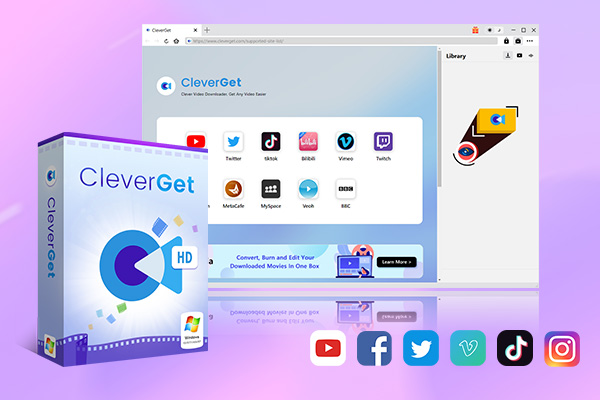
Compared to CleverGet,as a full-featured tool directly competing with KeepStreams, CleverGet’s core advantage lies in its broad compatibility with streaming platforms. CleverGet supports video downloads from over 1000 websites, including mainstream streaming services like Netflix, Disney Plus, Hulu, Paramount Plus and HBO Max, as well as social media platforms like YouTube, TikTok, and Facebook, and even some niche overseas video websites, far exceeding KeepStreams’ coverage. During my testing, I found that it could download content from some niche platforms that KeepStreams couldn’t recognize. Therefore, CleverGet has a clear advantage in compatibility.
Regarding image quality and speed, both support 8K video and 320Kbps audio downloads. However, CleverGet’s GPU acceleration technology is more mature, downloading 4K videos approximately 20% faster than KeepStreams. Operationally, CleverGet’s built-in browser is more intelligent, automatically recognizing video links and displaying download prompts, eliminating the need for manual pasting and improving efficiency.
-
An all-in-one video downloader toolkit that can save online videos including live streams and premium OTT content from over 1,000 sites at up to 8K resolution with an ad filter.
- Batch download movies, TV episodes of certain or all seasons, playlists, etc.
- Support multiple subtitle and audio tracks download selection.
- Record videos in the background at up to 5× speed and 4K resolution.
- Convert videos to MP4, MKV, MP3 or other formats.
FAQs
Based on my experience using KeepStreams 2026 and frequently asked questions from users, I have compiled the following answers:
1. Is it legal to use KeepStreams to download content from paid platforms?
Yes, but only for personal offline backup. It cannot be used for commercial distribution or selling downloaded files, otherwise it may violate copyright law.
2. Will videos downloaded with KeepStreams have watermarks?
I have tested using KeepStreams to download content from multiple platforms. The downloaded videos were all watermark-free and retained the original video and audio quality.
3. Can videos downloaded with KeepStreams be saved permanently?
Yes. KeepStreams removes DRM protection from videos, and downloaded MP4/MKV files have no expiration limit.
4. Is KeepStreams safe?
The official version of KeepStreams is safe. Many users have reported that downloading KeepStreams from official channels is necessary to ensure its security.
Conclusion
For me, I need to download content from multiple platforms daily, so KeepStreams and CleverGet are my primary tools. I also use two dedicated CleverGet tools for accurate downloads of Disney Plus and Paramount Plus content. Overall, KeepStreams 2026 and the CleverGet suite are both excellent video downloaders, but they each have their own strengths and weaknesses. Whether they’re worth buying depends on your specific needs. Regardless of which tool you ultimately choose, I recommend trying the free version first to confirm it meets your requirements before paying to unlock the full features.
CleverGet All-In-One

 Try for Free
 Try for Free
 Download online videos at up to 8K resolution.
Download on-demand videos from Netflix, Amazon, Hulu, Disney+, etc.
Save online videos to MP4/MKV file at up to 8K quality.
Download videos from 1000+ sites.
Record online video at up to 4K resolution and 5X recording speed
Save online videos with ads removed.
 English
 Deutsch
 日本語
日本語 French
 한국인
한국인 Italiano