


 Try for Free
 Try for Free
Share article:


How to Fix MovPilot Errors/MovPilot Not Working

2025-12-03 ・ Related to: CleverGet All-In-One
72 Views
Summary:
Struggling with MovPilot not working? This MovPilot review explores common errors, troubleshooting steps, and the best alternative you need!
MovPilot is one of the most popular streaming services for saving content offline. However, like all software, it comes with glitches that frustrate many of us. In this MovPilot review, I will share my experience and discuss the typical problems and root causes. You can also find step-by-step troubleshooting and viable alternatives if issues keep occurring.
OutlineCLOSE
Also Read: MovPilot Amazon Video Downloader Review | Streamfab Amazon Downloader Review | PlayOn Review
1. Common Symptoms & Their Likely Causes
If you are running into roadblocks with MovPilot, you are not alone, because I have been there. As far as I know, many users also report similar frustrations that disrupt functionalities. Here, in this MovoPilot review, I will conclude all the frequent symptoms and their probable culprits:
|
Symptom/Code |
Likely Cause |
My Quick Fix |
|
Download freezes at low progress |
Network throttling or proxy interference |
Test your internet speed; disable VPNs temporarily; restart the app and try again. |
|
DRM decryption failure |
Streaming platforms updated security protocols |
Ensure MovPilot is up-to-date; switch to a different video title; log out and back in. |
|
Parsing or manifest error |
Incompatible resolution or temporary server glitch |
Lower video quality to 720p; wait 10-20 minutes and retry; select alternative audio tracks. |
|
Output file is empty |
File permission issues or security software quarantine |
Change save location; run MovPilot as administrator; add exceptions in antivirus settings. |
|
No sound or subtitles in the download |
Track selection or format incompatibility |
Check available languages/formats in settings; force MP4 output with AAC audio. |
|
HDCP or secure path errors |
The hardware display does not meet requirements |
Use a single monitor; try SD quality; update graphics drivers. |
|
Region-specific content fails |
Geo-restrictions or VPN mismatch |
Verify content availability without VPN; use a region-matched account. |
|
Sudden failures on specific services(Max/Hulu) |
Platform-side policy or DRM changes |
Review recent app updates; check online forums for similar reports; contact support. |
2. Detailed Causes & Troubleshooting Steps
Now you have seen the brief overview of the symptoms and quick fixes. Still don’t know how to troubleshoot the issues? Worry not. These steps are based on my own troubleshooting sessions, so feel free to adapt them.
1. Poor or Unstable Internet Connection
I once dealt with downloads freezing at 1%, and it turned out my Wi-Fi was being dragged down by too many devices. I ran a quick speed test and confirmed my connection had dipped below 5 Mbps, which is the minimum MovPilot recommends for smooth downloads.
How to fix:
I switched to a wired Ethernet connection, which stabilized things instantly. But if that’s not an option for you, you may try restarting your router or closing bandwidth-heavy apps. Meanwhile, I also disabled my VPN because it can add unnecessary latency.
2. Bugs or Glitches in MovPilot
There was a time when MovPilot crashed repeatedly mid-download, and I suspected a software bug could be the reason.
How to fix:
I checked for updates in the app’s settings menu, and guess what? A new version was available that patched similar issues. After installing it, the problem just vanished!
If updates don’t help, I recommend clearing the app’s cache. Just navigate to the app data folder and delete temporary files to refresh everything. For persistent glitches, there’s a quick fix I often use—uninstall and reinstall the app.
3. Expired or Invalid Subscription
There’s one time that I forgot to renew my subscription, and all of a sudden, my downloads just failed with a vague "access denied" error. I quickly logged into my account and found my subscription had lapsed.
How to fix:
Simply head to the dashboard to renew your plan to fix the issue immediately. Here’s also the place to cancel the MovPilot subscription. If you are on a trial, ensure you haven’t hit the download limit. From my experience, you can also set up auto-renewal reminders to avoid these interruptions in the future.
4. Changes in the Streaming Service (DRM/Terms of Service)
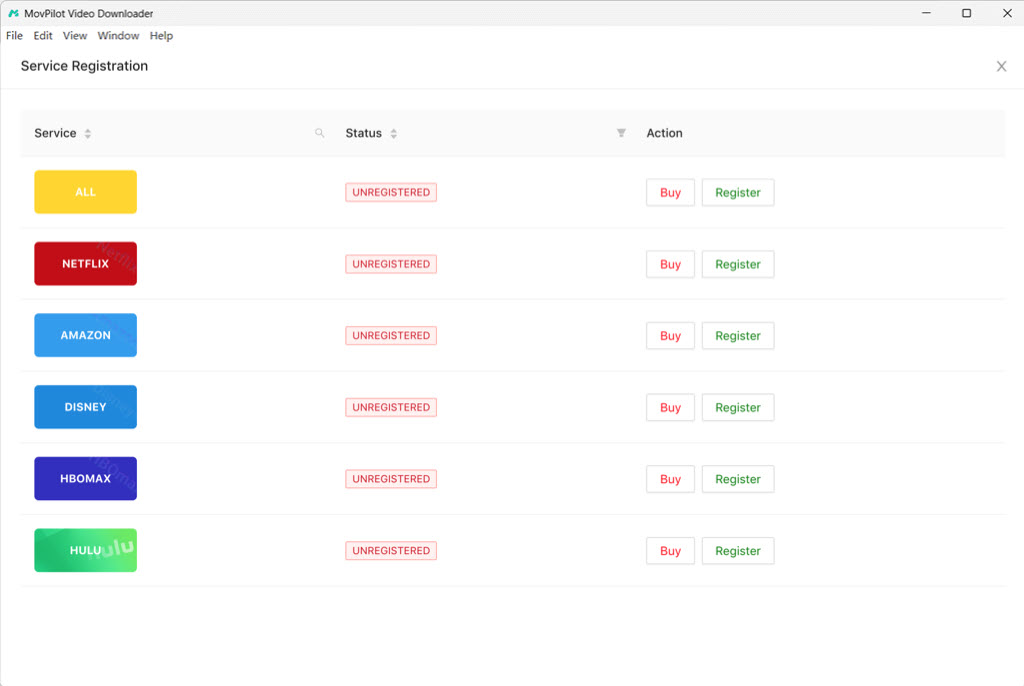
Streaming platforms like Netflix tweak their DRM protections often; that’s why MovPilot couldn’t decrypt a new series.
How to fix:
First of all, I verified if the content played OK in the official app. If not, this could be an error on the service side. I will wait for 24-48 hours and try again. I also reviewed the platform’s terms of service for any recent changes. If it’s a widespread problem, users on Reddit or X(Twitter) usually can confirm it.
If it’s the protocol change on streaming services that affects the downloads, MovPilot will release updates to fix the issue. In this case, I will wait for a few days for the new updates.
5. Antivirus or Firewall Blocking
My antivirus software once flagged MovPilot as suspicious software and blocked the downloads entirely. But after a few tweaks, it works again. My firewall on Windows also interferes with MovPilot, which can be fixed via adjustment.
How to fix:
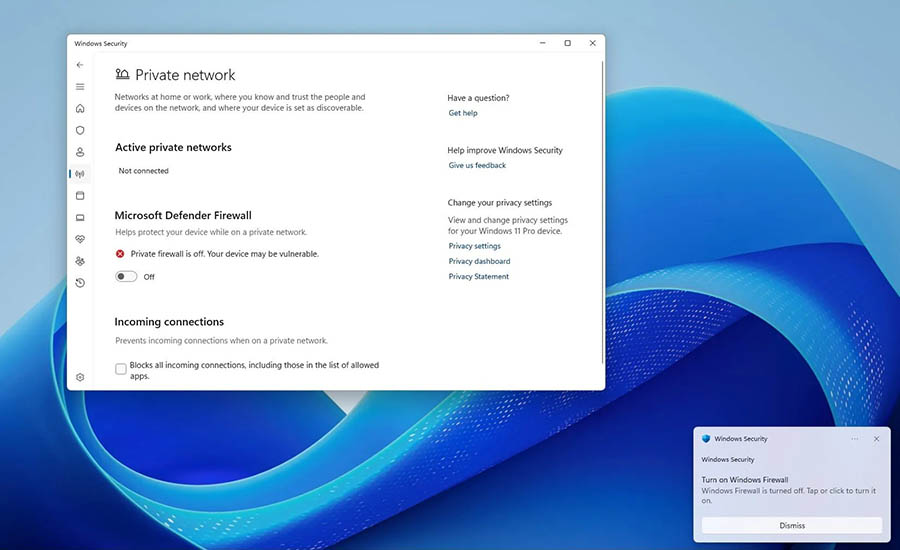
For antivirus software, I added MovPilot as an exception in the settings. For Windows Firewall, open the Control Panel and go to System and Security. From there, choose Windows Firewall to access its settings. On the left menu, click Turn Windows Firewall on or off. Pick the network profile you want to adjust, then choose Turn off Windows Firewall (not recommended) and confirm it.
6. Hardware & Driver Issues
On an older laptop, MovPilot ran poorly because my graphics drivers were outdated. Hardware limitations can also play a role. According to my experience, at least 4GB of RAM and a modern processor are required for smooth operation. Sometimes, the multi-monitor setups can also cause the MovPilot not working issue.
How to fix:
I right-click your desktop and open the NVIDIA Control Panel to confirm my GPU model and current driver version. Then I visit NVIDIA’s driver download page, select the correct series and model. After that, I download the newest version, run the installer, and restart my computer once the update finishes.
For a hardware-related issue, I would say upgrading to a more advanced computer should work. It can not only fix the MovPilot not working issues but also enhance your entire user experience.
If multi-monitor setups are the root cause, disconnect extras, as they can trigger HDCP errors. In my case, switching to integrated graphics temporarily fixes the problem.
3. Alternative Option If MovPilot Keeps Failing
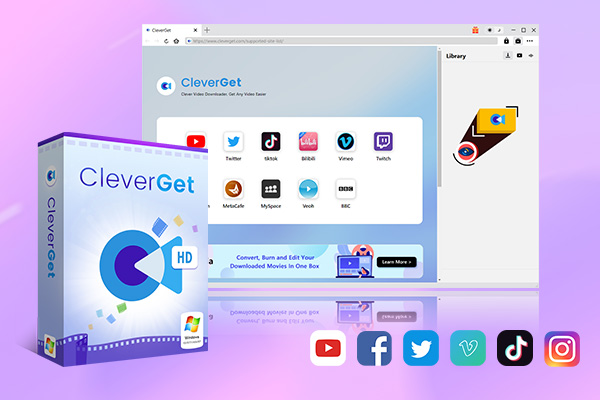
The previous MovPilot review has illustrated all the possible causes and fixes. But if I have tried all the solutions and the software just can’t seem to work perfectly, I will just switch to a more reliable app instead of obsessing over fixing it. In fact, there’s one I’ve tried—CleverGet All-In-One.
-
- Download online video at up to 8K with an ad filter.
- Batch download movies, TV shows, playlists, clips, live streams, etc.
- Reserve multiple subtitle and audio track.
- Convert video to MP4, MKV, MP3 or other format files.
- Record videos in background at up to 5x speed and 4K resolution.
Unlike MovPilot All-In-One Downloader, which only supports around 10 streaming platforms and costs $209.07, CleverGet All-In-One supports more than 50 platforms—Netflix, Disney+, Hulu, and plenty of niche services. And guess the price? It’s just $259.95, which definitely offers far better value.

Meanwhile, I also appreciate features like batch downloads, high-quality output up to 8K. More importantly, it’s so much faster with more stable performance. When the MovPilot not working issues became a headache, I would say switching to CleverGet All-In-One solved the problem once and for all.
Conclusion
This MovPilot review has walked you through all the errors and fixes. But as you can see, it can be rather time-consuming for troubleshooting, even with the guide above. And when MovPilot still didn’t perform the way I needed, I didn’t hesitate to move to CleverGet All-In-One. I simply don’t want to waste my valuable time fixing errors, and based on my experience, CleverGet All-In-One truly provides a more reliable and flexible experience!
CleverGet All-In-One

 Try for Free
 Try for Free
 Download online videos at up to 8K resolution.
Download on-demand videos from Netflix, Amazon, Hulu, Disney+, etc.
Save online videos to MP4/MKV file at up to 8K quality.
Download videos from 1000+ sites.
Record online video at up to 4K resolution and 5X recording speed
Save online videos with ads removed.
 English
 Deutsch
 日本語
日本語 French
 한국인
한국인 Italiano