


 Try for Free
 Try for Free
Last updated on 2022-06-22, by
[CBS.com] How to Watch CBS for Free?
In addition to HBO and Netflix, the popular TV show platform is CBS. Now, there are also a lot of high-quality TV shows on CBS. If you have always been a user of the CBS platform, I am sure you will be a loyal user of it. If you don’t know CBS yet, I will introduce to you what is CBS and how to watch CBS for free in this article.
Outline
Part 1: What is CBS?
The full name of CBS is Columbia Broadcasting System, which is one of the three major national commercial broadcast and television networks in the United States. Founded on February 18, 1927, CBS was initially headquartered in Philadelphia and later in New York, and was funded by advertising broadcast revenue. In 1941, CBS officially launched television broadcasting. In 1954, CBS aired color television. Now, CBS offers a ton of sports and entertainment, including major events like the NFL, the Super Bowl, and the Grammys.

In 2015, CBS began offering users its own streaming service called CBS All Access which is an instant and pay-as-you-go TV streaming service. Now, CBS All Access has more than 4 million subscribers, and it has a growing list of TV shows and movies. TV shows like The Good Fight and The Twilight Zone are well-known originals for CBS All Access. Currently, CBS All Access offers two subscription plans: a limited ad plan ($5.99/month) and an ad-free plan ($9.99/month). Of course, CBS All Access has its own pros and cons.
Pros:
- Provide massive resources of popular movies and TV dramas;
- Live streaming of current top sporting events and local news;
- Favourable price;
- Supports multiple platforms.
Cons:
- Only allow users of the ad-free plan to download videos offline;
- Limited number of exclusive original dramas available;
- The resolution of the video cannot reach 4K and HDR.
Part 2: How to Watch CBS for Free?
In general, viewers can use a TV antenna to watch CBS TV for free, but TV antennas are not for everyone, and people tend to use CBS All Access to watch TV shows because it only requires an Internet connection to do it. However, CBS All Access is a paid streaming service, so is there any way to watch CBS All Access TV shows for free? The answer is yes. Here are four tools that will let you watch CBS for free.
1. Roku
As a live TV streaming service, Roku can stream the most popular cable channels including ESPN, CNN and HGTV. Roku can start streaming live TV as long as the user maintains the device’s internet connection. So, you can watch TV shows on CBS for free on Roku. However, Roku’s free service is only available for as little as a week.
2. Paramount+
Paramount+ has mini-on-demand shows on multiple platforms, including BET, Comedy Central, MTV, and more. Of course, you can also stream TV shows on CBS for free on Paramount+. Those who subscribe to Paramount+ can stream two shows simultaneously on different devices. But like Roku, Paramount+ offers free service for just a short week.

3. YouTube TV
As one of the most popular video sites in the world, YouTube has also launched a streaming service, YouTube TV. YouTube TV covers nearly every local CBS station in the United States. Therefore, users can watch TV programs on CBS through YouTube TV. Of course, YouTube TV also works with Amazon Fire TV, Apple TV, and more. Users have seven days to try YouTube TV for free. During this period, you can watch TV shows on CBS for free.
4. FuboTV
As the first live service tool to offer select sports events in 4K, FuboTV provides video services from multiple stations including: CBS, CBS Sports Network, ESPN and more. Plus, users can open Fubo on Apple TV, Fire TV, Fire Stick, and more, and watch videos. As a high-quality video service provider, FuboTV only provides a 7-day free usage period. During the free usage period, you can watch all CBS TV shows for free.
Part 3: Why Do You Watch CBS Offline?
While CBS All Access allows users who subscribe to an ad-free plan to download videos offline, those users will always have some restrictions when it comes to downloading shows. Firstly, CBS All Access will automatically delete the video after 30 days after the user has downloaded the video, or delete the video after 48 hours after the user has played the video. Therefore, if you want to keep a video for a long time, you need to download that video multiple times. Secondly, users who subscribe to the ad-free plan can download up to 25 videos offline and log in and download videos on up to 5 devices. Lastly, if the CBS news show had licensing restrictions, users wouldn’t be able to download those videos.

If you’re watching TV shows on CBS All Access at home, none of these limitations will be a problem for you. However, if you’re watching TV on CBS All Access on a mobile device outdoors, you may have to pay more for the network to support you watching the video. After that, your best bet is to download the TV shows on CBS All Access offline to your device ahead of time. Therefore, if you want to keep some TV shows on CBS All Access for a long time, or want to break through the limitation of CBS All Access and download some news shows, you need some third-party video download software to help you download videos. Of course, you need to note that the CBS videos downloaded with third-party video download software can only be used by you personally and cannot be used for sharing or profit.
Part 4: How to Watch CBS Offline?
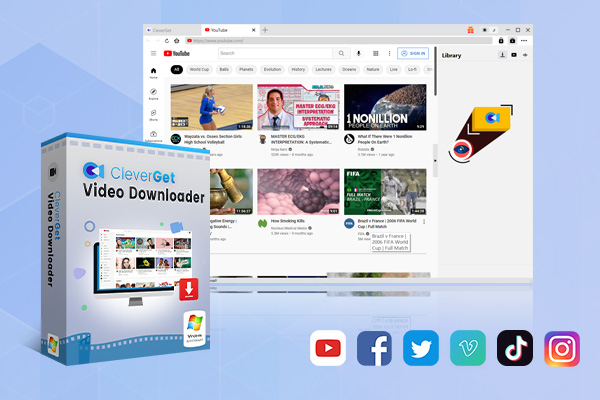
If you want to download CBS videos with the help of third-party software, at this point you may have a question: which online video downloader should I choose to help me accomplish this task? Here, I will introduce you an online video downloader with extremely high video download efficiency in the current market. That’s CleverGet Video Downloader.
-
CleverGet Video Downloader
- Download Video & Music from 1000+ Sites
- Download Live Stream Videos from YouTube Live and Others
- Up to 8K UHD Video Downloading with 320 kbps Audio Quality
- Smarter Downloading Settings
- 1-Click to Play Downloaded Videos
- Provide Precise Video Info
CleverGet Video Downloader is a very powerful online video downloader that can easily download TV shows, live videos and music videos from more than 1000 websites, such as: downloading YouTube to MP4, and the video resolution can reach 8K. as one of the best Twitch video downloaders, CleverGet can download live stream video from Twitch or other live streaming platform. Since CleverGet has a built-in browser, it also becomes easier for users to find video sources available for download. In addition, because of the ability to download videos in batches, CleverGet downloads videos 6 times faster than other common video downloaders. Of course, CleverGet is also able to download live streams losslessly. Here’s how to use CleverGet to download CBS videos:
△ Step 1: Set output directory
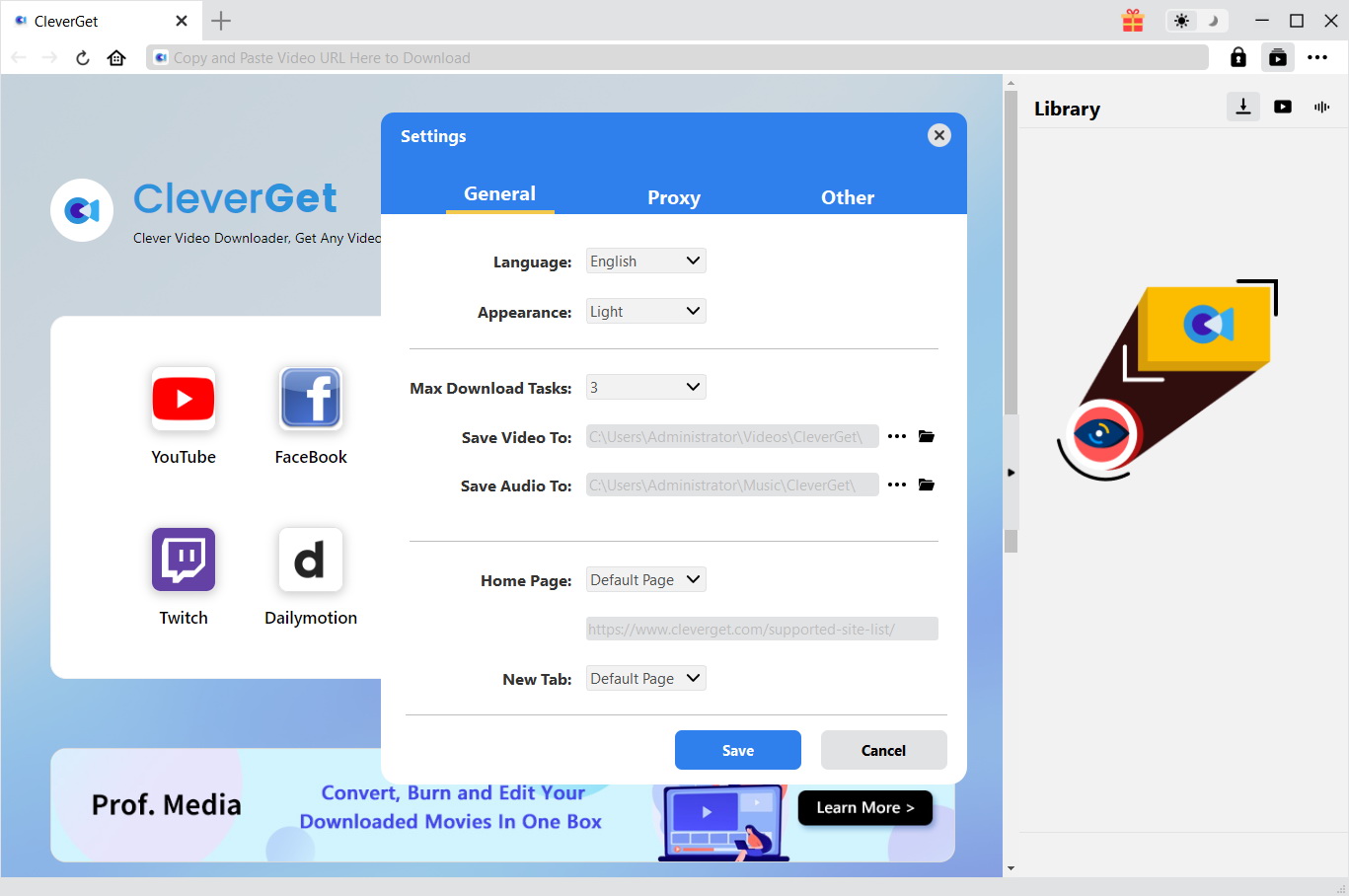
At present, the CleverGet developer has released the CleverGet installation package for Windows and macOS. You can download the installation package from CleverGet’s official website according to your device’s system and install it on your computer. Before running the CleverGet application, before downloading the video, you need to reset the save path of the output file to prevent you from being unable to find the downloaded video. Click the “…” button at the top right of CleverGet. Then click “Settings” to set the save path of the output file. In the “Settings” panel, under the “General” tab, you can reset the save path of the output file to the right of the “Save Video To” text.
△ Step 2: Open target video page
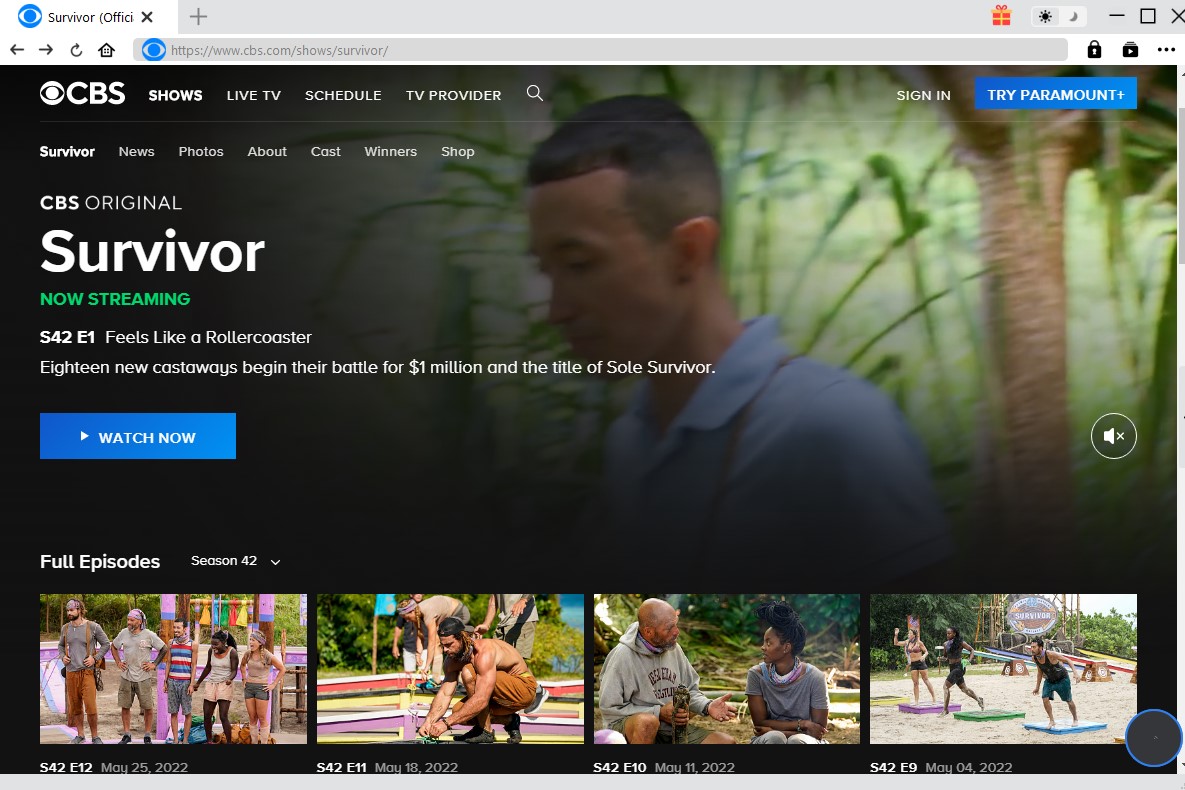
You can enter CBS’s web address in CleverGet’s navigation bar and instruct CleverGet to access it. Within the client of CleverGet, you can easily access the CBS official website and find the page where the CBS videos you need to download are located.
△ Step 3: Download the video
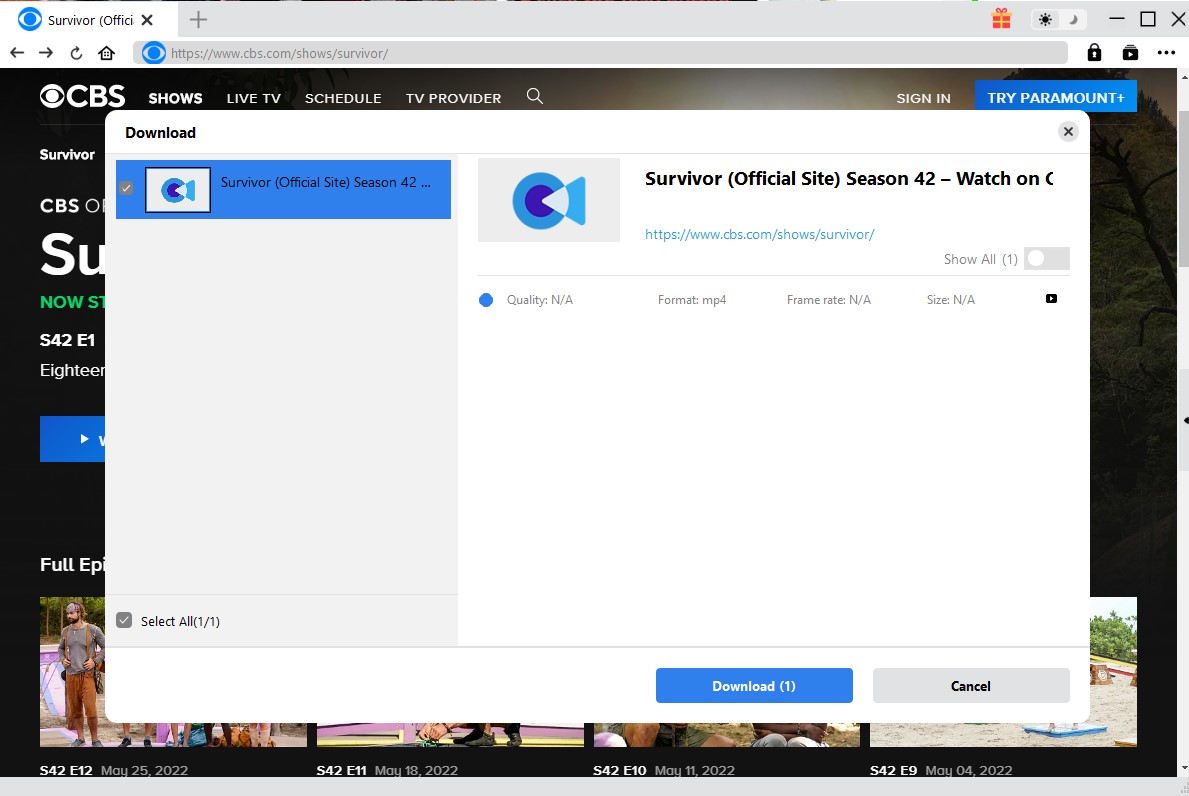
CleverGet can automatically identify various information about videos that can be downloaded in web pages, including: format, resolution, memory size, etc. CleverGet will then use a window to feed this information back to the user. You can select the format and resolution of the video you want to download, and then click the “Download” button at the bottom of the window. After receiving the download command, CleverGet will download the video to the output directory you set.
Now you know that how to watch CBS for free and even if you become a paying CBS All Access subscriber, you are subject to many restrictions regarding downloading TV shows from CBS All Access. The best way to get rid of these restrictions is to use third-party software to download TV shows from CBS All Access to your computer. With this method, you can watch great TV shows on CBS All Access anytime, anywhere without worrying about when you won’t be able to watch them offline. Of course, if you’re still hesitating about which CBS All Access downloader to use, I highly recommend CleverGet.
-
How to Screenshot on Windows 10/11: Tools & ShortcutsSunny Wen/2026-03-30
-

Does Paramount Plus Have Live TV? Full GuideSunny Wen/2026-03-30
-
How to Download Videos from 9Now?Cassie J./2026-03-24
-

How to Disable YouTube Shorts: Simple Methods That WorkSunny Wen/2026-03-23
-

Hulu Screen Limits: How Many People Can Watch Hulu at Once?Cassie J./2026-03-24
-

From Flight to Hotel: How to Watch Netflix While TravelingCassie J./2026-03-24
-

How to Record on Canva: Step-by-Step Guide for BeginnersSunny Wen/2026-03-16
-

Paramount Plus Error Code 111: Causes, FixesLeia Liu/2026-03-13
-
4K Video Downloader Review: Is It Worth Using?Leia Liu/2026-03-13
-

ScreenPal Review: Is It the Right Screen Recorder for You?Sunny Wen/2026-03-12
-

How to Download OnlyFans Videos from Messages?Patrick Murray/2024-05-09
-

[2026] What is OnlyFans Media not Loading Issue & How to Fix?Patrick Murray/2024-02-21
-
How to Download OnlyFans Videos on Android/iPhone/PC?Patrick Murray/2024-06-28
-

How to Download Private YouTube Videos Without AccessPatrick Murray/2025-02-12
-

How to Download YouTube Members-Only Videos?Cassie J./2024-05-08
-

Latest List of the Best Free Movie Websites[2026]Patrick Murray/2024-05-07
-
[2026 Update] How to Download All Media from OnlyFans?Patrick Murray/2024-02-26
-
TK2DL: Features and Uses of this TikTok & Twitter DownloaderLeia Liu/2024-09-05
-

10 Best HDHub4u Alternative Sites for Movie DownloadPatrick Murray/2024-03-06
-
How to Turn Off Age Restriction on YouTube?Patrick Murray/2024-03-04
 English
 Deutsch
 日本語
日本語 French
 한국인
한국인 Italiano