


 Try for Free
 Try for Free
Last updated on 2022-10-09, by
What is Bing Bong & How to Download Bing Bong MP3 or Video?
Instagram has not only made photography more accessible to a wider audience, but also the proliferation of portraits photos (portraits as in layout). It has basically changed the world of photography, but what about videography? Surely, video-sharing giants such as YouTube have had their impact on people’s lives and videography, but not in the way TikTok has done. TikTok has proven that short videos (TikTok’s videos are less than 15 seconds), which are fast-paced are much more attention-grabbing, as well as the importance of sound. The bottom line?
Videography is for everyone, and not just for professionals. For this reason, the Bing Bong video TikTok has become viral. But what is the Bing Bong trend exactly? In this article, we will share everything we know about this trend.
Part 1: What does Bing Bong Mean Tiktok
Over the last couple of weeks, people have been getting flipped off on TikTok by people lip-syncing to a song and aggressively shouting ‘Bing Bong’. There are audio clips going viral on TikTok which come from a New York City street show called Sidewalk, hosted by Jack Byrne and Trent Simonian on Instagram. The intro of this show features the iconic two-note jingle that is widely known by New Yorkers (the original Bing Bong), and a quick audio of subway doors opening. Gorilla Nems, a Brooklyn-based musician an episode, in which he shouts “Bing Bong” as a way to revamp the jingle as an approving exclamation, and that became his capture. This ‘Bing Bong’ phenomenon consequently made its way to the Instagram show, Sidetalk, and that is how Bing Bong videos became viral afterward.
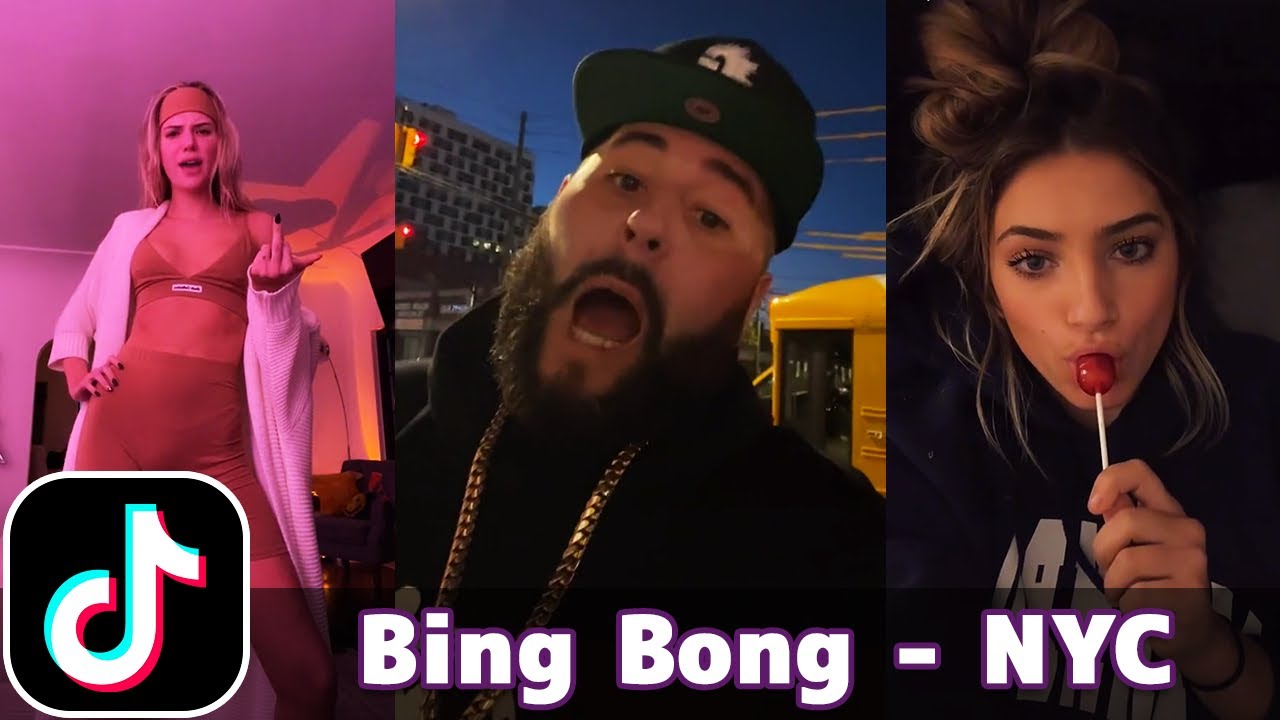
What is the Bing Bong trend?
In a single sentence, ‘Bing Bong’ is the trend that simply symbolizes a concept that means nothing yet everything. It has been so viral that music stars like Lil Nas X have made their own versions of Bing Bong TikTok videos.
Part 2: What is the Original Bing Bong Video
Although Lil Nas X fueled the viral “Bing Bong” trend, his TikTok video about this trend is not original Bing Bong video. So what is the original Bing Bong video? While we explained that the concept began with the Instagram show, Sidetalk (check on the preceding segment above), the original was posted by the TikToker yvngwxrld on November 19. Since then TikTokers made this concept to be a collection of sounds, which starts with someone yelling “Fuck ya life” followed by “Bing Bong”, as well as encompassing an assortment of other short phrases and audio clips.
Part 3: How to Download Bing Bong MP3 File
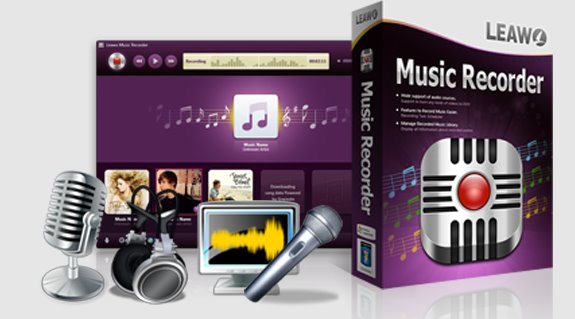
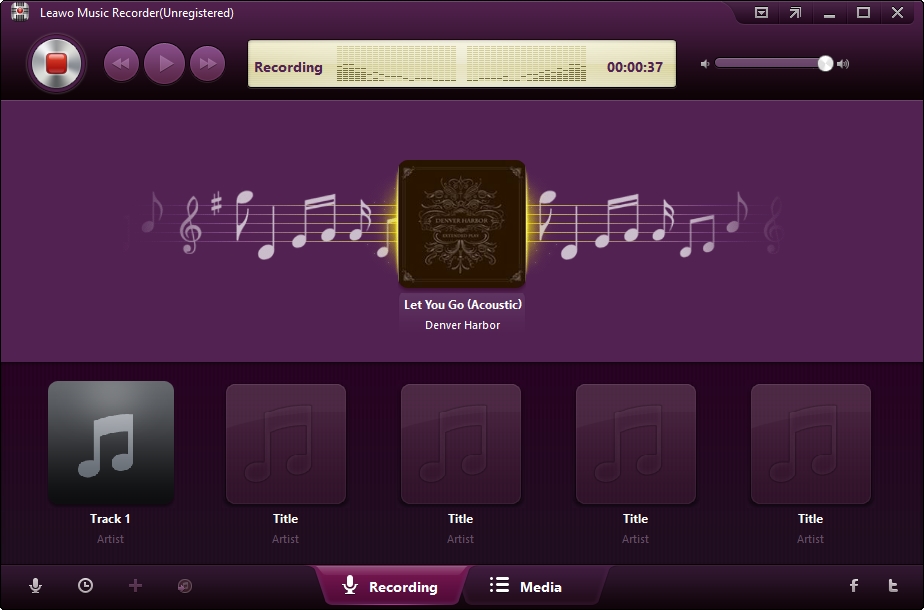
Thinking of making your own Bing Bong video TikTok? The most important thing you are going to need is to get the sound file, that is Bing Bong MP3 download. Unfortunately, many people will find it difficult to grab audio from TikTok. Fortunately, you have come to the right place, as we have the perfect tool that you can utilize for Bing Bong sound downloads, that is Leawo Music Recorder. Here are the characteristics of this software;
-
Leawo Music Recorder
Record any sound from computer stream audio and built-in input audio.
Record music from 1000+ music sites like YouTube, Facebook, Veoh, VEVO, etc.
Schedule music recording via the internal recording task scheduler.
Automatically/manually add and complete music tags like artist, album, cover, genre, etc.
To start the Bing Bong sound download, ensure that you have downloaded and installed the Leawo Music Recorder software suite on your computer.
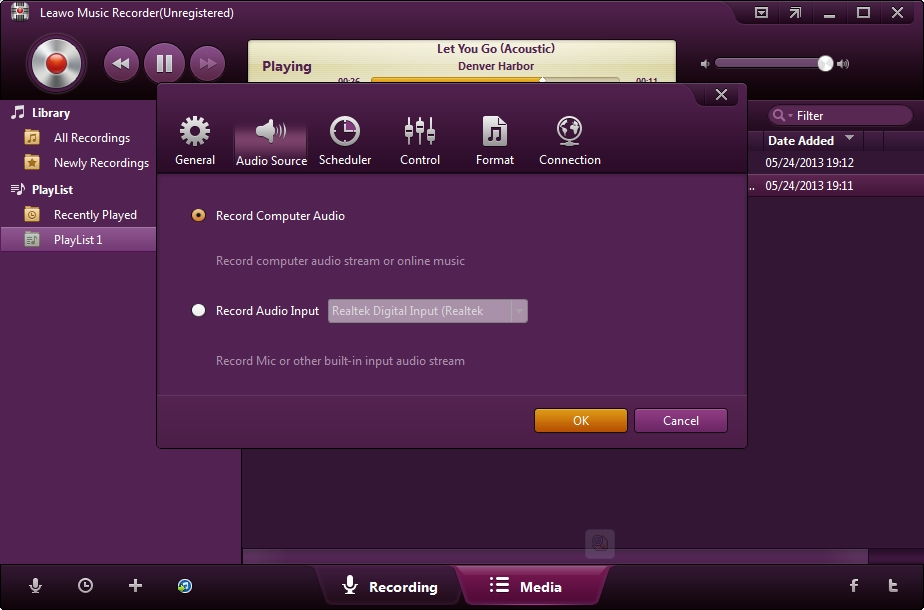
Step 1: Set the audio source
Do this by clicking the “Add Source” button from the bottom left corner, then choose “Record Computer Audio” in the Audio Settings panel. There is also an option to record from sources other than your computer, and for that click “Record Audio Input”.
Step 2: Customize the output settings
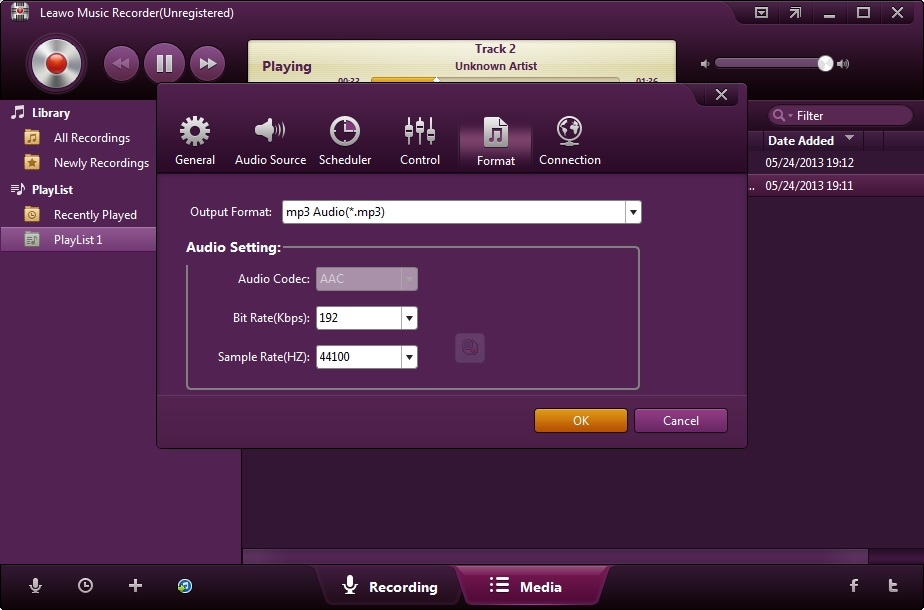
Customize the output directory to save the recorded songs under the “General” tab, then under the “Format” tab choose your output format which includes MP3 and WAV audio formats.
Step 3: Start recording your music
Once you have finalized all the settings, the final step is to record the songs. Click the “Record” icon which is red, and any music you are recording should start recording immediately. When you have finished recording, click the “Record” icon again to stop.
Part 4: How to Download Bing Bong Video with the Best TikTok Downloader
Some Bing Bong viral videos are so great that they are worthy of being downloaded for offline playback on any of your devices. However, it is well known that TikTok, similar to other video-sharing platforms such as YouTube, Twitch, Vimeo, etc., does not natively support video downloads for offline playback. For this reason, we have carefully crafted and designed CleverGet Video Downloader, an internet video downloader that not only supports downloads, but live stream video downloads, TV shows and movies, as well as music videos. This formidable video downloader has the following features;
- 1. It can download videos in all types of resolutions, from 144P all the way to 8K, without any loss of quality during the download process.
- 2. It can download live stream videos in two ways, through direct live video URL downloading, and live video M3U8 link downloading, which is perfect if one of the other is not available.
- 3. It supports over 1000 websites, such as Instagram, TikTok, YouTube, Vimeo and many more (including live streams).
- 4. It supports downloading playlists, which means you can download multiple videos in a single click.
- 5. It supports multi-tasking or multi-video downloading, and you can do a maximum of five videos at the same time.
- 6. It will provide you with all information you need regarding the video, such as the title, format, and resolution if needed.
-
CleverGet 8K Downloader
Download 8K Video With 320 Kbps audio.
Easily Download Live Streams Without Quality Loss.
Download Live Stream Videos from YouTube Live and Other mainstream sites.
Support Multi-tasking.
Video Info Extractor Inside.
If you need to know more about this software, which you can utilize for Bing Bong Video TikTok downloads. To get you started with Bing Bong viral video downloads, download and install CleverGet on your computer then follow the easy steps below;
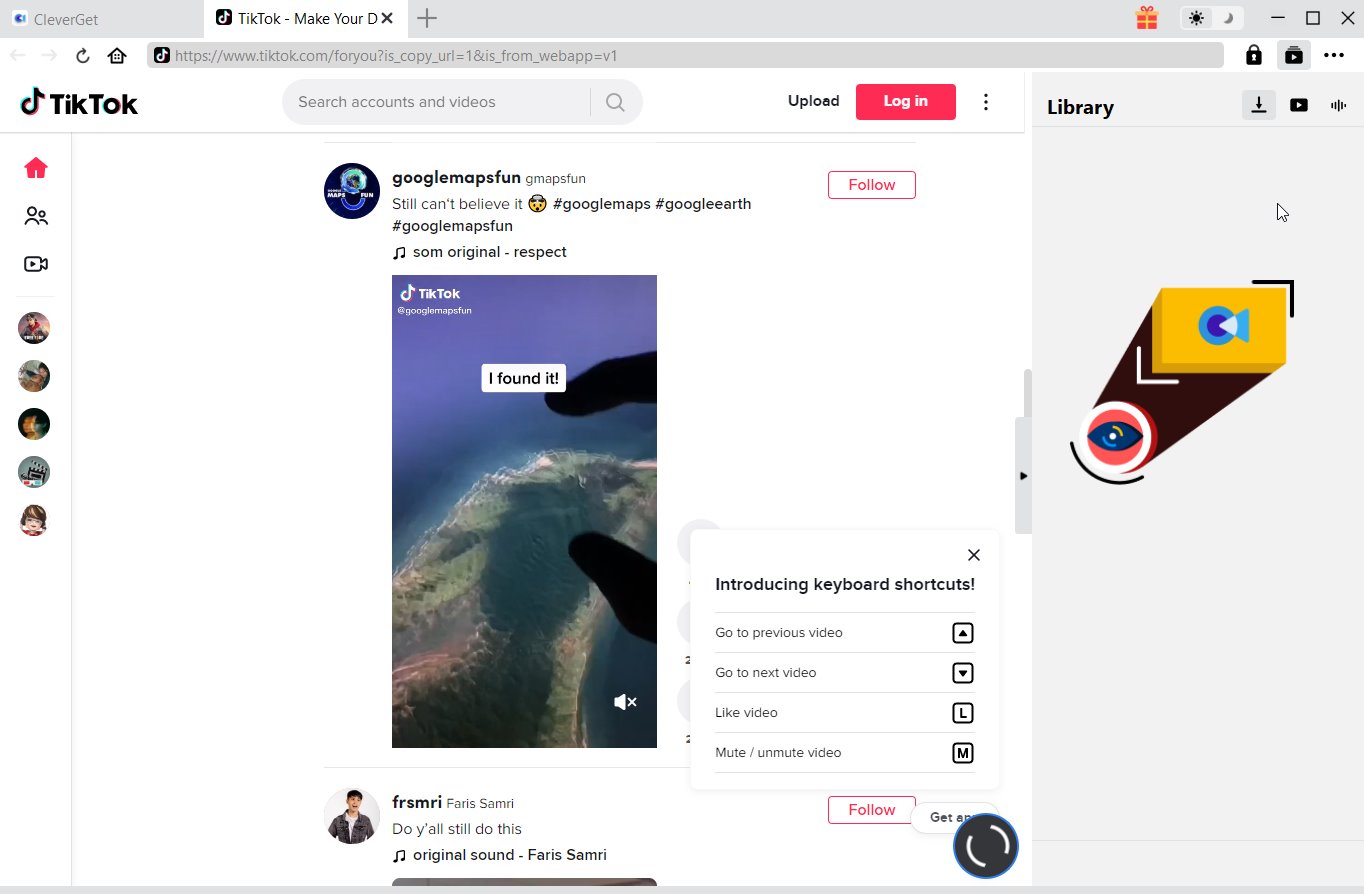
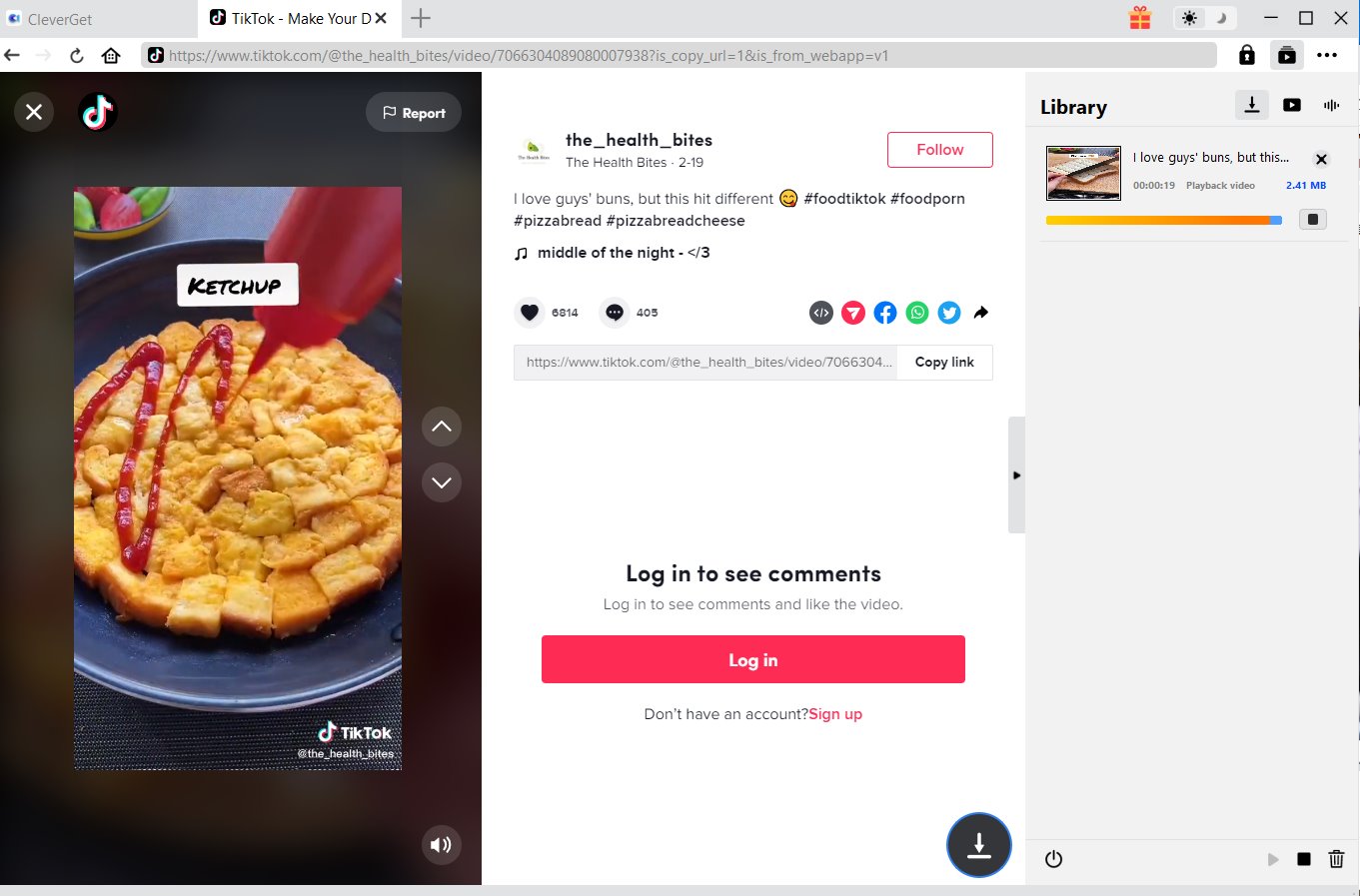
Step 1: Visit TikTok and search for the particular Bing Bong video you would like to download. Or copy and paste the address from your address bar.
Step 2: From the list presented, select the ideal video with parameters that suite your needs (such as quality and format).
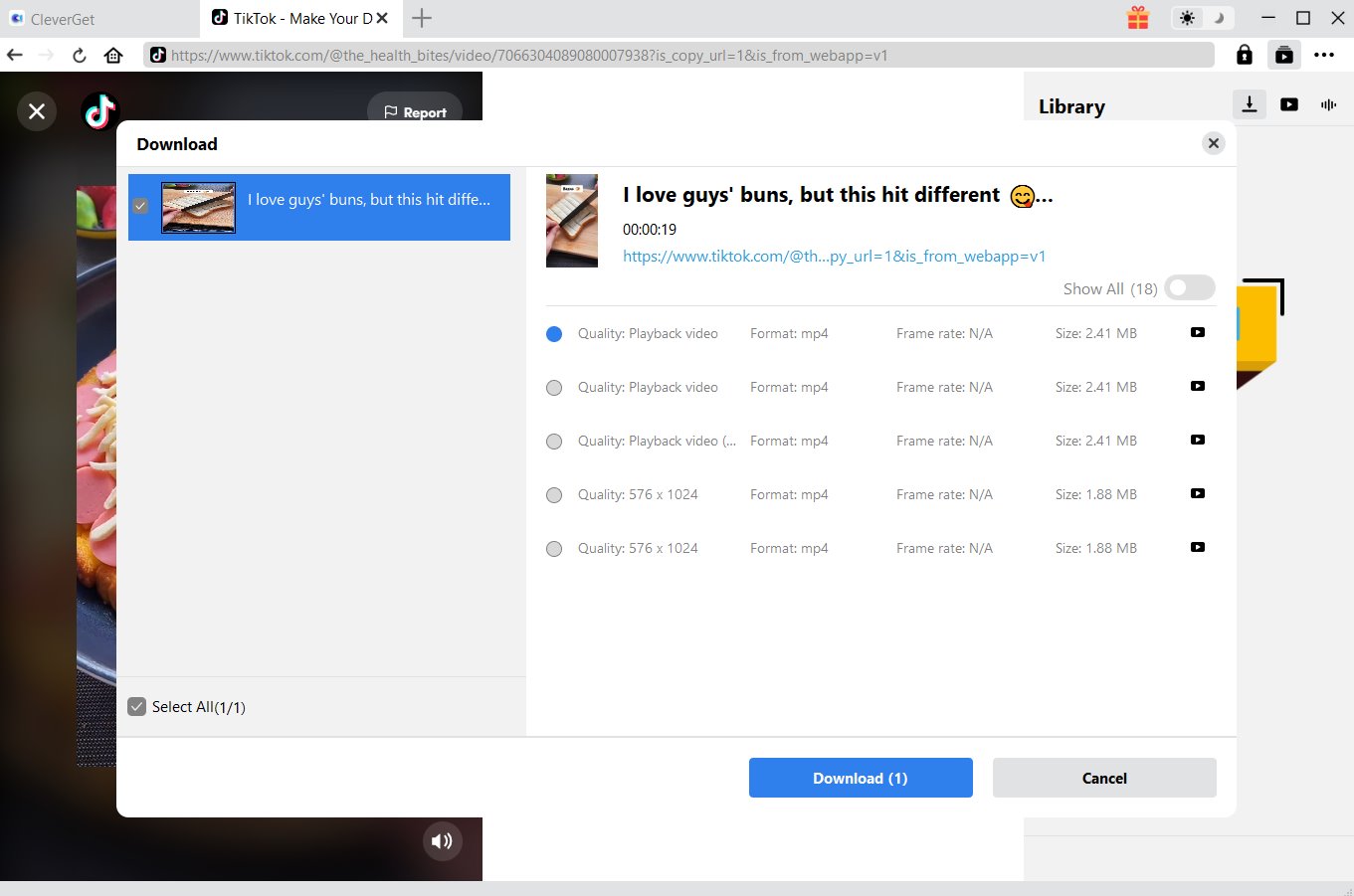
Step 3: Once you have confirmed everything, click the download button to initiate your download.
Part 5: Conclusion
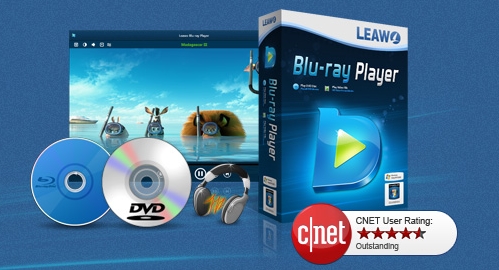
If you have read through this article, you should now know what is Bing Bong, as well as the original Bing Bong video, which you can freely download with CleverGet, which is simply the best internet video downloaded available today. In case you are looking for a great media player which is great for immersive media playback (up to 8K in resolution) to playback those Bing Bong Viral videos, or pretty much for any of your media playback needs, then you might also try Leawo Free Blu-ray Player, which has features such as;
-
Leawo Blu-ray Player
Region-free Blu-ray player software to play Blu-ray disc and DVD disc for free, regardless of disc protection and region restriction.
Play 4K FLV videos, 4K MKV videos, 4K MP4 videos, etc. without quality loss.
Support the conversion from Blu-ray/DVD discs to MKV in the premium version.
Deliver super high-quality stereo audio experience with the support of various advanced audio decoding technologies like Dolby, DTS, AAC, TrueHD, DTS-HD (including 5.1, 7.1 channels), etc.
-
How to Screenshot on Windows 10/11: Tools & ShortcutsSunny Wen/2026-03-30
-

Does Paramount Plus Have Live TV? Full GuideSunny Wen/2026-03-30
-
How to Download Videos from 9Now?Cassie J./2026-03-24
-

How to Disable YouTube Shorts: Simple Methods That WorkSunny Wen/2026-03-23
-

Hulu Screen Limits: How Many People Can Watch Hulu at Once?Cassie J./2026-03-24
-

From Flight to Hotel: How to Watch Netflix While TravelingCassie J./2026-03-24
-
How to Record on Canva: Step-by-Step Guide for BeginnersSunny Wen/2026-03-16
-

Paramount Plus Error Code 111: Causes, FixesLeia Liu/2026-03-13
-
4K Video Downloader Review: Is It Worth Using?Leia Liu/2026-03-13
-

ScreenPal Review: Is It the Right Screen Recorder for You?Sunny Wen/2026-03-12
-
How to Download OnlyFans Videos from Messages?Patrick Murray/2024-05-09
-

[2026] What is OnlyFans Media not Loading Issue & How to Fix?Patrick Murray/2024-02-21
-
How to Download OnlyFans Videos on Android/iPhone/PC?Patrick Murray/2024-06-28
-

How to Download Private YouTube Videos Without AccessPatrick Murray/2025-02-12
-

How to Download YouTube Members-Only Videos?Cassie J./2024-05-08
-

Latest List of the Best Free Movie Websites[2026]Patrick Murray/2024-05-07
-
[2026 Update] How to Download All Media from OnlyFans?Patrick Murray/2024-02-26
-
TK2DL: Features and Uses of this TikTok & Twitter DownloaderLeia Liu/2024-09-05
-

10 Best HDHub4u Alternative Sites for Movie DownloadPatrick Murray/2024-03-06
-
How to Turn Off Age Restriction on YouTube?Patrick Murray/2024-03-04
 English
 Deutsch
 日本語
日本語 French
 한국인
한국인 Italiano