


 Try for Free
 Try for Free
Last updated on 2026-02-27, by
4 Best Methods to Convert TikTok to MP3 Files
Summary:
- Turn TikTok videos into MP3 using desktop software, online tools, CLI scripts, or simple phone recording. If you want clean audio, fast downloads, and full control, CleverGet TikTok video downloader is the easiest and most reliable choice.
TikTok has lots of earworm songs, sounds that go viral, and popular audio, but at times you’ll simply wish to have a preferred song as an MP3 so you are able to hear it when you don’t have internet. Changing TikTok videos to MP3 files means you’re able to retain the music without needing the application, give it to people you know, or put it into your own music list. Within this guide, we’ll look at four dependable ways to change TikTok to MP3 easily and safely, so you would never miss anything.
OutlineCLOSE
Method 1: Download TikTok to MP3 with Desktop Software (Best Quality)
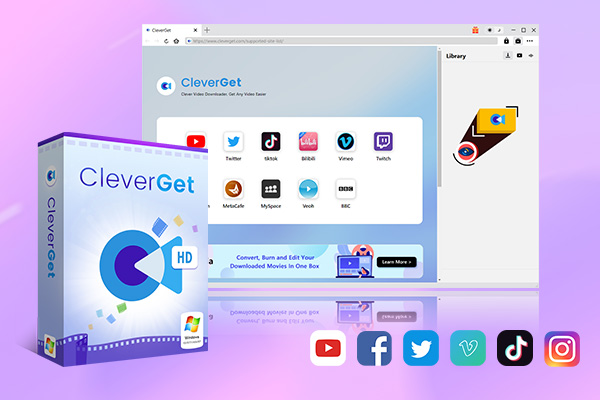
Most users use the app’s built-in download feature when it comes to accessing TikTok data offline. However, the problem with that feature, aside from the watermark, lies in the data that could be saved, as you are permitted to download only those videos that the user allows. You could use a third-party downloader like CleverGet TikTok Downloader. You could use this tool to download TikTok videos to MP4 OR MKV format. You could download high-quality videos with no watermark. Also, your downloads are up to 1080P high definition. It’s available for both Windows and Mac users. It’s an extremely quick method of changing TikTok music into MP3, which could be accessed offline, meaning users could acquire their favorite music files. Below, I would show you how to use it step by step. It’s super simple.
-
- Download TikTok videos at up to 4K resolution with AAC 2.0 Sound.
- Batch download TikTok videos without watermark.
- Convert TikTok to MP4/MKV/MP3/M4A.
- Download TikTok videos by up to 6X times.
- Preserve metadata tags like title, size, format, length, etc.
Step 1: Open CleverGet TikTok Downloader and set the download folder you’d like in the Settings menu.
Step 2: On TikTok.com, play the TikTok video you’d like to download by using CleverGet’s browser which is inside it.
Step 3: Allow the program to analyze the video page by itself.
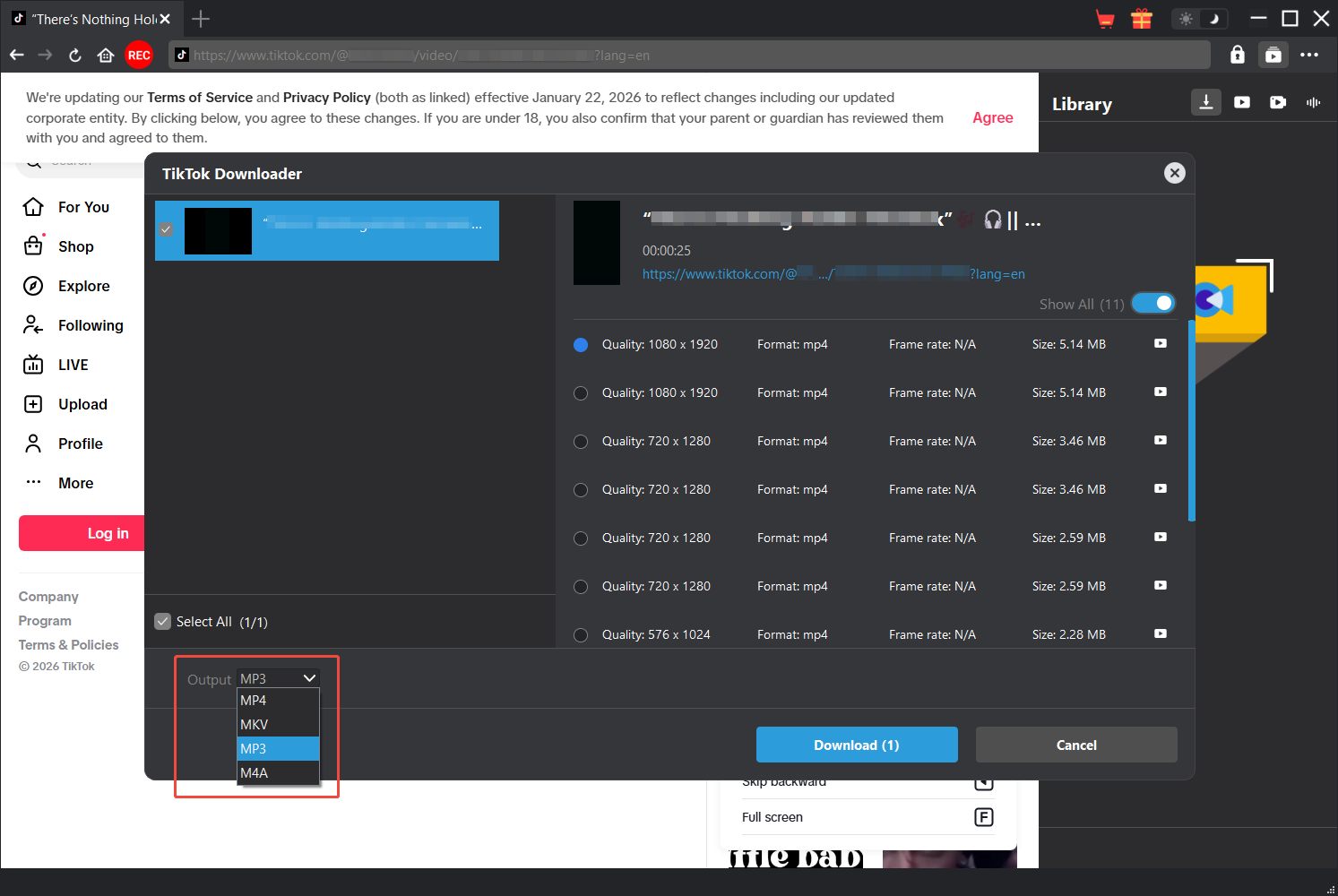
Step 4: Select your download option, choose MP3 for audio, and click Download. The tool would start saving the audio file to your computer.
Method 2: Convert TikTok to MP3 Online
If you’d rather not put software on your computer, using a TikTok to MP3 converter online is a good choice. With sites such as VidGap and SSSTik.io, you could get the sound straight from TikTok videos and do it in only a few clicks. These sites are speedy, don’t cost anything, and run in your web browser on any computer or phone. You won’t have to sign in or make an account, and it’s simple for everybody to do:
Step 1: Get the link to the TikTok video you would like to change by opening TikTok and copying it.
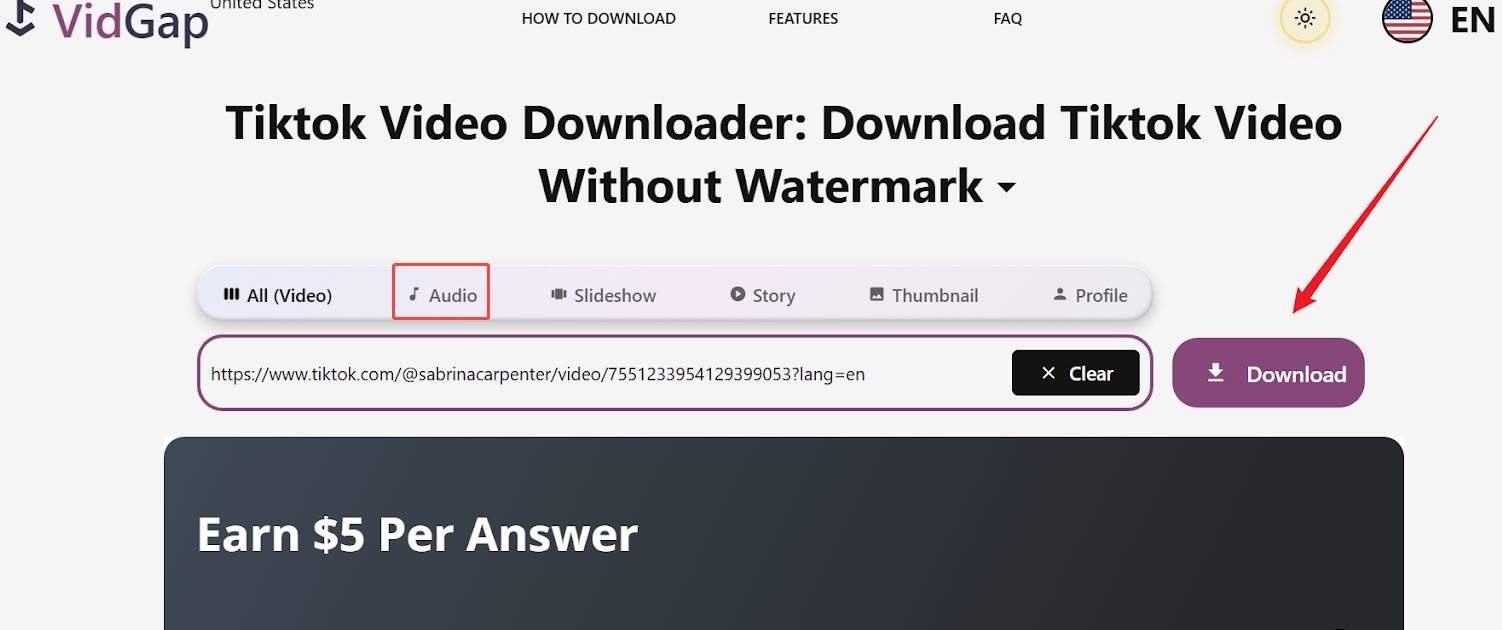
Step 2: Then go to the converter website VidGap, choose the Audio option.
Step 3: Put the TikTok video link you copied into the box for it, and click the Download button to let it analyze resource.
Step 4: Select MP3 as the file type to get.
Step 5: Press the “Download” button; the website would turn the video into an MP3 file.
Step 6: Put the MP3 file on your device, and listen to it when you’re not on the internet.
Online converters are fast and easy, although some might show adverts, or not let you download many at once.
Method 3: Convert TikTok Video to MP3 with CLI Scripts (Advanced)
Individuals who are experienced with using command-line tools could also use TikTok Sound Scraper by way of Apify to download a large number of TikTok sound files and video details from the TikTok app. This is the ideal method to use when downloading multiple TikTok sound files or finding out the most popular songs on TikTok, since you could download video links, sound files, and video details from TikTok without having to connect to the internet. Check below steps to convert TikTok to MP3 via scripts:
Step 1: Create a free Apify account using your email.
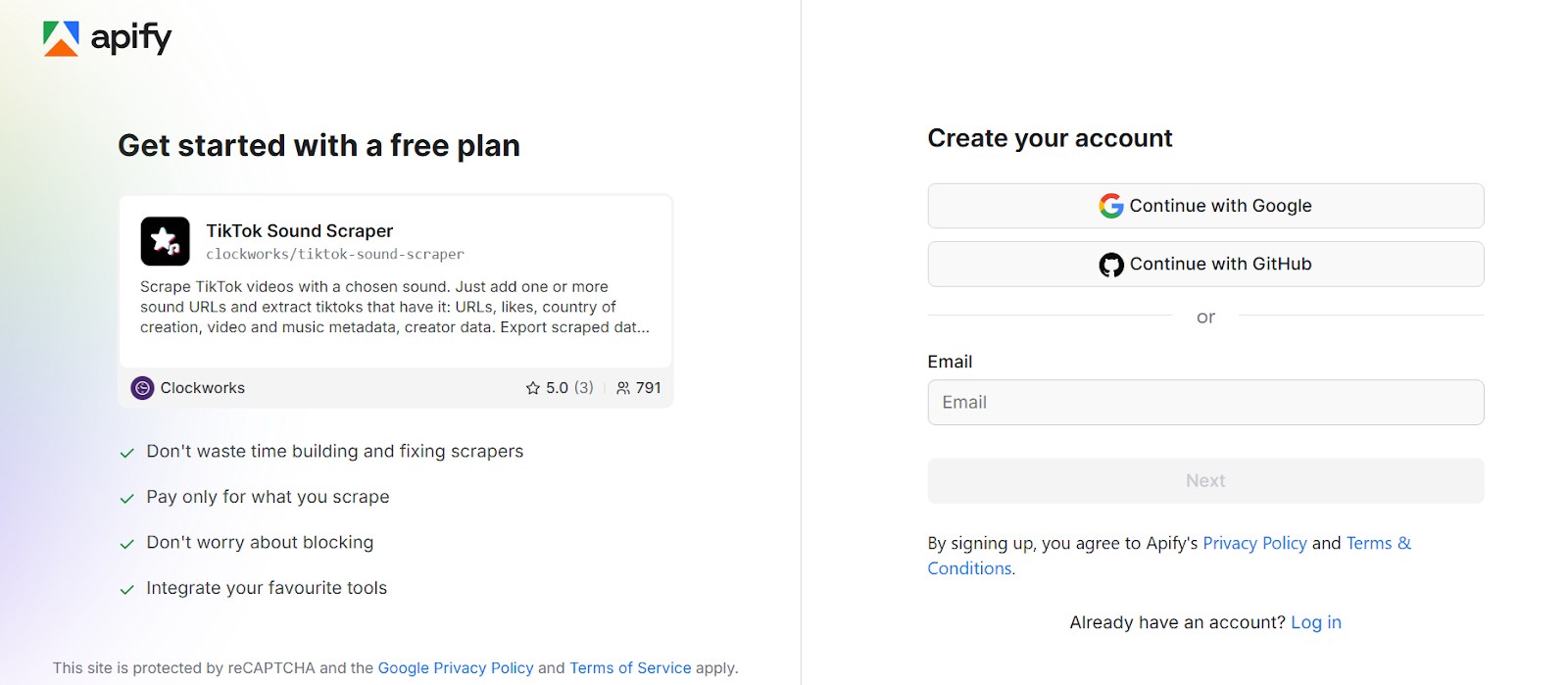
Step 2: Open the TikTok Sound Scraper tool in Apify.
Step 3: Put in one or more links to TikTok music or sounds you want to get.
Step 4: Press “Start” and wait for the information to finish.
Step 5: Download your data in the format you prefer: JSON, XML, CSV, Excel, or HTML.
Method 4: Save TikTok Audio with Built-in Mobile Audio Recorder
If downloading is something you want to avoid, recording TikTok audio using your phone’s built-in or default audio recorders is a simple way to do that. This method is compatible with both Android and iOS devices and is ideal for getting sounds from TikTok quickly without the use of third-party converters. Here’s steps to save TikTok audio with a mobile recorder:
Step 1: Open TikTok and play the video with the audio you want to save.
Step 2: Launch the Voice Recorder or Sound Recorder app on your phone.
Step 3: While the video is playing in TikTok, tap Record on the recording app.
Step 4: After TikTok audio is finished press the stop button to stop recording.
Step 5: Store the recording and rename it so you would easily recognize it. Now that you’ve done the above, you should have the TikTok audio saved in an MP3 or whichever default audio format your device supports.
This method is simple and does not need any network connection or another program. You could perform this with any TikTok video. In addition, it works on videos that cannot be downloaded through the app.
Conclusion
TikTok video to MP3 Conversion could be a very simple process or very difficult depending on which route you choose to take for conversion. There are great web-based tools (i.e., SSSTik.io & VidGap) and CLI Scripts (i.e., TikTok Sound Scraper) for those tech-savvy individuals. Recording through your phone would be an option if you would rather not download something; however, it would not be as accurate. CleverGet TikTok Downloader is the best option for high-quality, fastest, and most versatile downloads. Through this application, you get the ability to download TikTok videos and audio clips in MP3 or M4A formats at 1080P and below without any watermark. Additionally, it keeps the metadata and supports batch download. Whether you are looking for a single track or the whole playlist, the process is really quick and dependable with CleverGet.
-

ScreenPal Review: Is It the Right Screen Recorder for You?Sunny Wen/2026-03-12
-

How to Download Vudu Movies for Offline Viewing?Patrick Murray/2026-03-06
-

How to Convert iTunes M4V to MP4: 3+1 Easy MethodsPatrick Murray/2026-03-06
-

How to Get Paramount Plus for Free in 2026Leia Liu/2026-03-04
-

4 Best Methods to Convert TikTok to MP3 FilesCassie J./2026-02-27
-

AnyStream: Full Review, Pros & Cons, and AlternativeLeia Liu/2026-03-04
-

Can You Screenshot Instagram DM Photos? Here’s HowSunny Wen/2026-02-27
-

YT Saver Review: Is It Really Worth Using?Cassie J./2026-02-09
-

How to Record on Peacock Without a Black ScreenCassie J./2026-02-09
-

How to Download Rented Videos from Amazon Prime Video?Patrick Murray/2026-02-06
-

How to Download OnlyFans Videos from Messages?Patrick Murray/2024-05-09
-

[2026] What is OnlyFans Media not Loading Issue & How to Fix?Patrick Murray/2024-02-21
-

How to Download OnlyFans Videos on Android/iPhone/PC?Patrick Murray/2024-06-28
-

How to Download Private YouTube Videos Without AccessPatrick Murray/2025-02-12
-

How to Download YouTube Members-Only Videos?Cassie J./2024-05-08
-

Latest List of the Best Free Movie Websites[2026]Patrick Murray/2024-05-07
-

[2026 Update] How to Download All Media from OnlyFans?Patrick Murray/2024-02-26
-
TK2DL: Features and Uses of this TikTok & Twitter DownloaderLeia Liu/2024-09-05
-
How to Turn Off Age Restriction on YouTube?Patrick Murray/2024-03-04
-

10 Best HDHub4u Alternative Sites for Movie DownloadPatrick Murray/2024-03-06
 English
 Deutsch
 日本語
日本語 French
 한국인
한국인 Italiano