


 Try for Free
 Try for Free
Share article:


8 Best Netflix Video Downloaders in 2026 (Windows and Mac)

2026-07-10 ・ Related to: CleverGet Netflix Downloader
2,772 Views
Summary: This guide compiles a list of eight of the best Netflix video downloaders based on real-world testing. CleverGet stands out as the most well-rounded choice when evaluating software compatibility, feature completeness, actual performance, cost-effectiveness, and all other key metrics. It delivers stable performance in almost all use cases and meets the diverse needs of different users.
- This guide is for educational purposes only.
- Only download content you have legal access to.
- Always comply with Netflix’s Terms of Use and the copyright laws of your country or region.
1. Why Netflix Downloaders Matter in 2026
Over the past few years, Netflix has gradually changed the way we watch videos offline. If you haven’t downloaded Netflix videos in a long time, you might be surprised to find that many tutorials written a few years ago are no longer applicable.
When I started updating this 2026 review, I found that one of the biggest changes wasn’t the new downloader but Netflix itself.
Downloading Netflix videos on a computer today is very different from how it was a few years ago, and this change has made dedicated Netflix downloaders increasingly important.
1.1 What’s Changed Since Netflix Updated Its Desktop App?
The most significant change is that Netflix no longer supports official offline downloads on Windows PCs. Previously, Windows users could install the Netflix app from the Microsoft Store and download content for offline viewing. However, this option has now been removed as Netflix transitioned to a web-based desktop experience.
Mac users face even greater limitations. There has never been an official way to download Netflix content directly on a Mac. But there are still some methods to download Netflix videos on Mac.
By 2026, Netflix will officially support downloading content on compatible mobile devices and Chromebooks with eligible subscriptions.
This means:
| Equipment | Official Offline Download |
|---|---|
| Windows |  |
| macOS | |
| Android |  |
| iPhone/iPad | |
| Fire Tablet | |
| Chromebook | |
This doesn’t necessarily mean that offline viewing is impossible—it just means that if you want a local copy for offline viewing, you’ll need a different solution.
1.2 Can You Still Download Netflix Videos Officially?
Absolutely yes. Netflix still offers an official download feature, but multiple Netflix download limits exist.
During my testing, I discovered that the official download has such limitations:
| Limitations | Details |
|---|---|
| Limited device support | The official download is only available for supported iOS, Android, Amazon Fire tablets, and Chromebooks. |
| Subscription plan differences | Downloads require a valid Netflix subscription and must comply with your plan’s download limits. |
| Download expiry limits | Many downloaded videos expire after a set period or shortly after you start watching them, so you need to download them again. |
| Device quantity limits | Netflix limits the number of devices that can store downloaded content simultaneously, depending on your subscription plan. |
| Non-transferable files | Downloaded content is encrypted within the Netflix app—it cannot be exported as an MP4 or transferred to other devices. |
1.3 Who Actually Needs a Netflix Video Downloader?
If you only occasionally watch Netflix on your phone and don’t mind its built-in download limits, then the official app is perfectly adequate.
However, I have found that in some cases it makes more sense to use a dedicated downloader.
- Windows users
- Mac users
- Frequent travelers
- Students
- Home media enthusiasts
- Users want greater flexibility
2. How I Tested These Netflix Video Downloaders
To ensure a fair comparison, I tested each downloader under identical conditions using the same Netflix account, internet connection, and video titles. Each tool was installed with the latest public version and underwent multiple download tests.
2.1 Test Environment
Detailed test information is as follows:
| Items | Details |
|---|---|
| Operating System | Windows 11 Pro (24H2) & macOS Sequoia |
| Netflix Plan | Premium |
| Internet Connection | 1 Gbps fiber broadband |
| Test Content | Movies, TV episodes, HDR titles, and multilingual content |
| Output Formats Tested | MP4 and MKV |
2.2 Evaluation Criteria
I did not judge the downloader based on a single specification, but rather evaluated its performance in everyday use according to the following criteria:
| Standard | My assessment |
|---|---|
| Download success rate | After Netflix’s recent update, are videos still successfully downloaded? |
| Video quality | Resolution, image sharpness, and whether HDR or high bitrate output is retained. |
| Audio quality | Supports multilingual audio, 5.1 surround sound, and Dolby Atmos (if available). |
| Subtitle Options | Supports embedded subtitles, external subtitles (SRT), and hard-coded subtitles. |
| Download speed | Efficiently download multiple episodes or an entire season of a TV series. |
| Ease of use | Installation, interface design, and the overall learning curve for new users. |
| Netflix’s updated stability | Will the software still function reliably on the Netflix platform with DRM changes? |
| High-cost performance | Whether the feature set and long-term availability are sufficient to offset subscription or licensing fees. |
3. Self-Test: Which Netflix Downloader Is Right for You?
After testing all eight tools, I found that each tool serves slightly different user types. The table below provides some brief suggestions based on common needs:
| Downloader | Most suitable | Why |
|---|---|---|
| CleverGet | Most users | It reaches an excellent balance in download quality, speed, subtitle support, and ease of use |
| TunePat | Subtitle-focused | Flexible subtitle export options and multilingual audio support |
| StreamFab | Advanced users | A rich feature set, including advanced download options and metadata retention |
| MovPilot | Beginners | A clean interface and a straightforward workflow |
| Audials Movie | Recording-based | Suitable for users who prefer screen recording to direct download |
| KeepStreams | Multi-platform users | One application supports multiple streaming services |
| Kigo | Casual users | It offers full-featured basic download functionality at a highly competitive price |
| Tunelf | Power users | It offers a wide range of output customization options and supports the AV1 codec |
4. 8 Best Netflix Video Downloaders in 2026
Below is a detailed introduction to the eight software programs, including brief overviews, basic information, featured functions, pros and cons, and personal user experience.
4.1 CleverGet
If I were to recommend a Netflix downloader suitable for most users in 2026, CleverGet would be my top choice.
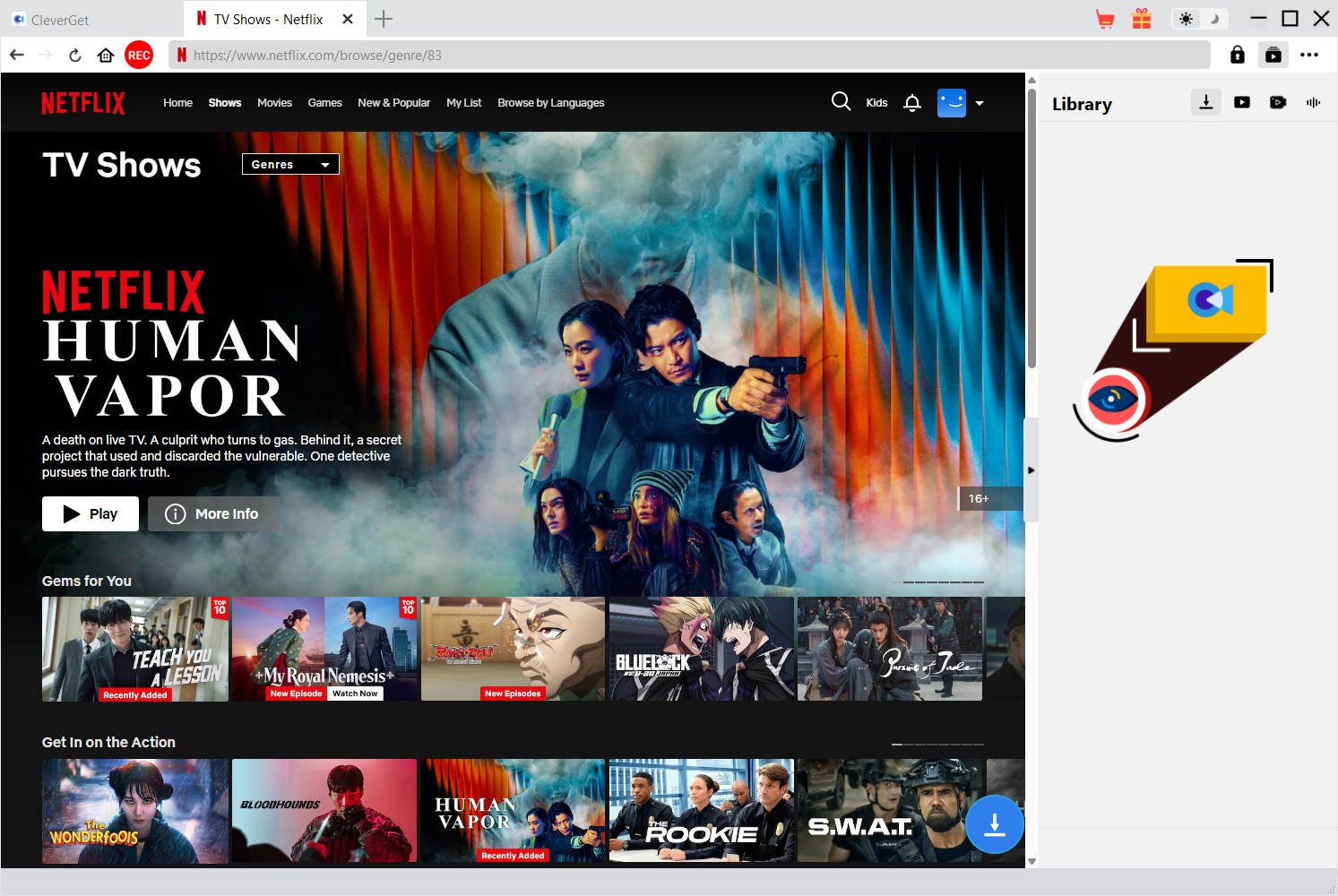
It is a dedicated Netflix video downloader with a built-in browser that lets you browse Netflix, automatically detect available videos, and save them locally without manually copying URLs. The entire workflow is very similar to using Netflix itself, making it easy for beginners while providing ample customization options for experienced users.
What impresses me most isn’t any single feature, but the perfect synergy between all its functions. From subtitle selection to batch downloading, the software offers a smooth user experience with virtually no manual configuration required.
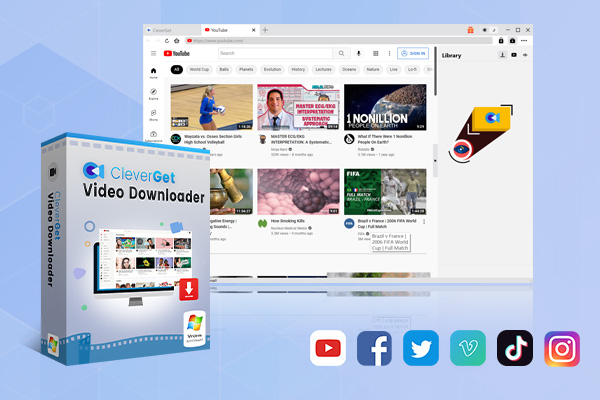
- Download Netflix movies and shows at up to 1080P without ads.
- Convert Netflix video to MP4/MKV file with original quality.
- Download Netflix episodes across seasons in batch.
Secure Download
Trustpilot Rating 4.7
4.1.1 Basic Information
| Items | Details |
|---|---|
| Supported OS | Windows & macOS |
| Output Format | MP4, MKV |
| Subtitle Format | Internal (embedded), External (SRT), SUP |
| Maximum Video Quality | 1080P |
| Audio Tracks | Multiple audio tracks supported |
| Built-in Browser | Yes |
| Batch Download | Yes |
| Metadata Preservation | Yes |
| Free Trial | Available (Download 3 entire videos) |
| License Options | Annual ($41.96), Lifetime ($69.96) |
4.1.2 Key Features
Rather than packing in features for the sake of a longer list, CleverGet focuses on the functions people actually use most. Here are the highlights that stood out.
- Download Netflix Videos in Up to 1080P
- Save Videos as MP4 or MKV
- Multiple Subtitle Options
- Preserve Multiple Audio Tracks
- Batch Download TV Series
- Fast and Stable Download Performance
4.1.3 Pros & Cons
These are the advantages I appreciated most, along with a few limitations worth mentioning.
- Clean and beginner-friendly interface
- Supports both Windows and macOS
- Downloads Netflix videos as MP4 or MKV
- Up to 1080P output quality
- Multiple subtitle export options
- Supports multilingual audio tracks
- Batch downloading for TV series
- Free trial available
- Free trial is limited to three downloads
- Advanced metadata options are less extensive
4.1.4 My Experience
Of all the downloaders tested, CleverGet offered the smoothest overall experience. It installs quickly, has a built-in intuitive browser that automatically analyzes pages without requiring manual link copying, provides clear, one-stop subtitle and audio options, and supports reliable, high-quality batch downloads.
All output files play perfectly on mainstream media players. CleverGet achieves the optimal balance between ease of use and stability, making it the preferred choice for most Windows and Mac users.
4.2 TunePat
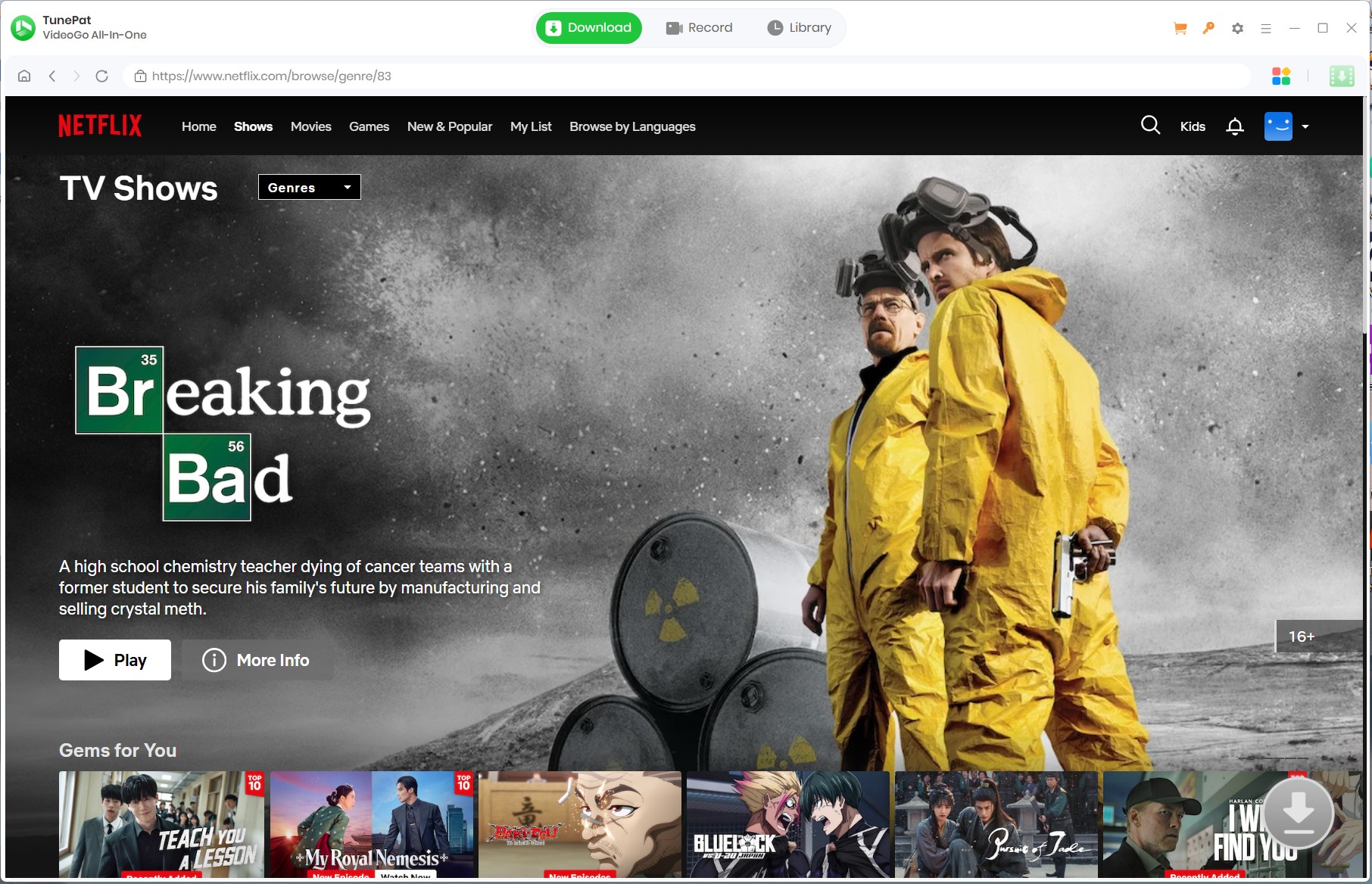
If you value subtitle flexibility and audio customization, then TunePat Netflix Video Downloader is a great choice. This software is dedicated to preserving the original viewing experience, offering multiple subtitle modes, multilingual audio tracks, and high-quality video output.
4.2.1 Basic Information
| Items | Details |
|---|---|
| Supported OS | Windows & macOS |
| Output Format | MP4, MKV |
| Subtitle Format | Internal, External (SRT), Hardcoded |
| Maximum Video Quality | 1080P |
| Audio Tracks | Multiple audio tracks supported |
| Built-in Browser | Yes |
| Batch Download | Yes |
| Metadata Preservation | Yes |
| Free Trial | Available (Download the first 5 minutes) |
| License Options | Lifetime ($79.9) |
4.2.2 Key Features
Its feature set isn’t the most extensive on the market, but the tools it offers are thoughtfully designed for users who want greater control over their downloaded files.
- Download Netflix Videos in MP4 or MKV
- Preserve Original Audio Quality
- Three Subtitle Saving Modes
- Support for H.264 and H.265 Codecs
- Batch Download Entire Seasons
- Built-in Netflix Web Player
4.2.3 Pros & Cons
While TunePat excels in subtitle handling and media compatibility, I also noticed a few compromises.
- Supports Windows and macOS
- MP4 and MKV output
- Up to 1080P downloads
- Dolby Atmos and 5.1 audio preservation
- Clean interface
- Batch downloading
- Free trial includes download limitations
- Download speed is slow in batch tasks
4.2.4 My Experience
TunePat impresses with its modern user interface and highly flexible subtitle options, supporting subtitle formats to meet the needs of multilingual users. Furthermore, it reliably preserves multilingual audio tracks. For users who prioritize subtitle management and audio quality, TunePat is one of the most powerful choices on the market.
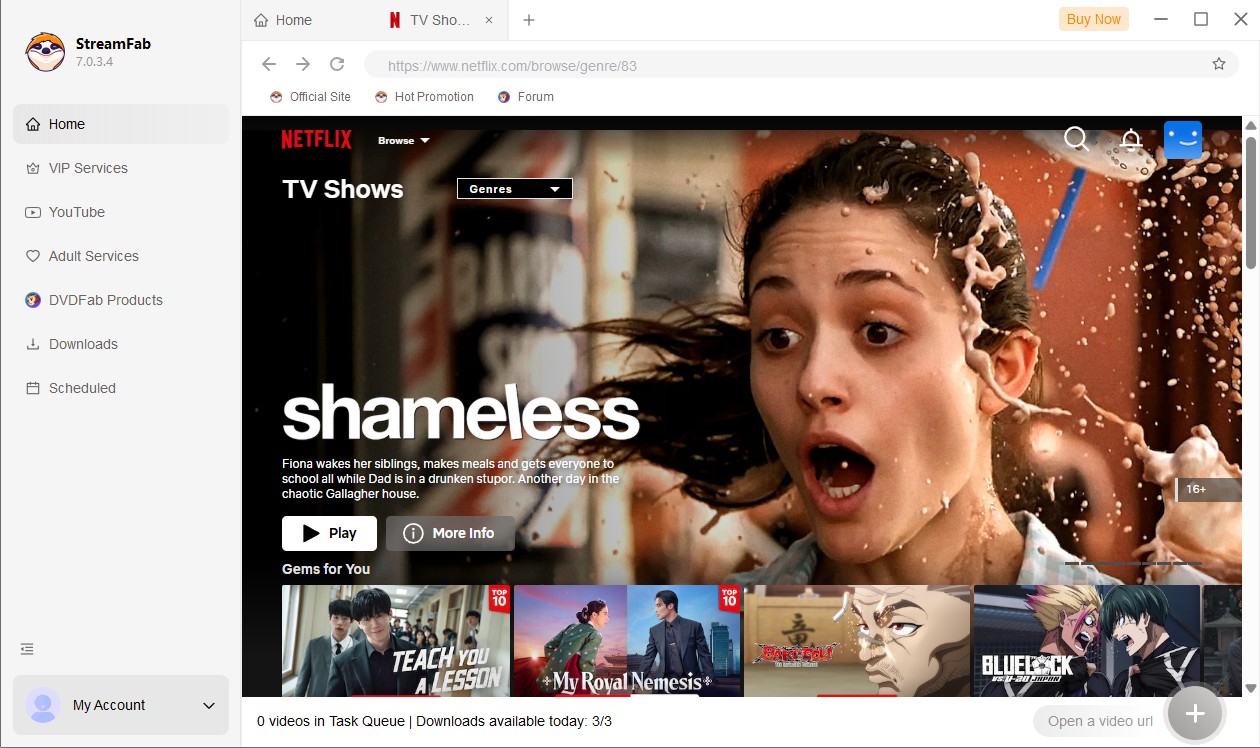
4.3 StreamFab
StreamFab Netflix Downloader is designed for users who want more advanced offline downloads. According to its website, it supports downloading Netflix videos up to 1080p HDR10 resolution, preserves Dolby Vision metadata (for supported titles), retains EAC3 5.1 and Dolby Atmos audio, and automatically downloads the latest episodes.
Compared to many competitors, StreamFab focuses more on media library management and automation than just video downloading.
4.3.1 Basic Information
| Items | Details |
|---|---|
| Supported OS | Windows & macOS |
| Output Format | MP4, MKV |
| Subtitle Format | Remux into File, Extract as SRT File |
| Maximum Video Quality | 1080P |
| Audio Tracks | Multiple audio tracks supported |
| Built-in Browser | Yes |
| Batch Download | Yes |
| Metadata Preservation | Yes |
| Free Trial | Available (Download 3 entire videos) |
| License Options | Monthly ($54.99), Lifetime ($99.99) |
4.3.2 Key Features
What sets StreamFab apart isn’t just the number of features it offers, but the emphasis on premium playback quality and automation.
- Save subtitles as external SRT files or embed them into videos
- Choose among H.264 / H.265 / VP9 / AV1 according to your needs
- Wide MP4 compatibility
- Full 1080p resolution with support for HDR10, Dolby Vision and Dolby Atmos audio
4.3.3 Pros & Cons
After spending time with StreamFab, I found it extremely capable, although some of its strengths come with a steeper learning curve and a higher price tag.
- HDR10 support
- Dolby Vision compatibility
- EAC3 5.1 audio support
- Metadata preservation
- Scheduled downloads
- Automatic new episode downloads
- Higher cost
- Steeper learning curve with more settings to configure
4.3.4 My Experience
StreamFab is clearly targeted at advanced users, not just casual downloaders. What impressed me most during my review was the software’s emphasis on media management. Metadata is automatically saved, TV series naming is standardized, and the scheduled download function is excellent; I rarely see such comprehensive software.
However, StreamFab also comes across as somewhat complex. Because the application integrates dozens of streaming services into a single interface, new users may spend a significant amount of time figuring out features they’ll never use. Its price is also relatively high, especially if you only want to download Netflix videos.
In conclusion, StreamFab is one of the most powerful Netflix downloaders available, particularly suitable for users who want to build a large offline media library.
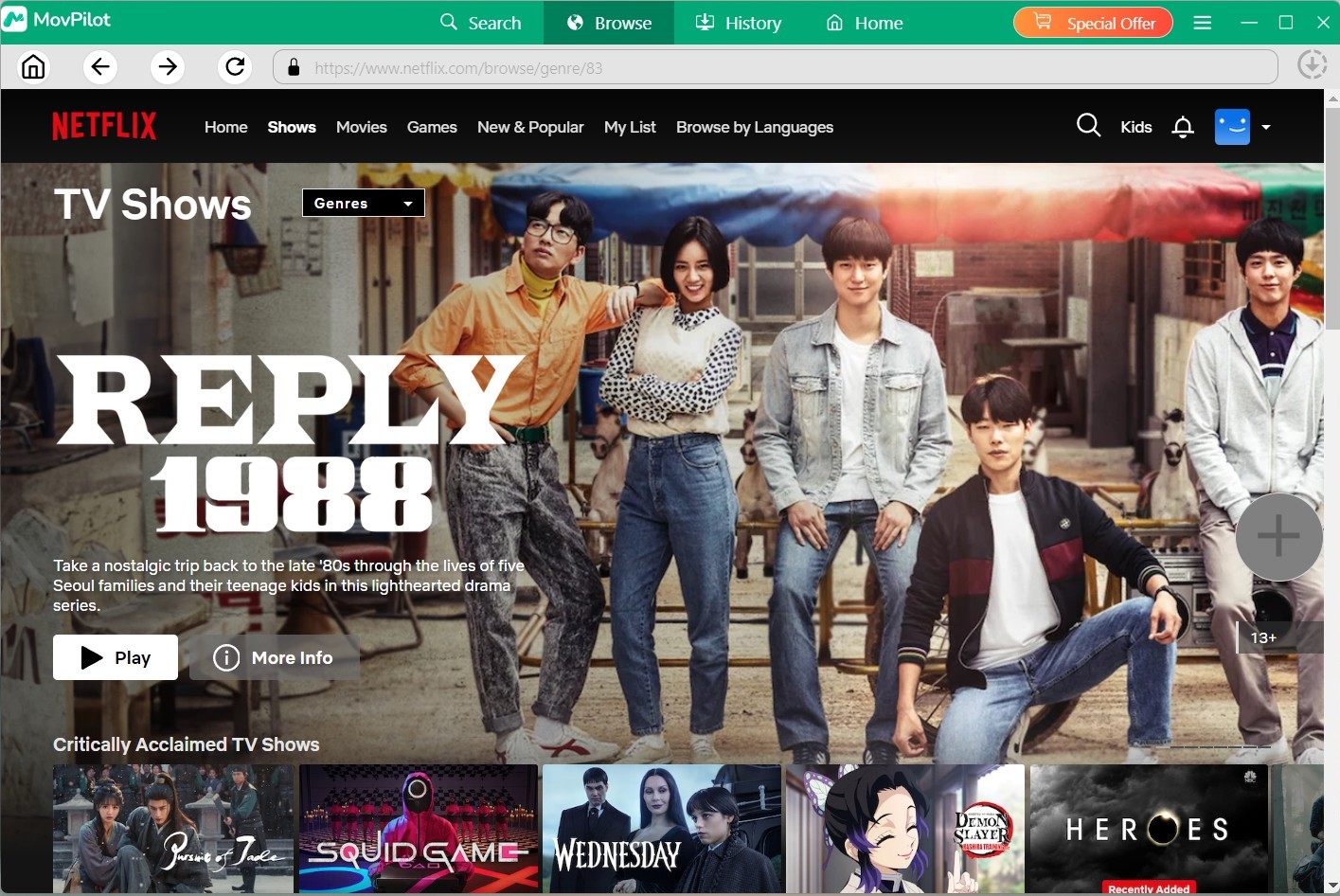
4.4 MovPilot
MovPilot, the Netflix video downloader, takes a simpler approach. Its main goal is to simplify the download process for Netflix content as much as possible, making it particularly appealing to novice and casual users.
4.4.1 Basic Information
| Items | Details |
|---|---|
| Supported OS | Windows & macOS |
| Output Format | MP4, MKV |
| Subtitle Format | Internal (Soft), External, Hardcoded |
| Maximum Video Quality | 1080P |
| Audio Tracks | Multiple audio tracks supported |
| Built-in Browser | Yes |
| Batch Download | Yes |
| Metadata Preservation | Yes |
| Free Trial | Available (Download the first 6 minutes) |
| License Options | Lifetime ($81.4) |
4.4.2 Key Features
MovPilot focuses on delivering the essentials without unnecessary complexity. These were the features that contributed most to its smooth user experience.
- Download Netflix Videos in HD
- Save Videos as MP4 or MKV
- Preserve Audio and Subtitle Options
- Batch Download TV Shows
- Beginner-Friendly Interface
4.4.3 Pros & Cons
While MovPilot performs reliably for everyday downloads, I also noticed a few limitations compared with more feature-rich competitors.
- Very easy to use
- Windows and macOS support
- MP4 and MKV output
- HD downloads up to 1080P
- Multiple subtitle options
- Batch download support
- Fewer advanced customization features
- Metadata management is relatively basic
4.4.4 My Experience
MovPilot was probably one of the easiest downloaders to use. Installation was simple, the interface was clean and intuitive, and the operation was very similar to Netflix. Within minutes, I was logged in and started to download without any complicated setup.
While this software doesn’t offer the extensive configuration options of CleverGet or StreamFab, many users want to download movies to watch later, and MovPilot perfectly meets this need with minimal effort.
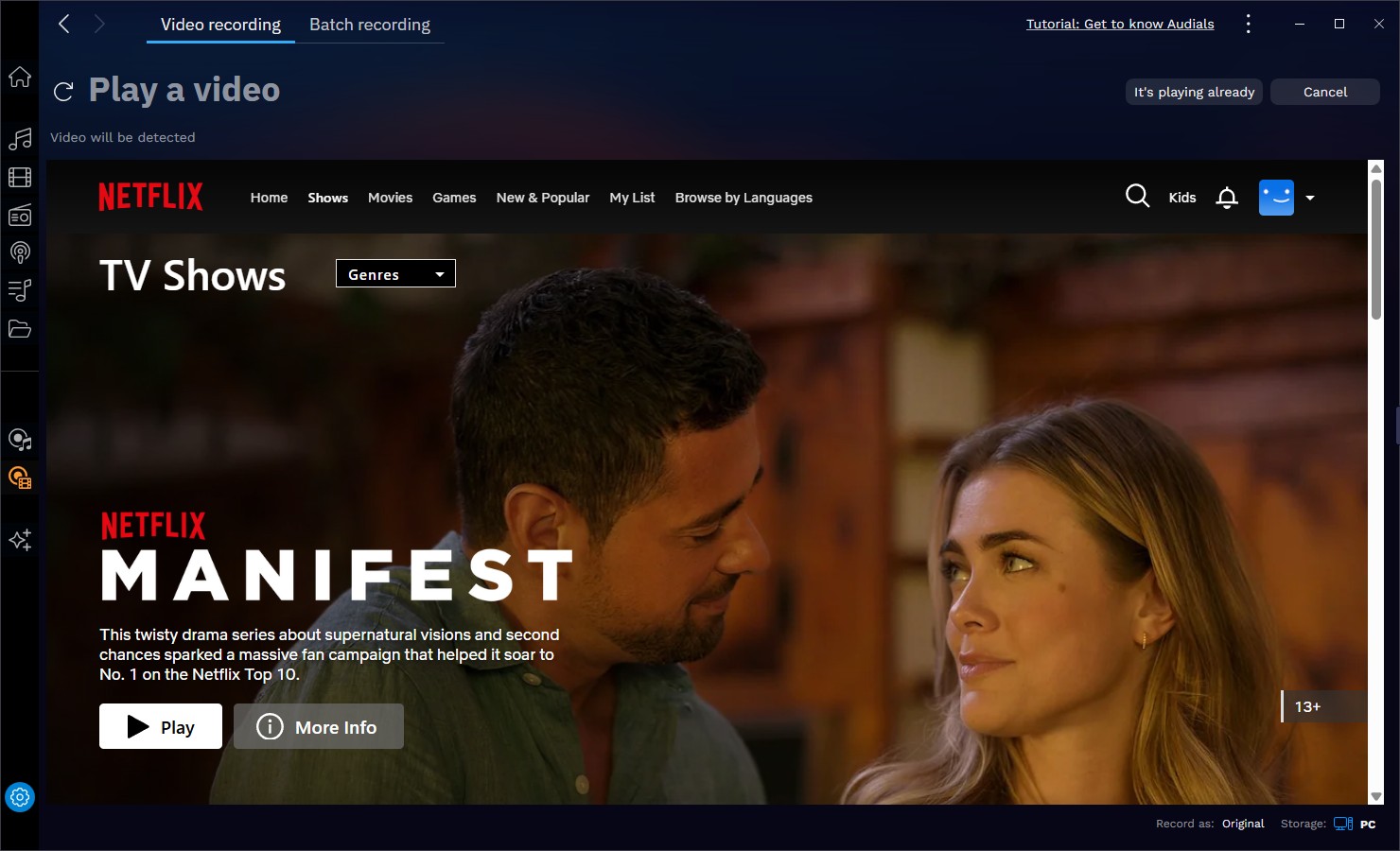
4.5 Audials Movie
Unlike other downloaders in this comparison, Audials Movie takes a completely different approach. Instead of directly downloading encrypted Netflix video streams, it records the video during playback and saves it locally.
This recording-based workflow allows Audials to be compatible with multiple streaming services, but it also comes at the cost of some compromises in speed and convenience.
4.5.1 Basic Information
| Items | Details |
|---|---|
| Supported OS | Windows Only |
| Output Format | MP4, MKV |
| Subtitle Format | Automatically detects and saves subtitles |
| Maximum Video Quality | 1080P |
| Audio Tracks | Original audio preserved during recording |
| Built-in Browser | Yes |
| Batch Download | Yes |
| Metadata Preservation | Yes |
| Free Trial | Available (Download the first 10 minutes) |
| License Options | Annual ($59.9), Lifetime ($69.9) |
4.5.2 Key Features
Its biggest selling point isn’t speed, but versatility. If you regularly watch content across multiple streaming services, these are the features that make Audials Movie worth considering.
- Record Streaming Videos
- Built-in Video Editing
- Wide Streaming Compatibility
- Multiple Export Formats
4.5.3 Pros & Cons
Audials Movie has a unique workflow that won’t suit everyone. Here’s where it shines—and where it requires a bit more patience.
- Supports many streaming services
- Integrated video editing
- Multiple output formats
- Stable recording quality
- Suitable for occasional recording
- Real-time recording is significantly slow
- Not a direct downloader
- Limited subtitle handling
- Less suitable for downloading entire TV series
4.5.4 My Experience
Compared to other software reviewed, Audials offers a drastically different user experience.
It doesn’t directly download files; instead, it records Netflix playback in real time. This means recording a two-hour movie typically takes nearly two hours.
Personally, I think Audials is more of a general-purpose streaming recording tool than a dedicated Netflix downloader. If your primary goal is to download Netflix movies quickly and efficiently, there are better options. However, if you frequently need to record content from multiple different streaming platforms and don’t mind the extra recording time, Audials remains a good choice.
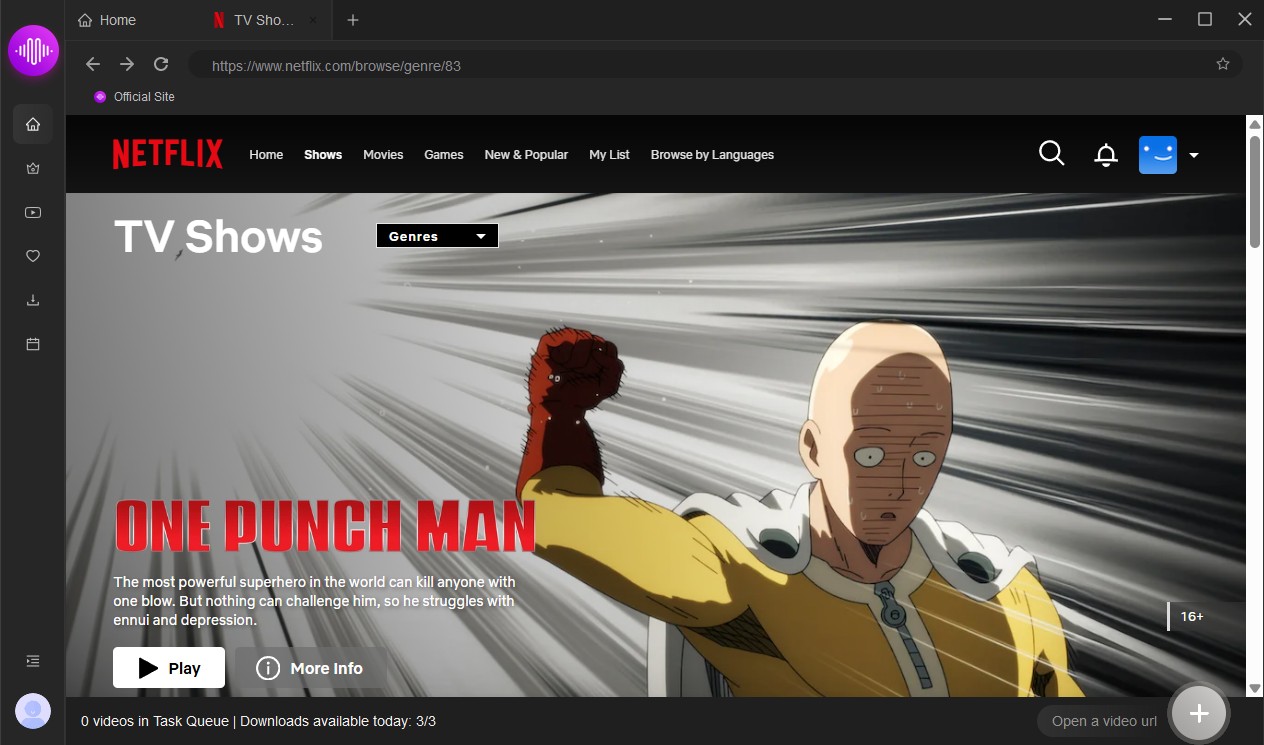
4.6 KeepStreams
KeepStreams Netflix Downloader positions itself as a streaming downloader, rather than a solution limited to Netflix. According to its official website, the software supports downloading Netflix videos up to 1080p, preserving HDR10, Dolby Vision, Dolby Atmos, multilingual audio tracks, and complete metadata.
Its biggest selling point is its automation features, including scheduled downloads and automatic retrieval of the latest episodes.
4.6.1 Basic Information
| Items | Details |
|---|---|
| Supported OS | Windows & macOS |
| Output Format | MP4, MKV |
| Subtitle Format | Remux into video, External SRT |
| Maximum Video Quality | 1080P |
| Audio Tracks | Multiple audio tracks supported |
| Built-in Browser | Yes |
| Batch Download | Yes |
| Metadata Preservation | Yes |
| Free Trial | Available (Download 3 entire videos) |
| License Options | Monthly ($69.99), Annual ($169.99), Lifetime ($269.99) |
4.6.2 Key Features
Beyond Netflix support, KeepStreams puts a strong emphasis on convenience and automation.
- Up to 1080P downloads with HDR10 support
- Preserves Dolby Atmos and multilingual audio tracks
- Supports MP4 and MKV output
- Auto-downloads newly released episodes
- Batch download and metadata preservation
4.6.3 Pros & Cons
KeepStreams offers an impressive range of capabilities, but a broad feature set also comes with a few compromises.
- Excellent support for HDR and Dolby Atmos
- Useful automatic episode downloading
- Rich metadata for libraries
- Multiple subtitle export options
- More features also mean a steeper learning curve
- Premium plans are relatively expensive
- Interface feels almost identical to StreamFab
4.6.4 My Experience
KeepStreams excels in automatic downloading, metadata retention, and Dolby Atmos support, requiring almost no manual intervention for large offline media libraries. However, it is very similar to other tools in its class and is more expensive. It is only a good option for users who need multi-platform downloading and automation capabilities.
Interestingly, KeepStreams shares a familiar interface, workflow, and function settings with StreamFab mentioned earlier. These two software programs are like twins.
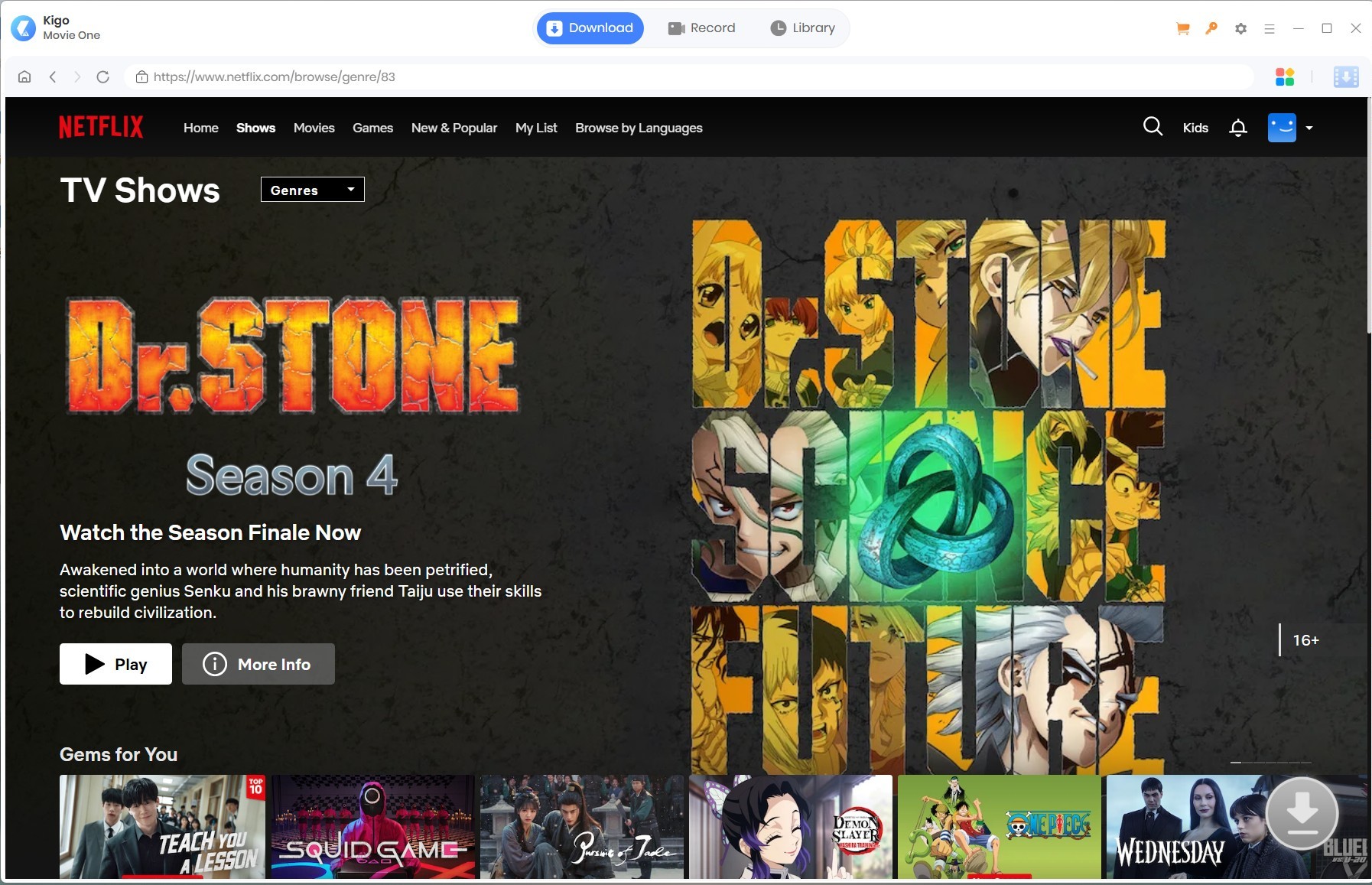
4.7 Kigo
Kigo Netflix Video Downloader prioritizes compatibility and ease of use. According to its official website, it supports downloading Netflix videos up to 1080p and can save videos as MP4 or MKV, retaining multiple language audio tracks and subtitles.
It can also batch download entire seasons of shows. Unlike some emerging competitors that focus on advanced automation features, Kigo insists on a simple and clear workflow, prioritizing reliability over extraneous features.
4.7.1 Basic Information
| Items | Details |
|---|---|
| Supported OS | Windows & macOS |
| Output Format | MP4, MKV |
| Subtitle Format | Internal, External (SRT), Hardcoded |
| Maximum Video Quality | 1080P |
| Audio Tracks | Multiple audio tracks supported |
| Built-in Browser | Yes |
| Batch Download | Yes |
| Metadata Preservation | Yes |
| Free Trial | Available (Download the first 5 minutes) |
| License Options | Lifetime ($79.90) |
4.7.2 Key Features
Although Kigo doesn’t reinvent the downloading experience, it covers the essentials well.
- Download Netflix videos in 1080P
- Save videos as MP4 or MKV
- Preserve 5.1 audio, multilingual tracks, and subtitles
- Batch download entire TV seasons
4.7.3 Pros & Cons
Kigo delivers solid performance in everyday use, but it also feels more conservative than some of its newer competitors.
- Simple and intuitive interface
- Up to 1080P downloads
- Flexible subtitle options
- Good compatibility across devices
- Few advanced automation features
- The free trial is limited to the first 5 minutes
- The interface is the same with Tunepat
4.7.4 My Experience
Kigo feels like a downloader that hasn’t tried to innovate—which is both its strength and its weakness. During my testing, all features worked well as advertised: the built-in browser was responsive, downloads were stable and reliable, and exported MP4 files played without compatibility issues.
If your primary need is downloading Netflix videos and you want the setup to be as simple as possible, Kigo is perfectly capable. Kigo and TunePat also seem to be twins, as they are basically identical in interface design, language support, workflow, and even price, with only minor differences. Download flaws also occur simultaneously in both programs.
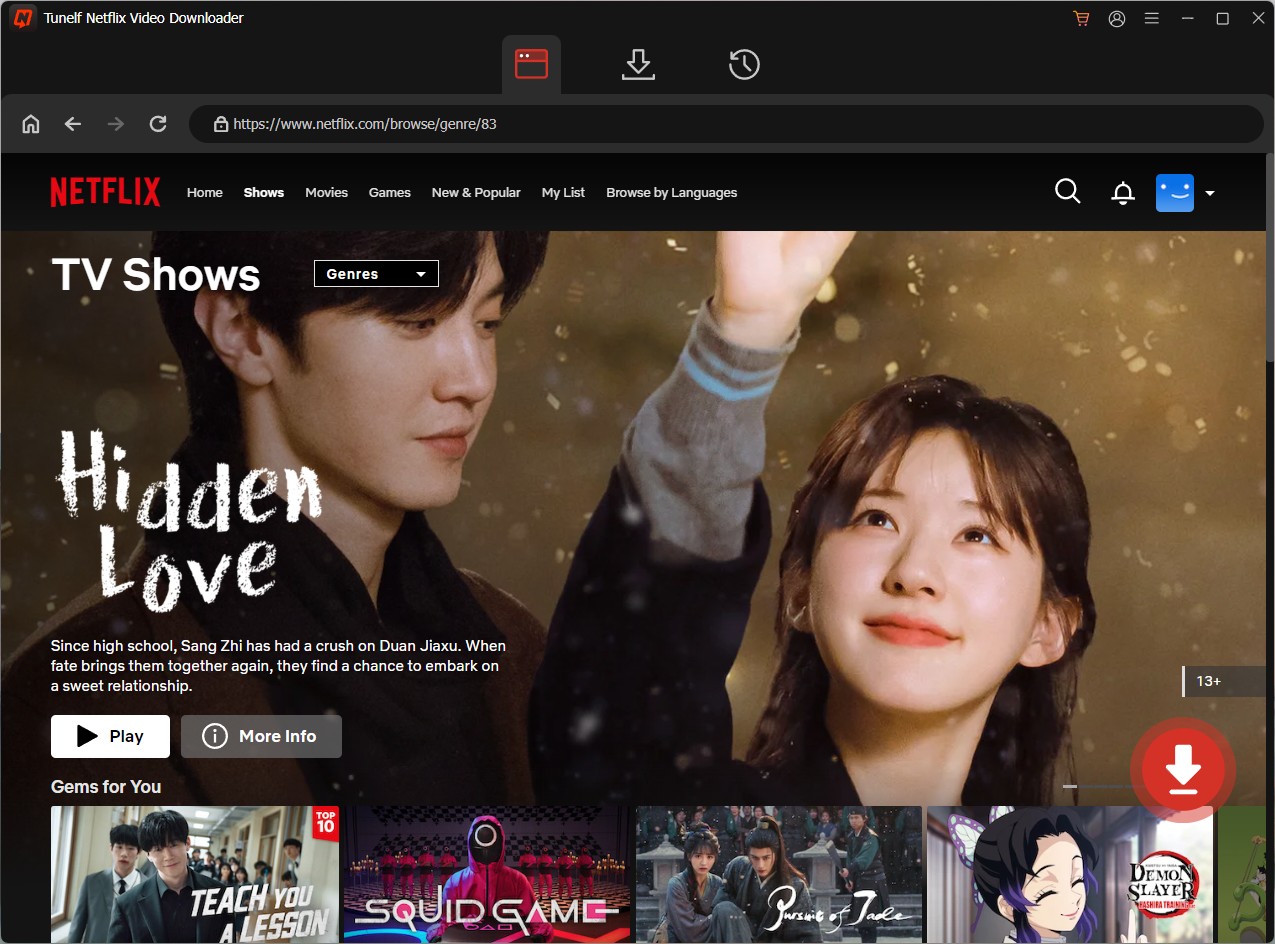
4.8 Tunelf
Tunelf, a Netflix video downloader, takes a slightly different strategy from most of its competitors. Instead of focusing solely on downloading Netflix videos, it emphasizes output flexibility, supporting multiple codecs, subtitle formats, and even independent audio extraction.
4.8.1 Basic Information
| Items | Details |
|---|---|
| Supported OS | Windows & macOS |
| Output Format | MP4, MKV |
| Subtitle Format | Internal, External (SRT), Hardcoded |
| Maximum Video Quality | 1080P |
| Audio Tracks | Multiple audio tracks supported |
| Built-in Browser | Yes |
| Batch Download | Yes |
| Metadata Preservation | Yes |
| Free Trial | Available (Download the first 5 minutes) |
| License Options | Monthly ($19.95), Annual ($49.95), Lifetime ($89.95) |
4.8.2 Key Features
Instead of overwhelming users with advanced options, Tunelf focuses on making the downloading process efficient and easy to manage.
- Up to 1080P downloads
- Supports H.264 and AV1 video codecs
- Multiple subtitle and audio options
- Supports exporting subtitles and audio separately
4.8.3 Pros & Cons
I found it strikes a good balance between usability and functionality, although there are still a few limitations worth keeping in mind.
- Supports downloading Netflix videos in up to 1080p
- AV1 codec helps reduce file size efficiently
- Excellent subtitle and audio customization
- Flexible output settings for advanced users
- Free trial offers a limited hands-on evaluation
- Many headline features depend on supported Netflix titles
- Configuration requires more effort than simpler downloaders
4.8.4 My Experience
Tunelf offers tremendous flexibility, supporting multiple codecs, independent subtitle export, and custom output settings, making it a practical tool for managing personal media libraries.
However, its feature-rich interface results in a steep learning curve, and its advertised 4K capability is inconsistent—the actual resolution depends entirely on the Netflix stream.
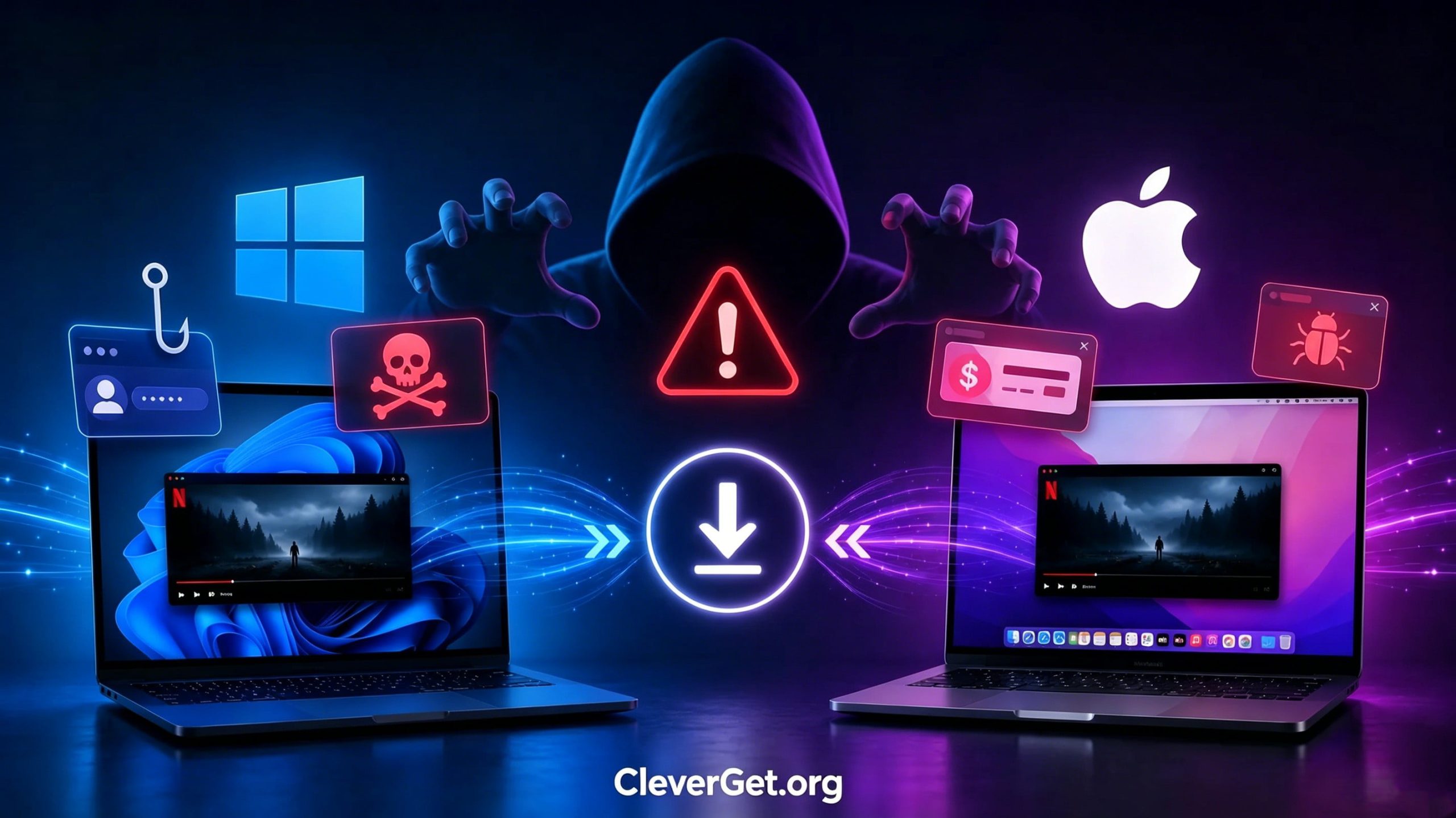
5. Warning: Free Download Scams You May Encounter
Searching for free Netflix video downloaders will quickly lead you to dozens of websites claiming to offer “100% free,” “unlimited,” or even “4K Netflix downloads.” While some of the software is legitimate, many websites rely on misleading advertising, fake installers, or phishing attacks to lure users into downloading.
Scam 1: Fake Download Buttons
Many software download websites display multiple large “Download Now” buttons on the same page. Typically, only one button will download the actual software. Other buttons may redirect you to advertisements, browser extensions, or irrelevant applications.
How to Stay Safe: Please download the software only from the developer’s official website. Avoid visiting websites that are filled with too many pop-up ads. Before opening the installer file, please carefully check the filename.
Scam 2: Phishing Login Pages
Many software download websites display multiple large “Download Now” buttons on the same page. Typically, only one button will download the actual software. Other buttons may redirect you to advertisements, browser extensions, or irrelevant applications.
How to Stay Safe: Please make sure you are logged in through the official Netflix website. Never enter your Netflix password on unknown websites. Enable two-factor authentication for your email account to improve security.
Scam 3: Bundled Adware and Malware
Not all free downloads are unsafe, but some unofficial installers may contain extra software the user never intended to install. These bundled programs may include browser toolbars, adware, or other potentially harmful applications.
How to Stay Safe: Download software from the official website whenever possible. Scan the installer using trusted antivirus software. If the installer offers custom installation options, please select that option.
Scam 4: Unrealistic Marketing Claims
If a website promises:
- Unlimited downloads of 4K Netflix movies
- Lifetime free access
- All titles can be downloaded with one click
- No Netflix account required
We should treat these claims with caution. Netflix updates its DRM technology regularly, and no downloader can guarantee that every movie will be available for download under all circumstances.
How to Stay Safe:Looking for software with the following features:
- Offer a genuine free trial
- Release regular software updates
- Provide transparent documentation
- With active customer support channels
Scam 5: Fake Lifetime Licenses and Activation Keys
You may encounter websites that sell “lifetime” licenses for popular downloaders at prices far below the official price. These activation keys may be unauthorized, accidentally expired, or invalid.
How to Stay Safe: Purchase licenses directly from the software developer whenever possible. The small discounts offered by unofficial dealers are often insufficient to offset the risk of receiving an invalid license.
6. Frequently Asked Questions
-
Is it legal to use a Netflix video downloader?
There is no universal yes/no ruling — it depends on your location and how you use the files. In most regions, downloading videos solely for personal, non-commercial offline viewing generally complies with fair use or private copy regulations. However, redistributing downloaded content or profiting from it is always illegal. Please strictly adhere to Netflix’s Terms of Service and local copyright regulations.
-
Can I download Netflix shows in bulk?
Yes. Most of the tools on this list support batch downloading. You can select multiple episodes or an entire season to download all at once.
-
Can downloaded Netflix videos be transferred to other devices?
Yes. The MP4/MKV files saved by these downloaders are free to copy to a USB drive and transfer to tablets, smart TVs, car media systems, or media servers.
-
Will using a Netflix downloader get my account banned?
For most regular personal users, this hardly ever happens. Downloading content for private offline use is rarely penalized. Even so, be cautious when using any third-party tools, and never publicly share downloaded content.
-
Can I download Netflix videos without an account?
No. All legitimate downloaders require you to log in with a valid Netflix account. You cannot download Netflix videos without a valid account—any tool claiming to do so is a scam.
7. Conclusion
After testing eight Netflix video downloaders on Windows and macOS, we came to a clear conclusion: no single downloader can perfectly meet everyone’s needs. Each tool has its own strengths, such as flexibility in subtitle processing, degree of automation, recording capabilities, or ease of use.
In other words, when evaluated under the same conditions, some products consistently outperform others.
If you’re looking for the best overall experience, CleverGet Netflix Downloader is my top recommendation. It combines reliable 1080p downloads, MP4 and MKV output, flexible subtitle and audio options, batch downloading, and a user-friendly interface that’s easy for both beginners and experienced users. In my testing, it achieved the best balance in performance, stability, and ease of use.
CleverGet Netflix Downloader
 Try for Free
 Try for Free
 Download videos from Netflix in MP4/MKV;
Download Netflix episodes of all seasons in batch;
Download subtitles and audio tracks;
Pack subtitles into output video or save subtitles as SRT/SUP file;
Automatically remove ads during downloads.
 English
 Deutsch
 日本語
日本語 French
 한국인
한국인 Italiano