


 Try for Free
 Try for Free
Share article:


Snagit Review: Is It the Best All-in-One Capture Tool?

2026-01-16 ・ Related to: Free Screen Recorder
41 Views
Summary:
This article introduces core features of Snagit and lists its advantages and best use scenarios. Users can get to know whether this tool suits their needs through this article.
MenuCLOSE
Nowadays, demands for screenshots and screen recording have increasingly grown up. More and more capture and recording software has popped up in the market, and Snagit must be an eye-catching tool. Snagit attracts millions of users around the world with its “All-in-One Capture” feature. And it’s far more than this, this article will introduce to you what Snagit is, its advantages, and using scenarios as well as some limitations. You can choose whether to try this tool out based on your needs.
Part 1: Overview of Snagit
Snagit is a professional capture software that is famous for its “All-in-One Capture”. Since its initial release, Snagit has become a widely used tool in IT, training, and daily team collaboration. It can not only capture screens, but also screen record on Windows. Moreover, it also supports the macOS system, which means it may also be an alternative for other Mac screen recorders.
Part 2: What Makes Snagit Unique
1. All-in-One Capture
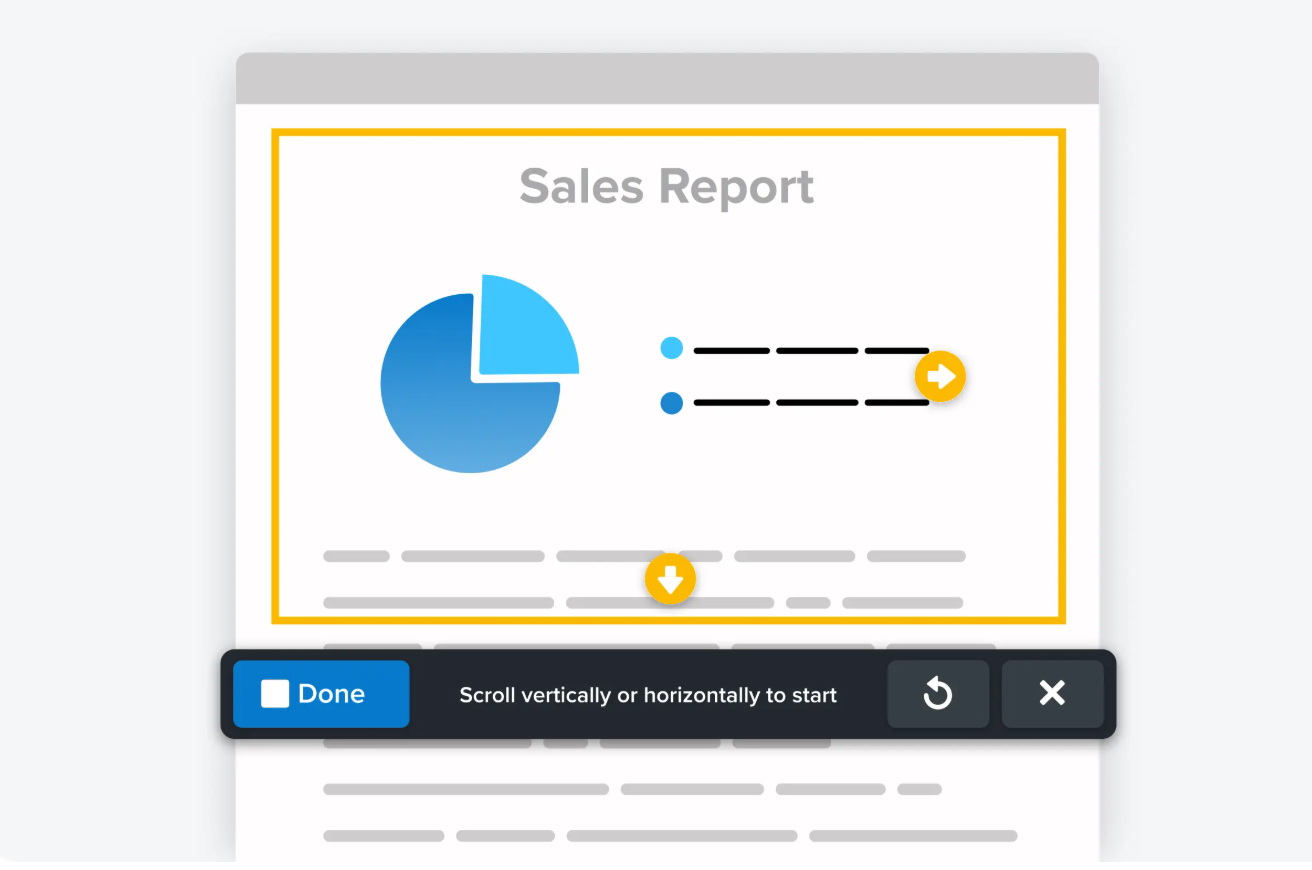
With Snagit’s “All-in-One Capture”, users can select the capture area, including: full screen, region, window, scrolling capture, and video capture. It can also capture through a shortcut key, allowing users to record useful highlights. For video recording, Snagit also supports recording system audio and microphone input. Therefore, users can create tutorials or demonstration instructions.
2. Advanced Annotation and Editing
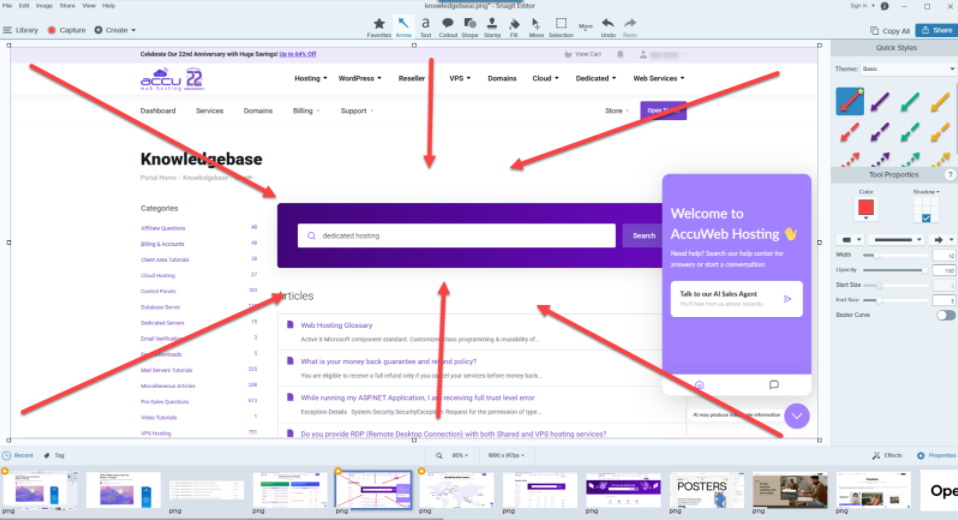
In Snagit Editor, users can edit the captured content. The main features include:
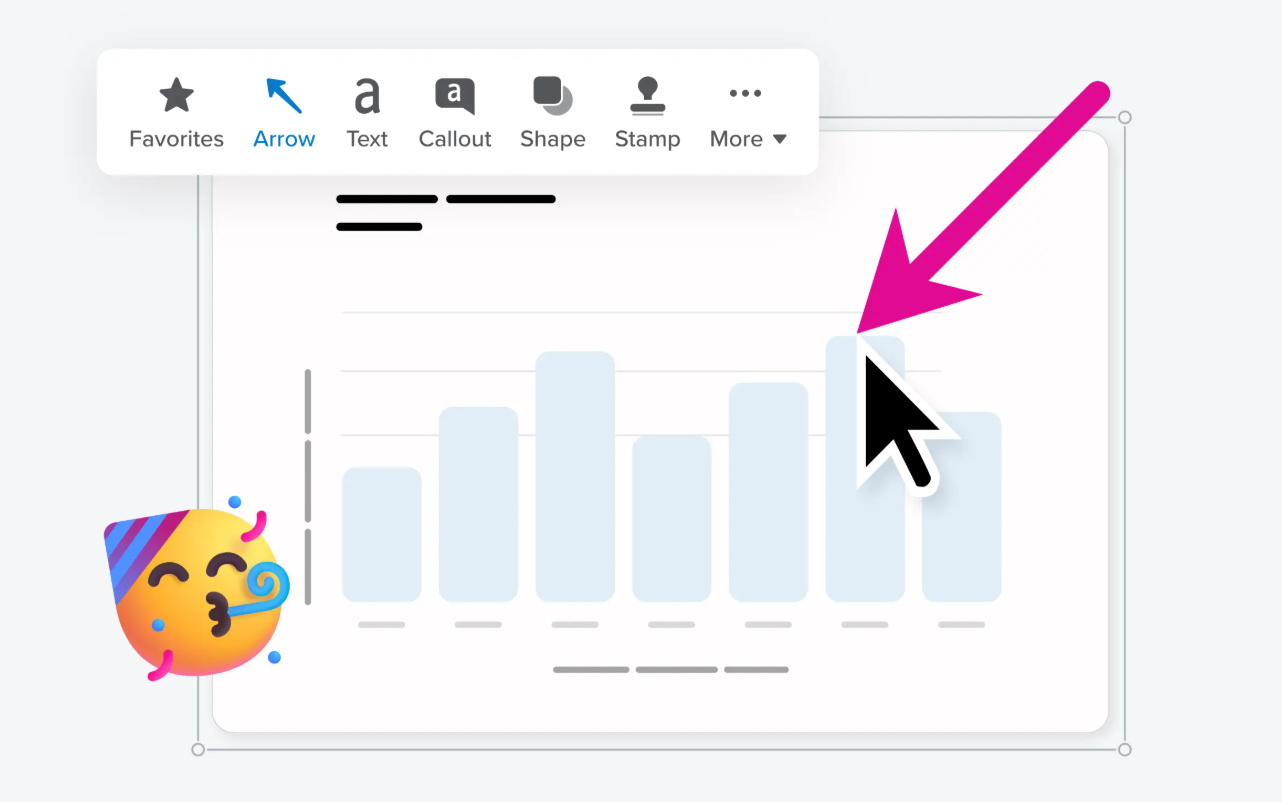
1. Arrows, shapes, highlights, brushes, text annotations, callouts, etc. Users can adjust their colors and size according to their preference.
2. Users can perform operations such as cropping, rotating, adjusting the resolution, applying filters and special effects, adding borders and shadows, etc.
3. It has many “stamps” that can be applied with a single click, enhancing the production and supporting users to re-edit the captured contents.
3. Text Extraction(OCR)
Snagit sets an OCR feature that can identify and extract text from the captured images. It supports English as well as French, German, Spanish, and other languages. The extracted text can be pasted into any app or further edited and annotated in the Snagit Editor.
4. Integrated Workflow
The design concept of Snagit is to integrate “capture- edit- share” into a unified workflow. After editing, the contents can be shared with other services, such as Apple Mail, Slack, Microsoft Teams, Google Drive, YouTube, etc. Moreover, it supports customizing “output presets”, and users can batch export in many formats. All captured content will be saved to the Snagit Library and can be easily searched for.
Part 3: Hands-On Using Experience Analysis
After using Snagit, several points are found worth noting. Here’s a general Snagit review:
1. Design and User Experience
The main interface of Snagit is clear enough for users, along with shortcut keys and preset configurations. Snagit Editor adopts a classic structure. It supports setting “Capture Presets” for different capture types and customizing shortcut keys.
2. Productivity Benefits
On both Windows and MacOS platforms, Snagit maintains a stable response speed, with no significant delay in capture and editing. The software has moderate memory usage, and it remains stable even after long-term operation, which is suitable for long-duration work and can save more time.
3. Output and Sharing Options
Using shortcut keys and preset configurations, users can complete a screenshot or recording within just a few seconds. After editing is completed, it can be directly shared to other applications with one click, reducing the repetitive steps of “Copy – Paste – Send”.
Part 4: Strengths and Limitations
1. Advantages
1)Snagit integrates screen capture, screen recording, GIF creation, and other features into a unified “All-in-One Capture”. After capturing, users can use Snagit Editor to annotate and edit the pic. There is no need for other tools or import/export files.
2) It can extract text from screenshots through built-in OCR, avoiding manual input and improving work efficiency.
3) It supports scrolling capture for web pages and long documents. There’s no need for multiple screenshots and manual image stitching.
4) The results can be directly shared to Microsoft Outlook, Google Drive, OneDrive, YouTube, FTP/SFTP, etc.
2. Limits
1) Snagit charges $39 annually; compared to free screen recorders for Windows like Leawo Free Screen Recorder, its price threshold is higher. Although it offers a trial, for users with long-term needs, its price may be a factor that needs more consideration.
2) Although it supports screen recording and editing, it is not as good as professional video editing software in some aspects. If you need to create complex videos, you may still need additional tools.
3) The basic screenshot and annotation features are easy to use. However, it still takes more time to master the advanced functions. For users who only need to take screenshots occasionally, some of the features may exceed their needs.
Part 5: Best Use Cases
Best Use Cases
- With “All-in-One Capture”, you can create tutorial videos. You can use the annotation tools in the Snagit Editor to add instructions to screenshots or videos and directly share them to platforms like LMS, Screencast, and YouTube to help learners understand and practice.
- Snagit can help team members communicate and collaborate more effectively. You can take screenshots or record videos, mark them with the annotation tool, and then share them to collaboration platforms such as Slack, Microsoft Teams, and Google Drive.
- Snagit supports users to record gameplay and can save the recorded content as videos or GIFs, making it convenient for users to share the exciting moments of the game or create game guides.
- Snagit can help create product presentations, feature demonstrations, or tutorial clips. Adding elements such as watermarks, borders, and brand colors, it ensures the consistency of the visual style and enhances the efficiency of content production.
Part 6: Final Verdict
Snagit, as a professional screen capture and screen recording software, offers users a comprehensive user experience through its “All-in-One Capture”, powerful editing functions, and convenient sharing process. It not only meets the basic requirements of screen capture and screen recording, but also enhances user efficiency and enables the creation of professional content through its rich annotation tools and OCR text extraction functions. But if you are budget-sensitive, maybe other free capture and recording tools like Leawo Free Screen Recorder can be a better alternative.
Free Screen Recorder

 Try for Free
 Try for Free
 Download Up to 8K Videos, Live Stream and even paid streaming videos in batch or individually from 1000+ websites like YouTube, Facebook, Twitter, Twitch.tv, Max, Netflix, Amazon, Disney+, Hulu, Apple TV+, Paramount+, Discovery+, etc. Record online video at up to 4K resolution and 5X recording speed from various streaming services to MP4/MKV files without ads.
 English
 Deutsch
 日本語
日本語 French
 한국인
한국인 Italiano