


 Try for Free
 Try for Free
Share article:


How Many Devices Can Stream Disney Plus at Once?

2026-06-29 ・ Related to: CleverGet Disney Plus Downloader
33 Views
Quick Answer
| Plan | Simultaneous Streams |
|---|---|
| Standard Plan | 2 devices |
| Premium Plan | 4 devices |
The limit applies to simultaneous streams, not simply to how many devices can be signed in or registered to the account. If you run into a viewing limit, the article provides two practical methods to help you watch Disney+ on more devices at the same time.
Introduction
After my family found out that I subscribed to Disney+ Premium, they all asked if they could borrow my account to use it. Last weekend, I opened Disney+ intending to watch Daredevil, but an error message popped up on the screen. The new playback request was blocked, while the devices already streaming continued to work normally. Unless someone paused or exited, I could watch it. After checking the official rules, I realized that my account had exceeded the limit of simultaneous devices. If this rule is new to you too, give my article a quick read. In this article, I will tell you how many people can watch Disney Plus at once and how to watch Disney+ without simultaneous streaming restrictions.
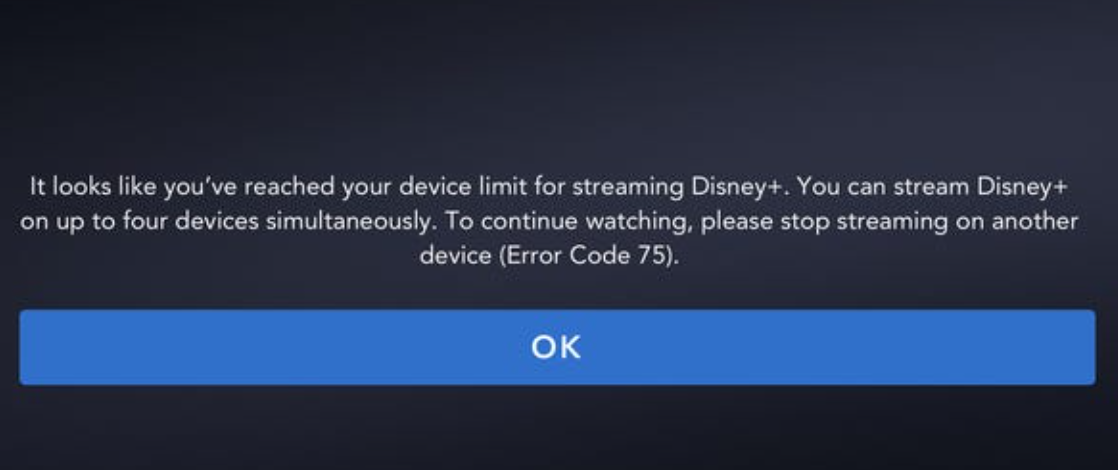
What is Disney Plus Simultaneous Stream Limit?
Disney Plus simultaneous stream limit refers to the maximum number of devices that can play content at the same time. If Disney+ is a favorite in your household, then it is important to understand these following rules.
1. How Many Devices Can Stream at Once?
The number of concurrent streams on Disney+ depends on the subscription plan. If your plan is Disney+ Standard, you are only allowed to watch on 2 screens simultaneously. If your plan is Disney+ Premium, then 4 screens are allowed to watch at the same time. As for users subscribing through bundled plans like the Hulu bundle, the concurrent stream limit is still based on Disney+’s own plans.
| Price | Max Simultaneous Streams | |
|---|---|---|
| Standard (With Ads) | $11.99/mon | 2 Devices |
| Premium | $18.99/mon | 4 Devices |
| Extra Member | Starts at $6.99/mon | 1 Device |
Notes: Disney+ Extra Member does not add another simultaneous streams. It gives one outside member (non-househould) their own access, but that member can only stream on one device at a time, and the main account’s concurrent streaming limit stays unchanged.
2. Simultaneous Streams vs Device Logins
Simultaneous streams and device logins are two different concepts. Disney Plus simultaneous streams refers to the number of devices that can play content at the same time, while device registration limit refers to the number of devices you can have associated with your account. These are not the same thing, so it’s important to check both when choosing a plan.
How to Check Supported Devices and Sign Out of Disney+ Devices?
The compatible devices of Disney+ are extremely diverse, you can watch Disney+ on TV, phones or computers and so on. The main supported devices include:
- Mobile phones and tablets: Android, iOS/iPadOS.
- Computer: Browser (Chrome, Edge, Firefox, Safari), Windows, macOS.
- Televisions and streaming devices: Amazon Fire TV, Android TV/Google TV, Apple TV, Roku, Samsung/LG/Hisense , Xfinity Flex, etc.
- Game consoles: PlayStation4/5, Xbox One/Series X.
Disney+ allows you to stay logged in on up to 10 devices, but that does not mean that these 10 devices can play content at the same time. The Disney Plus screen limit still follow the rules of 2 for Basic and 4 for Premium. Having more logged-in devices is meant to make it convenient for users to switch between different terminals, such as a living room TV, bedroom tablet, or phone, without having to log in repeatedly. But the device list can be reset a limited number of times each year. If your old phone is no longer in use, it is recommended to “unregister the device” from the account settings to free up the quota.
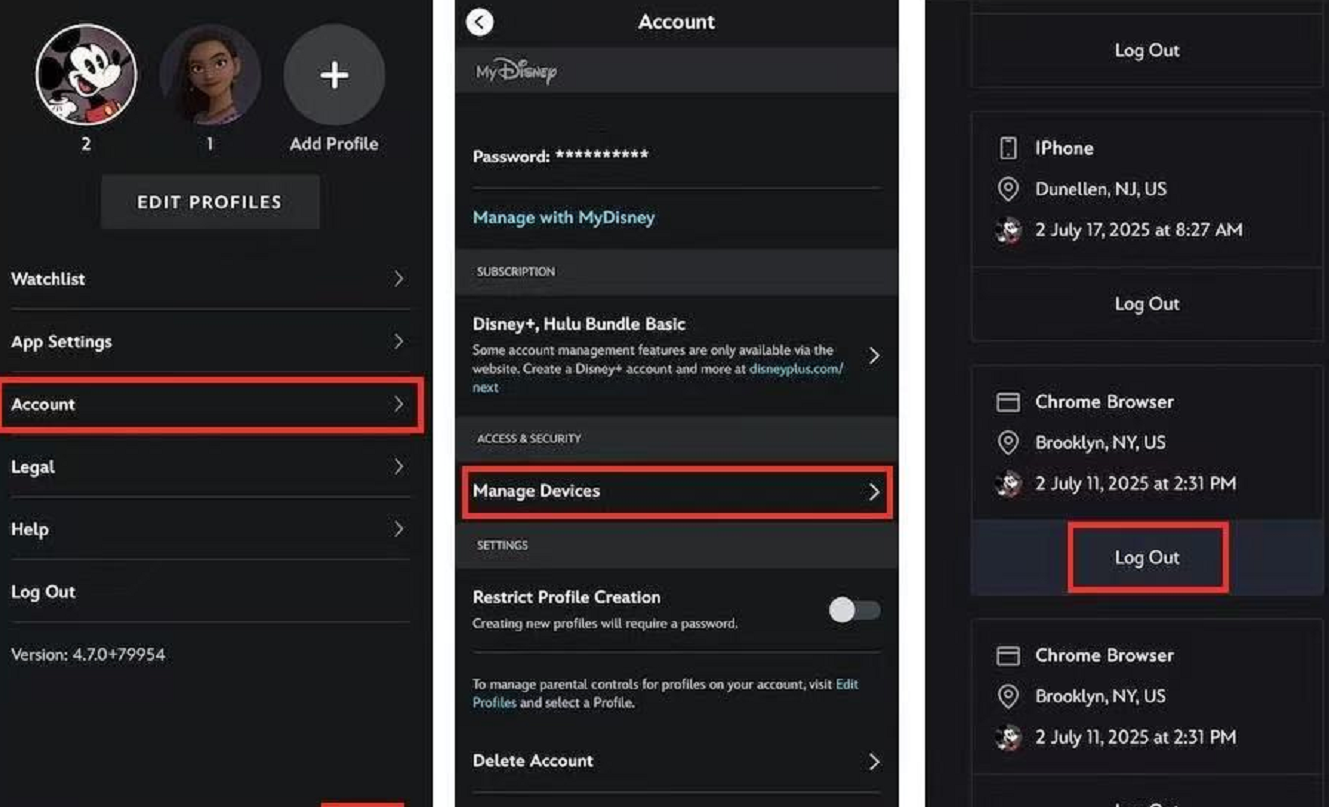
How to sign out of devices of Disney+:
Step1: Go to Disney+ and log in on a web or mobile.
Step2: Select your Profile.
Step3: Select Manage Devices under Access & Security.
Step4: Enter the one-time passcode sent to your email and select Confirm.
Step5: Select Log out.
How Many Profiles Can You Have on a Single Disney Plus Account?
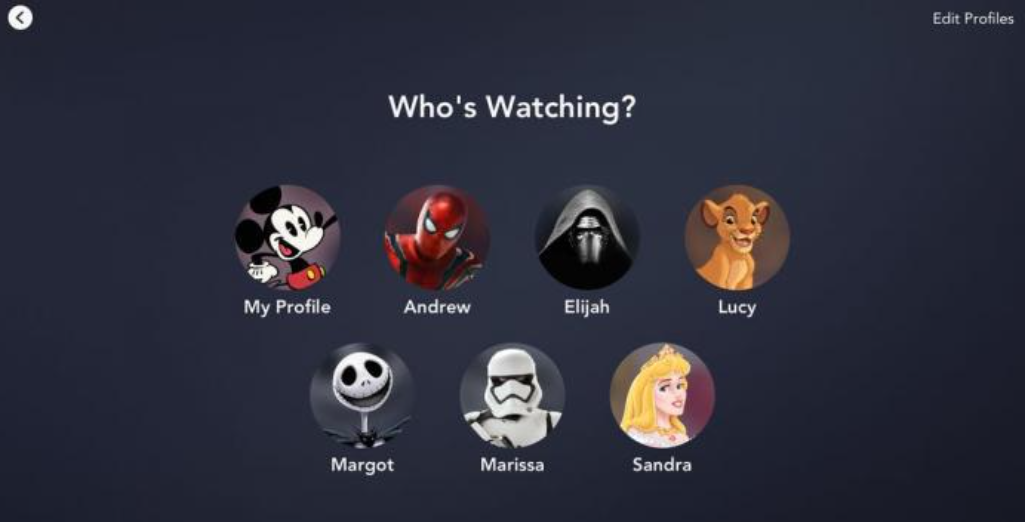
Each Disney+ account can create up to 7 user profiles. Each profile has its own watch history, recommendation list, and “My List,” making it very convenient to share Disney account with family or friends without affecting each other’s viewing preferences.
But creating more user profiles does not increase your simultaneous streams. Even if you create 7 profiles, you can still only have 2 or 4 devices playing simultaneously according to your subscription plan. That is to say, increasing profiles does not affect how many people can use Disney Plus at once. The number of devices you can use at the same time is determined strictly by your subscription tier, regardless of how many profiles are logged in under that account.
How to Watch Disney+ on More Devices at Once?
When everyone in the family wants to watch Disney+ at once, instead of keeping everyone waiting, there are two practical ways to solve it.
1. Upgrade to Disney+ Premium
Upgrading to Disney+ Premium is the most direct way to raise your simultaneous streaming limit to four devices. If your household needs more people watching at the same time, this is the simplest account-based solution.
Step-by-Step Guide:
Step1: Go to Disney+ and log in.
Step2: Select your Profile.
Step3: Go to the Account page.
Step4: Locate the Plans & Billing section.
Step5: Choose the Premium plan and select Continue.
2. Download Disney+ Content for Offline Viewing
If you frequently hit the device streaming limit, here’s the ultimate workaround. I recommend you use CleverGet Disney Plus Downloader, as it is a video download tool specifically designed for Disney+. It can save streaming content as local files, no longer being restricted by the number of simultaneous playing screens. You can directly download movies on Disney+ and save it in MP4/MKV format, which is convenient for local storage and cross-device playback.
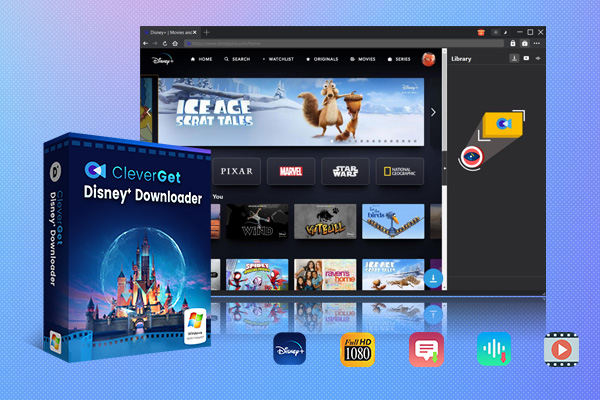
CleverGet Disney Plus Downloader
- Download and convert Disney Plus video to MP4/MKV.
- Batch download TV episodes across seasons from Disney+.
Secure Download
Trustpilot Rating 4.7
Step-by-Step Guide:
Step1: Download and install CleverGet Disney Plus Downloader from the official website.
Step2: Log in to your Disney+ account using the built-in browser.
Step3: Open the movie you want to watch.
Step4: Select download options and simply click Download, and after completion, you can find the file in Library.
- Downloads are for personal use only. Please do not repost or redistribute copyrighted content without permission.
- All trademarks, logos, and brand names mentioned or displayed in this blog are the property of their respective owners.
FAQs
-
How many people can watch Disney Plus at once?
Disney+ Basic allows 2 people to watch simultaneously, while Disney+ Premium allows 4 people to watch simultaneously.
-
Does Disney Plus limit streams by household?
Yes. The devices associated with the account must belong to the same household. Otherwise, they need to be added through the “Additional Members” feature, and an additional monthly fee will be charged.
-
How many devices can be logged into Disney Plus?
Up to a maximum of 10 devices can be logged in. The list of logged-in devices can be viewed and managed in the “Account Settings”.
-
How do l remove old devices from my Disney Plus account?
Go to “Account Settings”, then find “Device Management”. You can remove a specific old device individually, or log out all unfamiliar terminals at once.
-
Does Disney Plus Premium allow more simultaneous streams?
Yes, Disney+ Premium allows up to 4 devices to play simultaneously, while Basic only supports 2 devices.
Conclusion
In summary, a Disney+ account supports streaming on up to 4 devices simultaneously, can be logged in on 10 devices, and can create 7 individual profiles, which is enough to share with family or friends. If you really encounter the situation of watching simultaneously beyond the limit, you can use CleverGet Disney Plus Downloader to save the videos as files and watch them on different devices for offline viewing, so you won’t be restricted by the number of devices.
CleverGet Disney Plus Downloader
 Try for Free
 Try for Free
 Download Disney+ videos in up to 720P resolution
Save Disney+ content as MP4 or MKV files
Download Disney+ movies, shows, and exclusive originals
Batch download full seasons and multiple episodes.
Remove ads during Disneyplus video downloads
 English
 Deutsch
 日本語
日本語 French
 한국인
한국인 Italiano