


 Try for Free
 Try for Free
Share article:


3 Ways to Download Video from BrandNewTube

2024-06-24 ・ Related to: CleverGet Video Downloader
1,240 Views
Brandnewtube.com is a video-sharing platform that focuses on news of the world. On this platform, you could freely upload/watch videos, and express your opinion online as you like. However, it should be noted that Brandnewtube is designed only to allow users to watch and view (stream) videos on their website. Brandnewtube does not allow you to download videos directly from their site. Many users want to download brandnewtube videos to their computer so they can be watched offline, viewed on other devices, or edited within video editor software tools. In this guide, we would like to recommend you 3 ways to download videos from brandnewtube website.
OUTLINECLOSE
Part 1: Download video from BrandNewTube using CleverGet Video Downloader
To download videos from brandnewtube.com, you need to make use of 3rd-party brandnewtube video downloader tools since brandnewtube.com doesn’t provide direct download path to you. You could search online and there are a big number of online video downloaders you could use. Among all these online video downloader tools, CleverGet Video Downloader is the best brandnewtube video downloader for you.
CleverGet Video Downloader is ideal for downloading videos from brandnewtube.com for offline viewing on Windows/Mac computer or mobile devices. It’s a lightweight and easy-to-use program that enables you to download brandnewtube videos in bulk in different resolutions, formats, sized, etc. As a professional online video downloader, CleverGet Video Downloader could actually download videos from YouTube, Facebook, Twitter, Facebook live, Instagram, Vimeo, and 1000+ other video sharing sites across the world, in different languages and regions. The biggest feature is that it could analyze target video and then display all available download options in various resolutions (up to 8K), formats (MP4, WEBM, MKV, etc.), frame rates and sizes.
-
CleverGet Video Downloader
Download Movie Video With 320 Kbps audio.
Easily Download Live Streams Without Quality Loss.
Video Info Extractor.
Supports Playlist Downloading.
Support Multi-tasking & Video Info Extractor Inside.
Ease-of-use UI.
Built in CleverGet as a module, CleverGet Video Downloader is free to download and install. After installing CleverGet on your computer, follow the below guide to learn how to download videos from brandnewtube.com to PC/Mac computer.
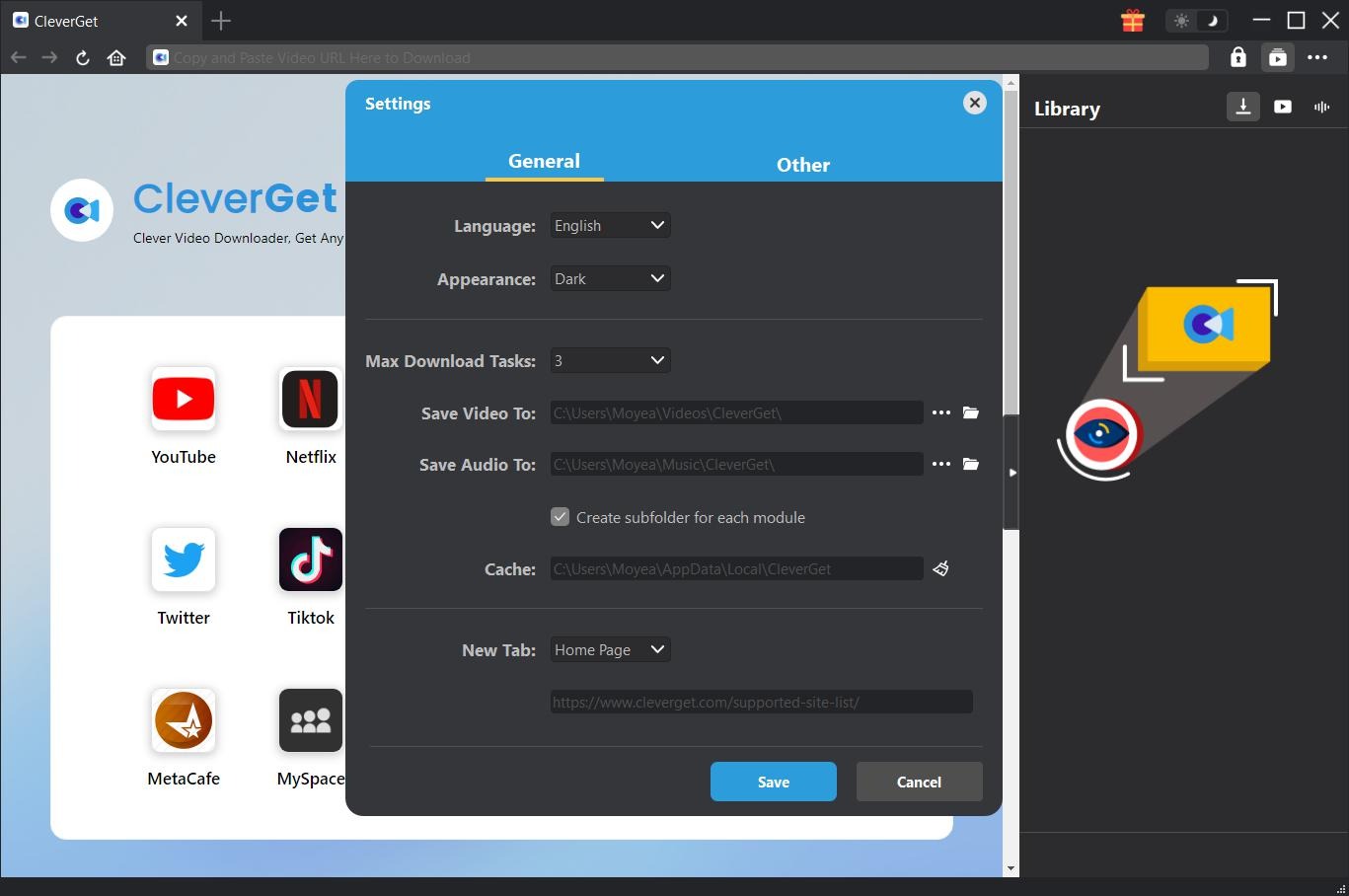
After installing CleverGet on your computer, kick off CleverGet and then click the 3-dot icon on the top right corner to set download path. Choose “Settings” option on the drop-down panel to set download directory in the “Save Video To” box on the “Settings > General” tab. You could also set the “Max Download Tasks” and program UI language here. Other general settings including program interface language, appearance, cache, etc. are also available here. Click the blue “Save” button after completing settings.
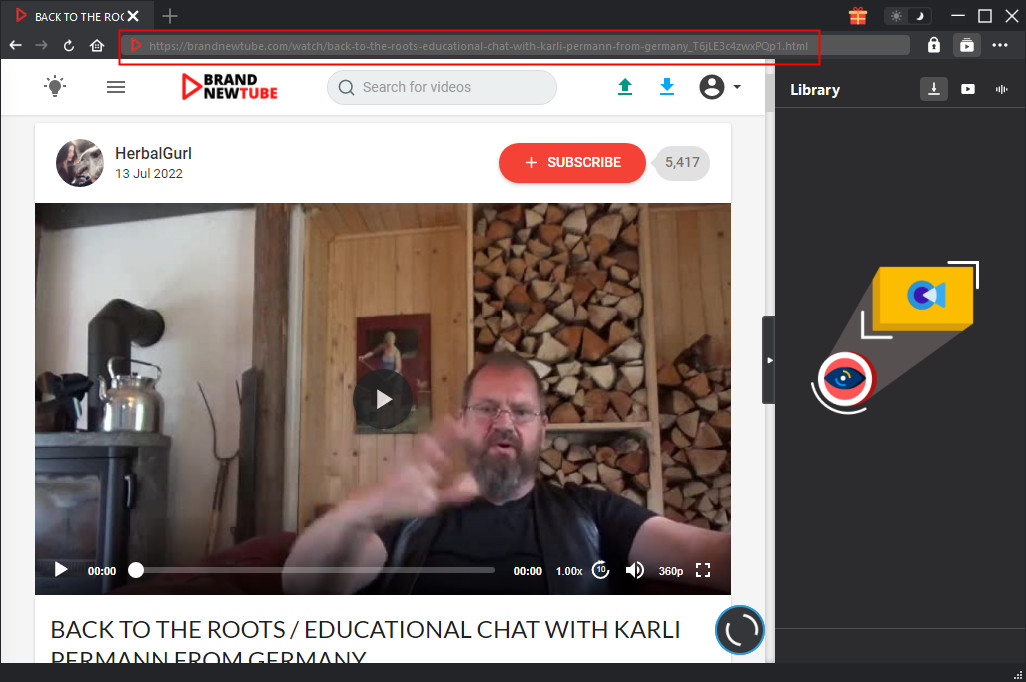
Copy and paste the URL of target brandnewtube video you want to download into the address bar of CleverGet, and then press “Enter” key on your keyboard to open target brandnewtube video page and let CleverGet start parse it. Once you have entered the target URL of brandnewtube video, CleverGet will automatically analyze it.
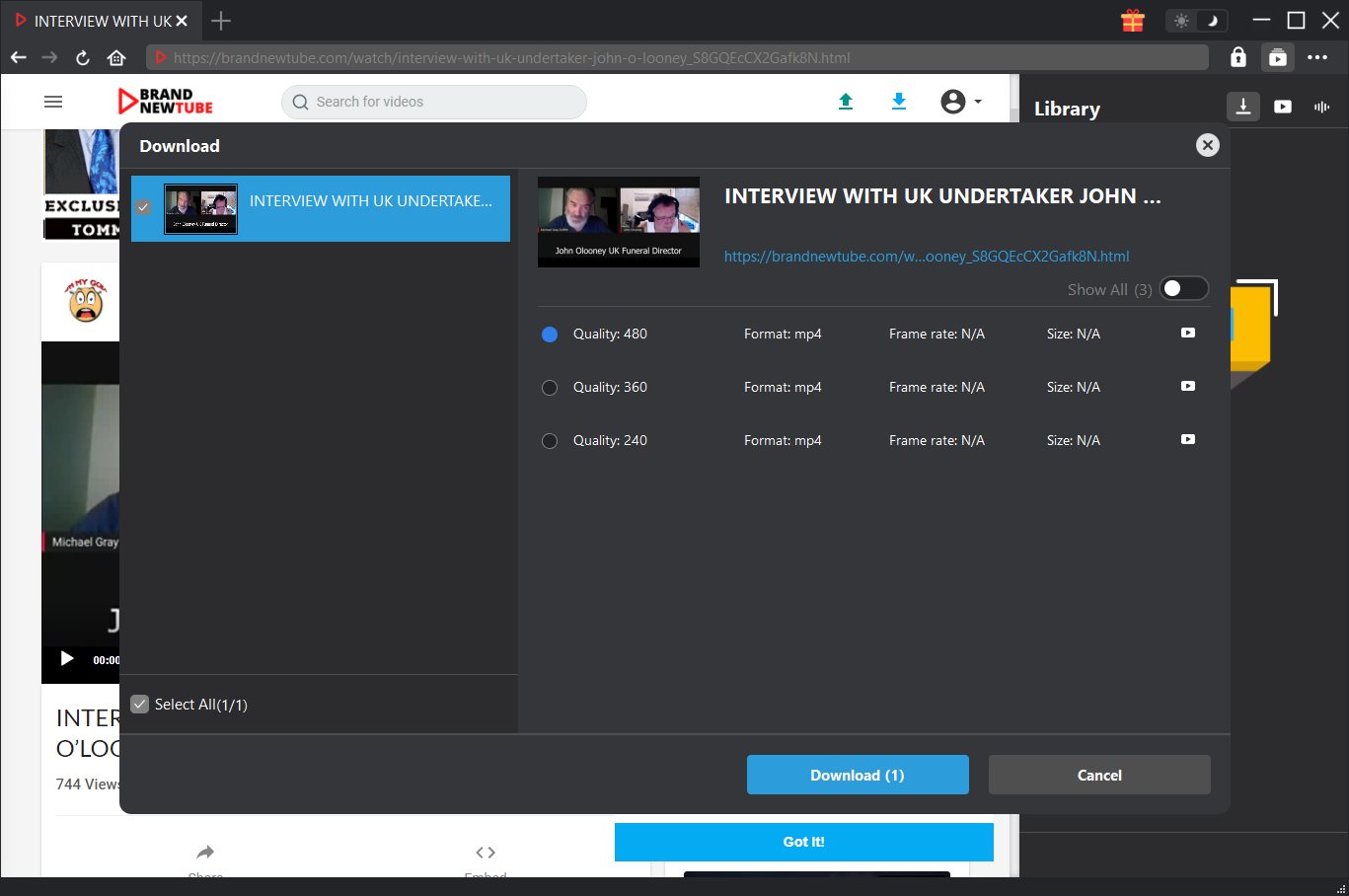
Once CleverGet has successfully analyzed the target brandnewtube video URL, there will pop out a “Download” interface that provides all available download options of target video. All available video download options are listed in different resolutions. Freely choose the download option that meets your needs before you click the blue “Download” button at the bottom to start downloading videos from brandnewtube.
You could then see a sidebar on the right side pop up showing you the downloading progress. You could view the downloading speed, video length, resolution, size, etc. Cancel or stop downloading video from brandnewtube anytime you like.
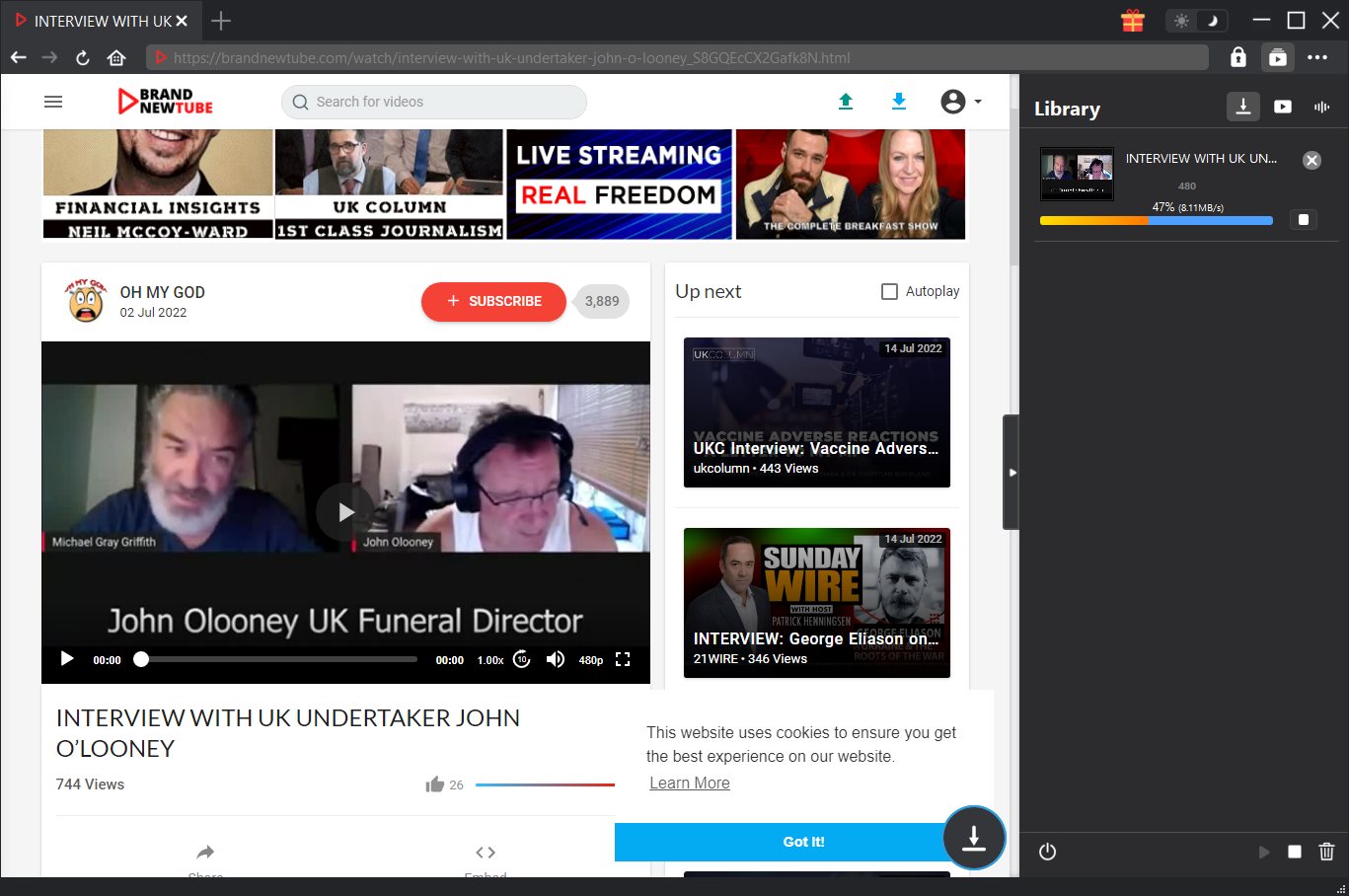
Note: For high speed downloading, you could shut down other downloading tasks or big traffic tasks on your computer.
Once the downloading task completes, on the right sidebar, you could open the Video tab to view the downloaded brandnewtube videos.
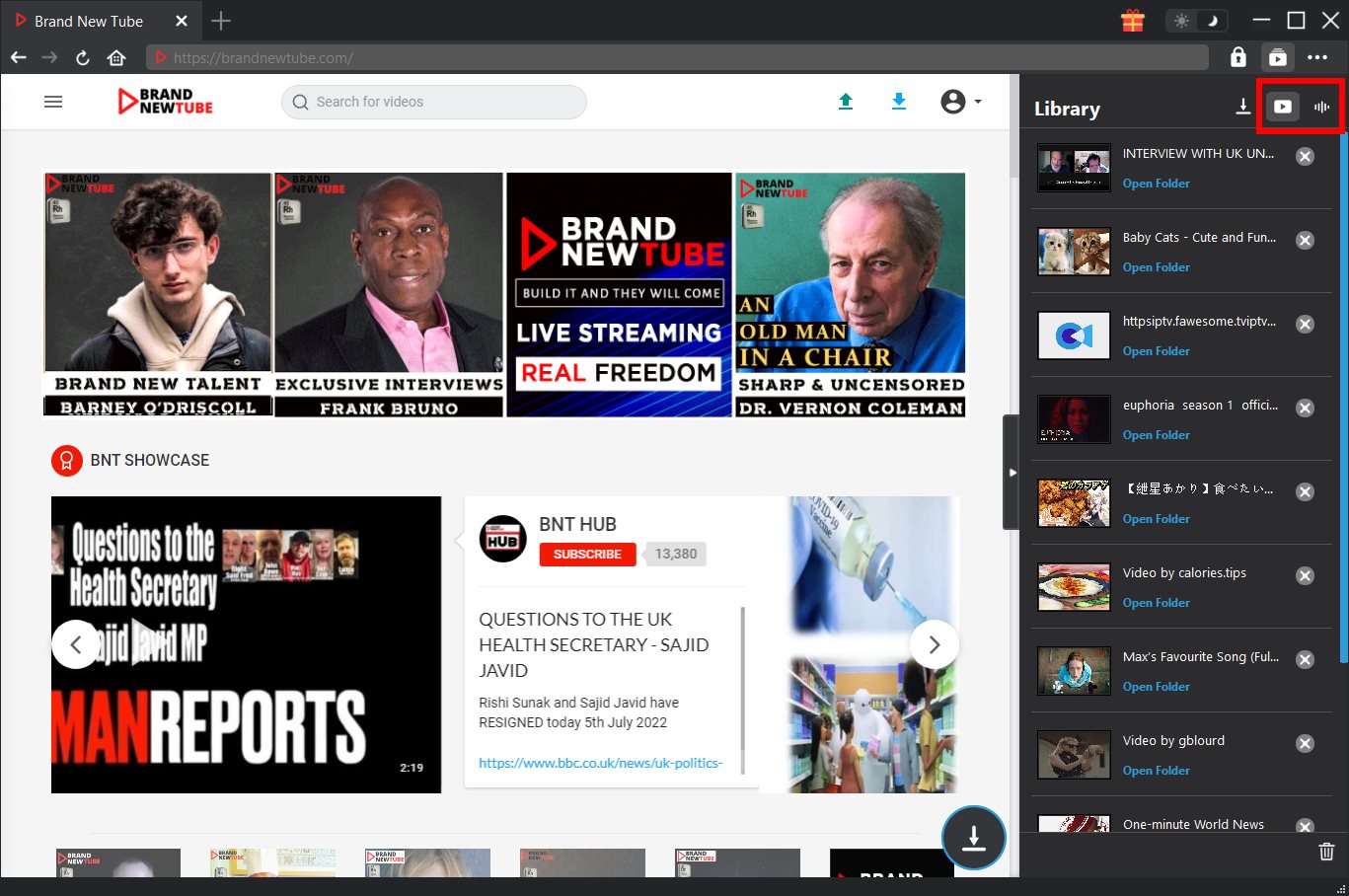
With CleverGet Video Downloader, you could download any brandnewtube videos from brandnewtube website for offline watching easily. You could even download brandnewtuben video to MP4 files for various devices and players.
Notes:
1. As the big toolkit package, CleverGet offers you more online video downloading solutions for even streaming sites like Amazon, Netflix, HBO Max, etc. It could help you download movies and TV shows from these streaming sites at up to 1080P with desired subtitles and audio tracks.
2. CleverGet offers free trial version to let you free download up to 3 videos for totally free, which means you could test before deciding to purchase.
Part 2: Download video from BrandNewTube using online downloader tool
Besides using CleverGet Video Downloader, you could also make use of online video downloader tools to download videos from brandnewtube.com. And many online video downloader tools are actually free to use, though CleverGet Video Downloader also provides 3 free downloads in its trial version.
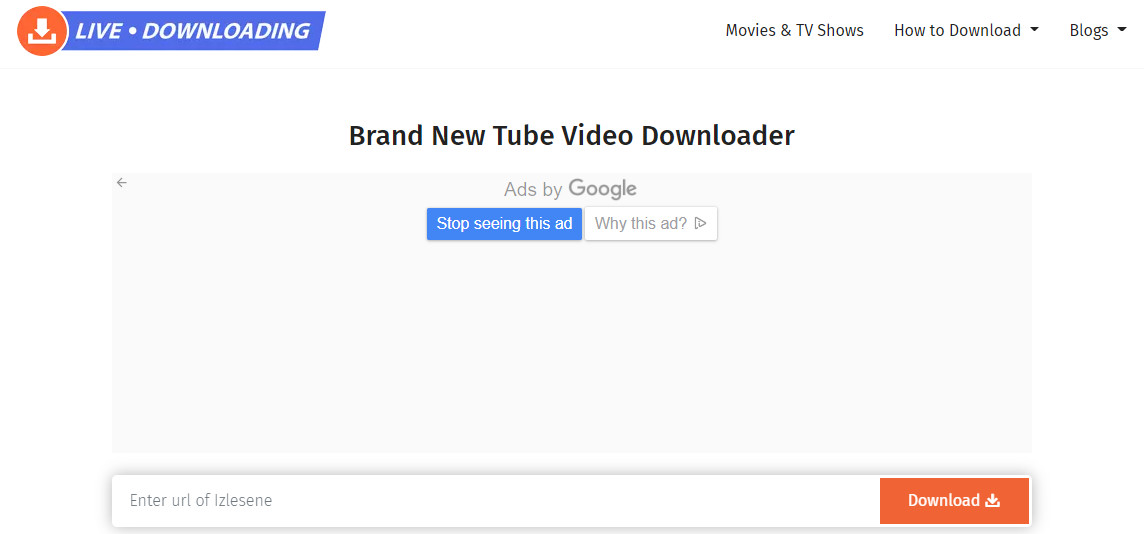
Livedownloading is one of the best platforms where you can download and share any video you want. Brand New Tube video downloader of LiveDownloading allows you to download your favorite Brand New Tube videos easily. Whether it is a funny video that you would like to share with your family and friends or a tutorial that can help you learn something, you can easily download Brand New Tube videos by following the simple steps given below:
- Step 1. The first thing you need to do is to open your internet browser and then go to the Brand New Tube website.
- Step 2. Start looking for the video you want to download.
- Step 3. When you get the video, you must select its URL.
- Step 4. Now, copy the URL of the video you selected in the previous step.
- Step 5. Launch the LiveDownloading website on your computer.
- Step 6. Now, go to the search section of the LiveDownloading page.
- Step 7. Paste the URL you copied before.
- Step 8. Prior to clicking on the download button, you must make sure that the video is public.
- Step 9. There are several format options available to a user on the LiveDownloading page. You can download your video in any format you like.
- Step 10. A lot of format choices will open up before you when you will click on the “Download” button.
- Step 12. Select the format in which you wish to download your Brand New Tube video.
- Step 13. After performing all the steps given above, you need to download the video in the final step.
Then, you will be able to watch the video offline whenever you want. Moreover, you can share the video with your family and friends. You are required to carry out the same steps to download a Brand New Tube video on your mobile devices.
Part 3: Download video from BrandNewTube using iShareSoftware Video Downloader
As an HD video downloader suitable for almost all video sharing sites including but not limited to YouTube, Facebook, Netflix, Vimeo, Vevo, CBS, Twitter, Lynda, Instagram, Dailymotion, jibjab, Break, Metacafe, AOL, Veoh, VideoBash, iShareSoftware Video Downloader has fast download speed, high accuracy rate and low quality loss. It can support batch downloading of videos on Windows computers. In addition, it also provides downloading of the entire playlist, one-click conversion and output to commonly used formats including but not limited to mp4, mov, mp3, webm, wma, etc.
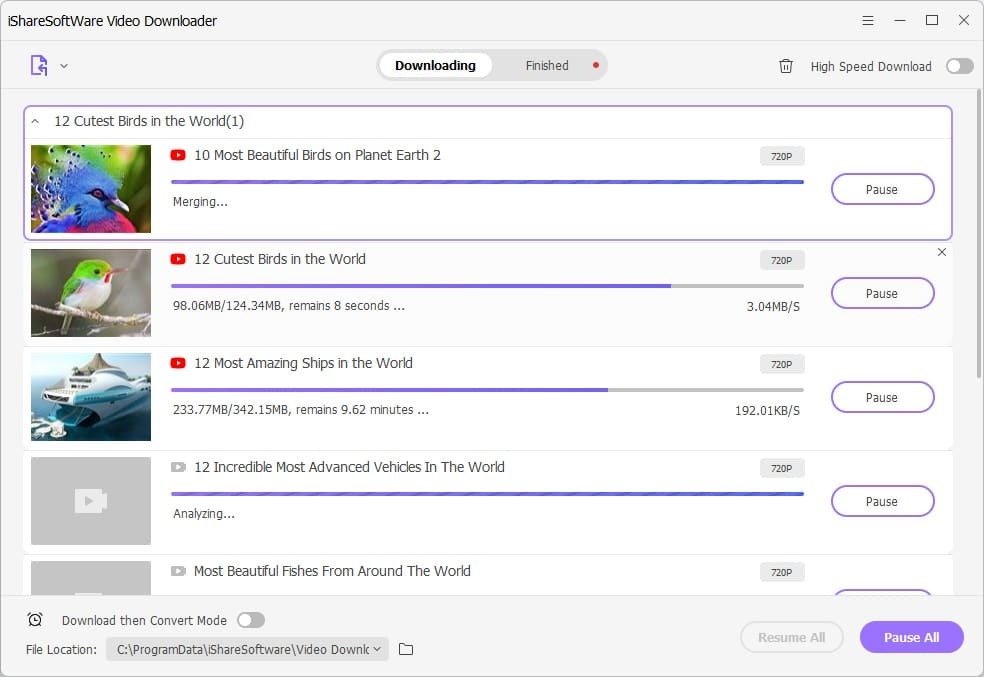
You could use iShareSoftware Video Downloader to download videos from brandnewtube.com easily as well. Follow the below guide to learn how to download brandnewtube videos with iShareSoftware:
- Step 1. Download and install iShareSoftware Video Downloader on your computer. It works on Windows only.
- Step 2. Set the download path at the bottom left corner of iShareSoftware program.
- Step 3. Copy the video URL for the brandnewtube videos and paste it to iShareSoftware Video Downloader by clicking the Add button.
- Step 4. On the popup settings window, you can choose the video format and resolution for the video you are downloading.
- Step 5. Click on “Download” button to begin brandnewtube video downloading.
The program starts downloading the video, and you see the download speed on the screen and the remaining time from the bar that shows the progress.
Part 4: Comparison among these tools
You could follow the above guide to download videos from brandnewtube.com to your computers easily. What are the differences among these 3 tools? Which is the best for you? Check the below comparison table.
| Features | CleverGet Video Downloader | Live Downloading online tool | iShareSoftware Video Downloader |
|---|---|---|---|
| Download videos from various sites | Support 1000+ video sharing sites | Yes | Yes |
| Download online video to MP4 | Yes | Yes | Yes |
| Play back online videos | Yes | No | No |
| Search for online videos for downloading | Yes | No | No |
| Batch downloading videos | Yes | No | Yes |
| Download HD videos | Yes, download videos at up to 8K resolution | Yes | Yes |
| Download online videos to audio | Yes | No | Yes |
| Download YouTube playlist | Yes | No | No |
| Download YouTube channel | Yes | No | No |
| Availability | Windows, Mac | All devices that have browser | Windows only |
These are the main differences among these 3 brandnewtube video downloader tools. You could take a try by yourself before deciding which one to use.
CleverGet Video Downloader

 Try for Free
 Try for Free
 Download videos and live streams from 1,000+ websites.
Download videos in up to 8K resolution.
Download videos individually or in batch.
Download seasons, episodes, playlists, and YouTube channels.
Save videos as MP4, MKV, or other formats.
Download videos with selected subtitles and audio tracks.
Automatically remove ads during downloads.
 English
 Deutsch
 日本語
日本語 French
 한국인
한국인 Italiano