


 Try for Free
 Try for Free
Share article:


Top 12 Most Viewed YouTube Videos & How to Download

2022-05-13 ・ Related to: CleverGet Video Downloader
754 Views
Statistics show that YouTube [icon name=”youtube” prefix=”fab”] has over 2.6 billion active users (that is about a third of the entire global population), and 122 million daily active users viewing YouTube videos, which undoubtedly makes it the king of video streaming. YouTube is also known as the second largest search engine, right after Google. YouTube is bigger than Yahoo!, Microsoft Bing, and Ask combined. When the YouTube music video “Gangnam Style” which is in the top twelve of most viewed YouTube videos of the decade, literally broke YouTube’s view counter, prompting the engineers to upgrade it.
You can find almost anything on YouTube, including movies and TV shows (although you might have to pay for some of them). Speaking about the most viewed YouTube videos on YouTube, what is the most viewed video on YouTube? In this guide, we will explore the twelve most viewed YouTube videos, and how you can download them for offline playback.

OUTLINECLOSE
Part 1: List of 12 most viewed YouTube videos
From the millions of YouTube videos available for you to watch, which of them are the most viewed YouTube videos? Here is a list of the twelve most viewed videos on YouTube in ascending order;
-
- 1. “Baby Shark Dance” by Pinkfong Kids’ Songs & Stories
- What is the most viewed video on YouTube? Surprise, it’s the “Baby Shark Dance”. To date, it has over 9.53 billion views, which is more than the Earth’s entire population. This children’s music video generates views with ease.
-
- 2. “Despacito” by Luis Fonsi, featuring Daddy Yankee
- With over 7.59bn views, this is the second most viewed video on YouTube. This huge track once held the top spot for about 3.2 years.
-
- 3. “Johny Johny Yes Papa” by LooLoo Kids
- It has over 5.82bn views, and is the second most viewed video for kids. This video also went viral after it was endlessly memed on Twitter due to it’s slightly surreal and bizarre nature.
-
- 4. “Shape of You” by Ed Sheeran
- With over 5.50bn views, this song is surely stuck in many people’s heads.
-
- 5. “See You Again” by Wiz Khalifa, featuring Charlie Puth.
- This YouTube music video has over 5.3bn views. Sang in dedication to Paul Walker who died while filming the Fast & Furious movie, this song can easily transport you back to 2015.
-
- 6. “Bath Song” by Cocomelon by Nursery Rhymes
- It has over 4.55bn views, and this is yet another video aimed at children. This one is simply a kids song about taking a bath.
-
- 7. “Learning Colors – Colorful Eggs on a Farm” by Miroshka TV
- It has over 4.52bn views, and it is an animation that uses anthropomorphised eggs to teach kids about colors.
-
- 8. “Masha and the Bear – Recipe for Disaster” by Get Movies
- With over 4.46bn views, this is more kids entertainment. This Russian video is all about a fatherly bear who looks after said Masha.
-
- 9. “Uptown Funk” by Mark Ronson, featuring Bruno Mars
- It has over 4.34bn views, and although it is from 2017 it is one of the newer videos on this list.
-
- 10. “Phonics Song with Two Words” by ChuChu TV
- View count is 4.25bn, and this is an educational one aimed at kids who wish to learn phonics.
-
- 11. “Gangnam Style” by Psy
- This YouTube music video, with 4.23bn views was responsible for breaking the YouTube view counter back in 2012, which prompted the engineers to upgrade it.
-
- 12. “Dame Tu Cosita” by El Chombo, featuring Cutty Ranks
- This is the last video on the list, with 3.66bn views. It depicts an alien-type creature dancing to “Dame Tu Cosita” by El Chombo.
Part 2: Best YouTube video downloader for PC/Mac
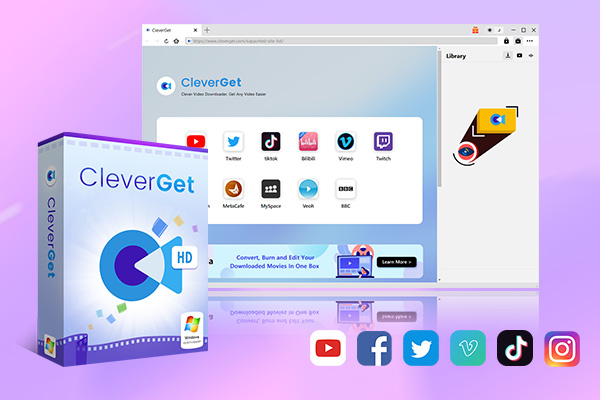
Your search for the best YouTube downloader for PC and Mac ends here, as we will introduce CleverGet Video Downloader, which is the currently the best YouTube downloader which is trending, and the best Y2mate alternative. In fact, CleverGet should be your first solution to all your video downloading needs, because it does not only support YouTube downloads, but it supports over 1000 websites for video downloads. Moreover, this advanced video downloader does not only easily download internet videos, but it goes a step further by supporting live stream video downloads, such as downloading Facebook Lives.
-
CleverGet Video Downloader
Download Movie Video With 320 Kbps audio.
Easily Download Live Streams Without Quality Loss.
Video Info Extractor.
Supports Playlist Downloading.
Support Multi-tasking & Video Info Extractor Inside.
Ease to Use UI.
To start using the most advanced video downloader, install it on your computer then follow the easy steps below;
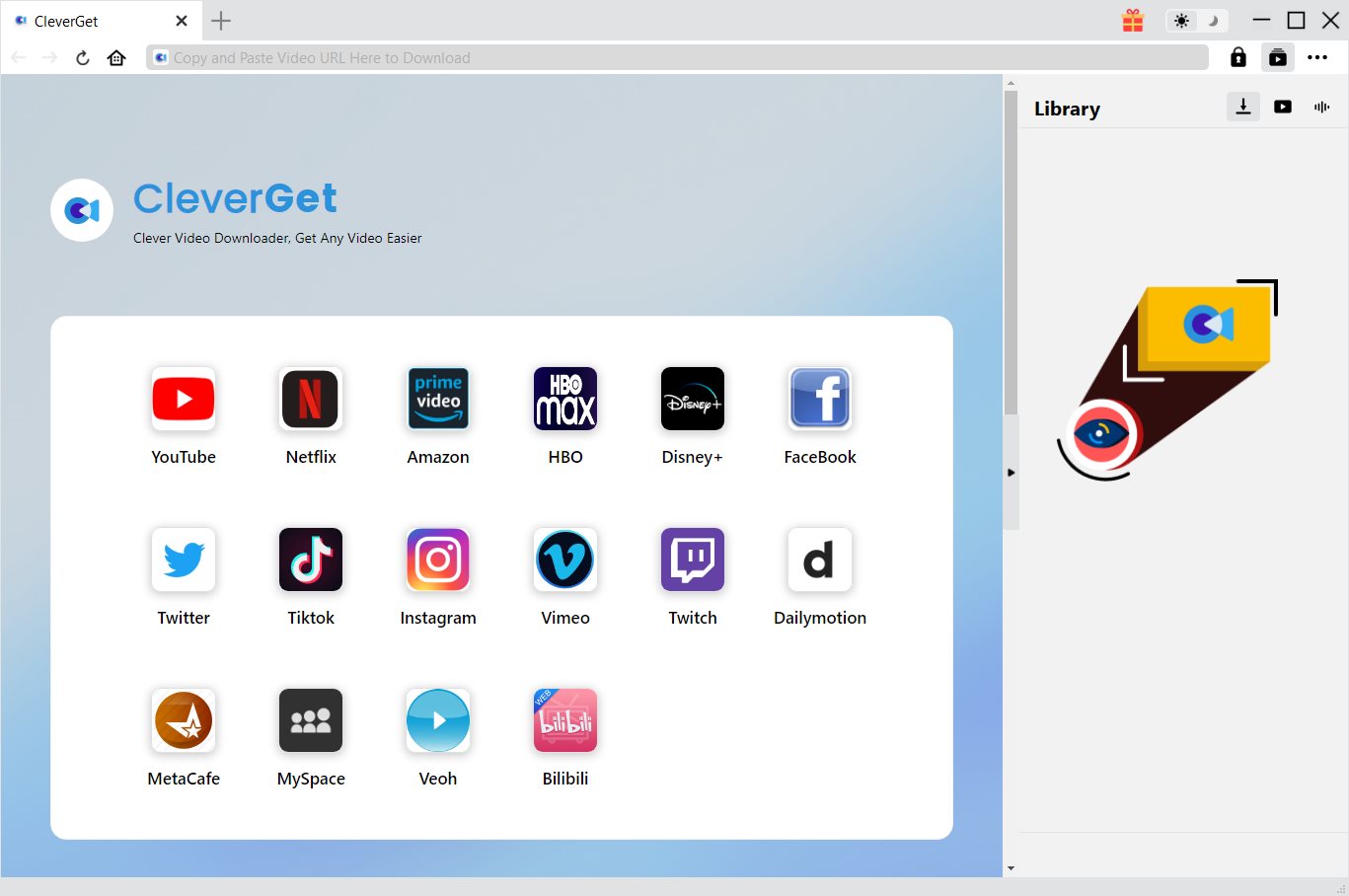
Step 1: Kick off CleverGet Video Downloader
Visit the YouTube website from your browser, then copy and paste the link from your address bar. If you have the link already saved somewhere, proceed to step 2.
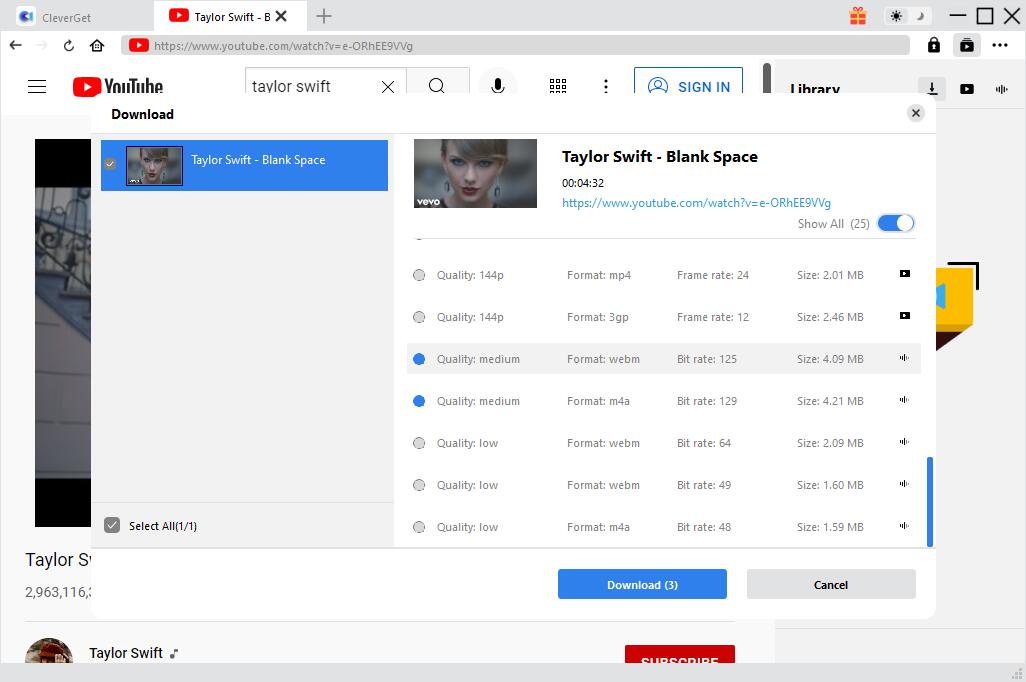
Step 2: Choose the desired video
Paste the link into the address bar of CleverGet, which should open the video webpage. From the list presented, select the ideal video with parameters that suite your needs (such as quality and format).
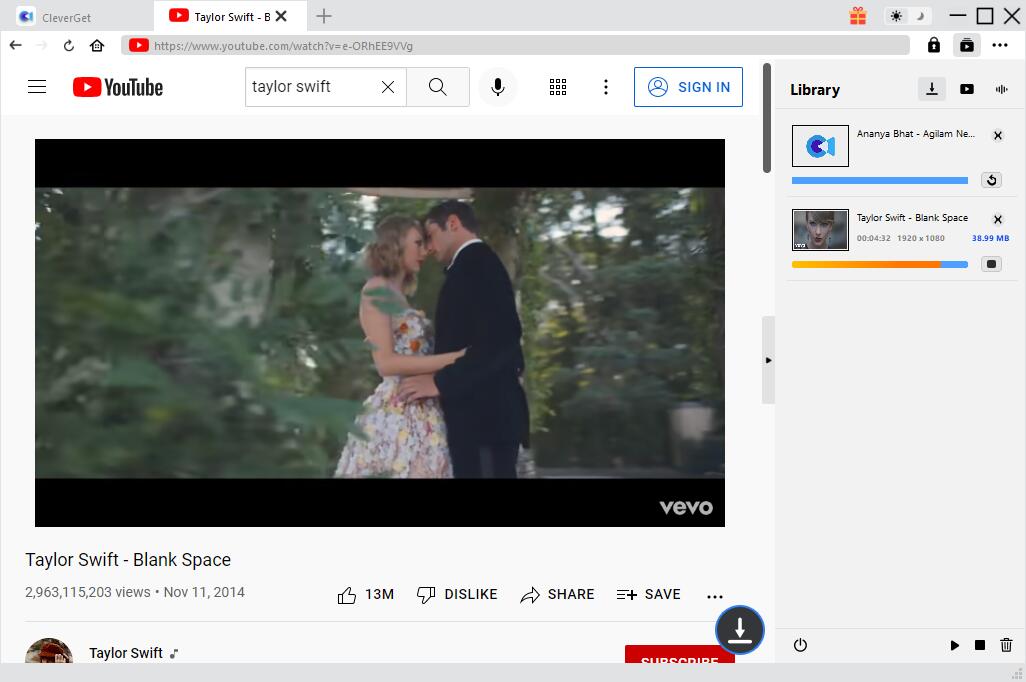
Step 3: Proceed to download YouTube videos
Once you have confirmed everything, click the download button to initiate your download.
Part 3: Best YouTube video downloader for mobile phone
You can also download the most viewed YouTube videos and YouTube music videos right from your mobile device, with VidMate for iOS and Android. This is the fastest and easiest way to download YouTube videos right from your mobile device is through Video Saver Pro+. It has the following features;
- Direct Link Download
- Wifi-Transfer
- Audio/Video Converter (MP3, MP4,M4A,M4V…)
- Play Music & Video in Background
- Simultaneous Downloads/Uploads
- Passcode Lock
It has more features which you can find right from the app download page. To use the app for downloading YouTube videos or YouTube music videos, follow the easy steps below.
Step 1: Download the app from the AppStore (if you use iOS), or from Google Play (if you use Android).
Step 2: Open your YouTube mobile app, and copy the video link of the video you want to share from the share menu.
Step 3: Open Video Saver Pro+ on your device, navigate to download manager and paste the link. The app will automatically grab the video for you and show you all available download options.
Part 4: Best video editing software for YouTube
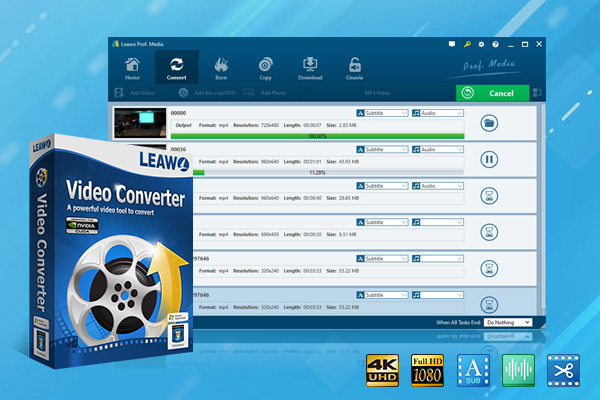
After you finish downloading any of your desired most viewed YouTube videos, you might want to convert and edit the downloaded videos, and if you are looking for the best video editing software for YouTube, then look no further as you can try Leawo Video Converter. Leawo Video Converter is integrated into Leawo Prof. Media (which also integrates Leawo Video Downloader, another YouTube video downloader you can try). In this case, Leawo Video Converter includes some advanced, yet easy to use tools for your video editing needs if you need to edit YouTube videos.
-
Leawo Video Converter
- Convert video and audio files between 180+ formats without quality loss
- Support 720P, 1080P and even real 4K video output
- Create photo slideshows from photos stored on camera, computer, camcorder, etc
- Built-in video editor to trim, crop, add watermark, apply special effect, etc
- 2D to 3D converter with 6 different 3D movie effects available
We highly recommend you to try this software for all your video conversion needs. Learn more about it from the product page. Here is how you can use it to convert your videos:
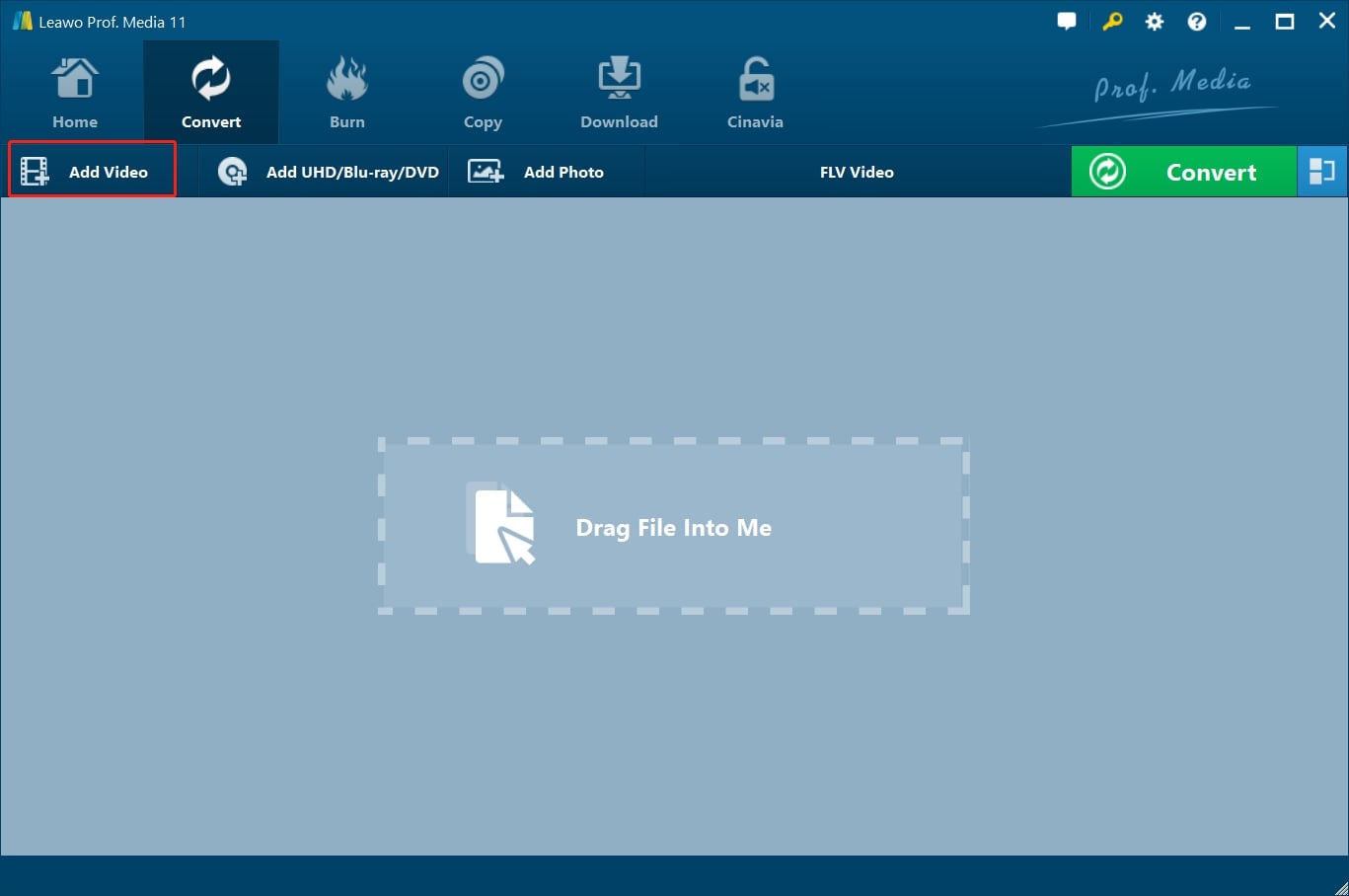
Step 1: Import the source video files into Leawo Video Converter
Click Add Video from the toolbar to import the source files. Batch importing is supported but it will slow down the entire conversion process if your files are too large.
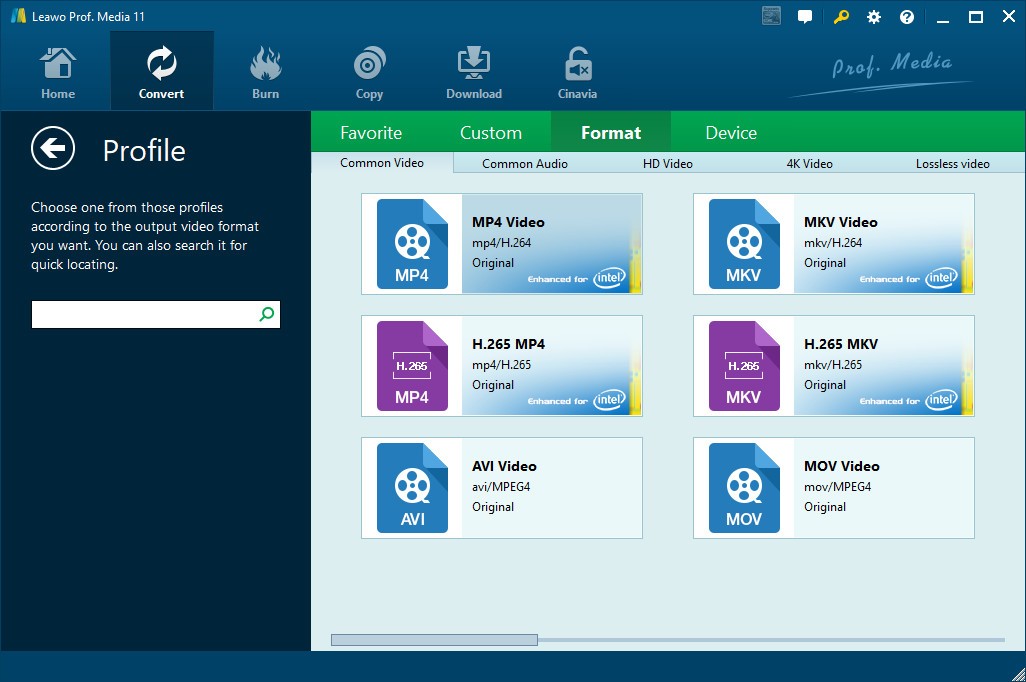
Step 2: Change the output format
Click Change under the format drop-down menu to navigate to the Profile panel, where you will be able to change the output format to the target one.
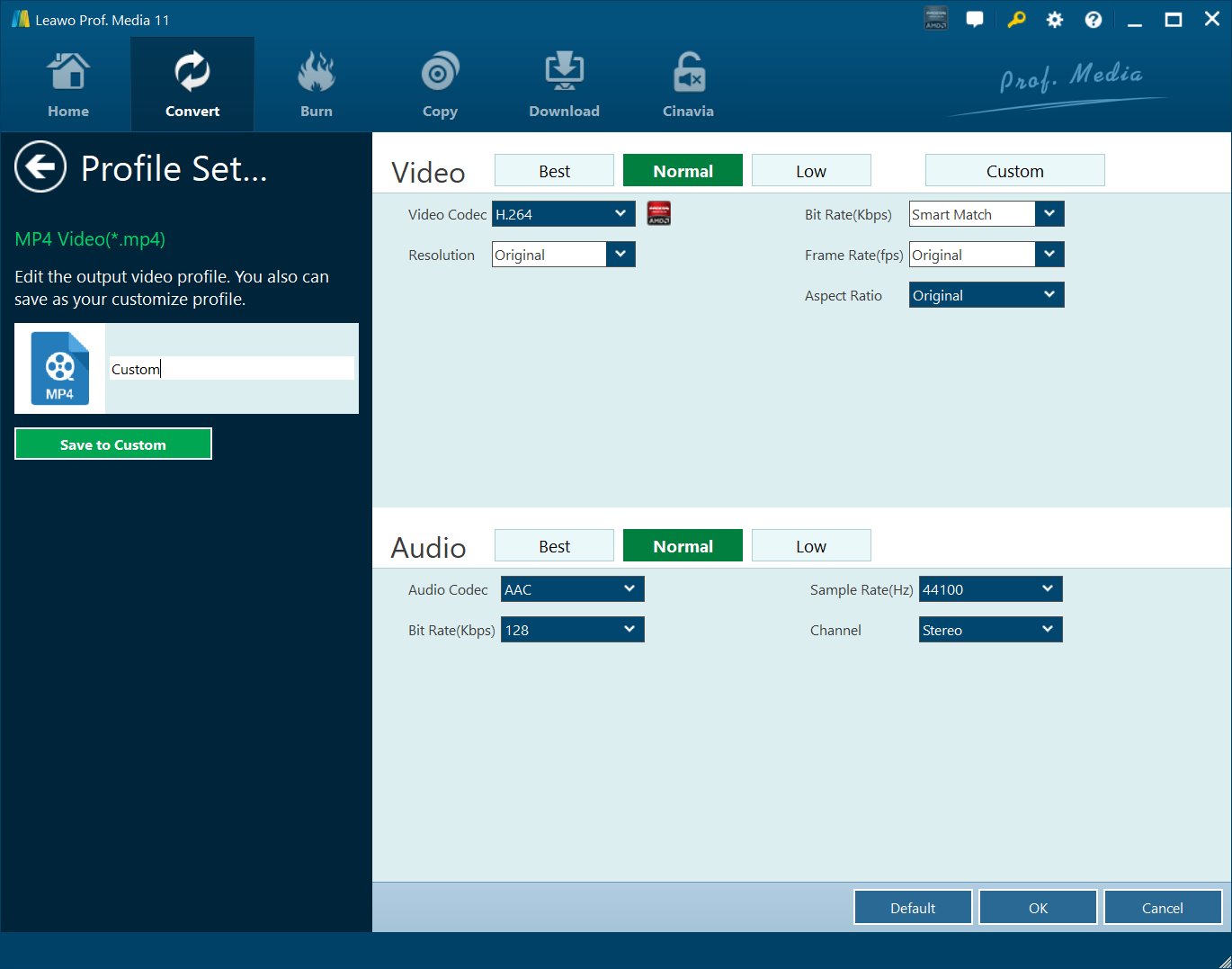
Step 3: Adjust the parameters of video
Twist the parameters to make your video file smaller if needed.
Step 4: Set an output directory to save the converted file
Click the Convert button and you will see a sidebar pop up to let you specify a directory to save the output file. After that, click the round button Convert below to start conversion. This process will take a couple of minutes depending on how large your file is.
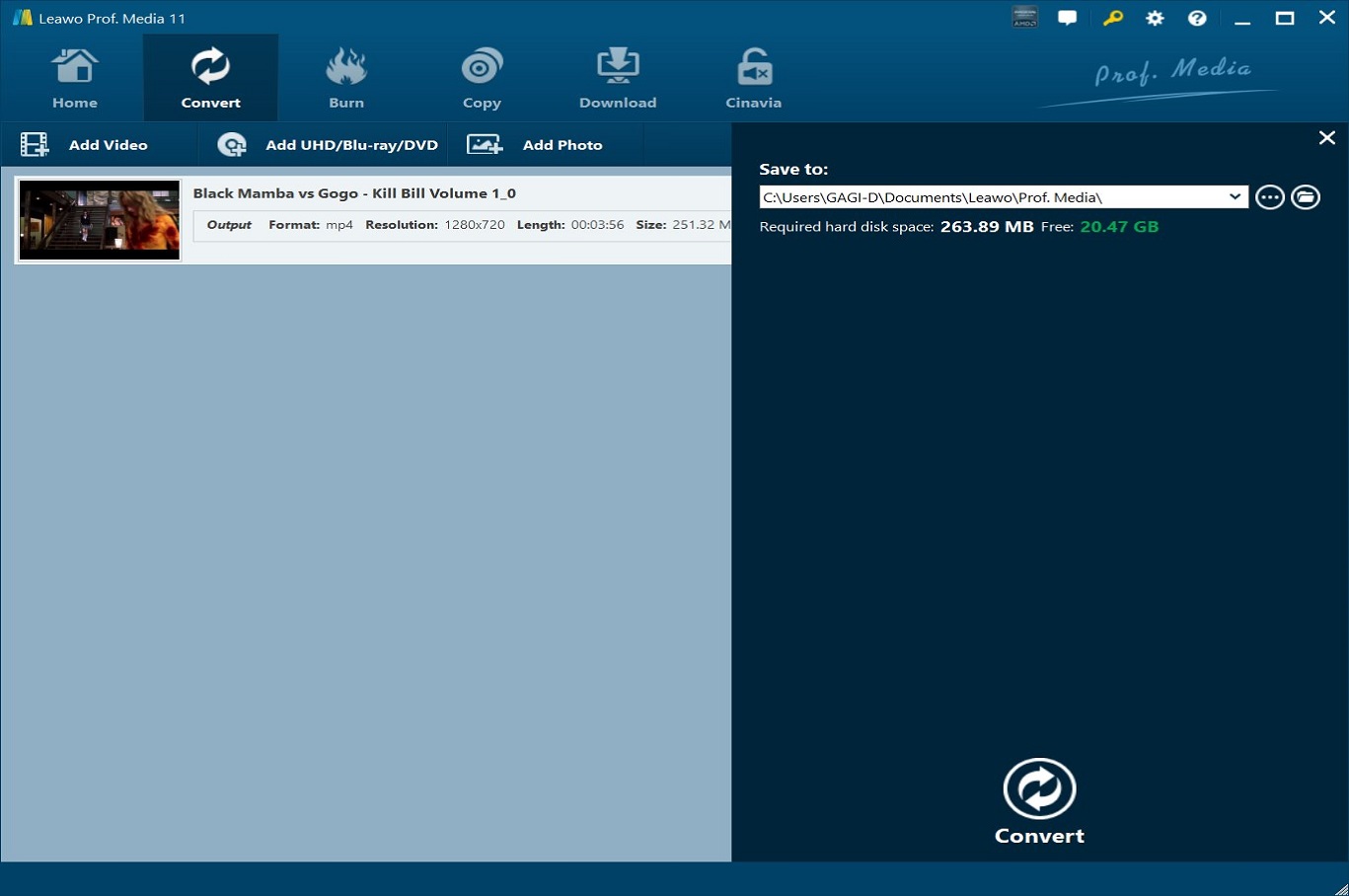
When conversion kicks off, you may view the green progress bar to monitor the real status. Once 100% is done, you will be able to find your converted files under the directory you set previously.
CleverGet Video Downloader

 Try for Free
 Try for Free
 Download videos and live streams from 1,000+ websites.
Download videos in up to 8K resolution.
Download videos individually or in batch.
Download seasons, episodes, playlists, and YouTube channels.
Save videos as MP4, MKV, or other formats.
Download videos with selected subtitles and audio tracks.
Automatically remove ads during downloads.
 English
 Deutsch
 日本語
日本語 French
 한국인
한국인 Italiano