


 Try for Free
 Try for Free
Share article:


How to Use Flash Video Downloader & Best Alternative to Flash Video Downloader

2022-08-04 ・ Related to: CleverGet Video Downloader
599 Views
FLV simply stands for Flash Video, and this video format was commonly used as the final display for videos stored on internet websites before it was killed. The FLV format allows you to import or export a static video stream including encoded. This file format also has multitude of uses besides storing video content, such as online presentations, animations, banners and more. MPEG-4 and H.264 compression standards are supported by FLV, which offer significantly greater compression than its predecessors, which means the videos could be of high quality videos. Since it has been killed-off by Adobe, which apps can you use as flash video downloaders? Is there still any existing flash video downloader online? We’ll answer all these questions in this guide, and show the best flash video downloader available.
OUTLINECLOSE
Part 1: What is Flash Video Downloader & How to use?
Flash is dead, but that does not mean you will fail to find FLV videos online. Since it is becoming difficult for websites to implement FLV video playback capabilities online due to new security policies, it is best to download them for offline playback with Flash video downloaders, as a handful of FLV players are available for both Windows and macOS.
If you are a macOS user
Flash Video Downloader 1 and 2 are available for downloading. Flash Video Downloader 2 is an easy-to-use solution that downloads from about any of the remaining Flash streaming sites. This FLV downloader can even download videos from sites that require you to sign in, and even those that first play an ad. If you have more to download, this software can allow you to download up to 5 videos simultaneously. You can also set the application to shut down once it has completed all your tasks. The biggest downside of this application is that it only supports macOS, and you would need to download it as a web browser plug-in for Windows, essentially as a Flash video downloader online. The application has not been updated in a while, and moreover, it will only support FLV videos for downloads, and not anything else, which could be a bummer to some. For how to use Flash Video Downloader, follow the steps below;
- Step 1. Download and install the application on your Mac computer, then launch it.
- Step 2. Import the Flash video URL into the application. Copy the URL which contains the Flash video you want to download, and save it as a text file at a convenient place on your computer (for example, your desktop).
- Step 3. Import the Flash video URL into the application. Choose the “Import URLs from a File” option, and select the text file you just saved in the previous step.
- Step 4. Your URL will be listed on the interface when it has been successfully imported. To begin downloading the FLV videos, click the “Begin Downloading” button.
If you are a Mozilla Firefox user
There is also a Flash video downloader web browser plug-in for Mozilla Firefox, which is also referred to as Flash video downloader Firefox. Unlike the desktop version available for macOS, this extension is regularly updated, and it supports a few more video formats for downloads, such as MP4, MOV, WebM, and a few more. However, upon checking the reviews, not many users are happy with it, as it supports a very few websites, and from the supported websites, it does not support downloading all available videos. You could still give it a shot, and you can download it directly from the Firefox extensions store.
If you are a Google Chrome user
The same Flash video downloader Firefox mentioned above is also available for the Chrome users, and it has all the same features since it is essentially developed by the same developer. To download the Flash video downloader Chrome, you would beed to visit the Chrome Web Store instead.
Part 2: Best alternative to Flash Video Downloader
If we are honest, the Flash Video Downloader app mentioned above is outdated, which means it is vulnerable to security threats, as well as lacking all the new features that you need in your Flash video downloader. You would need something that supports more file formats for downloads. You need a video downloader that supports more platforms. You need a video downloader that supports live stream video downloads, which is not even available with Flash Video Downloader. A video downloader that encompasses all these features, plus more is CleverGet Video Downloader.
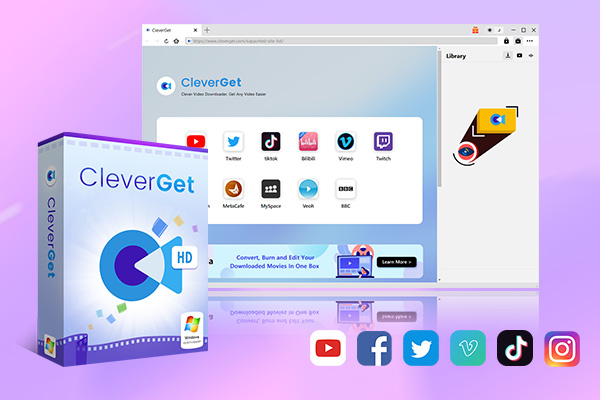
CleverGet Video Downloader is the most advanced video downloader available for you, because it has all the features that you need in your video downloader. Best of all, CleverGet has the ability to capture and download live stream videos from YouTube Live, Facebook live, Twitter Spaces, Instagram Live and more. Before we show you how to use this video downloader, we will list its features for your reference;
-
CleverGet Video Downloader
Download Movie Video With 320 Kbps audio.
Easily Download Live Streams Without Quality Loss.
Video Info Extractor.
Supports Playlist Downloading.
Support Multi-tasking & Video Info Extractor Inside.
Ease-of-use UI.
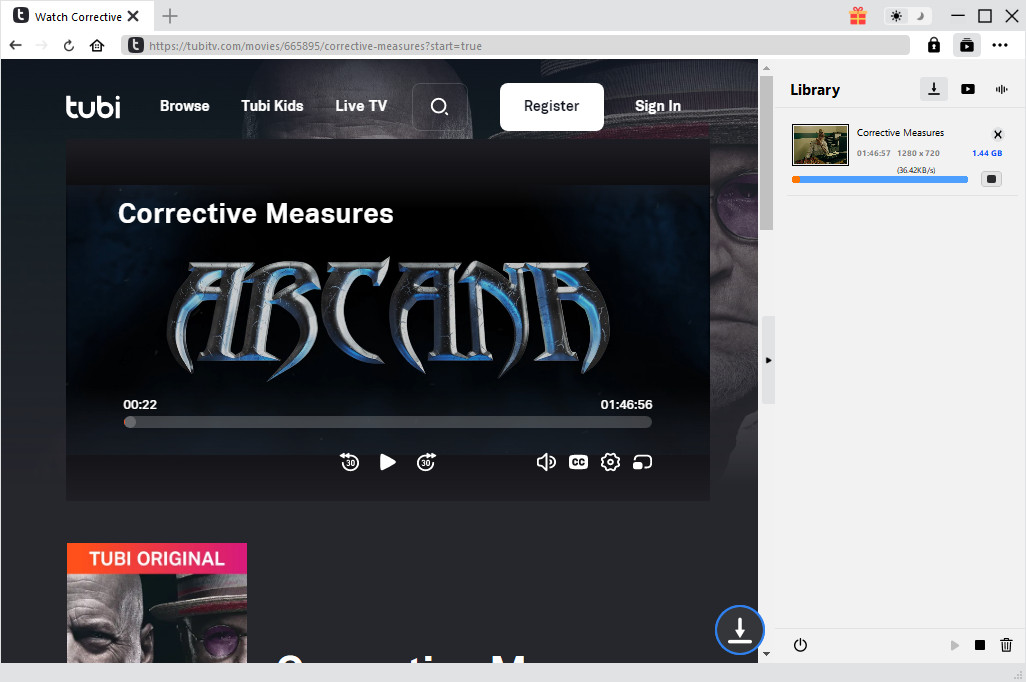
When you have downloaded and installed it on your computer, follow the easy steps below on how to use this video downloader on your Windows or macOS computer;
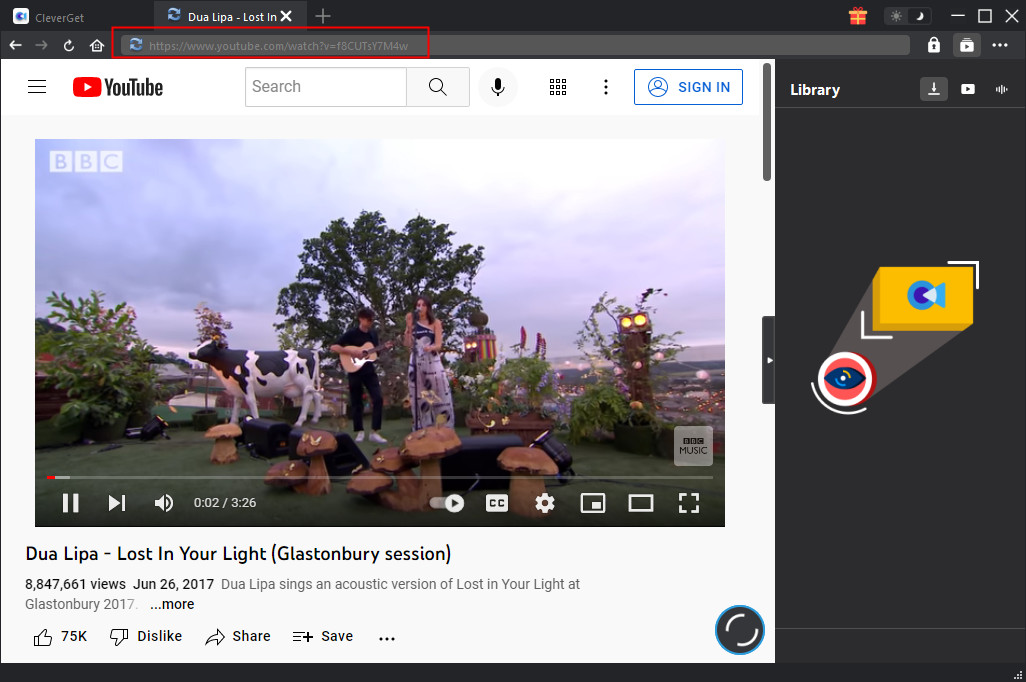
Step 1: Open the target page
Visit the video-hosting website that has FLV the videos you are looking for. Copy and paste the address from your address bar. Paste the link into the address bar of CleverGet, which should open the video webpage.
Step 2: Select the video of required parameters
From the list presented, select the ideal video with parameters that suite your needs (such as quality and format).
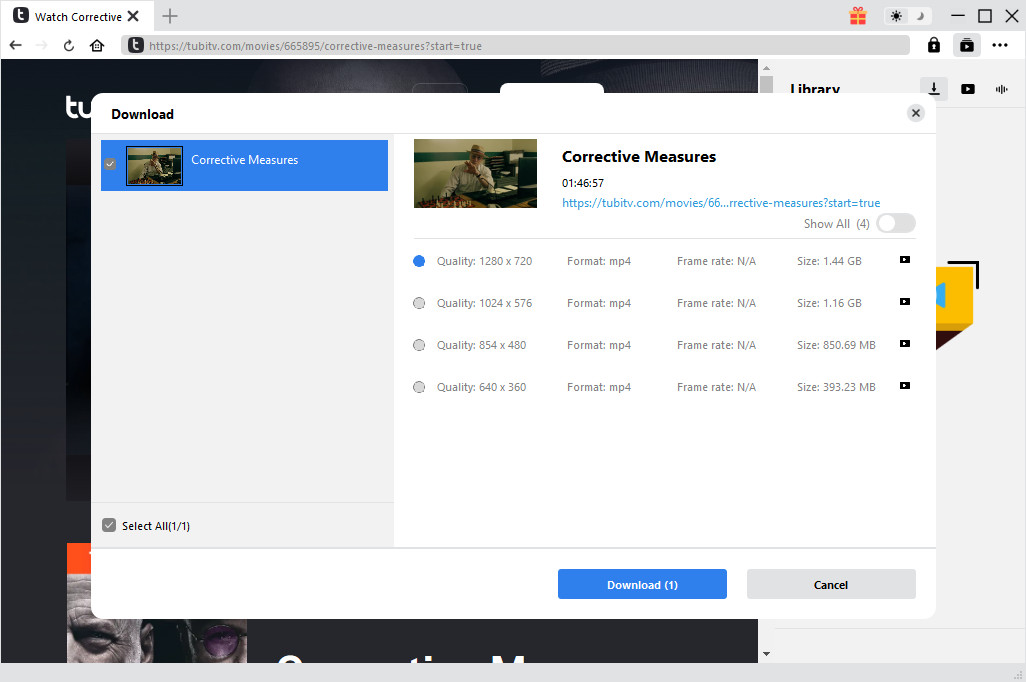
Step 3: Proceed to download video
Once you have confirmed everything, click the download button to initiate your download.
Part 3: Comparison chart between Flash Video Downloader and CleverGet Video Downloader
CleverGet is simply way ahead of Flash Video Downloader, and to make it easier for you to choose between the two, here is a comparison table for your reference if you want to choose the best Flash video downloader;
| CleverGet | Flash Video Downloader | |
|---|---|---|
| Number of supported websites | More than 1000 | Fewer than 1000 |
| Supported video resolutions | From 144p to 8K | From 144p to 720p |
| Playlist videos downloading | Supported | Not Supported |
| Can it capture all video data, including titles and formats? | Yes | No |
| Live stream video downloads | Supported | Not Supported |
| Netflix video downloads | Supported with a separate module | Not supported |
| Platforms | Windows, macOS | macOS |
| Regular updates | Yes | No |
Part 4: FAQs about Flash Video Downloader
If you have more questions about Flash video downloaders in general, the following could be your answers;
1. Do Flash video downloaders support a lot of video formats for downloads?
This depends with the Flash video format you are choosing. CleverGet supports just about any video format for downloading, while Flash Video Downloader supports a few through its web browser extensions, and only one through the macOS app.
2. How fast are Flash video downloaders when I want to download FLV videos?
This depends with the app you are using, as some are built with download boosters, which enable them to complete the tasks quicker. However, your internet connection also needs to be fast if you need to complete downloading tasks quickly.
3. Are Flash video downloaders supported on all platforms?
Yes, some Flash video downloaders are available for all platforms, while some are specifically made for one platform.
4. Can I download Netflix videos with the Flash video downloader?
Again, this also depends with the app you are using. The CleverGet Flash video downloader has a separate Netflix downloading module available if you need it. This might also not be an option with many other video downloaders.
5. Do Flash video downloaders support live stream videos?
Some of them do, some of them cannot do this task. Therefore, if you need this feature, check the feature list of the video downloader you want to try first before you download or buy it.
CleverGet Video Downloader

 Try for Free
 Try for Free
 Download videos and live streams from 1,000+ websites.
Download videos in up to 8K resolution.
Download videos individually or in batch.
Download seasons, episodes, playlists, and YouTube channels.
Save videos as MP4, MKV, or other formats.
Download videos with selected subtitles and audio tracks.
Automatically remove ads during downloads.
 English
 Deutsch
 日本語
日本語 French
 한국인
한국인 Italiano