


 Try for Free
 Try for Free
Share article:


What Is Twitcasting? How to Download Twitcasting Video?

2024-02-04 ・ Related to: CleverGet Twitcasting Downloader
472 Views
Do you want to know more about TwitCasting.tv? Do you want to know how to make money with your social networks just by chatting and live streaming? Do you want to download videos from TwitCasting.tv of your own or other people you have subscribed? If you happen to have these needs, you are getting satisfactory answers here. Here in this post, we would like to show you some useful information about TwitCasting.tv.
OutlineCLOSE
Part 1: What Is Twitcasting?
What is TwitCasting.tv? How does TwitCasting work? That are the basic questions we need to first make clear of. TwitCasting is a streaming platform with all kinds of content, from video games to the streamer’s daily life or ambient music. It features an easy-to-use and clear interface, so you will have no trouble following the content you like the most.

In early 2013, TwitCasting was developed as a way to use the Twitter feed to stream content from smartphones directly onto a user’s channel. Later, Facebook and Twitter can both be used to notify followers about the livestream. The streaming method can be selected from a video livestream and a radio livestream (only audio is distributed but a still image is displayed on the screen). Registration and login are required for streaming and commenting. However, logging in is not required to watch a livestream.
As soon as you enter, TwitCasting shows you the most popular channels that are currently live. It tells you how many viewers are in the chat and how many comment. TwitCasting enables you to search by channel, category, and even recent so as to help you develop various live streamings. If you want to stream, TwitCasting even provides you a Live Monetization program to let you earn money by live streaming as long as you gain more than 100 watch hours of you live streams on TwitCasting in total in the last 3 months, have more than 100 subscribers on your YouTube channels (YouTube account needs to be connected to TwitCasting.), or have more than 3,000 X (formerly Twitter) followers.
Part 2: Can You Download Twitcasting Video Directly?
Can you save TwitCasting live streamings? Yes, you can save your own broadcastings onto TwitCasting.tv service once you have enabled the auto save function on the TwitCasting app of your mobile devices. Can you download TwitCasting videos directly? No, you can’t. You can’t even download your own TwitCasting video clips directly to your computer or devices, not even to mention video clips and live streaming videos of others.
Then, is there any TwitCasting download solution to help you download TwitCasting video? Of course yes. Nowadays, not a single video could not be downloaded. Though you can’t download TwitCasting videos directly, you could make use of 3rd-party TwitCasting video downloader tools. There are quite a lot of online video downloaders that could help you download TwitCasting videos at high speed and quality such as CleverGet TwitCasting Downloader, and as well many online video recorder that could help you record TwitCasting videos for downloading such as RecStreams.
Part 3: How to Download Twitcasting Video on PC?
How can you download TwitCasting videos on PC? As mentioned above, you could choose either TwitCasting video downloader tools or TwitCasting video recorder tools to download and save videos from TwitCasting.tv website. Here we would like to introduce you 3 best TwitCasting video savers to help you save TwitCasting videos for unlimited offline watching.
1. Download TwitCasting video with CleverGet TwitCasting Downloader
CleverGet TwitCasting Downloader is a professional 3rd-party TwitCasting video downloader that could help you download videos from TwitCasting.tv to MP4/MKV files at up to 1080P resolution in batch. This TwitCasting video downloader could download TwitCasting live videos, regular recorded videos, and even those recorded videos with access limitation.
You could follow the below steps to learn how to download TwitCasting videos in detail:
Step 1: Download and install CleverGet on your computer.

-
CleverGet Twitcasting Downloader
– Download TwitCasting live and recorded videos at up to 1080P videos without quality loss.
– Download TwitCasting videos purchased from TwitCasting.tv Store freely.
– Support batch downloading TwitCasting videos to MP4 files.
– Built-in browser and easy-to-use UI.
Step 2: Kick off CleverGet and then click the three-dot icon at the top right corner to choose “Settings” option on the drop-down menu. On the “Settings” window, set output directory in the “General” tab.
Step 3: Back to the main interface and open TwitCasting.tv website within CleverGet. Log it in with your account.
Step 4: Search and play back target TwitCasting video. CleverGet TwitCasting Downloader would automatically analyze it.
Step 5: On the parsing “Download” window, choose download option and click the blue “Download” button. You can view the TwitCasting video downloading progress on the right sidebar, and all downloaded videos as well.
By following the above steps, you could easily download TwitCasting lives, videos clips and other videos to your computer in MP4/MKV files as you like. There will be no quality loss.
2. Download TwitCasting video on web browser
Besides local TwitCasting video downloader and recorder tools, you could still get various online TwitCasting video downloader tools such as PasteDownload. PasteDownload is essentially an online-based video downloader application that supports multiple video sites in one place. You can download videos, audios and photos (if any) from Twitcasting simply by pasting the video URL in the input form provided above.
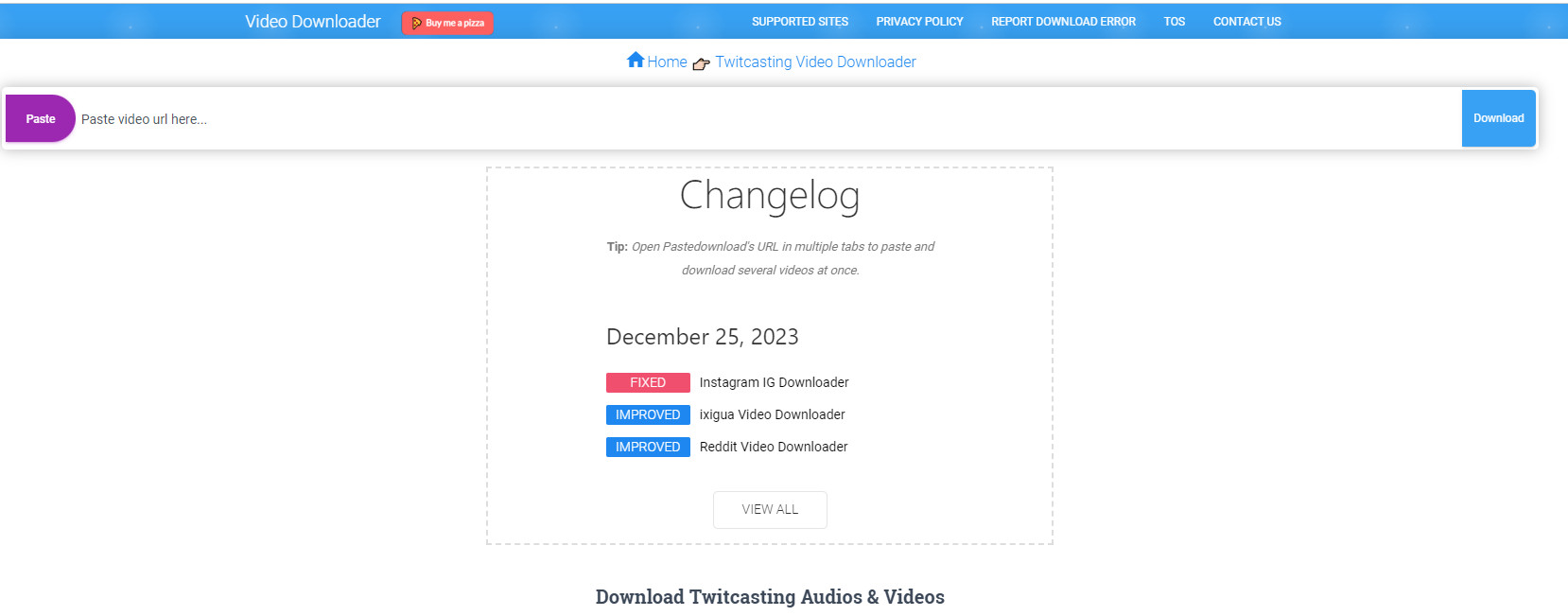
It’s quite easy to download TwitCasting video with web browser TwitCasting video downloader:
Step 1: Open the online TwitCasting video downloader page at https://pastedownload.com/twitcasting-video-downloader/
Step 2: Copy and paste the URL of target TwitCasting video into the address panel.
Step 3: Click the blue “Download” button.
Step 4: The URL will automatically be processed by PasteDownload to find Video, Audio and Photo files that you might be able to download.
Step 5: After the downloading process is complete, the Download Button will be available along with complete information about the size, quality and resolution of the file to be downloaded.
Step 6: Right click the download button and then choose “Save link as..” option on computer, or touch and hold “Download” link for smartphone to download it to your device.
Then, the TwitCasting video download will start. You then only need to wait for the download to complete.
3. Record TwitCasting video with CleverGet Streaming Video Recorder
CleverGet Streaming Video Recorder is a professional streaming video recorder that could help you record online videos from almost all video sites like YouTube, Facebook, Instagram, Twitter, Vimeo, Dailymotion, Twitch, Veoh, Metacafe, LiveLeak, Vevo, TikTok, Instagram, TwitCasting, etc., and even streaming services like Amazon, Netflix, Max, Disney+, Discovery+, etc. It could record and save online videos to 1080P MP4/MKV files, with selected audio track and subtitle (if available), for unlimited offline watching.
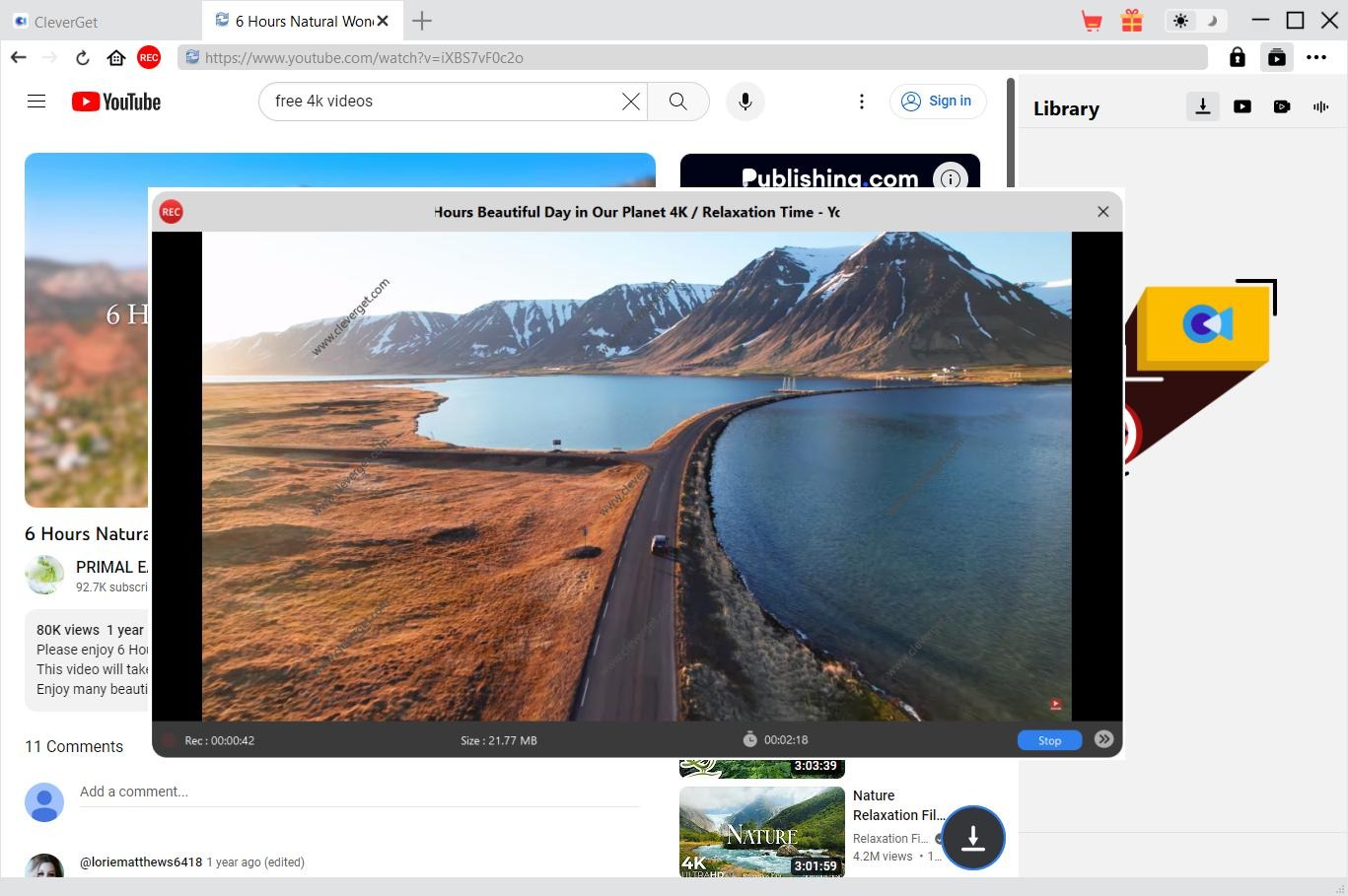
You could follow the below steps to learn how to record TwitCasting videos with this Streaming Video Recorder, which is a built-in module within CleverGet:
Step 1: Play back TwitCasting video within CleverGet program. To record TwitCasting video only, you could manually open the full-screen playback mode, therefore CleverGet Streaming Video Recorder will not record any other area other than the video itself.
Step 2: Click the red REC button right next to the browser address.
Step 3: Set the recording parameters including: output format, quality, coding, countdown, recording directory, etc. Then click the “Start Recording” button.
Step 4: Wait for the countdown to complete, or directly click the “Record Now” button.
Step 5: There will pop up a projector to let you view the recording details. You could view the recording size, file name, recording progress, etc. Stop recording anytime you like by clicking the “Stop” button, and restart a new recording anytime you like by clicking the “Start” button. You could click the “Recordings” icon to call out or hide the recording history sidebar.
Once the recording completes, click the shutdown icon “X” to close the recording progress and get the main program interface back. On the right sidebar of the main program, you could view all recordings under the “Recorded” tab.
Part 4: How to Download Twitcasting Video on Smartphone?
What if you are using a smartphone? Can you download TwitCasting video on smartphone directly? Of course yes. The online TwitCasting video downloader tools like Pastedownload mentioned above could help you download TwitCasting videos on smartphone easily. Actually, you could still get other options. That is to make use of the video recording tool of your smartphone.
1. Download Twitcasting video on iPhone
If you are using an iPhone, the original screen recording function added after the iOS 11 update could help. You could:
Step 1: Go to “Settings” > “Control Center” > “Customize Controls”, then tap the green + icon next to “Screen Recording” to add the screen recording function to Control Center.
Step 2: Swipe up from the bottom of the screen to open the control center, select and tap the icon for screen recording.
Step 3: Then, open TwitCasting.tv website and play back the target video you want to download on iPhone.
Step 4: When you could to stop recording, just click the red REC button. Then, the recorded video will be automatically saved to your video gallery.
Step 5: You could then freely edit the recorded videos with the native editor provided by iPhone.
2. Download Twitcasting video on Android
If you are using an Android smartphone, there are even more screen recorders that could help you complete the TwitCasting video recording task such as AZ Screen Recorder, XRecorder, InShort Screen Recorder, Vysor, and even your phone’s native screen recording tool. They are all very easy to use, following nearly the same steps:
Step 1: Download and install the screen recorder on your Android smartphones.
Step 2: Kick off the screen recorder, and click the record button.
Step 3: Play back TwitCasting.tv video to start recording.
Step 4: Tap the stop recording button on the screen to stop recording.
Step 5: Go to the video gallery to find the latest recorded video and edit with the native video editor.
CleverGet Twitcasting Downloader

 Try for Free
 Try for Free
 Download live streams and video clips from TwitCasting.tv;
Download videos in MP4 format;
Batch download multiple live streams;
Download TwitCasting content using built-in browser.
 English
 Deutsch
 日本語
日本語 French
 한국인
한국인 Italiano